
Meike MK-50mm F1.2 Z
Meike MK-50mm F1.2 Full Frame Manual Focus Lens User Manual
Model: MK-50mm F1.2 Z
1. Introduction
This manual provides detailed instructions for the proper use and care of your Meike MK-50mm F1.2 Large Aperture Full Frame Manual Focus Fixed Lens for Nikon Z-Mount cameras. Please read this manual thoroughly before using the lens to ensure optimal performance and longevity.
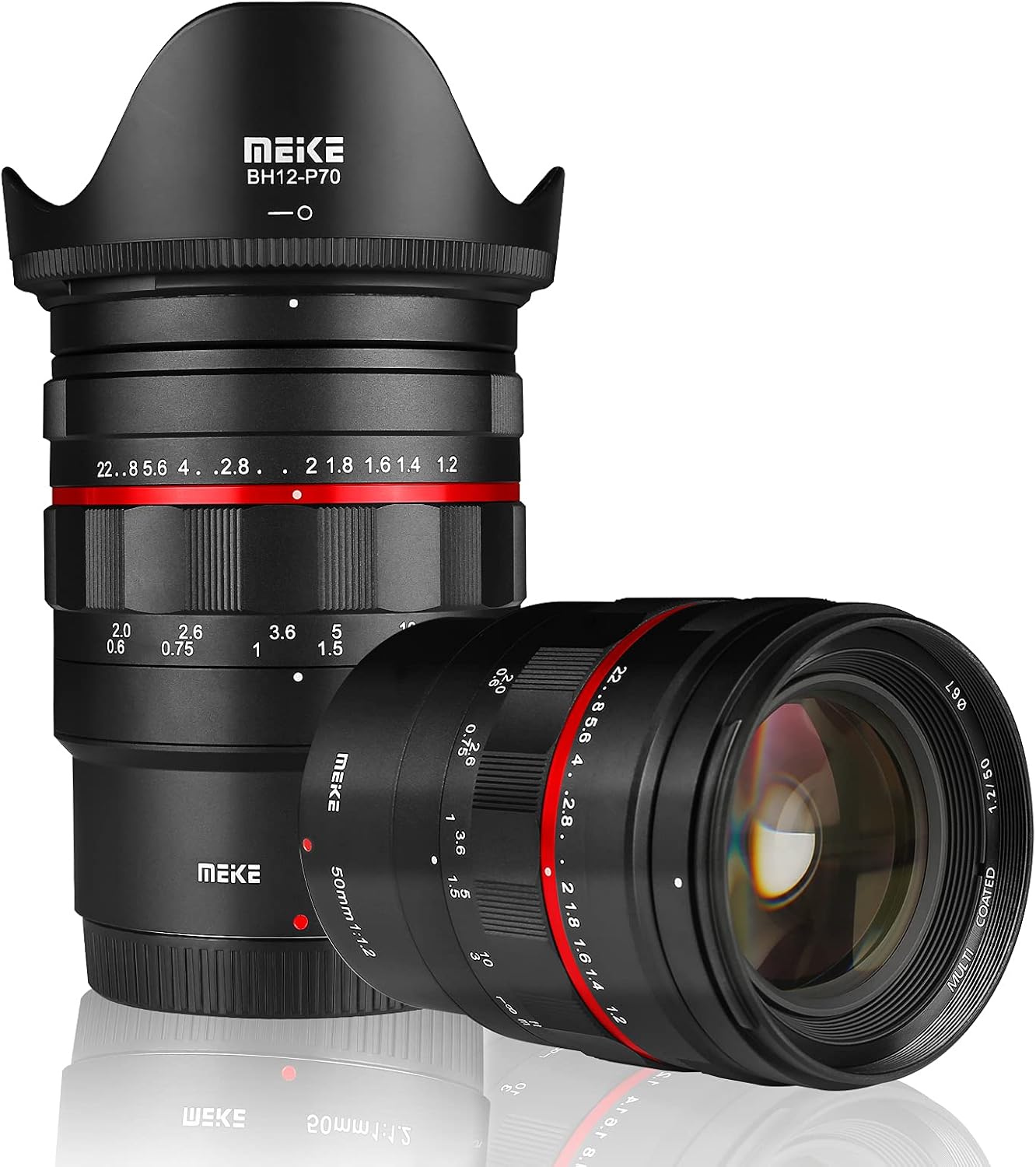
Figure 1: Meike MK-50mm F1.2 lens with its included lens hood.
2. Safety Information
- Do not expose the lens to extreme temperatures, humidity, or direct sunlight for extended periods.
- Avoid dropping or subjecting the lens to strong impacts.
- Keep the lens away from strong magnetic fields.
- Do not attempt to disassemble or modify the lens. Repairs should only be performed by authorized service personnel.
- Use a soft, clean cloth for cleaning lens surfaces. Avoid harsh chemicals.
3. Product Overview
The Meike MK-50mm F1.2 is a full-frame manual focus prime lens designed for Nikon Z-Mount cameras. It features a large F1.2 aperture, making it suitable for low-light photography and achieving shallow depth of field with smooth bokeh.
3.1 Key Features
- Focal Length: 50mm fixed prime lens.
- Maximum Aperture: F1.2, providing excellent low-light performance and depth of field control.
- Lens Construction: 12 elements in 7 groups with multi-layer coatings to reduce flare and ghosting.
- Minimum Focusing Distance: 0.6 meters (approximately 1.97 feet).
- Filter Size: 67mm.
- Mount Type: Nikon Z-Mount.
- Focus Type: Manual Focus.
- Construction: Durable metallic body.

Figure 2: Various angles of the Meike MK-50mm F1.2 lens, highlighting its design and rings.
4. Setup
4.1 Attaching the Lens to Your Camera
- Ensure your camera is turned off.
- Remove the rear lens cap from the Meike MK-50mm F1.2 lens and the body cap from your Nikon Z-Mount camera.
- Align the red dot on the lens barrel with the corresponding red dot on your camera's lens mount.
- Gently insert the lens into the camera mount and rotate it clockwise until it clicks into place. Do not force the lens.
- Attach the front lens cap when the lens is not in use.
4.2 Camera Settings for Manual Lenses
Since this is a manual lens, your camera requires specific settings to operate correctly. You must enable "M mode" or "Release without lens" in your camera's menu. Refer to your camera's instruction manual for the exact location of this setting.
- Nikon Z-Mount Cameras (Z5, Z6, Z7, Z50): Navigate to the camera's setup menu and locate the option for "Release shutter without lens" or similar. Enable this setting.
- Set your camera to Manual (M) shooting mode for full control over exposure.

Figure 3: The Meike MK-50mm F1.2 lens properly mounted on a Nikon Z-Mount camera body.
5. Operating the Lens
5.1 Manual Focus
The Meike MK-50mm F1.2 is a manual focus lens. To achieve sharp images, you will need to adjust the focus ring manually.
- Focus Ring: Rotate the focus ring (the wider ring closer to the camera body) until your subject appears sharp in the viewfinder or on the LCD screen.
- Focus Peaking: Utilize your camera's focus peaking feature (if available) to assist with precise manual focusing. This feature highlights in-focus areas with a specific color.
- Magnification: Use your camera's magnification function to zoom in on the live view image for critical focus adjustment.
5.2 Aperture Adjustment
The aperture ring (the narrower ring closer to the front of the lens) allows you to control the amount of light entering the lens and the depth of field.
- Rotate the aperture ring to select your desired F-stop (e.g., F1.2, F2.8, F8, F22).
- A wider aperture (smaller F-number like F1.2) allows more light and creates a shallower depth of field, blurring the background (bokeh).
- A narrower aperture (larger F-number like F22) allows less light and creates a greater depth of field, keeping more of the scene in focus.

Figure 4: The front of the lens, illustrating the focus distance scale and aperture ring settings.
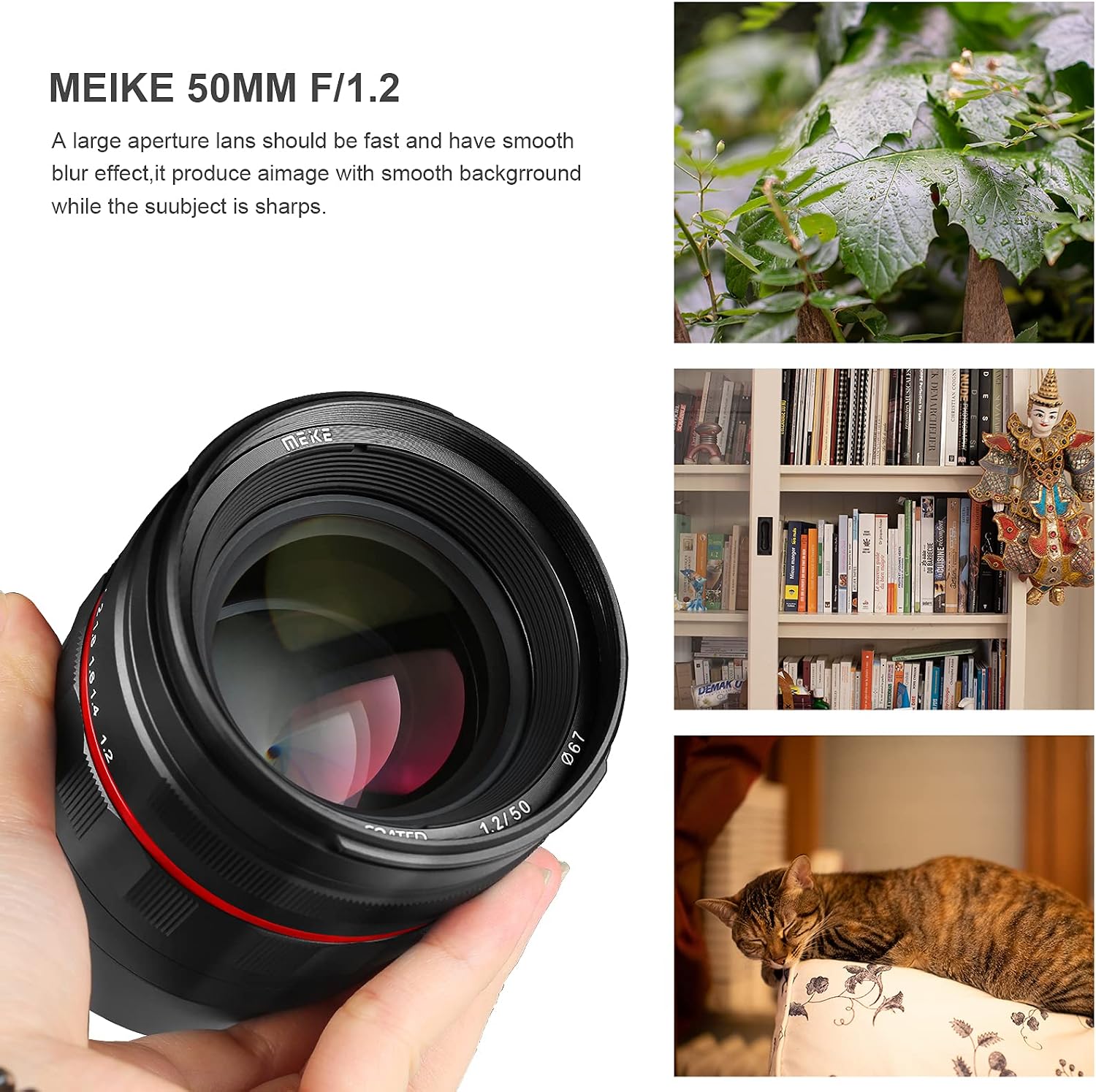
Figure 5: Sample images showcasing the lens's ability to produce smooth background blur (bokeh) at wide apertures.
6. Maintenance
6.1 Cleaning the Lens
- Use a lens blower brush to remove dust and loose particles from the lens surfaces.
- For smudges or fingerprints, use a clean, soft microfiber lens cloth and a small amount of lens cleaning solution. Apply the solution to the cloth, not directly to the lens.
- Wipe gently in a circular motion from the center outwards.
- Never use abrasive materials, solvents, or harsh chemicals.
6.2 Storage
- Always attach the front and rear lens caps when the lens is not in use.
- Store the lens in a cool, dry place, away from direct sunlight and extreme temperatures.
- If storing for extended periods, consider using a dehumidifying agent to prevent mold growth.

Figure 6: The lens shown with its protective caps and lens hood, ready for storage or transport.
7. Troubleshooting
| Problem | Possible Cause | Solution |
|---|---|---|
| Camera displays "Lens Not Attached" or similar error. | Camera not set to "Release without lens" mode. | Go to your camera's menu and enable "Release shutter without lens" or equivalent setting. Ensure the lens is securely mounted. |
| Images appear blurry or out of focus. | Incorrect manual focus adjustment. | Carefully adjust the focus ring. Utilize focus peaking and magnification features on your camera for precise focusing. Practice manual focusing techniques. |
| Images are too dark or too bright. | Incorrect exposure settings (aperture, shutter speed, ISO). | Adjust the aperture ring on the lens and/or the shutter speed and ISO settings on your camera to achieve proper exposure. Ensure your camera is in Manual (M) mode. |
| Dust or spots visible in images. | Dust on the lens elements or camera sensor. | Clean the lens surfaces as described in the Maintenance section. If spots persist, clean your camera's sensor or have it professionally cleaned. |
8. Specifications
| Feature | Detail |
|---|---|
| Brand | Meike |
| Model Number | MK-50mm F1.2 Z |
| Focal Length | 50mm |
| Maximum Aperture | F1.2 |
| Minimum Aperture | F22 |
| Lens Type | Prime Lens, Standard |
| Compatible Mountings | Nikon Z-Mount (Full Frame) |
| Lens Construction | 12 elements in 7 groups |
| Minimum Focusing Distance | 0.6m (1.97 ft) |
| Filter Size | 67mm |
| Weight | Approximately 1.07 pounds (485g) |
| Product Dimensions | 9.84 x 9.84 x 9.84 inches (approximate) |
| Manufacturer | HKmeike |
9. Warranty Information
Meike products are typically covered by a limited manufacturer's warranty against defects in materials and workmanship. The specific terms and duration of the warranty may vary by region and retailer. Please retain your proof of purchase for warranty claims.
For detailed warranty information, please refer to the warranty card included with your product or visit the official Meike website.
10. Customer Support
If you encounter any issues or have questions regarding your Meike MK-50mm F1.2 lens that are not addressed in this manual, please contact Meike customer support or your authorized dealer for assistance.
Contact information can usually be found on the Meike official website or on the product packaging.
Related documentsMK-50mm F1.2 Z


Ask a question about this manual
Ask about setup, troubleshooting, compatibility, parts, safety, or missing instructions. Manuals+ will review the question and use this page’s manual context to help answer it.