
1. Introduction
This manual provides comprehensive instructions for the Fafeicy Portable Mini Spot Welder. This device is designed for precise spot welding of small batteries, power tool battery packs, and model aircraft batteries. It features a microcomputer-controlled output pulse and an LCD screen for displaying welding parameters. Please read this manual thoroughly before operation to ensure safe and effective use.
2. Safety Information
- This controller requires users to have a basic understanding of electronics and safety awareness.
- Always wear appropriate personal protective equipment, including safety glasses, when operating the spot welder.
- Ensure proper ventilation in your workspace to avoid inhaling fumes.
- Do not operate the device in wet conditions or near flammable materials.
- Although the MOS tube drive is protected, a blown tube may occur during use. If a tube blows, simply replace it.
- Ensure the power source is correctly connected with the correct polarity (DC9-12V). Incorrect polarity can damage the device.
- Keep out of reach of children.
3. Package Contents
Verify that all items are present in your package:
- 1 x Portable Mini Spot Welder Unit
- 1 x Connector (Plug)
- 2 x Power Input Lines
- 2 x Soldering Pins
4. Product Overview
The Fafeicy Portable Mini Spot Welder features a compact design with an integrated control panel and connection points.
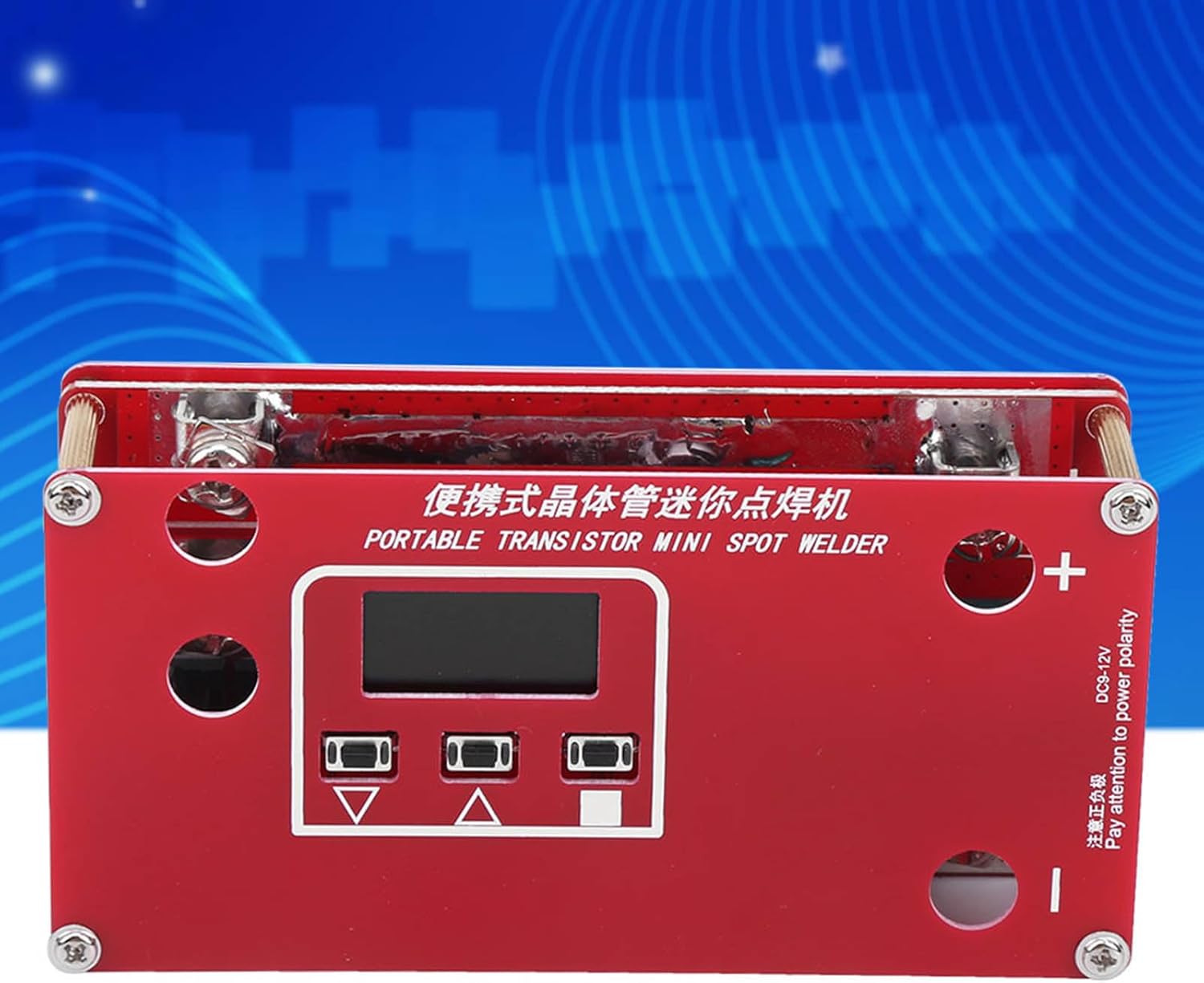
Figure 1: Front view of the spot welder with LCD and control buttons.
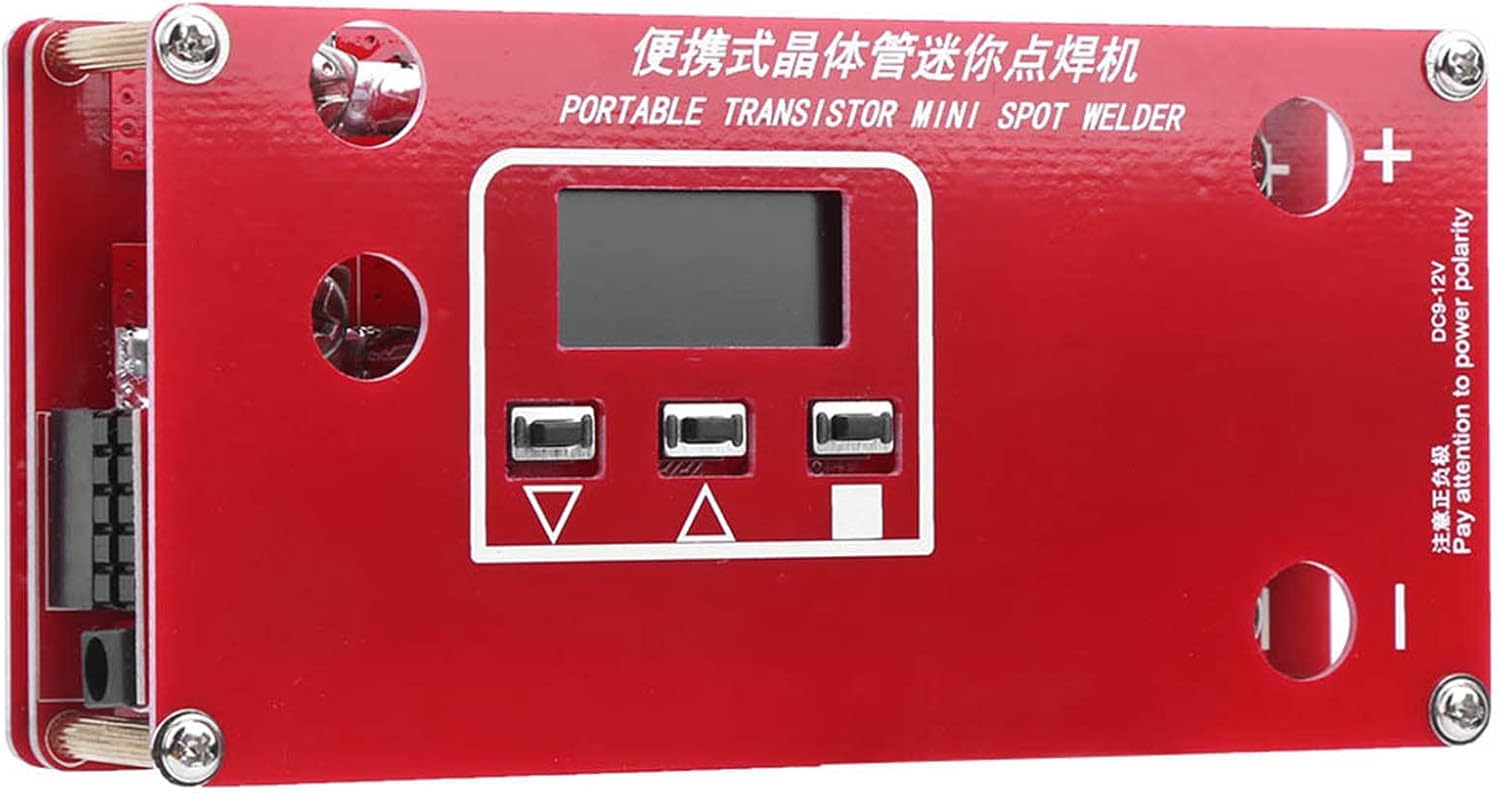
Figure 2: Top view of the spot welder, highlighting the main board and terminals.
Key Components:
- LCD Screen: Displays welding parameters and settings.
- Control Buttons: Used for navigation and adjusting settings.
- Power Input Terminals: Marked '+' and '-' for connecting the power source (DC9-12V).
- Soldering Pin Connections: U-shaped cold-pressed terminals for connecting the soldering pins.
5. Setup
Follow these steps to set up your spot welder:
- Connect Power Source: The welding power can be supplied by a lithium battery or a 12V car battery. Connect the provided power input lines to the '+' and '-' terminals on the spot welder. Ensure correct polarity.
- Connect Soldering Pins: Attach the two soldering pins to the U-shaped cold-pressed terminals. These terminals are designed for easy disassembly and replacement.
- Prepare Welding Surface: Ensure the nickel-plated steel strip and the battery terminals are clean and free of oxidation for optimal welding results.
- Grind Welding Needle (Optional but Recommended): For best results, grind the tip of the soldering pins to a rounded shape. This reduces pressure and improves weld quality.

Figure 3: Example of a connector plug.
6. Operating Instructions
The controller supports both automatic welding mode and a manual trigger interface.
Automatic Welding Mode:
- Power on the device. The LCD screen will display current welding parameters.
- Adjust welding parameters (e.g., pulse duration, power level) using the control buttons as needed. Refer to the LCD display for current settings.
- Place the nickel-plated steel strip onto the battery terminal.
- Press both soldering pins firmly onto the nickel strip, ensuring good contact with the battery terminal underneath. The device will automatically detect contact and initiate the welding pulse.
- Lift the pins after the weld is complete.
Manual Trigger Mode:
If available, connect a manual trigger switch to the designated interface. This allows you to manually control when the welding pulse is initiated after placing the pins.
Welding Tips:
- For optimal welding of 0.1mm to 0.15mm nickel-plated steel strips, a 3S, 40C, 5000mHA lithium battery or a 12V, 50Ah car battery is recommended as a power source. Note that a car battery refers to a dedicated automotive battery, not a standard lead-acid battery.
- Experiment with settings on scrap material before welding your final components.
- Apply consistent and firm pressure to the soldering pins during welding.
7. Maintenance
Regular maintenance ensures the longevity and performance of your spot welder.
- Cleaning: Keep the device clean and free of dust and debris. Use a dry cloth for cleaning.
- Soldering Pins: Inspect soldering pins regularly for wear. If they become dull or pitted, re-grind them to a rounded tip or replace them.
- MOS Tube Replacement: In case of a blown MOS tube, it can be replaced. This requires basic electronic repair skills.
- Storage: Store the spot welder in a dry, cool place away from direct sunlight and moisture.

Figure 4: Internal view of the spot welder, showing the power board and components.
8. Troubleshooting
| Problem | Possible Cause | Solution |
|---|---|---|
| No power/LCD not lighting up | Incorrect power connection, dead power source, faulty cable. | Check power input lines for correct polarity. Ensure power source (battery) is charged and functional. Inspect cables for damage. |
| Poor weld quality (weak or no weld) | Insufficient power, dirty welding surface, incorrect settings, worn soldering pins, insufficient pressure. | Ensure power source meets recommended specifications. Clean nickel strip and battery terminals. Adjust welding parameters. Re-grind or replace soldering pins. Apply firm and consistent pressure. |
| Device sparks excessively or component failure | Overload, short circuit, blown MOS tube. | Reduce welding power settings. Check for short circuits. If a MOS tube is blown, replace it (requires electronic repair skills). |
9. Specifications
| Feature | Specification |
|---|---|
| Brand | Fafeicy |
| Model Number | Fafeicyrnwiga79c82383 |
| Item Type | Mini Spot Welder |
| Product Dimensions | 1 x 1 x 1 cm |
| Weight | 210 g |
| Style | Soldering Pen |
| Power Source Type | Battery Powered (DC9-12V) |
| Wattage | 600 W |
| Special Features | Automatic welding mode / Manual activation interface |
| Batteries Included | No |
| Batteries Required | No |
| Specific Product Uses | Electronic applications (small batteries, power tools, model aircraft, etc.) |
| Recommended Welding Thickness | 0.1 ~ 0.15 mm nickel-plated steel strip |
10. Important Notes
- Please be aware that new and old versions of this product may be shipped randomly. Ensure this is acceptable before ordering.