
Introduction
This user manual provides comprehensive instructions for the safe and efficient operation of your Philips Series 2000 Air Humidifier, Model HU2716/10. Please read this manual thoroughly before using the appliance and retain it for future reference. The Philips Series 2000 Air Humidifier is designed to improve indoor air quality by maintaining optimal humidity levels, utilizing advanced NanoCloud technology for hygienic humidification.
Important Safety Information
When using electrical appliances, basic safety precautions should always be followed to reduce the risk of fire, electric shock, and injury to persons.
- Read all instructions before using the appliance.
- Do not operate any appliance with a damaged cord or plug, or after the appliance malfunctions or has been dropped or damaged in any manner.
- Keep the power cord away from heated surfaces.
- Do not use outdoors.
- Always place the humidifier on a firm, flat, level surface.
- Do not block air openings.
- Unplug the appliance before cleaning or performing any maintenance.
- This appliance is not intended for use by persons (including children) with reduced physical, sensory or mental capabilities, or lack of experience and knowledge, unless they have been given supervision or instruction concerning use of the appliance by a person responsible for their safety.
- Children should be supervised to ensure that they do not play with the appliance.
Product Overview
The Philips Series 2000 Air Humidifier (HU2716/10) is designed for effective and hygienic humidification of rooms up to 32m². Key features include:
- NanoCloud Technology: Provides hygienic humidification by spreading 99% fewer bacteria compared to ultrasonic humidifiers, without producing white dust or wet spots.
- Intelligent Humidity Control: Equipped with smart sensors that automatically adjust humidity levels to maintain an ideal environment.
- Multiple Fan Speeds: Offers 3 fan speeds for customized humidification, delivering up to 200 ml/h.
- Sleep Mode: Operates quietly at 30dB for undisturbed sleep.
- 2-Liter Water Reservoir: Easy to fill and clean, providing extended operation.
- Real-time Display: Digital display provides real-time feedback on humidity levels and settings.

Image: Front view of the Philips Series 2000 Air Humidifier, white with rose gold accents.
Setup Guide
- Unpacking: Carefully remove the humidifier from its packaging. Retain all packaging materials for future transport or storage.
- Placement: Place the humidifier on a stable, flat, and level surface. Ensure there is at least 10 cm (4 inches) of space around the appliance for proper airflow. Avoid placing it directly against walls or furniture.
- Filling the Water Tank:
- Remove the water tank from the base of the humidifier.
- Unscrew the water tank cap and fill the tank with clean tap water. Do not exceed the maximum fill line.
- Screw the cap back on tightly and place the water tank back onto the humidifier base. Ensure it is seated correctly.

Image: Illustration showing how to fill the water tank of the humidifier from a tap.
- Power Connection: Plug the power cord into a suitable electrical outlet. The appliance is now ready for operation.
Operating Instructions
Follow these steps to operate your Philips Series 2000 Air Humidifier:
- Power On/Off: Press the power button (●) on the control panel to turn the humidifier on or off. The display will illuminate when the unit is on.
- Adjusting Fan Speed: Press the fan speed button (☰) to cycle through the available fan speeds (1, 2, 3). Higher speeds result in faster humidification.
- Setting Humidity Level: Press the humidity setting button (%) to select your desired humidity level (e.g., 40%, 50%, 60%). The humidifier will automatically work to maintain this level.
- Sleep Mode: Activate sleep mode by pressing the sleep mode button (☾). In this mode, the fan operates at its lowest speed, and the display lights dim for quiet operation.
- Timer Function: Use the timer button (⏰) to set an operating duration (e.g., 1 hour, 4 hours, 8 hours). The humidifier will automatically turn off after the set time.

Image: Close-up of the humidifier's control panel showing buttons for power, fan speed, humidity setting, sleep mode, and timer.
Maintenance
Regular maintenance ensures optimal performance and extends the lifespan of your humidifier.
Cleaning the Water Tank and Base
- Unplug the humidifier before cleaning.
- Remove the water tank and empty any remaining water.
- Rinse the water tank and base with clean water. For thorough cleaning, use a soft brush or cloth and a mild detergent.
- Rinse all parts thoroughly to remove any detergent residue.
- Dry all parts completely before reassembling.
Humidification Filter Replacement
The humidification filter (Philips FY3446) should be replaced regularly, typically every 3-6 months, depending on water hardness and usage. A dirty filter can reduce humidification efficiency.
- Unplug the humidifier.
- Remove the water tank and then the humidification filter assembly.
- Discard the old filter.
- Install a new Philips FY3446 humidification filter, ensuring it is correctly seated.
- Reassemble the humidifier and fill the water tank.
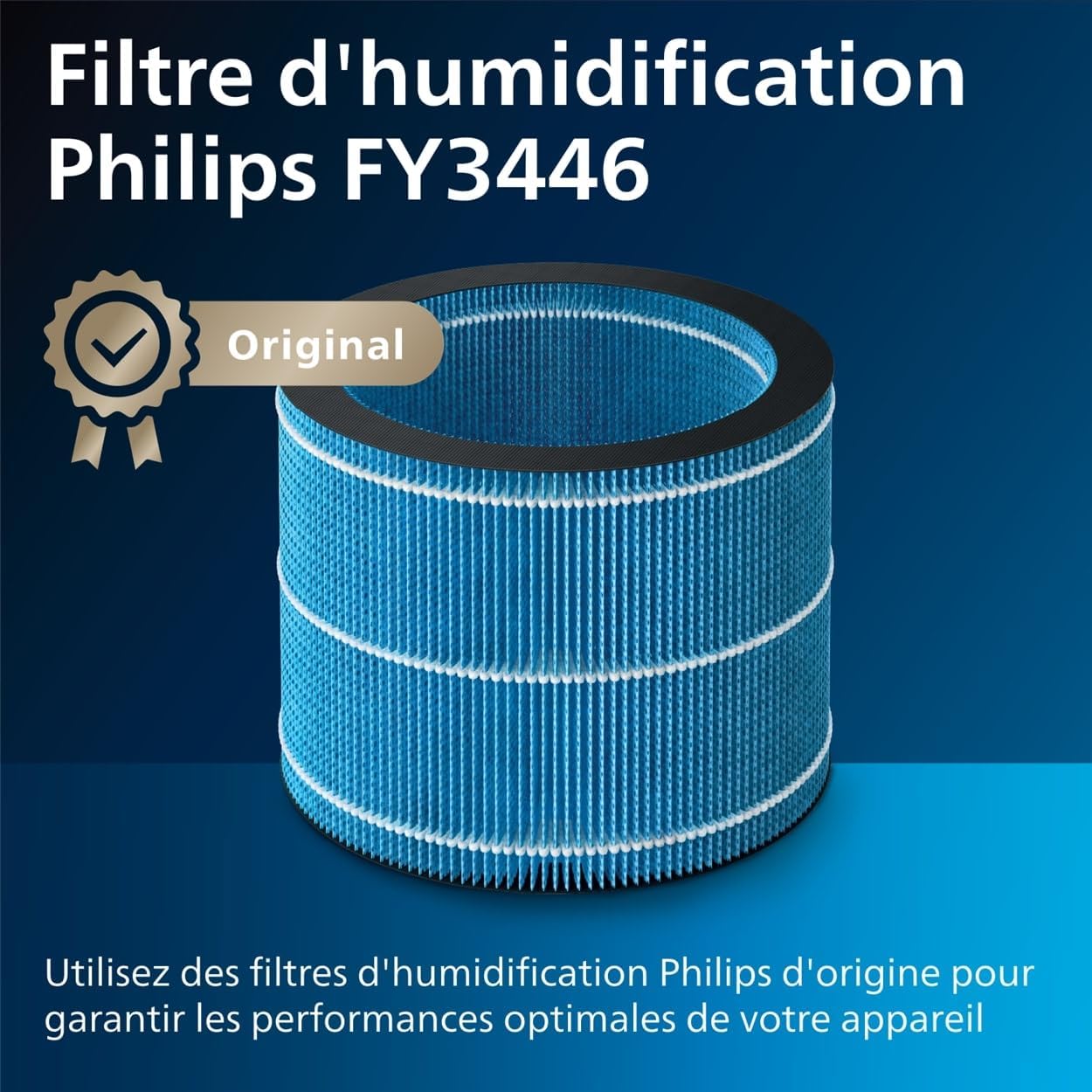
Image: A close-up of the Philips FY3446 humidification filter, which is blue and cylindrical.
Troubleshooting
If you encounter issues with your humidifier, refer to the following common problems and solutions:
| Problem | Possible Cause | Solution |
|---|---|---|
| No mist or low mist output. | Water tank is empty or not properly installed. Humidification filter is dirty or clogged. | Refill the water tank and ensure it is correctly seated. Clean or replace the humidification filter. |
| Unusual noise during operation. | Appliance is not on a level surface. Fan obstruction. | Place the humidifier on a stable, level surface. Check for any obstructions around the fan and remove them. |
| Display shows an error code. | Specific internal malfunction. | Refer to the full user manual for specific error code meanings. Try unplugging the unit for 1 minute and plugging it back in. If the issue persists, contact customer support. |
| White dust around the humidifier. | This humidifier uses NanoCloud technology which prevents white dust. If observed, it may be external dust or a different issue. | Ensure the humidification filter is genuine Philips and properly installed. Clean the area around the humidifier. |
Specifications
| Feature | Detail |
|---|---|
| Brand | PHILIPS |
| Model Number | HU2716/10 |
| Color | White |
| Product Dimensions (L x W x H) | 22 x 22 x 35 cm (8.7 x 8.7 x 13.8 inches) |
| Capacity | 2 Liters |
| Power | 17 Watts |
| Voltage | 220 Volts |
| Material | Plastic |
| Energy Class | A+ to G |
| Noise Level | 44 Decibels (Max), 30 Decibels (Sleep Mode) |
| Runtime | 9 minutes (Note: This value is unusually low and may refer to a specific test condition or be a mistranslation. Actual runtime depends on settings and water level.) |
| Special Feature | Hygrostat (Automatic Humidity Control) |
| Item Weight | 2.56 Kilograms (5.64 lbs) |
| Room Type | Bedroom |
| Floor Area Coverage | Up to 32 square meters |
| Operating Mode | Evaporative (NanoCloud Technology) |
| Manufacturer | Philips |
| Country of Origin | China |
| Spare Parts Availability | 2 Years |
Warranty and Support
Philips offers a standard warranty for this product. The availability of spare parts is typically for 2 years from the date of purchase.
- Warranty Period: Please refer to your purchase documentation or the official Philips website for specific warranty terms and duration in your region.
- Customer Support: For technical assistance, product registration, or to locate authorized service centers, please visit the official Philips support website or contact their customer service hotline. Contact details can usually be found in the product packaging or on the Philips website.
- Online Resources: Additional information, FAQs, and video tutorials may be available on the Philips website.