
1. Introduction and Overview
The Native Union Type-C Belt Cable Pro is an 8-foot (2.4-meter) ultra-strong USB-C to USB-C charging and sync cable. It is designed for durability and high-speed power delivery, supporting up to 100W. The cable features a braided exterior, reinforced construction, and an integrated leather strap for organization.

Image 1.1: The Native Union Type-C Belt Cable Pro, coiled and secured with its leather strap.
Key Features:
- USB-C to USB-C Connectivity: Designed for modern USB-C devices.
- High-Speed Power Delivery (PD): Supports up to 100W for rapid charging.
- Ultra-Strong Construction: Features durable nylon braiding and reinforced DuPont Kevlar fiber for enhanced strength and a 10,000+ bend lifespan.
- O-Flex Strain Relief: Engineered to absorb stress at the connector joint, reducing wear and tear.
- Integrated Leather Strap: Keeps the 8-foot cable neat and tangle-free for convenient storage.
- Smart LED Light: An indicator light on the connector shows when your device is charging.
2. Setup
Setting up your Native Union Type-C Belt Cable Pro is straightforward. This cable is designed for direct connection between compatible USB-C devices and power sources.
Connecting the Cable:
- Identify Ports: Ensure both your charging device (e.g., laptop, tablet, smartphone) and your power source (e.g., wall adapter, power bank) have USB-C ports. This cable is exclusively USB-C to USB-C.
- Connect to Power Source: Insert one end of the Native Union Type-C Belt Cable Pro into the USB-C port of your power adapter or power bank.
- Connect to Device: Insert the other end of the cable into the USB-C port of your compatible device.
- Verify Connection: A small LED indicator light on the cable's connector will illuminate when a charging connection is established. This confirms that power is flowing to your device.

Image 2.1: The smart LED light on the connector indicates active charging.
For optimal fast charging, pair this cable with a Power Delivery (PD) enabled wall charger that matches or exceeds the wattage requirements of your device, up to 100W.
3. Operating Instructions
The Native Union Type-C Belt Cable Pro facilitates both charging and data synchronization for compatible devices.
Charging Your Device:
- Connect the cable as described in the Setup section.
- The cable supports Power Delivery (PD) up to 100W. This allows for fast charging of compatible laptops, tablets, and smartphones when connected to a suitable PD-enabled power adapter.
- The LED indicator on the connector will confirm that charging is active.
Data Synchronization:
- Connect your device to a computer or another compatible device using the cable.
- The cable supports data transfer speeds up to 480 Mbps (USB 2.0 standard).
- Follow your device's instructions for initiating data transfer or synchronization.
Compatibility:
This cable is compatible with a wide range of USB-C enabled devices, including but not limited to:
- iPhone Air, 17, 17 Pro, 17 Pro Max, iPhone 16, 16 Plus, 16 Pro, 16 Pro Max, iPhone 15, 15 Plus, 15 Pro, 15 Pro Max
- MacBook Pro 14”/16” M4, MacBook Air 15" M3 Ultra, MacBook & MacBook Pro 2017-2025, MacBook Air 2018-2025
- iPad Pro (2018 and later), iPad Air 4 (2020), iPad Air 5 (2022), iPad mini 6 (2021)
- Samsung Galaxy S25/ S25+/ S25 Ultra; Samsung Galaxy Z Flip 7 / Fold 7
- Google Pixel 10 / 10 Pro / 10 Pro XL
- Microsoft Surface Pro 11, Surface Go 4
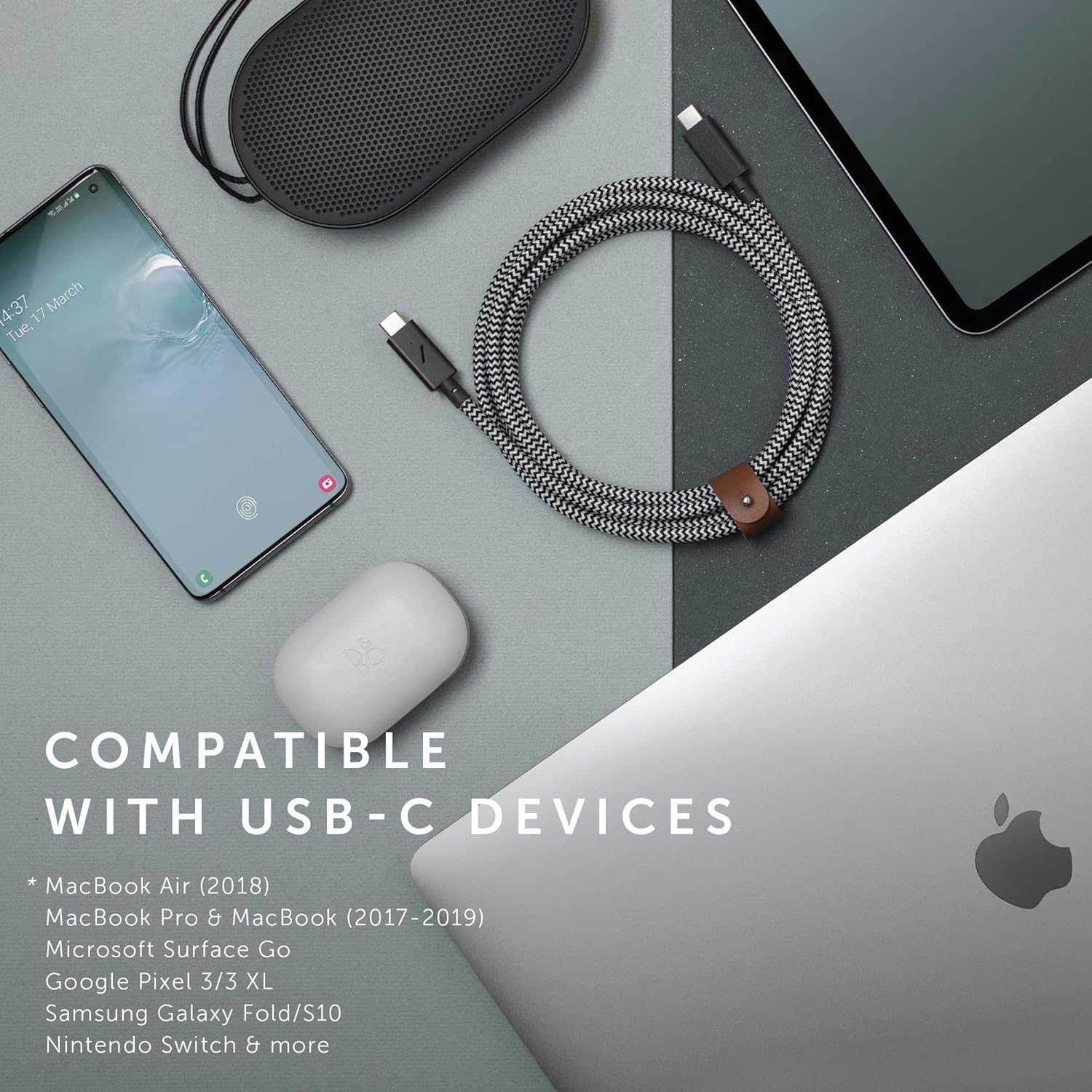
Image 3.1: The cable is compatible with a wide range of USB-C devices.
4. Maintenance
Proper care and maintenance will extend the lifespan of your Native Union Type-C Belt Cable Pro.
General Care:
- Avoid Extreme Bending: While the cable is designed with O-Flex strain relief and a high bend lifespan, avoid sharp or excessive bending, especially near the connectors, to prevent internal damage.
- Keep Clean: Wipe the cable and connectors with a dry, soft cloth to remove dust or debris. Avoid using harsh chemicals or abrasive materials.
- Store Properly: Utilize the integrated genuine leather strap to keep the cable neatly coiled when not in use. This prevents tangling and reduces stress on the cable.
Image 4.1: The integrated leather strap helps keep the cable organized and tangle-free.
Durability Features:
The cable's construction includes:
- Nylon Braided Exterior: Provides resistance against fraying and abrasion.
- DuPont Kevlar Fiber: Reinforces the internal structure for unparalleled strength.
- O-Flex Strain Relief: Designed to absorb stress at the connector points, significantly increasing durability compared to standard cables.

Image 4.2: The O-Flex strain relief design enhances cable durability.

Image 4.3: Reinforced cable construction for enhanced strength.
5. Troubleshooting
If you encounter issues with your Native Union Type-C Belt Cable Pro, refer to the following common troubleshooting steps:
Cable Not Charging / Slow Charging:
- Check Connections: Ensure both ends of the cable are securely plugged into the device and the power source.
- Verify LED Indicator: Confirm that the LED light on the cable's connector is illuminated. If not, the cable may not be receiving power or making a proper connection.
- Test Power Source: Try using a different wall adapter or power bank to rule out issues with the power source. Ensure the power source is PD-enabled for fast charging.
- Test Device: Try charging a different compatible device with the cable to determine if the issue is with the cable or the original device.
- Inspect Ports: Check the USB-C ports on your device and power source for any debris or damage that might prevent a proper connection.
- Restart Device: Sometimes, a simple device restart can resolve charging issues.
Data Transfer Issues:
- Confirm Device Settings: Ensure your device is set to allow data transfer when connected to a computer.
- Try Different USB Port: Connect the cable to a different USB-C port on your computer.
- Update Drivers: Ensure your computer's USB drivers are up to date.
If these steps do not resolve the issue, please refer to the Warranty and Support section for further assistance.
6. Specifications
| Feature | Detail |
|---|---|
| Brand | Native Union |
| Model Number | BELT-C-ZEB-PRO-NP |
| Connector Type | USB-C to USB-C |
| Cable Type | USB |
| Length | 8 feet (approximately 2.4 meters) |
| Wattage | 100W (Power Delivery) |
| AC Adapter Current | 5 Amps |
| Maximum Voltage | 50 Volts |
| Data Transfer Rate | 480 Megabits Per Second (USB 2.0) |
| Special Features | Braided, High Speed, Tangle Free, LED Indicator, O-Flex Strain Relief |
| Outer Material | Recycled PET |
| Color | Zebra |
| Item Weight | 7 ounces |
| UPC | 846654036398 |
7. Warranty and Support
Lifetime Limited Warranty:
The Native Union Type-C Belt Cable Pro is covered by a Lifetime Limited Warranty. This warranty covers any defects in materials or workmanship under normal use conditions for as long as the original customer owns the cable.
To ensure your warranty is valid, it is recommended to register your product upon purchase and retain your proof of purchase.
Claiming Warranty Support:
- For full terms and conditions of the Lifetime Limited Warranty, please refer to the official Native Union website.
- If you believe your product has a defect covered by the warranty, visit the Native Union support page for instructions on how to submit a warranty claim.
- You may be required to provide proof of purchase and details regarding the defect.
Customer Support:
For additional assistance, product inquiries, or technical support, please visit the Native Union official website or contact their customer service department through the channels provided on their site.