
1. Introduction
This instruction manual provides detailed guidance for the installation and operation of your T-Club LED Light Kit, specifically designed for the LEGO Charles Dickens Tribute 40410 building set. This kit enhances your LEGO model with integrated lighting, bringing it to life. Please note that the LEGO building set is not included with this light kit.
For optimal performance and longevity, please read all instructions carefully before beginning installation.

Image 1.1: The T-Club LED Light Kit illuminating the LEGO Charles Dickens Tribute 40410 model.
2. Package Contents
Your T-Club LED Light Kit package should contain the following components:
- Assorted LED lights and connecting wires
- Battery box (for 3x AAA batteries, batteries not included)
- USB power cable
- Detailed step-by-step photo instruction manual (physical or digital)
Please inspect all components upon receipt. If any parts are missing or damaged, contact customer support immediately.
3. Setup and Installation
This section outlines the steps for installing the LED light kit into your LEGO Charles Dickens Tribute 40410 model. A detailed step-by-step photo instruction guide is provided with your kit to assist with the installation process.
3.1 Important Safety Precautions
- Install the LED lights carefully. Avoid excessive pulling, bending, or shaking of the wires and light components.
- Ensure the power source voltage is less than 1A 5V to prevent damage to the LED components.
- Keep small parts away from young children to prevent choking hazards.
3.2 Installation Steps
- Prepare Your LEGO Model: Ensure your LEGO Charles Dickens Tribute 40410 model is fully assembled and stable.
- Follow Photo Instructions: Refer to the included detailed step-by-step photo instruction manual. This guide will show you the precise placement of each LED light and how to route the wires discreetly within your LEGO structure.
- Connect Components: Carefully connect the LED lights to the main circuit board or connecting hubs as indicated in the instructions. Ensure all connections are secure.
- Install Power Source:
- Battery Box: Insert 3 AAA batteries (not included) into the battery box, observing correct polarity.
- USB Power: Alternatively, connect the USB power cable to the light kit and then to a compatible USB power source (e.g., a USB wall adapter, power bank, or computer USB port).
- Test Lights: Before fully securing all components, briefly connect the power source to test if all lights are functioning correctly.
- Finalize Placement: Adjust wire routing and light positioning as needed for the best aesthetic outcome.
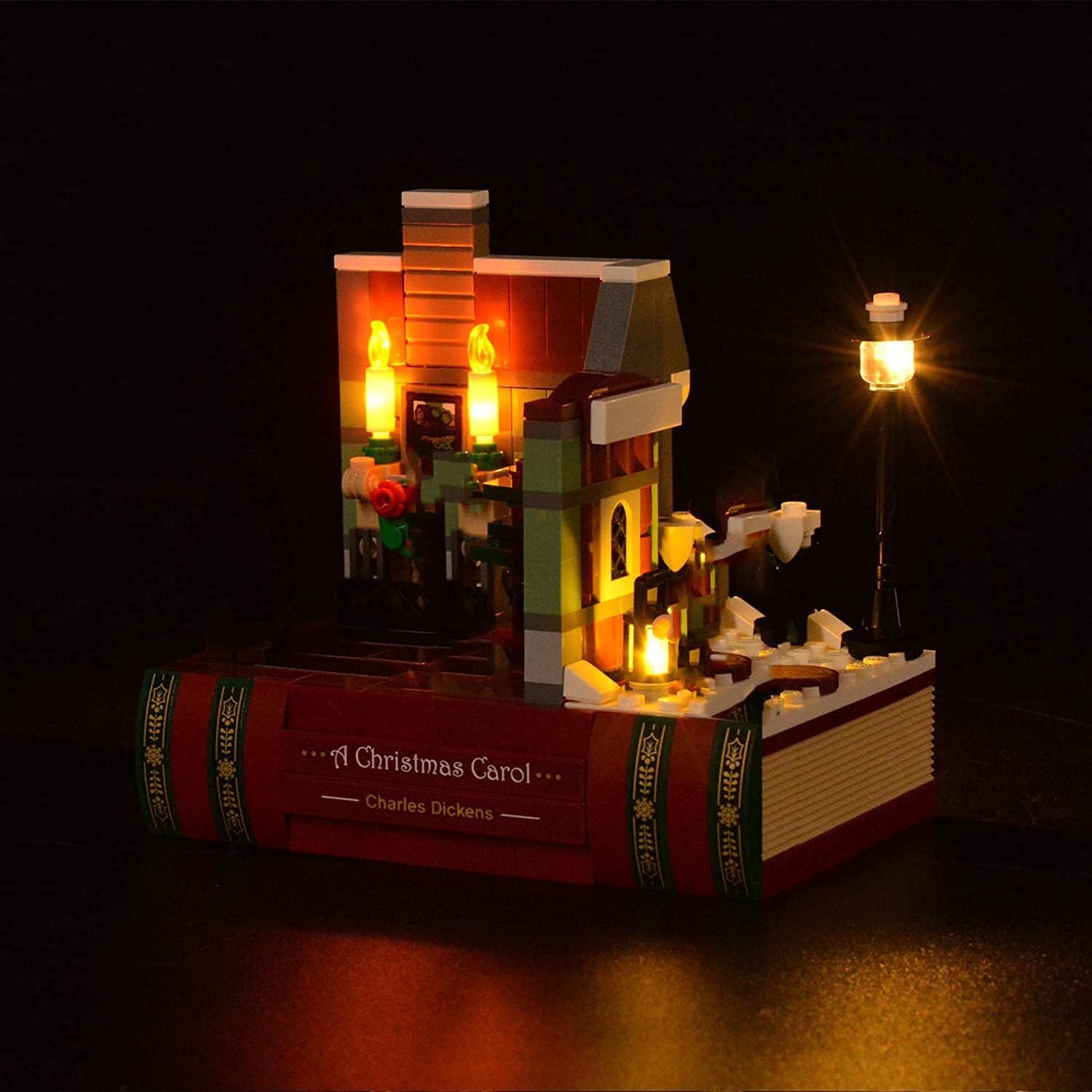
Image 3.1: Detailed view of the illuminated LEGO model with the light kit.
4. Operating Instructions
Once the T-Club LED Light Kit is fully installed and connected to a power source, operation is straightforward.
4.1 Powering On/Off
- Using Battery Box: Locate the ON/OFF switch on the battery box. Slide the switch to the "ON" position to illuminate the lights. Slide to "OFF" to turn them off.
- Using USB Power: The lights will illuminate automatically when connected to a powered USB port. To turn off, disconnect the USB cable from the power source.
4.2 Power Source Options
The light kit offers flexible power options:
- 3x AAA Batteries: Provides portable power. Batteries are not included.
- USB Power: Connect to any standard USB port (e.g., computer, USB wall adapter, power bank).

Image 4.1: Side profile of the LEGO model with the light kit activated.
5. Maintenance
Proper maintenance ensures the longevity and optimal performance of your T-Club LED Light Kit.
- Cleaning: Gently dust the LED lights and wires with a soft, dry cloth. Avoid using liquid cleaners directly on the electrical components.
- Battery Replacement: If using batteries, replace all 3 AAA batteries simultaneously when the lights dim or cease to function. Do not mix old and new batteries.
- Wire Integrity: Periodically check wires for any signs of wear, fraying, or damage. If damage is observed, discontinue use and contact customer support.
- Storage: If storing the LEGO model with the light kit for an extended period, remove the AAA batteries from the battery box to prevent leakage.
6. Troubleshooting
If you encounter issues with your T-Club LED Light Kit, refer to the following common problems and solutions:
| Problem | Possible Cause | Solution |
|---|---|---|
| Lights do not turn on. |
|
|
| Lights are dim or flickering. |
|
|
| Individual lights not working. |
|
|
If the problem persists after attempting these solutions, please contact T-Club customer support for further assistance.
7. Product Specifications
| Model Number | T-0410 |
| Brand | T-Club |
| Compatible LEGO Set | Charles Dickens Tribute 40410 |
| Light Source Type | LED |
| Power Source | Battery Powered (3x AAA, not included) or USB |
| Voltage | 5 Volts (USB) |
| Amperage | 1 Amps (Max) |
| Material | Plastic |
| Item Weight | 3.52 ounces |
| Recommended Age | 14 years and up |
8. Warranty and Customer Support
T-Club is committed to providing a satisfactory shopping experience for every customer. If you have any questions, concerns, or encounter any issues with your LED Light Kit, please do not hesitate to contact our customer support team.
We are responsible for our products and will work to provide a suitable solution for any problems you may experience.
For support, please refer to the contact information provided with your purchase or visit the official T-Club website.