
1. Overview
The Heegomn 1080P 36MP Video Camera Camcorder is designed for capturing high-quality video and photos. It features a 2.8-inch LCD flip screen, 8X digital zoom, and a built-in fill light, making it suitable for various recording environments. This camcorder supports standard tripod installation and offers multiple functions for versatile use.

Image 1.1: The Heegomn camcorder mounted on a tripod, capturing a dynamic scene.
2. What's in the Box
Upon unboxing your Heegomn camcorder, ensure all the following items are present:
- Heegomn 1080P 36MP Video Camera Camcorder
- User Manual
- Battery (800mAh Li-ion)
- USB Cable
- Velvet Pouch
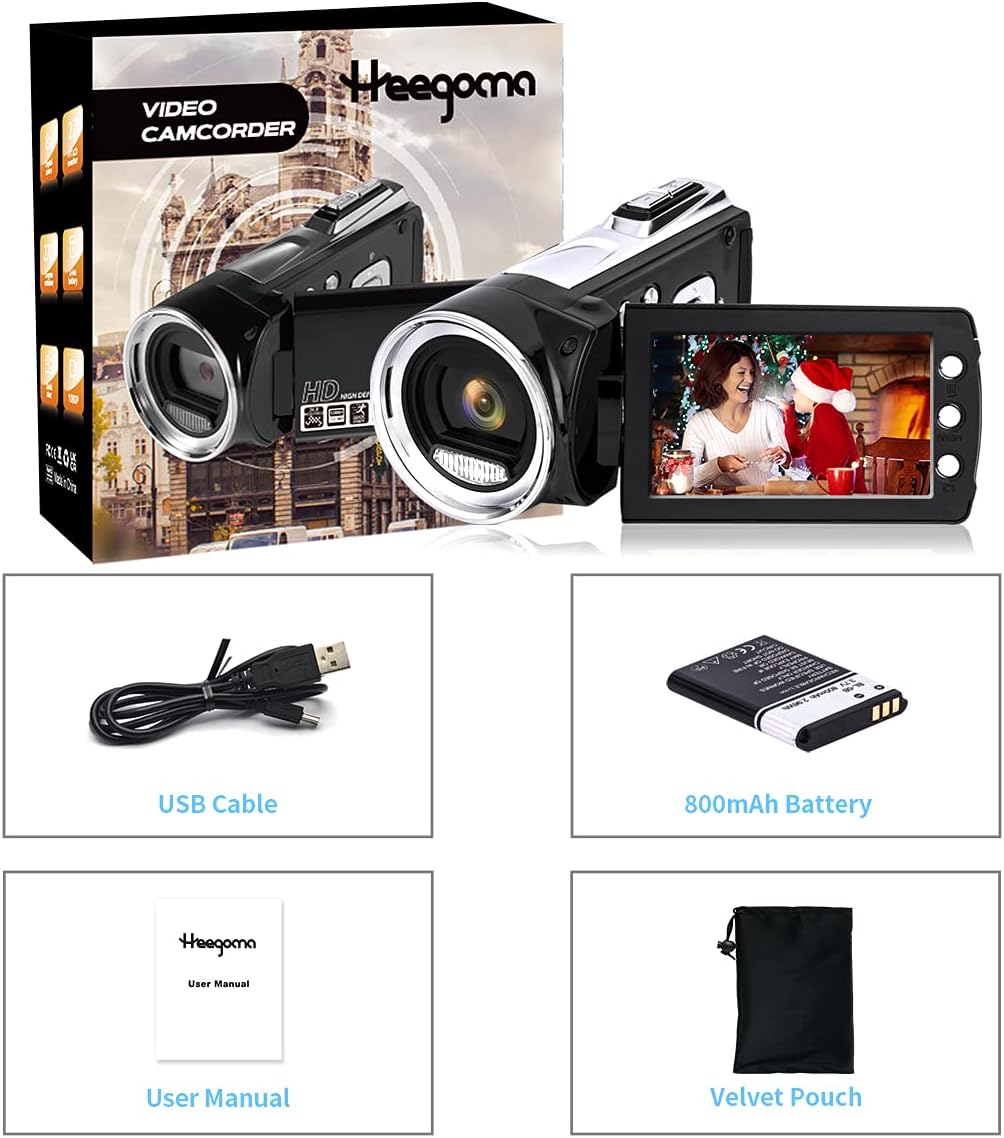
Image 2.1: All components included with the Heegomn camcorder.
3. Setup
3.1. Inserting the Battery
- Locate the battery compartment on the bottom of the camcorder.
- Slide the battery compartment latch to open it.
- Insert the 800mAh Li-ion battery, ensuring the contacts align correctly.
- Close the battery compartment securely until it clicks.
3.2. Inserting an SD Card
The camcorder supports SD cards up to 256GB (not included). It is recommended to format the SD card before first use.
- Locate the SD card slot, typically near the battery compartment.
- Insert the SD card with the metal contacts facing down until it clicks into place.
- To remove, gently press the SD card until it pops out.
3.3. Charging the Camera
The camcorder comes with an 800mAh Li-ion battery. A full charge provides approximately 60-90 minutes of continuous use. The camera supports recording while charging.
- Connect the provided USB cable to the camcorder's USB port.
- Connect the other end of the USB cable to a USB power adapter (not included) or a computer.
- The charging indicator light will illuminate during charging.
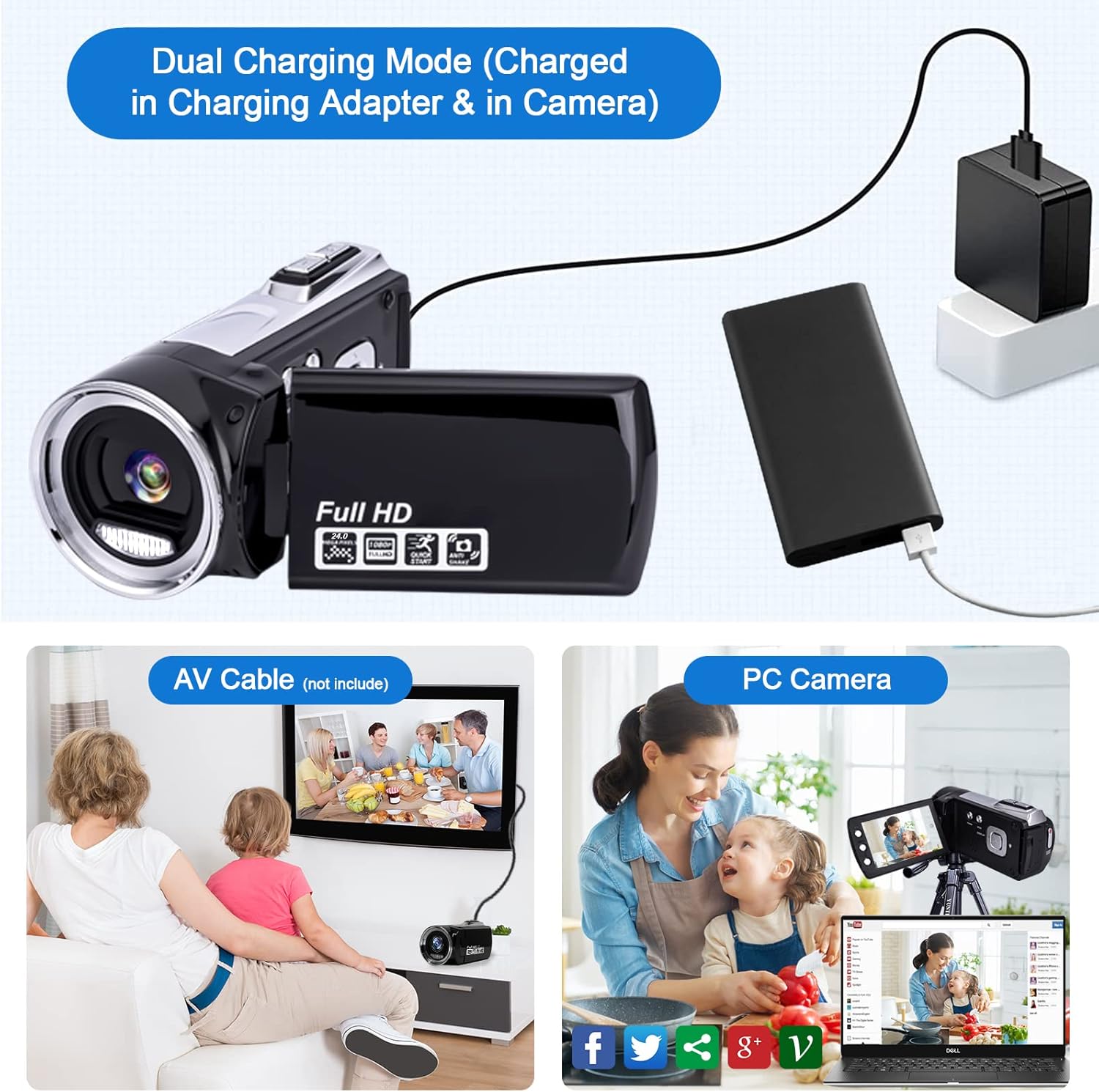
Image 3.1: Charging the camcorder via USB and connecting to a TV or PC.
3.4. Turning On/Off
To turn the camcorder on, open the LCD screen. To turn it off, close the LCD screen.
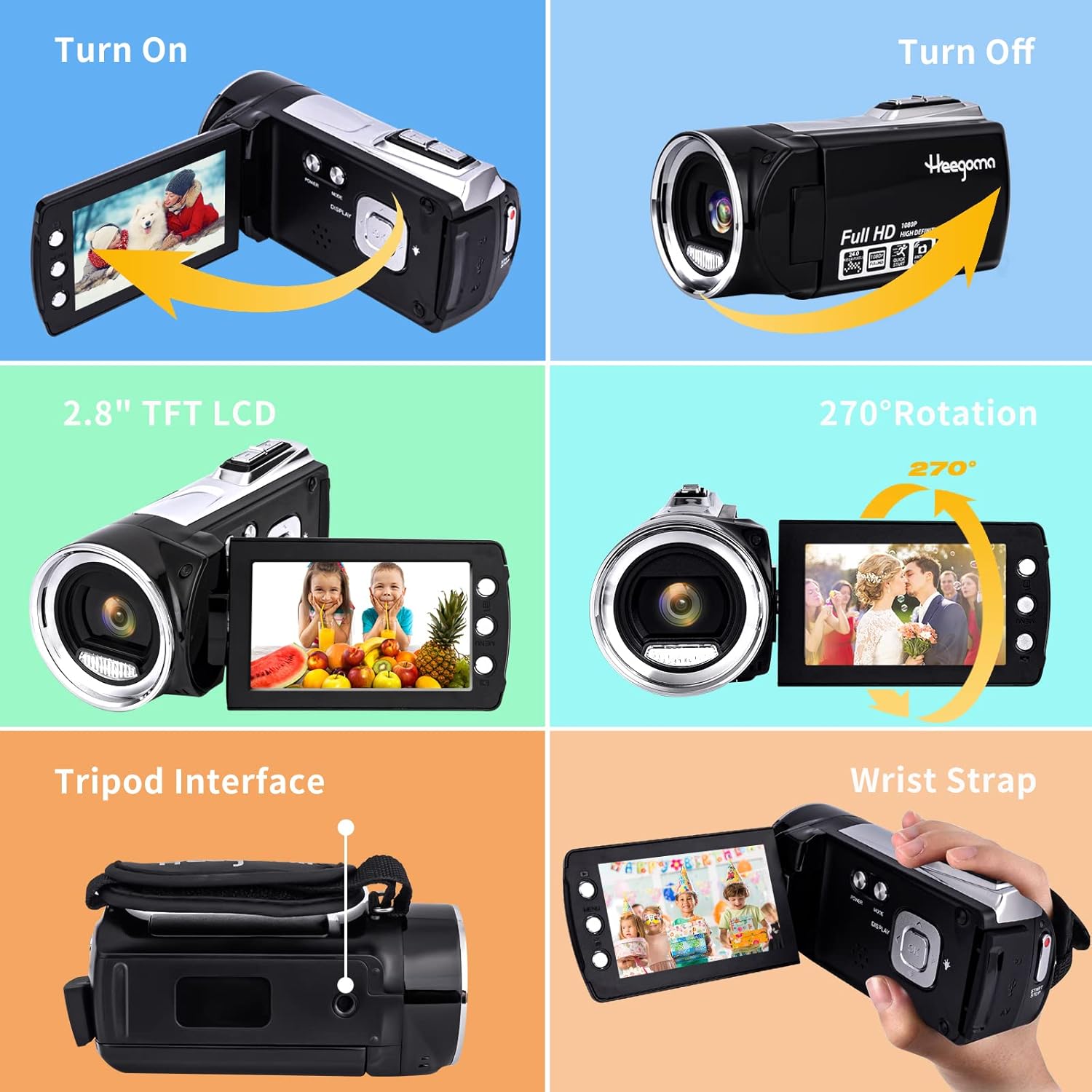
Image 3.2: Visual guide for turning the camcorder on and off.
4. Operating the Camera
4.1. Basic Controls
- LCD Screen: The 2.8-inch LCD screen rotates 270° for flexible viewing angles, including selfie mode.
- Buttons: Use the 'POWER', 'MODE', 'MENU', 'UP', 'DOWN', and 'OK' buttons for navigation and function selection.
- Zoom: Utilize the 8X digital zoom for closer shots.
4.2. Video Recording
The camcorder supports 1080P video recording.
- Turn on the camcorder by opening the LCD screen.
- Press the 'MODE' button to select video mode.
- Press the 'RECORD' button (usually located at the back) to start recording. Press again to stop.
- Use the zoom lever to adjust the 8X digital zoom during recording.
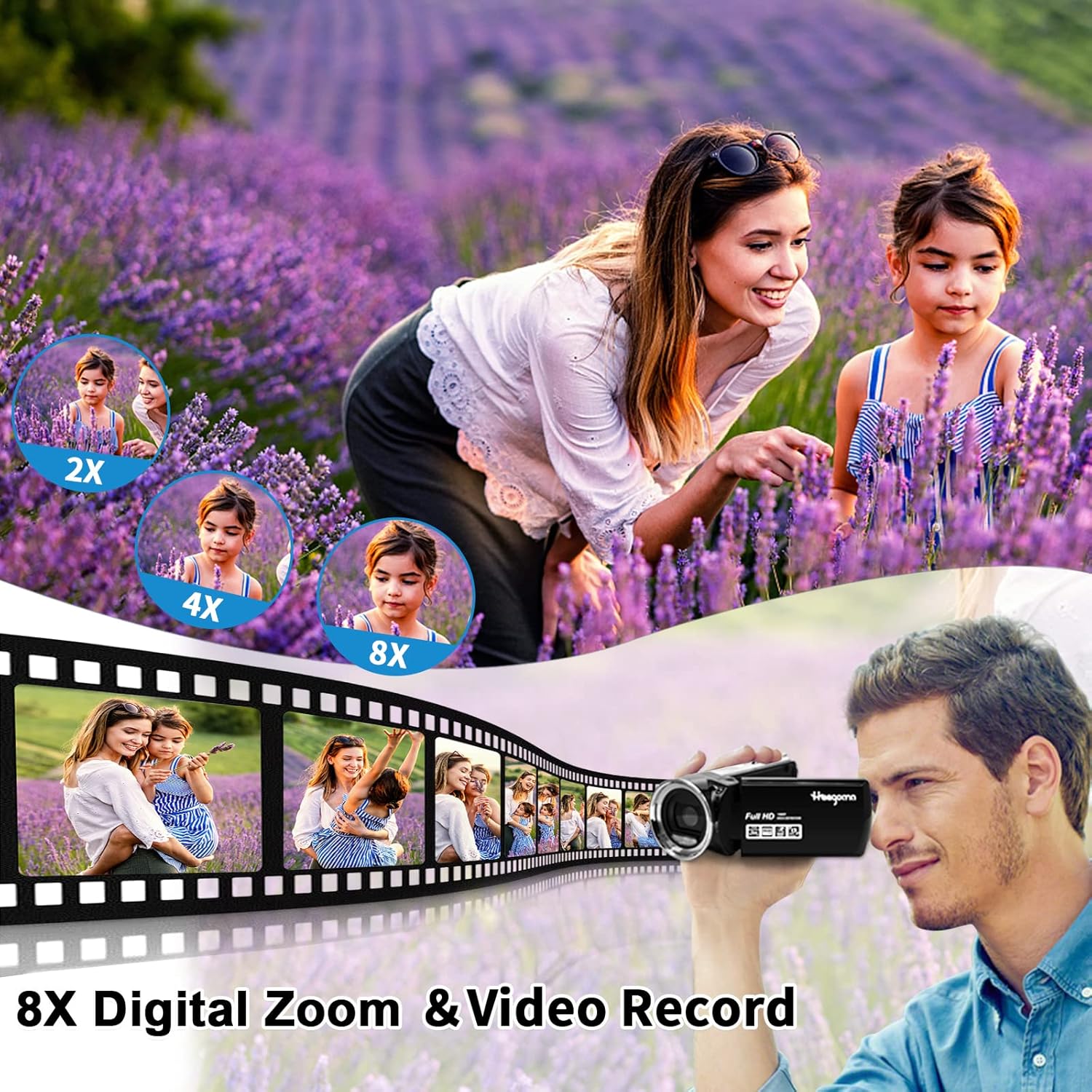
Image 4.1: Capturing moments with 8X digital zoom.
4.3. Photo Capture
The camcorder captures 36MP images.
- Turn on the camcorder.
- Press the 'MODE' button to select photo mode.
- Press the 'PHOTO' button (usually located on top) to take a picture.

Image 4.2: Overview of video, photo, audio, and playback features.
4.4. Webcam Function & Fill Light
The camcorder can be used as a webcam and features a built-in fill light for low-light conditions.
- Webcam: Connect the camcorder to your computer via the USB cable. Select 'PC Camera' mode on the camcorder when prompted. It can then be used for live streaming or video calls.
- Fill Light: Activate the built-in fill light (refer to the menu for specific settings) to enhance visibility in dark environments.
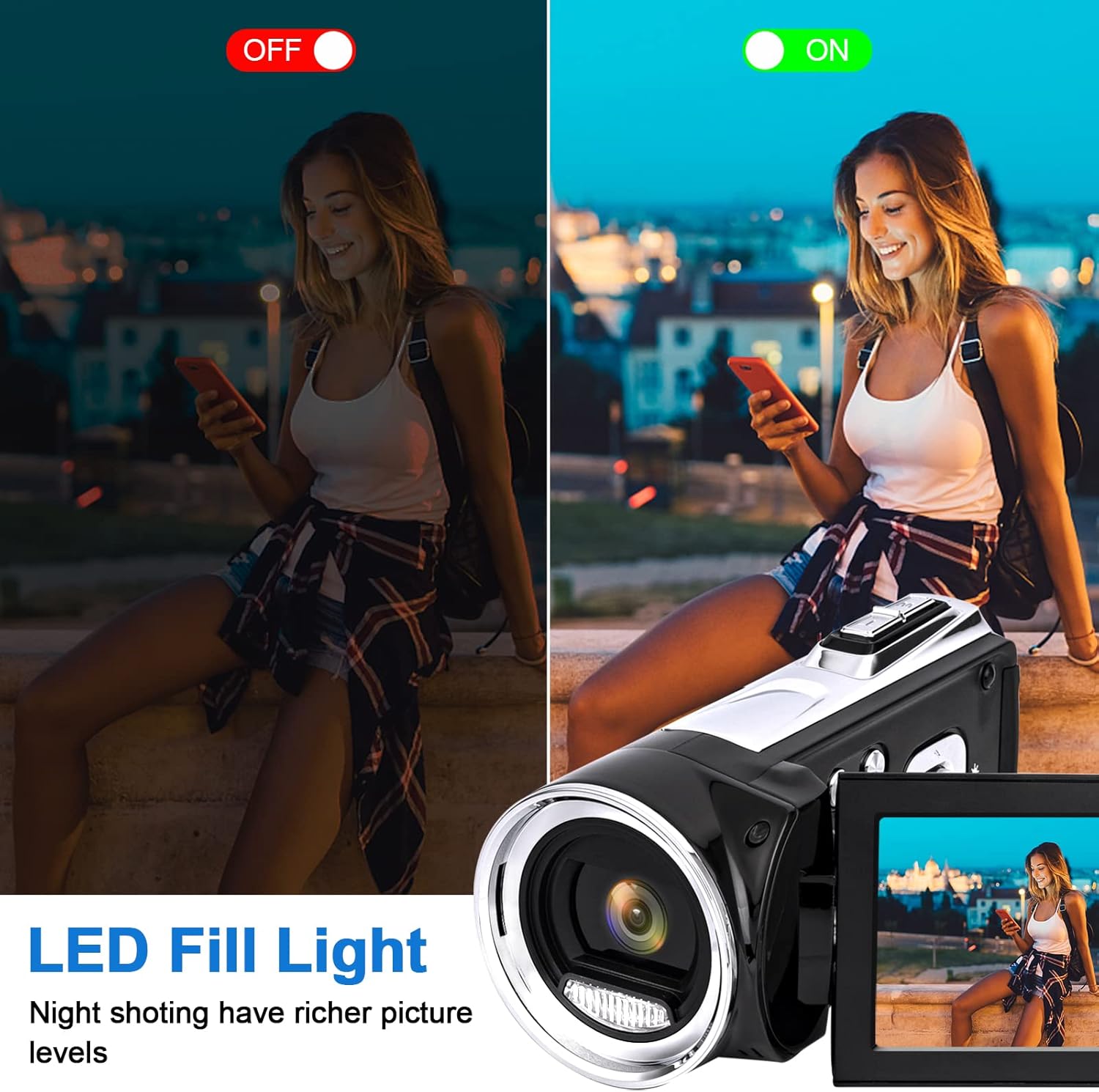
Image 4.3: Demonstrating the LED fill light for improved night shooting.
4.5. Connecting to TV
You can connect the camcorder to a TV to playback photos or videos using a USB cable (AV cable not included).
4.6. Multifunction Features
The camcorder includes various functions for enhanced recording:
- Smile Capture: Automatically detects and captures smiles.
- Self-Timer: Set a delay before taking a photo or starting a video.
- Anti-Shaking: Helps stabilize footage.
- Time-Lapse: Capture a series of images over time to create a time-lapse video.
- Low-Speed Video: Record slow-motion footage.
- Pause Function: Pause and resume recording without creating new files.
- Setting Date and Time: Customize the date and time display.
- Continuous Shooting: Take multiple photos in quick succession.

Image 4.4: Examples of the camcorder's versatile applications.
5. Maintenance
- Cleaning: Use a soft, dry cloth to clean the camera body. For the lens, use a specialized lens cleaning cloth. Avoid abrasive materials or harsh chemicals.
- Storage: Store the camcorder in a cool, dry place away from direct sunlight and extreme temperatures. Remove the battery if storing for extended periods.
- Battery Care: Fully charge the battery before first use. Avoid completely draining the battery frequently to prolong its lifespan.
6. Troubleshooting
| Problem | Possible Cause | Solution |
|---|---|---|
| Camera does not turn on | Battery is low or not inserted correctly. | Charge the battery or reinsert it correctly. |
| Cannot record video/take photos | SD card is full, not inserted, or not formatted. | Insert/format SD card, or delete old files. |
| Poor image/video quality | Low light conditions, dirty lens, or digital zoom used excessively. | Use fill light, clean lens, avoid excessive digital zoom. |
| Camera freezes | Software glitch or battery issue. | Remove and reinsert the battery to reset. |
7. Specifications
| Feature | Detail |
|---|---|
| Brand | Heegomn |
| Model Number | 779139904229 |
| Video Capture Resolution | 1080p |
| Photo Sensor Technology | CMOS |
| Image Resolution | 36MP |
| Screen Size | 2.8 Inches (270° rotatable) |
| Digital Zoom | 8X |
| Flash Memory Type | SD, SDHC (up to 256GB) |
| Connectivity Technology | USB |
| Special Features | Lightweight, Adjustable, Built-in Fill Light, Webcam Function, Pause Function, Time-Lapse, Anti-Shaking, Self-Timer, Continuous Shooting, Smile Capture |
| Item Weight | 10.8 ounces |
| Product Dimensions | 4.53 x 2.72 x 1.65 inches |
| Batteries | 1 Lithium Ion battery required (included) |
8. Warranty & Support
For warranty information and customer support, please refer to the contact details provided with your purchase documentation or visit the official Heegomn website. Keep your proof of purchase for any warranty claims.