
1. Introduction
This manual provides detailed instructions for the setup, operation, and maintenance of your CHOUBENBEN replacement remote control for Mitsubishi Air Conditioners. Please read this manual thoroughly before use to ensure proper functionality and to maximize the lifespan of your remote control.
2. Product Overview
The CHOUBENBEN remote control is designed as a direct replacement for various Mitsubishi Air Conditioner models, offering essential functions for comfortable climate control. It features a clear LCD display and ergonomic button layout.

Figure 2.1: Front view of the remote control, displaying temperature and time.
The remote control is capable of displaying temperature in both Fahrenheit and Celsius, a feature specifically designed for user convenience.

Figure 2.2: Display showing both Fahrenheit and Celsius temperature readings.
3. Setup
3.1 Battery Installation
The remote control requires two AAA 1.5V batteries (not included). Follow these steps to install the batteries:
- Turn the remote control over to access the battery compartment on the back.
- Slide the battery compartment cover downwards to open it.
- Insert two AAA batteries, ensuring the positive (+) and negative (-) terminals align correctly with the markings inside the compartment.
- Slide the battery compartment cover back into place until it clicks securely.
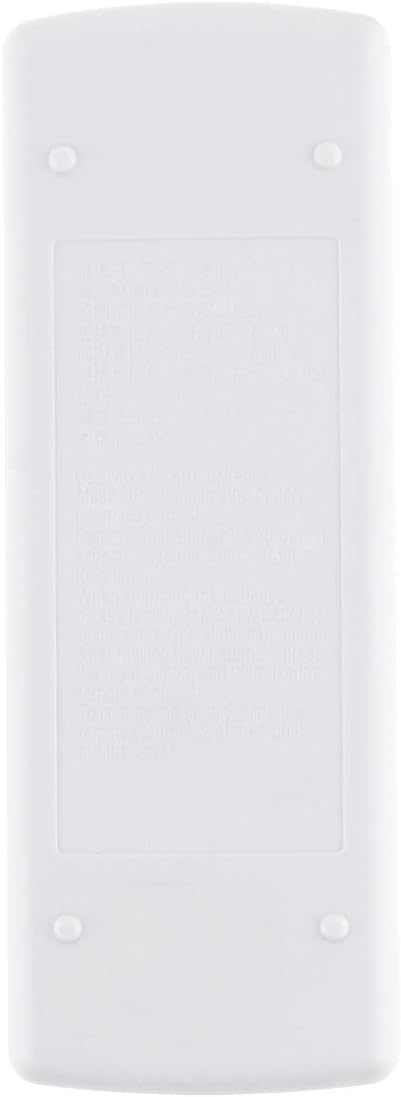
Figure 3.1: Rear view of the remote control, indicating the battery compartment.
Note: Remove batteries if the remote control will not be used for an extended period to prevent leakage and damage.
4. Operating Instructions
This section details the functions of the buttons on your remote control.

Figure 4.1: Remote control with sliding cover open, showing all function buttons.
4.1 Basic Functions
- ON/OFF Button (Red Circle Button): Press to turn the air conditioner on or off.
- Temperature Adjustment Buttons (Up/Down Triangles): Press the Up button to increase the temperature and the Down button to decrease it.
- TOO WARM / TOO COOL Buttons: These buttons are typically used for quick temperature adjustments or comfort settings.
4.2 Advanced Functions (Under Sliding Cover)
- MODE Button (Red Button): Press repeatedly to cycle through available operating modes (e.g., Cool, Heat, Fan, Dry, Auto). The current mode will be displayed on the LCD.
- FAN Button: Adjusts the fan speed (e.g., Low, Medium, High, Auto). Press repeatedly to cycle through options.
- VANE Button: Controls the direction of the air swing/louvers. Press to adjust the airflow direction.
- TIMER START Button: Used to set a timer for the air conditioner to turn on automatically. Refer to your air conditioner's main manual for specific timer setting procedures.
- TIMER STOP Button: Used to set a timer for the air conditioner to turn off automatically. Refer to your air conditioner's main manual for specific timer setting procedures.
4.3 Temperature Unit Conversion
This remote control supports both Fahrenheit (°F) and Celsius (°C) display. To switch between units, locate the small button or combination of buttons (often a recessed button requiring a pointed object, or a combination like pressing Up and Down simultaneously) that controls this function. Refer to the specific instructions provided with your air conditioner unit or experiment with the buttons if not immediately apparent. The display will change accordingly.
5. Maintenance
- Cleaning: Wipe the remote control with a soft, dry cloth. Do not use liquid cleaners or abrasive materials.
- Battery Replacement: Replace batteries when the display becomes dim or the remote control becomes unresponsive. Always replace both batteries at the same time with new AAA 1.5V batteries.
- Storage: Store the remote control in a cool, dry place away from direct sunlight and extreme temperatures.
6. Troubleshooting
- Remote not responding: Check if the batteries are inserted correctly and have sufficient charge. Replace batteries if necessary. Ensure there are no obstructions between the remote and the air conditioner's receiver.
- Display is dim or blank: This usually indicates low battery power. Replace the batteries.
- Air conditioner not responding to commands: Verify that the remote control is pointed directly at the air conditioner's receiver. Ensure the air conditioner is powered on. If the issue persists, try resetting the air conditioner (refer to its main manual).
7. Specifications
| Feature | Description |
|---|---|
| Brand | CHOUBENBEN |
| Model Number | AA320201017-565 |
| Compatible Models | Mitsubishi MSD-13GC, MD-17GC, MSH-17DC, MSH-17LV |
| Battery Type | 2 x AAA 1.5V (not included) |
| Display | LCD with Fahrenheit/Celsius option |
| Controller Type | Button Control |
| Special Feature | Ergonomic design |
8. Warranty and Support
This product is covered by a standard manufacturer's warranty. For specific warranty details or technical support, please refer to the documentation provided at the time of purchase or contact your retailer. Keep your purchase receipt as proof of purchase.