
Retekess EUF9478A
Retekess TD157 Wireless Pager System User Manual
Model: EUF9478A
Product Overview
The Retekess TD157 Wireless Pager System is designed to streamline customer flow and improve service efficiency in various environments such as restaurants, cafes, hospitals, and hotels. This system features a long working distance, durable pagers with extended battery life, and a user-friendly touch keyboard transmitter.

Image: The Retekess TD157 system, showing the main transmitter unit with a digital display and keypad, and several black pagers docked in charging slots. Two pagers are shown separately, one being held and another lying flat, illustrating their compact size and red indicator lights.
Package Contents
Before setup, please ensure all components are present:
- Transmitter Unit (x1)
- Pagers (x16)
- Power Adapter (x1)
- User Manual (x1)
- Number Stickers (17-50) (x1)

Image: A visual representation of the package contents, including the transmitter, 16 pagers, power adapter, user manual, and a sheet of number stickers.
Setup Instructions
- Unpack Components: Carefully remove all items from the packaging.
- Connect Power: Plug the power adapter into the transmitter unit and then into a standard electrical outlet. The transmitter display should light up.
- Charge Pagers: Place all pagers into the charging slots on the transmitter. Ensure they are seated correctly. The pagers have a built-in 300 mAh battery and require approximately 4 hours for a full charge, providing up to 20 hours of use.
- Initial Pairing (Factory Paired): The pagers are pre-paired with the transmitter at the factory. No manual pairing is typically required for initial use.
- Apply Number Stickers: If desired, apply the provided number stickers to the pagers for easy identification.
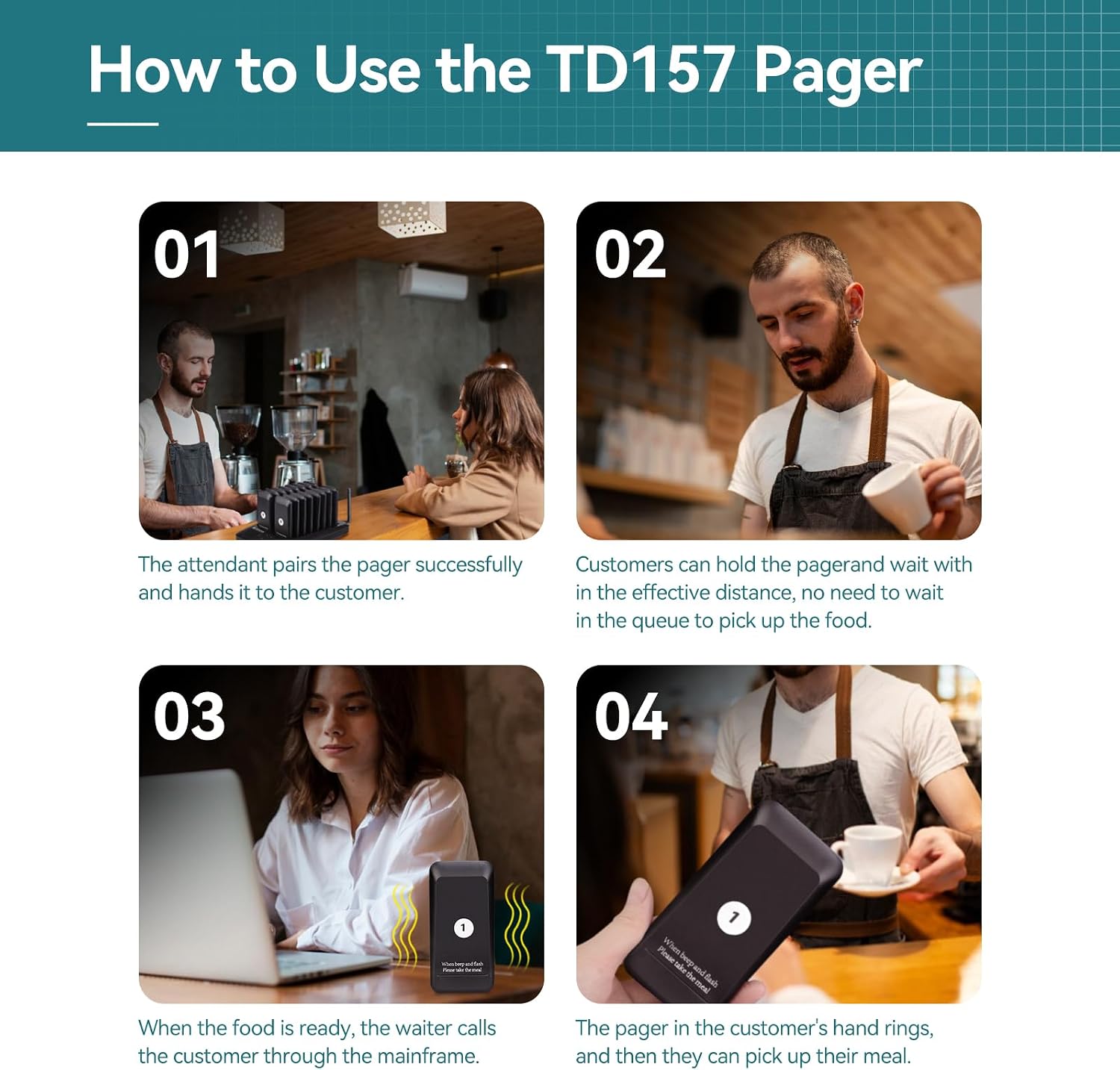
Image: A four-panel graphic illustrating the usage flow: 1) Attendant pairs and hands pager to customer. 2) Customer waits with pager. 3) Attendant calls customer via mainframe when food is ready. 4) Pager rings/flashes, customer picks up meal.
Operating Instructions
Calling a Pager
- Enter Pager Number: On the transmitter's touch keyboard, enter the number of the pager you wish to call (e.g., 01, 02, etc.).
- Press CALL: Press the CALL button on the transmitter. The corresponding pager will activate according to its set call mode.
Adjusting Call Modes
The system supports two call modes: Flashing only or Flashing + Beep. This setting can be adjusted for each pager individually or globally.
- Flashing Only: Ideal for quiet environments where audible alerts might be disruptive.
- Flashing + Beep: Suitable for noisy environments to ensure the alert is noticed.
Refer to the detailed user manual for specific steps on how to change the call mode settings.

Image: An illustration showing the two available call modes for the pager: Buzzer & Flash, and Flash only. It also indicates that the alert duration is adjustable from 1 to 99 seconds.
Adjusting Call Duration (1-99 seconds)
The duration of the pager's alert (flash/beep) can be set from 1 to 99 seconds. This feature helps prevent constant noise in busy environments.
Consult the full user manual for instructions on how to program the call duration.
One-Click Shutdown
To turn off all pagers simultaneously, press the 999 button followed by the CALL button on the transmitter. This saves time compared to turning off each pager individually.

Image: A person demonstrating the one-click shutdown feature by pressing the '999' and 'CALL' buttons on the transmitter, with pagers shown in the background.
Adding More Pagers (Up to 998)
The system is expandable. You can add up to 998 additional pagers to meet growing business needs. New pagers can be easily paired to the existing system.
Detailed instructions for adding new pagers are available in the complete user manual.
Maintenance
- Cleaning: The touch keyboard is water and oil resistant, making it easy to clean. Use a soft, damp cloth to wipe down the transmitter and pagers regularly. Avoid abrasive cleaners.
- Battery Care: Ensure pagers are placed on the charging base when not in use to maintain optimal battery life. Avoid fully discharging the batteries frequently.
- Storage: When not in use for extended periods, store the system in a cool, dry place.

Image: An image highlighting the features of the touch keyboard: more sensitive, waterproof, oilproof, and easy to clean. The transmitter unit is shown with water droplets on its surface, demonstrating its resistance.
Troubleshooting
| Problem | Possible Cause | Solution |
|---|---|---|
| Pager not responding to call. | Out of range; low pager battery; pager not paired. | Ensure pager is within 500M (outdoor) or 100-200M (indoor) range. Place pager on charging base. Re-pair pager if necessary (refer to manual). |
| Short battery life on pagers. | Insufficient charging; aging battery. | Ensure pagers are fully charged (approx. 4 hours). If problem persists, contact customer support for battery replacement options. |
| Transmitter display not working. | Power adapter issue; unit malfunction. | Check power connection. Try a different outlet. If still not working, contact customer support. |
| Interference or poor signal. | Obstructions (walls, metal structures); other wireless devices. | Relocate the transmitter to a more central position. Minimize obstructions between transmitter and pagers. |
Specifications
- Model: EUF9478A (TD157)
- Brand: Retekess
- Color: Black
- Working Distance: Up to 500 meters (open area), 100-200 meters (indoors)
- Pager Battery: 300 mAh Lithium-ion (rechargeable)
- Charging Time: Approximately 4 hours
- Usage Time (Pagers): Up to 20 hours after full charge
- Call Modes: Flashing / Flashing + Beep
- Call Duration: Adjustable from 1 to 99 seconds
- Expandability: Supports up to 998 pagers
- Keyboard: Touch-sensitive, waterproof, oilproof
- Sound Level: 114 dB (for beep mode)
- Pager Dimensions: 106mm (H) x 52mm (W) x 11mm (D)
- Transmitter Dimensions: 236mm (L) x 150mm (W) x 32mm (H)

Image: A diagram illustrating the dimensions of both the individual pager (106mm x 52mm x 11mm) and the transmitter unit (236mm x 150mm x 32mm), alongside a visual comparison of a pager to an egg for scale, and a pager being stored in a pocket.

Image: An illustration demonstrating the wide coverage of the Retekess TD157 system, indicating a range of 100-200 meters indoors and 500 meters outdoors in open areas, with a pager shown receiving a signal through walls.

Image: A graphic detailing the pager's 300 mAh battery and standby time. It shows a 24-hour standby time, 4 hours charging time, and 20 hours of use time after a full charge.
Warranty and Support
Retekess provides a 2-year warranty and a 30-day no-reason return policy for this product. Beyond the warranty period, maintenance services are still available, with buyers responsible for associated costs.
For any questions or support, please contact Retekess customer service via Amazon. Responses are typically provided within 12 hours.
Contact Information:
- Online Support: Contact Seller (RetevisDirect) on Amazon
- Brand Store: Visit the Retekess Store
Official Product Videos
Below is an official product video from the seller, providing visual guidance on the Retekess TD157 system.
Video: A short preview video demonstrating the basic functionality or a key feature of the Retekess TD157 Pager System. This video is 7 seconds long and provides a quick visual overview.
Related Documents - EUF9478A
 |
Retekess TD157 Pager System: Features and Specifications Detailed information on the Retekess TD157 pager system, including key features like prompt modes, reminder time, touch keyboard, and capacity, along with comprehensive product specifications for the pager and keypad transmitter. |
 |
Retekess TD157 Pager System User Manual This user manual provides operating instructions for the Retekess TD157 pager system, covering setup, pairing, and basic functions. It also includes important safety information regarding RF exposure and product handling. |
 |
Retekess TD157 Wireless Restaurant Guest Paging System Instructions Comprehensive instructions for the Retekess TD157 Wireless Restaurant Guest Paging System, covering setup, operation, basic parameters, and safety guidelines. |
 |
Retekess Wireless Calling Systems - Product Catalog and Specifications Explore the comprehensive range of Retekess wireless calling and paging systems, including models like T111, T112, TD156, TD157, TD161, TD162, TD163, TD164, TD167F, TD169, TD173, TD174, TD175, TD177, and TD183. Discover features, parameters, and advantages for various industries such as restaurants, cafes, hospitals, and more. |
 |
Retekess Simple Universal Call Button User Manual Comprehensive user manual for the Retekess Simple Universal Call Button, detailing its features, installation, operation, and precautions for use in various settings like restaurants and offices. |
 |
Retekess TD175 Guest Paging System User Manual - Setup, Operation, and Safety Comprehensive user manual for the Retekess TD175 Guest Paging System. Learn how to set up, pair, operate, and maintain your system, along with important safety and RF exposure information. |
Ask a question about this manual
Ask about setup, troubleshooting, compatibility, parts, safety, or missing instructions. Manuals+ will review the question and use this page’s manual context to help answer it.