
1. Product Overview
The KENWOOD eXcelon Reference DMX1057XR is a sophisticated 10.1-inch digital multimedia receiver designed to enhance your in-car entertainment and connectivity. Featuring a high-definition floating touchscreen display, it offers seamless integration with modern smartphone technologies and advanced audio customization options.
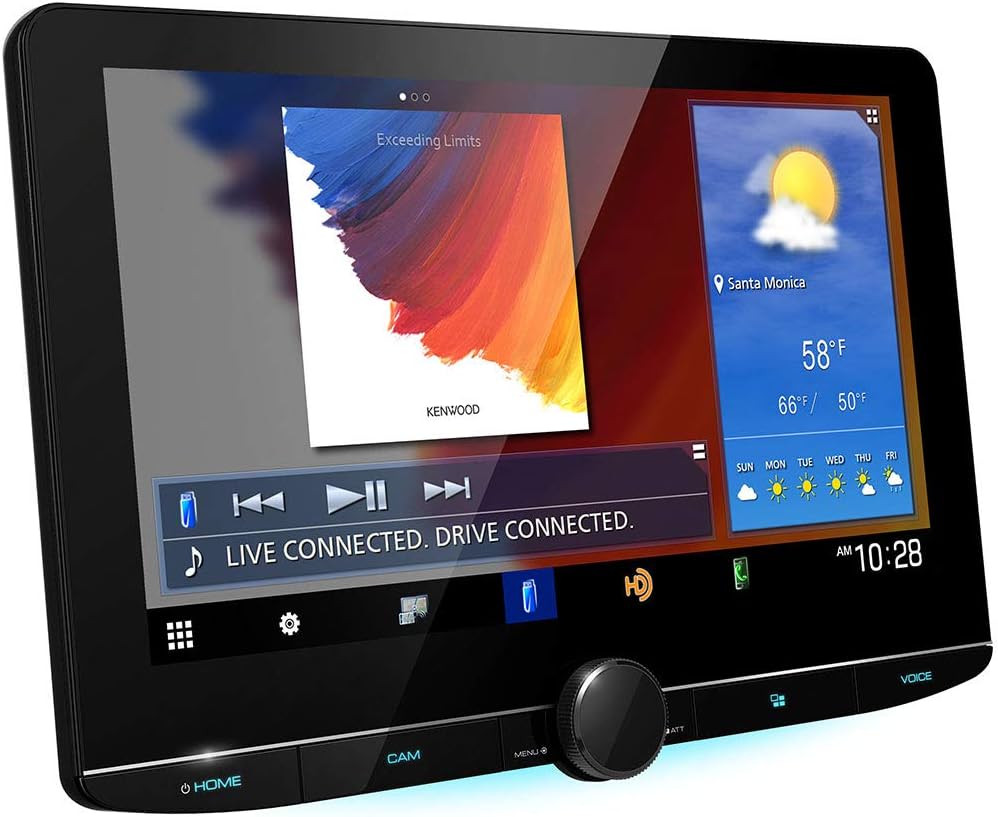
Figure 1: Front view of the KENWOOD DMX1057XR Digital Multimedia Receiver.
2. Features
- 10.1-inch HD Floating Touchscreen Display: An electrostatic capacitive touch panel and HD LCD panel deliver vivid colors, high contrast, and sharpness. Easy-to-use widgets provide quick access to information.
- Apple CarPlay Support: Safely use your iPhone for navigation (Apple Maps, Google Maps, Waze), phone calls, messages, and music via Siri voice commands or touch control. Supports wireless and wired connections.
- Android Auto Support: Designed for safety, Android Auto minimizes distractions with an intuitive voice-controlled interface. Access navigation (Google Maps, Waze), phone calls, messages, and streaming services like Pandora and Spotify. Supports wireless and wired connections.
- 4 Camera Inputs: Provides convenience, flexibility, and safety with inputs for front, rear, and side (blind spot) cameras. Compatible with KENWOOD dashboard cameras (DRV-N520, sold separately).
- iDatalink Maestro RR Compatibility: Seamlessly integrates with factory infotainment features such as Satellite Radio, USB Media Player, Bluetooth, and retains factory driver assistance systems and cameras. Adds parking sensor display and dynamic parking guidelines in supported vehicles.
3. Setup & Installation
3.1 What's in the Box
- 10.1-inch Touchscreen monitor Source unit (15A fuse)
- Wiring harness
- 39-inch USB extension cable
- GPS antenna (attached 11.5-foot cable terminated by a proprietary connector)
- High Quality External Microphone with bracket
- Self-adhesive mounting pad
- Large plastic bracket, 2 Small plastic brackets, 2 Metal brackets
- 2 Machine screws, 6 Hex-head screws, 6 Pan-head ISO-mount screws, 6 Flat-head ISO-mount screws
- Quick Start Guide, "CAUTION" note, Warranty Card
3.2 Dimensions
Ensure adequate space for installation. The product dimensions are 2 x 8.81 x 4.94 inches. The floating display design allows for flexible positioning.

Figure 2: Detailed dimensions of the DMX1057XR unit and display.
4. Operating Instructions
4.1 Touchscreen Navigation
The 10.1-inch capacitive touchscreen allows for intuitive control. Swipe between screens, tap icons to access functions, and use widgets for quick information. Physical buttons are also available for essential controls like volume and menu access.

Figure 3: Main screen displaying customizable widgets for quick access to features.
4.2 Menu and Settings
Access the main menu to navigate through various functions such as HD Radio, Wireless Mirroring, Bluetooth Audio, USB, iPod, HDMI, AV-IN, and SiriusXM. The settings menu allows for customization of display, user interface, camera settings, and system preferences.
Video 1: Demonstration of the KENWOOD DMX1057XR's user interface, including menu navigation, settings, and customization options.
5. Connectivity
5.1 Apple CarPlay
Connect your iPhone wirelessly or via USB to access Apple CarPlay. This feature allows you to use essential iPhone functions safely while driving, including maps, music, phone calls, and messages, all controlled through the receiver's display or Siri.
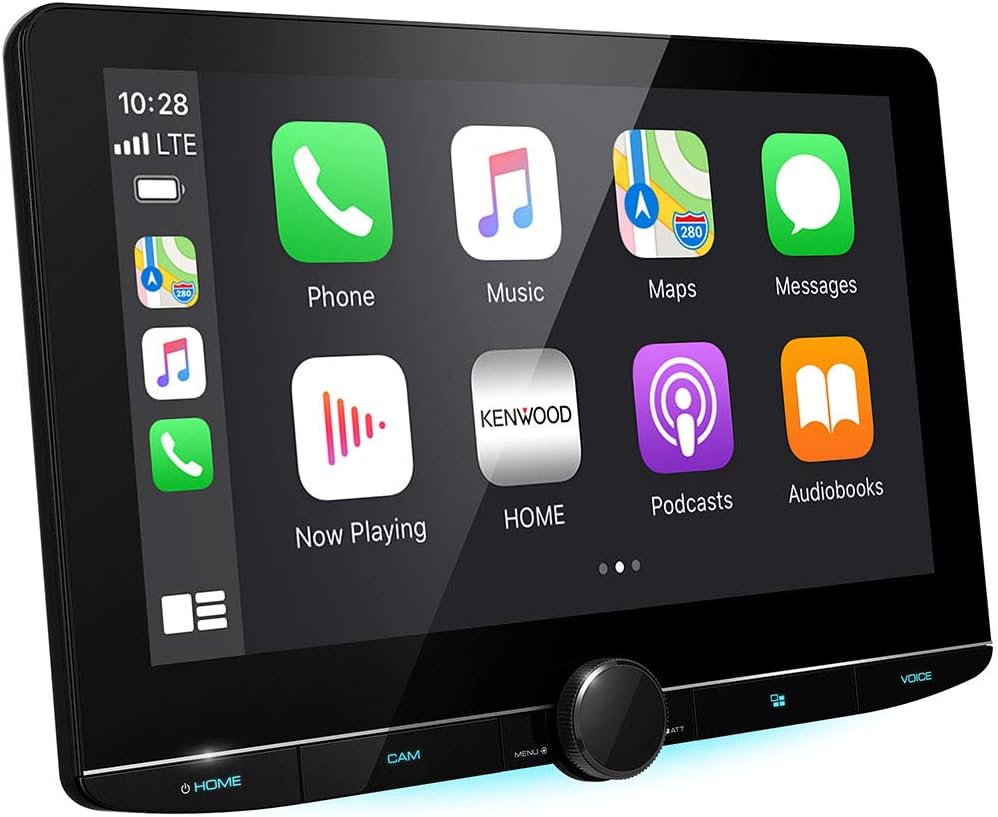
Figure 4: Apple CarPlay interface showing various applications.
5.2 Android Auto
Connect your Android smartphone wirelessly or via USB to utilize Android Auto. This platform provides a simplified interface for navigation, communication, and music, designed to minimize distractions on the road.
5.3 Bluetooth
The DMX1057XR features Bluetooth connectivity for hands-free calling and wireless audio streaming from your compatible devices.
5.4 USB & HDMI
Utilize the USB input for media playback and smartphone connectivity. An HDMI input is also available for connecting compatible devices for video and audio playback.
6. Audio Customization
The receiver offers extensive audio customization options to tailor the sound to your preferences and vehicle acoustics.
- Equalizer: Adjust audio frequencies to achieve desired sound profiles.
- Digital Time Alignment (DTA): Precisely adjust the timing of sound from each speaker to create an optimal listening position.
- Crossover Settings: Configure high-pass and low-pass filters for speakers and subwoofers.
7. Camera Integration
The DMX1057XR supports up to four camera inputs, providing comprehensive visual assistance for driving and parking maneuvers.
- Front Camera: Provides a view of the area in front of the vehicle.
- Rear Camera: Displays the area behind the vehicle, essential for reversing and parking.
- Side Cameras: Offers views of blind spots, enhancing safety during lane changes.
- Dash Camera (Optional): Compatible with KENWOOD DRV-N520 for recording driving footage.

Figure 5: Illustration of a vehicle with four camera inputs (front, rear, and two side cameras).
8. Vehicle Integration (iDatalink Maestro)
When connected to a compatible Automotive Data Solutions iDatalink Maestro RR module (sold separately), the DMX1057XR provides advanced vehicle integration.
- Factory Feature Retention: Retains factory infotainment features like Satellite Radio, USB Media Player, and Bluetooth hands-free.
- Driver Assistance Systems: Integrates with existing driver assistance systems and cameras.
- Parking Aids: Adds parking sensor display and dynamic parking guidelines on the rear camera screen for supported vehicles.
9. Specifications
| Feature | Specification |
|---|---|
| Product Dimensions | 2 x 8.81 x 4.94 inches |
| Item Weight | 9.68 pounds |
| Model Number | DMX1057XR |
| Display Type | 10.1-inch Floating Touchscreen HD Display |
| Connectivity Technologies | Mini (Rear), Composite (Rear), USB, Bluetooth, HDMI |
| Wireless Communication | Wireless |
| Special Features | Equalizer, Pandora, Touchscreen, Apple CarPlay, Android Auto, SiriusXM Ready |
| Audio Output Mode | Stereo, Surround |
| Video Encoding | H.264, MKV |
10. Troubleshooting
If you encounter issues with your DMX1057XR, please refer to the following general troubleshooting steps:
- No Power: Check all power connections and fuses. Ensure the vehicle's ignition is on.
- No Sound: Verify speaker connections, volume levels, and audio source selection. Check amplifier status if applicable.
- Touchscreen Unresponsive: Try restarting the unit. Ensure the screen is clean and free from obstructions.
- Bluetooth Connectivity Issues: Ensure Bluetooth is enabled on both the receiver and your device. Delete previous pairings and attempt to re-pair.
- Apple CarPlay/Android Auto Not Connecting: Ensure your smartphone is compatible and running the latest software. Try a different USB cable if using a wired connection.
For persistent issues, consult a professional installer or Kenwood customer support.
11. Maintenance
To ensure the longevity and optimal performance of your DMX1057XR, follow these maintenance guidelines:
- Cleaning the Display: Use a soft, lint-free cloth to gently wipe the touchscreen. Avoid abrasive cleaners or solvents.
- Software Updates: Periodically check the Kenwood website for firmware updates to ensure optimal performance and access to new features.
- Environmental Conditions: Avoid exposing the unit to extreme temperatures, direct sunlight for prolonged periods, or excessive moisture.
12. Warranty & Support
The KENWOOD DMX1057XR comes with a manufacturer's warranty. Please refer to the Warranty Card included in your product packaging for specific terms and conditions, including coverage duration and claim procedures.
For technical support, product registration, or service inquiries, please visit the official Kenwood website or contact their customer service department. Keep your purchase receipt and product serial number handy for faster assistance.


