
Introduction
This manual provides detailed instructions for the safe and effective use of your VOKSUN Portable Bluetooth Speaker, Model JS-M8-0001. Please read this manual thoroughly before operating the device and retain it for future reference.
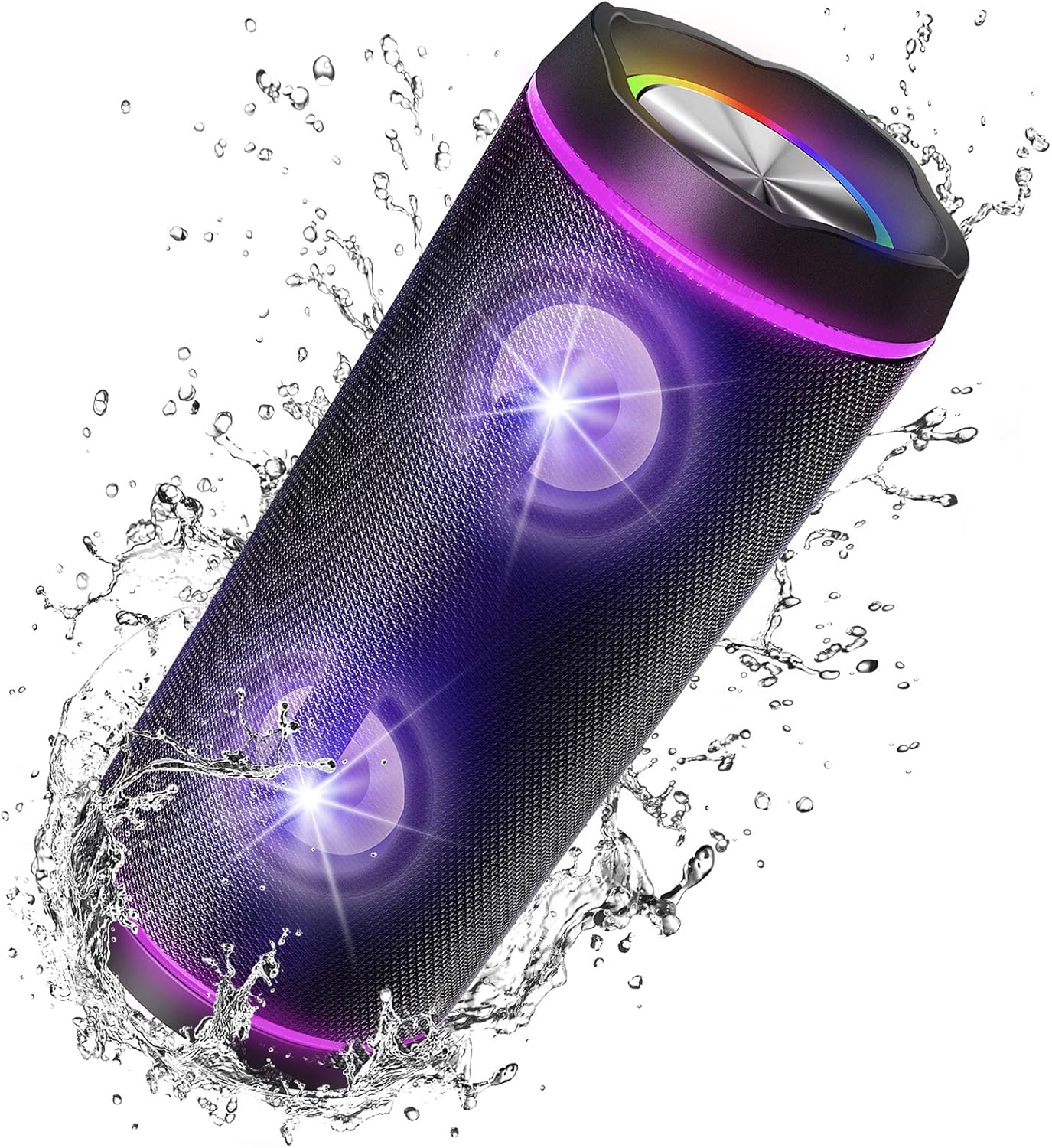
Image description: The VOKSUN Portable Bluetooth Speaker, cylindrical and black with glowing purple lights, is shown amidst splashing water, highlighting its IP67 waterproof capability.
Key Features
- 40W Stereo Sound with Enhanced Bass: Delivers powerful audio with advanced digital Max Bass technology.
- True Wireless Stereo (TWS) Function: Allows pairing of two speakers for a synchronized stereo experience.
- Bluetooth 5.0 Connectivity: Ensures stable and efficient wireless connection up to 10 meters.
- IP67 Waterproof and Dustproof: Durable construction protects against water immersion and dust, suitable for outdoor use.
- Beat-Driven LED Lights: Features 7 colored LED lights that synchronize with music, with an option to turn them off.
- 7200 mAh Rechargeable Battery: Provides up to 8 hours of playback and can function as a power bank for other devices.
- Auxiliary (AUX) Input: For wired connection to non-Bluetooth audio sources.
- Built-in Microphone: Supports hands-free calling.
- Portable Design: Includes a strap hook for easy carrying.
Setup Guide
1. Charging the Speaker
Before first use, fully charge the speaker. Connect the provided USB Type-C charging cable to the speaker's charging port and the other end to a compatible USB power adapter (5V/2A recommended). A full charge typically takes 4-5 hours.

Image description: A close-up view of the speaker's side panel, showing the Type-C charging port with a charging cable inserted, indicating the charging process.
2. Powering On/Off
To power on the speaker, press and hold the power button (usually marked with an ⚡ symbol or 'ON/OFF') for a few seconds until you hear an audible prompt or see the LED indicators light up. To power off, repeat the same action.
3. Bluetooth Pairing
- Ensure the speaker is powered on and in Bluetooth pairing mode. You will typically hear a prompt like "Bluetooth mode" or see a flashing blue LED indicator.
- On your mobile device (smartphone, tablet, laptop), navigate to the Bluetooth settings.
- Enable Bluetooth and search for available devices.
- Select "M8" (or similar name) from the list of found devices.
- Once connected, you will hear a confirmation sound, and the LED indicator will typically turn solid blue.

Image description: A sequence of three smartphone screenshots illustrating the Bluetooth pairing process. The first shows Bluetooth enabled, the second shows the speaker (labeled 'M8') discovered, and the third shows 'M8' successfully connected.
Operating Instructions
1. Music Playback
After successful Bluetooth pairing, you can play music from your connected device. Use the controls on your device or the speaker's buttons (if available) to adjust volume, skip tracks, or pause/play.
2. Light Modes
The speaker features 7 colored LED lights that can synchronize with the music. To cycle through different light modes or to turn the lights off, locate the dedicated light mode button (refer to the speaker's physical buttons for specific labeling, often a light bulb icon).

Image description: Two individuals holding VOKSUN speakers, which are emitting vibrant colored lights, illustrating the speaker's light show feature in a social environment.
3. True Wireless Stereo (TWS) Pairing
To achieve a true stereo sound experience with two VOKSUN JS-M8-0001 speakers:
- Ensure both speakers are powered on and not connected to any Bluetooth device.
- Press and hold the TWS pairing button on one speaker (this will be your primary speaker).
- The primary speaker will search for the secondary speaker. Once connected, you will hear a confirmation sound.
- Now, connect your device to the primary speaker via Bluetooth as described in the "Bluetooth Pairing" section. Both speakers will play audio in stereo.
4. Auxiliary Input
To use the AUX input, connect one end of a 3.5mm audio cable (not always included) to the speaker's AUX port and the other end to the audio output of your device. The speaker will automatically switch to AUX mode or may require a mode switch button press.
5. Hands-Free Calling
When connected via Bluetooth, the built-in microphone allows you to answer or end calls directly through the speaker. Press the play/pause button to answer an incoming call, and press it again to end the call.
Maintenance
Cleaning
To clean the speaker, use a soft, damp cloth. Do not use harsh chemicals, solvents, or abrasive cleaners. Ensure all ports are closed before cleaning if the speaker is exposed to water.
Storage
Store the speaker in a cool, dry place away from direct sunlight and extreme temperatures. If storing for an extended period, charge the battery to approximately 50% every few months to maintain battery health.
Troubleshooting
| Problem | Possible Cause | Solution |
|---|---|---|
| Speaker does not power on. | Low battery. | Charge the speaker fully. |
| Cannot pair via Bluetooth. | Speaker not in pairing mode; device Bluetooth off; too far from speaker. | Ensure speaker is in pairing mode. Turn device Bluetooth on/off. Move device closer to speaker (within 10m). |
| No sound. | Volume too low; incorrect input mode; device not connected. | Increase speaker and device volume. Check if speaker is in correct mode (Bluetooth/AUX). Reconnect device. |
| TWS pairing fails. | Speakers already connected to other devices; too far apart. | Disconnect both speakers from any Bluetooth devices. Ensure speakers are close to each other. |
| Lights not working. | Lights turned off; low battery. | Press the light mode button to activate. Charge the speaker. |
Specifications
| Feature | Detail |
|---|---|
| Brand | VOKSUN |
| Model Number | JS-M8-0001 |
| Speaker Type | Outdoor, Surround Sound |
| Connectivity Technology | Bluetooth 5.0, Auxiliary |
| Maximum Output Power | 40 Watts |
| Audio Output Mode | Stereo |
| Waterproof Rating | IP67 |
| Power Source | Battery |
| Battery Capacity | 7200 mAh (Lithium Ion) |
| Average Battery Life | Up to 8 hours (at full power) |
| Charging Time | 4-5 hours |
| Compatible Devices | Desktop computer, Laptop, Smartphone, Tablet, Television |
| Dimensions (Package) | 25.2 x 12.6 x 12.5 cm |
| Weight (Package) | 1.07 kg |
Warranty and Support
For warranty information or technical support, please refer to the documentation included with your purchase or contact VOKSUN customer service directly. Details can typically be found on the manufacturer's official website or through your retailer.