
novopal DLCD3000PUK12
NOVOPAL Pure Sine Wave Inverter User Manual
Model: DLCD3000PUK12
Introduction
This manual provides essential information for the safe and efficient operation of your NOVOPAL Pure Sine Wave Inverter. This device converts 12V DC battery power into 230V/240V AC household power, suitable for a wide range of applications including motorhomes, trucks, boats, camping, and household use. Please read this manual thoroughly before installation and operation to ensure proper use and to prevent damage to the inverter or connected devices.

Image: NOVOPAL 3000W Pure Sine Wave Inverter, showing the main unit, remote control, and battery cables.
Safety Information
Adhering to these safety guidelines is crucial for preventing personal injury and damage to the inverter or other equipment.
- Do not connect directly to solar panels. The inverter is designed for battery input only.
- Connect the inverter to a 12V battery using the standard cables provided. Ensure correct polarity (positive to positive, negative to negative).
- Do not use for high-rating power appliances above 3000W.
- Do not run at maximum 3000W power load for extended periods.
- Do not expose the inverter to direct sunlight. Keep it in a cool and dry environment.
- The inverter has a built-in fuse; do not attempt to install additional fuses internally.
- Ensure adequate ventilation around the inverter to prevent overheating.
- Keep the inverter away from flammable materials, gases, or liquids.
- Avoid short circuits. Always ensure connections are secure before operation.

Image: Visual representation of the inverter's multi-protection features, including over-voltage, undervoltage, overload, over-current, over-temperature, and short circuit protection.
Package Contents
Verify that all items are present in the package:
- 1x NOVOPAL DC 12V to AC 240V 3000W Pure Sine Wave Off-Grid Inverter
- 1x English User Manual
- 2 Set of Battery Cables (2x Red, 2x Black)
- 1x Wired Remote Control

Image: All components included in the NOVOPAL inverter package, showing the inverter unit, remote control, battery cables, and user manual.
Setup
Follow these steps for proper installation:
- Choose a suitable location: Place the inverter in a cool, dry, and well-ventilated area, away from direct sunlight, heat sources, and moisture. Ensure there is sufficient space around the unit for airflow.
- Prepare the battery: Ensure your 12V battery is fully charged and in good condition.
- Connect the battery cables:
- Connect the red (positive) battery cable to the positive (+) terminal of the inverter.
- Connect the black (negative) battery cable to the negative (-) terminal of the inverter.
- Connect the other end of the red cable to the positive (+) terminal of your 12V battery.
- Connect the other end of the black cable to the negative (-) terminal of your 12V battery.
Note: Ensure all connections are tight and secure to prevent sparking or overheating. A small spark may occur when connecting the last cable; this is normal.
- Connect the remote control (optional): Plug the remote control cable into the designated port on the inverter. This allows for convenient power control from a distance.
- Initial Power On: Before connecting any AC devices, turn on the inverter using the main power switch. Observe the LCD display for normal operation indicators.

Image: Red and black battery cables provided for connecting the inverter to a 12V battery.
Operating Instructions
Once the inverter is properly set up, you can begin using it to power your AC devices.
Powering On/Off
- Main Switch: Locate the main power switch on the inverter unit. Flip it to the "ON" position to activate the inverter.
- Remote Control: If the main switch is left in the "OFF" position, the inverter can be turned on/off using the wired remote control. Press the "ON/OFF" button on the remote.
Understanding the LCD Display
The digital LCD display provides real-time information about the inverter's status:
- Battery Level Bar: Indicates the current charge level of your connected battery.
- DC Input Voltage: Shows the voltage supplied by the battery (e.g., 12.X V).
- AC Output Voltage: Displays the output voltage provided by the inverter (e.g., 230V/240V).
- Output Charge / Load Level Bar: Shows the percentage of load currently being drawn from the inverter.
- Frequency: Indicates the output frequency (e.g., 50Hz).
- Operating Temperature: Displays the internal temperature of the inverter.
- Error Indicator: Alerts you to various fault conditions (e.g., overvoltage, undervoltage, overload).
- Working Indicator: Confirms normal operation.
- Inverter Working Hours: Tracks the total operational time of the inverter.

Image: Detailed view of the Smart LCD Display on the NOVOPAL inverter, highlighting each data point and its meaning.
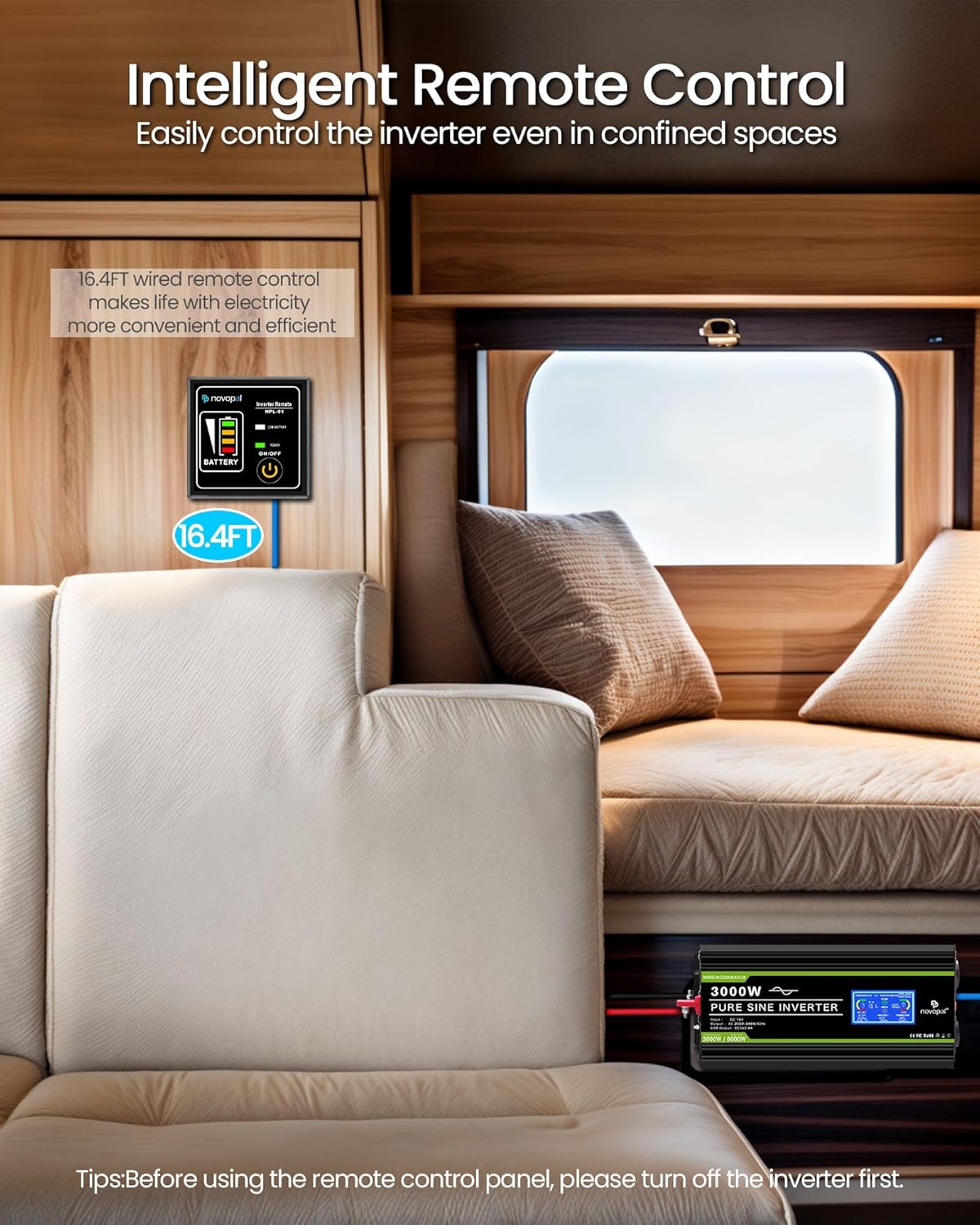
Image: Illustration of the intelligent remote control being used to operate the inverter in a confined space, demonstrating its convenience.
Connecting AC Devices
Once the inverter is on and displaying normal status:
- Plug your AC devices into the 2 AC outlets on the inverter.
- For USB charging, connect your device to the 2.4A USB port.
- Ensure the total wattage of all connected devices does not exceed the inverter's continuous power rating of 3000W.
- For inductive loads (e.g., motors, refrigerators, microwaves), note that their peak starting power can be 5-7 times their rated power. Ensure the inverter's peak power (6000W) can handle these surges.

Image: The NOVOPAL inverter connected to various RV appliances like a coffee maker, air conditioner, refrigerator, and microwave, illustrating its capability to power multiple devices.
Applications
The NOVOPAL Pure Sine Wave Inverter is versatile and suitable for various environments:
- Working: Powering laptops, tools, and other equipment in remote locations.
- Camping: Running lights, small appliances, and charging devices in tents or RVs.
- Picnic: Providing power for portable electronics and small cooking devices.
- Yacht/Boat: Supplying AC power for marine electronics and comforts.
- Truck: Ideal for long-haul drivers to power various cabin appliances.
- Household: As a backup power source during outages or for off-grid living.
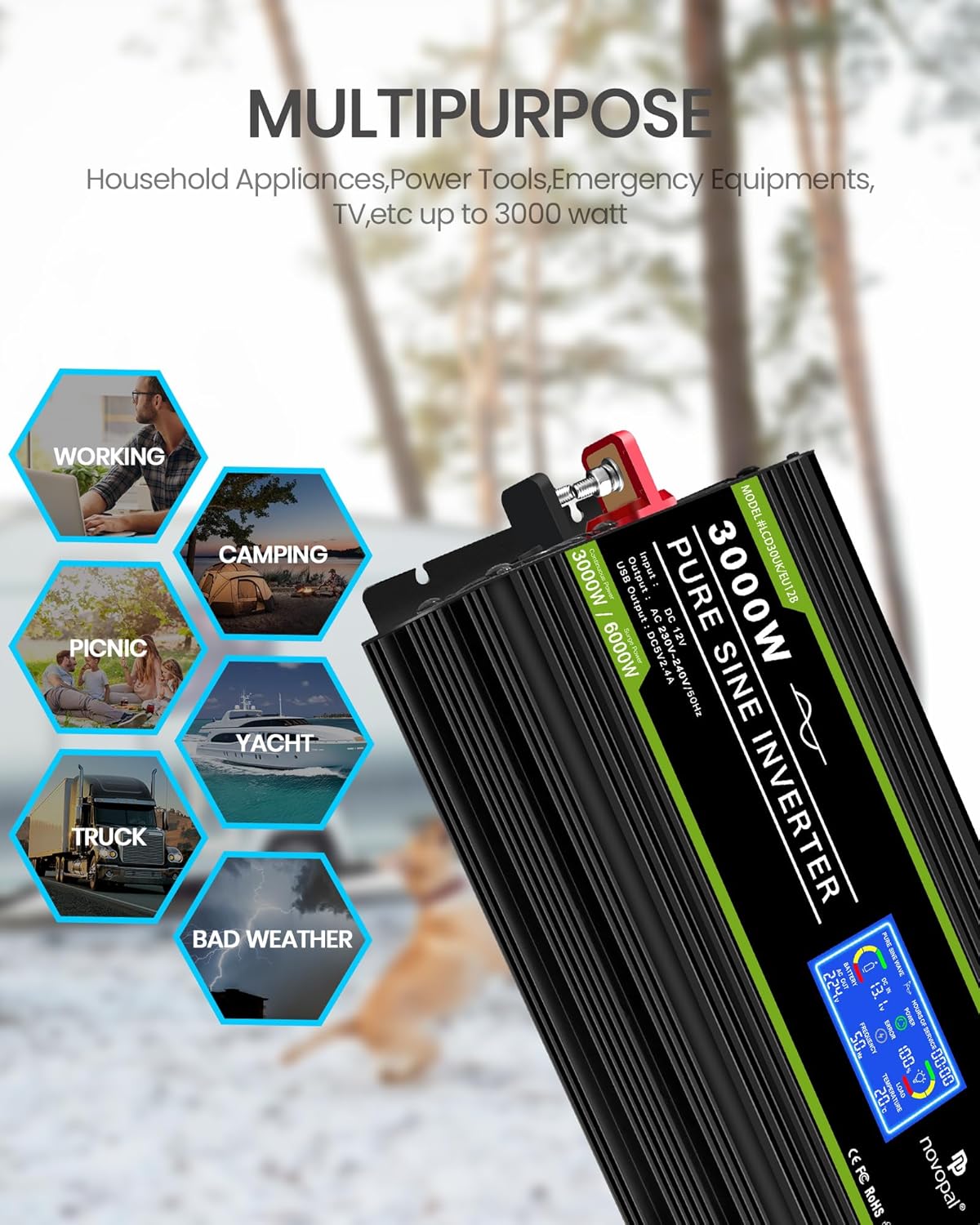
Image: Collage illustrating various multipurpose applications for the NOVOPAL inverter, including working, camping, picnic, yacht, truck, and household use.
Maintenance
Regular maintenance ensures the longevity and optimal performance of your inverter.
- Keep Clean: Periodically clean the exterior of the inverter with a dry cloth. Ensure ventilation openings are free from dust and debris.
- Check Connections: Regularly inspect battery cable connections for tightness and corrosion. Loose connections can cause overheating and poor performance.
- Ventilation: Ensure the cooling fans are not obstructed. The intelligent cooling fans will activate when the internal temperature exceeds 45°C or when the inverter power load exceeds 40%. They remain quiet during low-power operation.
- Storage: When not in use for extended periods, disconnect the inverter from the battery and store it in a cool, dry place.

Image: Close-up of the smart fan cooling system on the NOVOPAL inverter, highlighting its role in maintaining performance and quiet operation.
Troubleshooting
This section outlines common issues and their solutions. The LCD display's error indicator provides valuable diagnostic information.
| Problem/Indicator | Possible Cause | Solution |
|---|---|---|
| Green Light ~ Operating Normally | Inverter is functioning correctly. | No action required. |
| Red Light ~ Undervoltage | Battery voltage is too low (below 10V±0.5VDC). | Recharge or replace the battery. Disconnect loads to prevent deep discharge. |
| Red Light ~ Overvoltage | Battery voltage is too high (above 15V±0.5VDC). | Check battery charging system. Disconnect the inverter immediately. |
| Red Light ~ Over Temperature | Inverter is overheating (above 40°C). | Reduce load, ensure proper ventilation, allow inverter to cool down. Check for blocked fan vents. |
| Red Light ~ Overload | Connected load exceeds the inverter's continuous power rating (3000W). | Reduce the total load by disconnecting some appliances. Restart the inverter. |
| Neither Red nor Green Light ~ Short Circuit | A short circuit has occurred at the output. | Immediately disconnect all loads. Check output wiring and appliances for faults. Restart the inverter. |
| No Output Power | Inverter off, low battery, loose connections, or internal fault. | Ensure inverter is switched on. Check battery voltage. Verify all cable connections are secure. If problem persists, contact support. |
Specifications
| Feature | Detail |
|---|---|
| Rating Power | 3000 Watts (Continuous) |
| Peak Power | 6000 Watts |
| Input Voltage | DC 12V (10-15V) |
| Output Voltage | 230V±10% |
| Output Frequency | 50Hz |
| Output Waveform | Pure Sine Wave |
| USB Port Output | DC5V/2.1A |
| Working Temperature | -10℃ to 40℃ |
| Cooling Method | Intelligent Air Cooling |
| Over-voltage Shutdown | 15V±0.5VDC |
| Low-voltage Shutdown | 10V±0.5VDC |
| Cables | 50CM/25mm² (2 pair) |
| Product Dimensions | 42 x 16.5 x 10 cm |
| Item Weight | 6.72 kg |
| Model Number | DLCD3000PUK12 |
Warranty & Support
NOVOPAL products are designed for reliability and performance. For warranty information and technical support, please refer to the contact details provided with your purchase documentation or visit the official NOVOPAL website. Keep your purchase receipt as proof of purchase for warranty claims.
Manufacturer: NOVOPAL
Return Policy: 30 days (refund/replacement)
Related Documents - DLCD3000PUK12
 |
NOVOPAL Power Inverter Troubleshooting Guide A comprehensive troubleshooting guide for NOVOPAL Power Inverters, covering common issues like overload, undervoltage, over-voltage, over-temperature, short circuits, and reverse polarity, with solutions and battery recommendations. |
 |
Novopal Power Inverter Troubleshooting Guide | Overload, Undervoltage, Over-voltage, Over-temperature, Short Circuit Comprehensive troubleshooting guide for Novopal Pure Sine Wave Power Inverters. Learn how to diagnose and resolve common issues like overload, undervoltage, over-voltage, over-temperature, short circuit, and reverse connection. |
 |
Novopal Power Inverter Troubleshooting Guide A comprehensive troubleshooting guide for Novopal Power Inverters, covering common issues like overload, undervoltage, over-voltage, over-temperature, short circuits, reverse connections, and no DC input voltage. Includes solutions and a battery capacity reference table. |
 |
Novopal Inverter User Manual and Specifications This document provides a comprehensive user manual and technical specifications for Novopal inverters. It covers installation, operation, safety precautions, troubleshooting, and battery selection guidelines for various Novopal inverter models. |
Ask a question about this manual
Ask about setup, troubleshooting, compatibility, parts, safety, or missing instructions. Manuals+ will review the question and use this page’s manual context to help answer it.