
1. Introduction
Thank you for choosing the NOVOPAL Pure Sine Wave Inverter. This device converts 12V DC power from your battery into 220V/230V AC power, suitable for various electronic appliances. This manual provides essential information for safe operation, installation, and maintenance of your inverter.
2. Safety Instructions
- Read all instructions before operating the inverter.
- Keep the inverter away from water, moisture, and flammable materials.
- Ensure proper ventilation around the inverter to prevent overheating.
- Do not open the inverter casing. There are no user-serviceable parts inside.
- Connect the inverter only to a 12V DC power source.
- Always connect the ground wire before connecting power cables.
- Disconnect the battery before performing any maintenance or cleaning.
- Avoid connecting appliances that exceed the inverter's continuous power rating.
3. Package Contents
The NOVOPAL Pure Sine Wave Inverter package includes the following items:
- 1x NOVOPAL 1000W Pure Sine Wave Inverter (12V to 220V/230V)
- 1x Wired Remote Control (5-meter cable)
- 1x Set of Battery Connection Cables (Red for positive, Black for negative)
- 1x GND Earth Ground Cable
- 1x User Manual
- Spare Fuses (quantity may vary)
- Small Wrench for terminal connections

4. Product Overview
4.1. Key Features
- Pure Sine Wave Output: Provides stable and clean power, suitable for sensitive electronics.
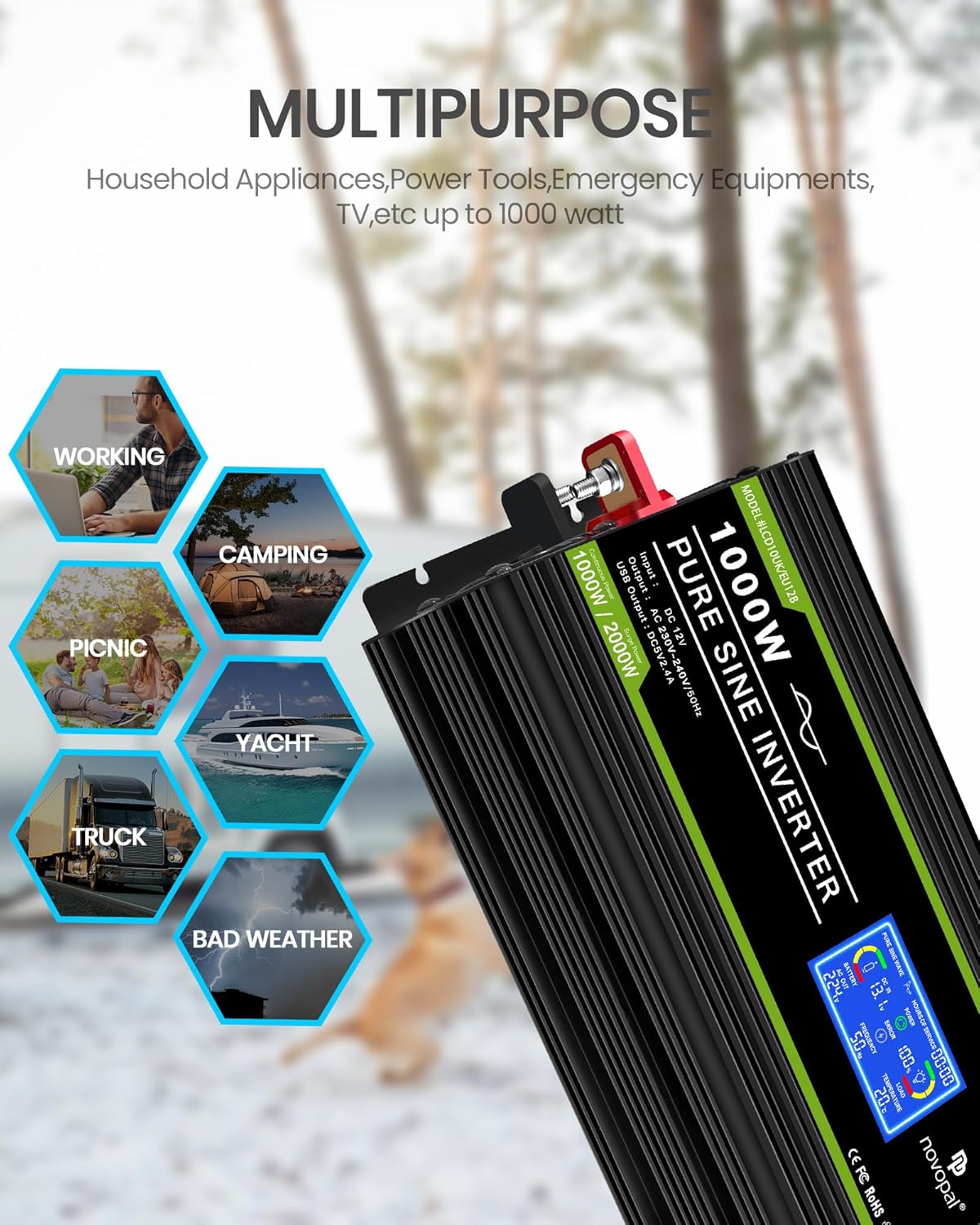
- High Continuous Power: 1000W continuous power with 2000W peak surge capability.
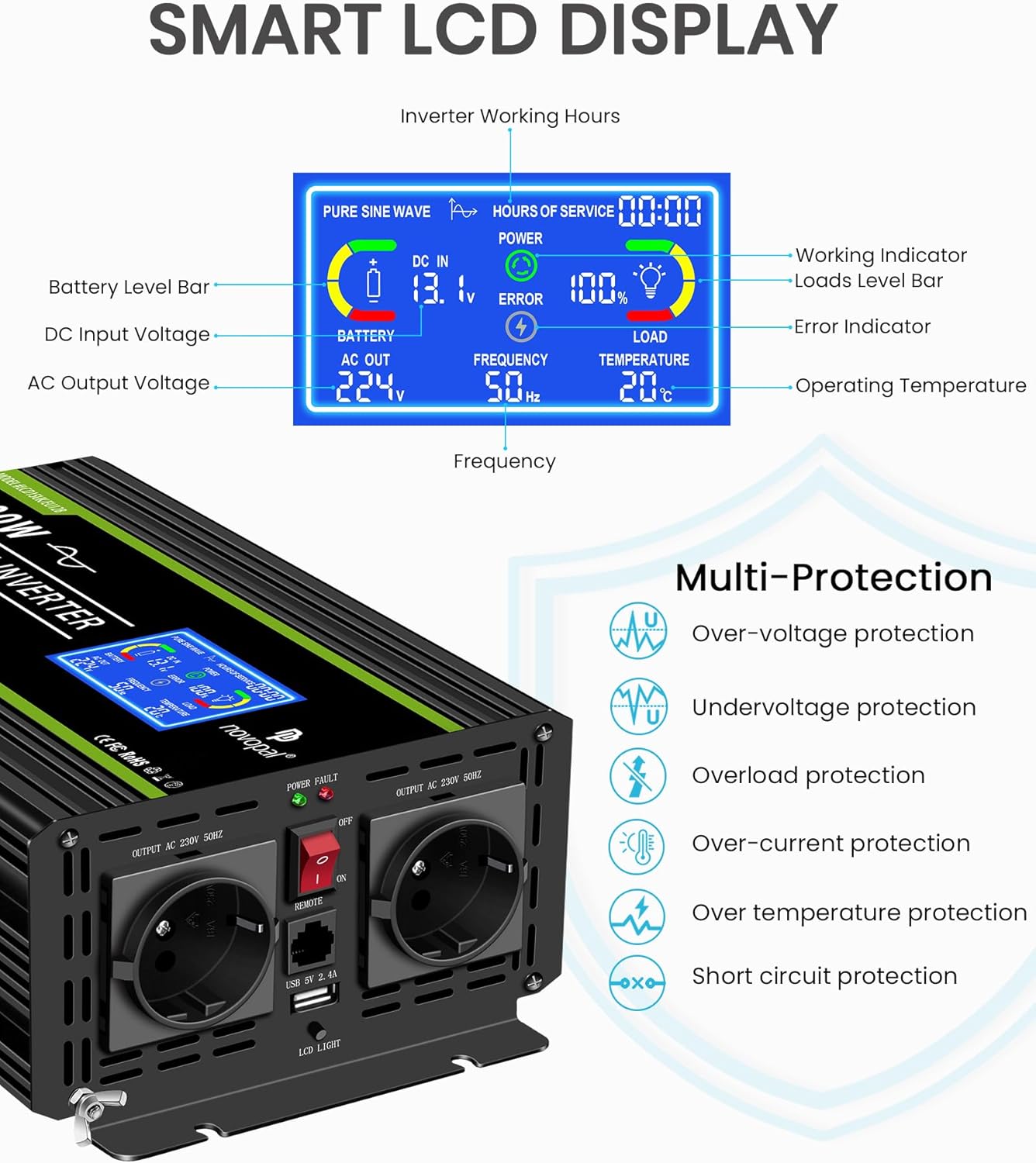
- LCD Display: Real-time monitoring of input voltage, output voltage, frequency, load level, temperature, and battery status.
- Wired Remote Control: Allows convenient power control from a distance of up to 5 meters.
- Multiple Protection Functions: Includes overload, over-voltage, under-voltage, over-current, over-temperature, and short-circuit protection.
- Intelligent Cooling Fan: Activates automatically based on internal temperature and load, ensuring optimal performance and reducing noise.
- Dual AC Outlets & USB Port: Two standard AC outlets and a 2.4A USB port for versatile charging.
4.2. Components and Display


5. Setup
5.1. Connecting to the Battery
Follow these steps to safely connect your inverter to a 12V battery:
- Ensure the inverter is turned off and all appliances are disconnected.
- Connect the black negative (-) cable to the negative terminal of the inverter. Tighten securely with the provided wrench.
- Connect the red positive (+) cable to the positive terminal of the inverter. Tighten securely.
- Connect the other end of the black negative (-) cable to the negative terminal of your 12V battery. Tighten securely.
- Connect the other end of the red positive (+) cable to the positive terminal of your 12V battery. Tighten securely.
- Connect the GND Earth Ground Cable to the inverter's ground terminal and to a suitable ground point (e.g., vehicle chassis or earth rod).

5.2. Connecting the Remote Control
The wired remote control allows you to power the inverter on/off from a convenient location.
- Ensure the inverter's main power switch is in the "OFF" position.
- Locate the RJ45 port labeled "REMOTE" on the inverter.
- Connect one end of the remote control cable to this port.
- Connect the other end of the cable to the remote control unit.

6. Operating Instructions
6.1. Powering On/Off
- To power on the inverter, press the "ON/OFF" button on the remote control or the main power switch on the inverter. The LCD display will illuminate, and the "Power" indicator on the remote will turn green.
- To power off the inverter, press the "ON/OFF" button on the remote control or the main power switch on the inverter. The LCD display will turn off, and the "Power" indicator will extinguish.
6.2. Connecting AC Appliances
Once the inverter is powered on, you can connect your AC appliances:
- Plug your appliance into one of the AC outlets on the inverter.
- Ensure the appliance's power consumption does not exceed the inverter's continuous power rating (1000W).
- For sensitive electronics, the pure sine wave output ensures safe and stable operation.

6.3. USB Charging
The inverter includes a 2.4A USB port for charging compatible devices.
- Connect your USB device to the USB port on the inverter.
- The inverter does not need to be powered on for the USB port to function if it's connected to a battery.
7. Maintenance
- Keep the inverter clean and free from dust and debris. Use a dry cloth for cleaning.
- Ensure all connections are tight and free from corrosion. Periodically check battery terminals and inverter connections.
- Verify that the ventilation openings are not blocked to allow proper airflow.
- Store the inverter in a cool, dry place when not in use.
8. Troubleshooting
| Problem | Possible Cause | Solution |
|---|---|---|
| No power output / Inverter not turning on |
|
|
| Overload alarm / Inverter shuts down |
|
|
| Over-temperature alarm |
|
|
| Low battery alarm |
|
|
9. Specifications
| Feature | Detail |
|---|---|
| Brand | NOVOPAL |
| Model Name | Inversor de Corriente LCD 1000W 12V |
| Input Voltage | 12 Volts DC |
| Output Voltage | 220V/230V AC |
| Continuous Power | 1000 Watts |
| Peak Power | 2000 Watts |
| Output Waveform | Pure Sine Wave |
| USB Output | 5V 2.4A |
| Recommended Battery Capacity | 120AH (for 1000W) |
| Product Dimensions | 30.5L x 11W x 16.5H centimeters |
| Power Source | Solar and Battery Powered |
| Recommended Uses | Office, Home, Vehicle |

10. Warranty and Support
The NOVOPAL Pure Sine Wave Inverter comes with a 1 Year Warranty Against Manufacturer Defects. For technical support, warranty claims, or any questions regarding your product, please contact NOVOPAL customer service through your purchase platform or the official NOVOPAL website.
Please retain your proof of purchase for warranty purposes.