
Introduction
This manual provides detailed instructions for the installation, wiring, operation, and maintenance of your APIELE 16mm Latching Push Button Switch. This durable, self-locking switch features a 12V LED indicator and is designed for various applications, including automotive and industrial control equipment modifications.
Product Overview
The APIELE 16mm Latching Push Button Switch is a robust control component with an integrated LED "Angel Eye" head. Its latching mechanism means one press turns it ON, and another press turns it OFF. Constructed from high-quality metal with IP65 waterproof protection, it is suitable for use in challenging environments.
- Mounting Hole Size: 0.63 inches (16mm)
- LED Voltage: 12V DC (only)
- Contact Configuration: 1NO1NC (Normally Open, Normally Closed)
- Electrical Life: 200,000 cycles
- Mechanical Life: 1,000,000 cycles
- Protection Rating: IP65 (Waterproof and Dustproof)
- Material: High-quality metal shell
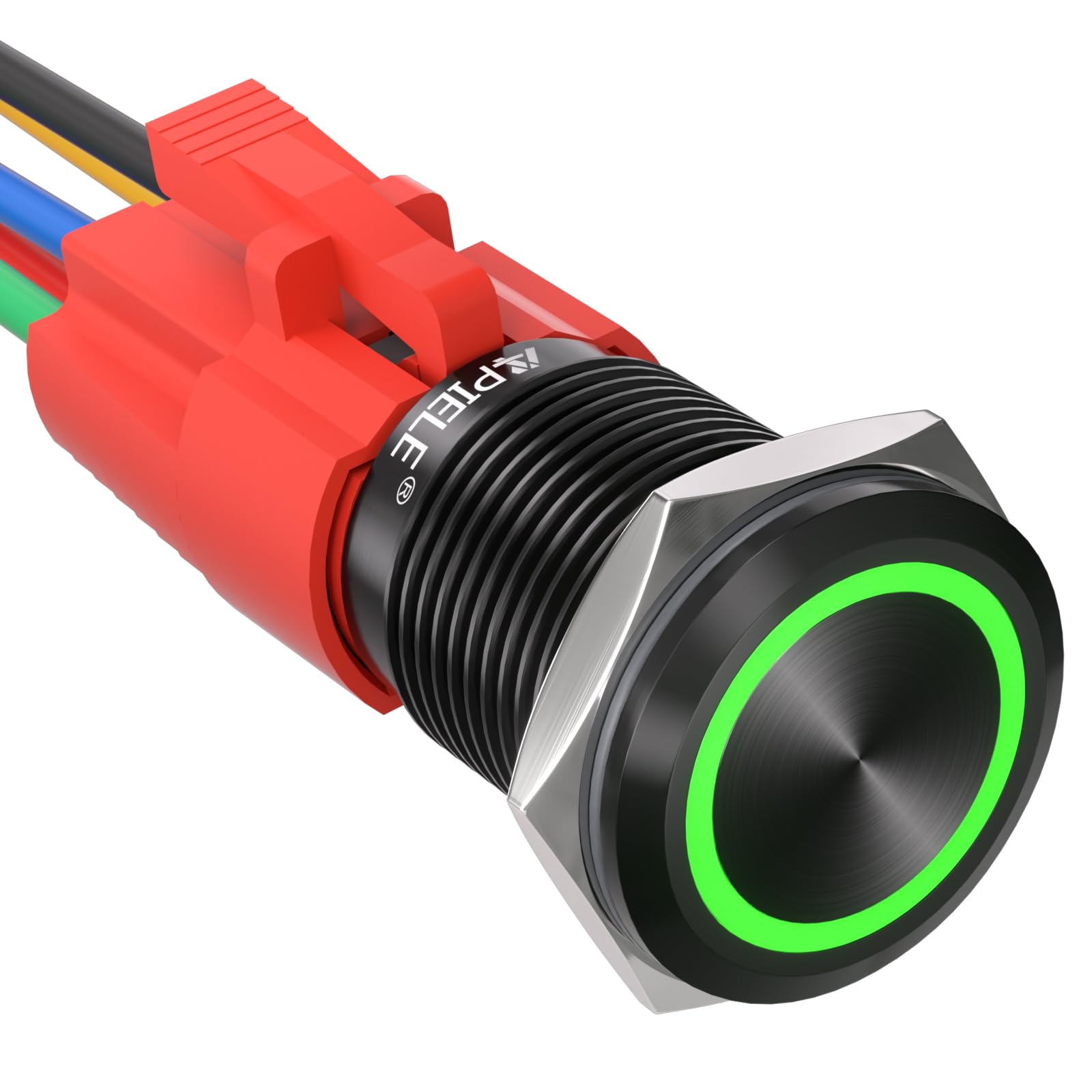
Figure 1: APIELE 16mm Latching Push Button Switch with black shell and green LED.
Specifications
| Specification | Value |
|---|---|
| Brand | APIELE |
| Model | GQ16BF-11EZ/A |
| Operation Mode | ON-OFF (Latching) |
| Current Rating | 5 A |
| Operating Voltage | 12V DC |
| Contact Type | 1NO1NC |
| Mounting Type | Panel Mount |
| Mounting Hole Size | 16mm (0.63 inches) |
| Shell Material | Metal (Black Shell-Green variant) |
| Contact Material | Silver |
| Protection Rating | IP65 |
| Upper Temperature Rating | 55 °C |

Figure 2: Detailed dimensions and key specifications of the switch.
Installation and Mounting
The APIELE 16mm Latching Push Button Switch is designed for panel mounting. Ensure the mounting surface is clean and free of obstructions.
- Prepare Mounting Hole: Drill a 16mm (0.63 inch) diameter hole in the desired mounting location. Ensure the hole is smooth and free of burrs.
- Insert Switch: Carefully insert the switch body into the drilled hole from the front of the panel.
- Secure with Nut: Thread the included securing nut onto the switch body from the back of the panel and tighten it firmly to hold the switch in place. Do not overtighten.
- Gasket Placement: Ensure the rubber gasket is properly seated between the switch and the panel for optimal IP65 waterproof protection.
Video 1: This video demonstrates the assembly and mounting process of the APIELE 16mm Push Button Switch, showing how the components fit together and how the switch is secured to a panel.
Wiring Diagram and Connections
The switch comes with a wire socket plug for easy connection. Refer to the diagram below for proper wiring. The LED indicator requires a 12V DC power source.
- Yellow Wire: Normal Closed Pin (NC)
- Blue Wire: Normal Open Pin (NO)
- Green Wire: Common Pin (C)
- Red Wire: Positive LED Pin (+)
- Black Wire: Negative LED Pin (-)

Figure 3: Color-coded wiring diagram for the switch and its connector. The diagram illustrates the function of each wire for correct electrical connection.
Common Wiring Configurations:
- Basic ON/OFF (Latching) with LED always ON: Connect the Green wire (Common) to the positive (+) power source. Connect the Blue wire (Normally Open) to the device's positive (+) input. Connect the Red wire (LED +) to the positive (+) power source. Connect the Black wire (LED -) and the device's negative (-) input to the negative (-) power source.
- Basic ON/OFF (Latching) with LED ON when switch is ON: Connect the Green wire (Common) to the positive (+) power source. Connect the Blue wire (Normally Open) to the device's positive (+) input and also to the Red wire (LED +). Connect the Black wire (LED -) and the device's negative (-) input to the negative (-) power source.
Video 2: This video provides a visual guide to the wiring process for the APIELE 16mm Push Button Switch, illustrating how to connect the wires for different functionalities.
Operation
The APIELE 16mm Latching Push Button Switch operates with a simple push-on, push-off mechanism.
- To Turn ON: Press the button once. The switch will latch into the ON position, and the connected device will activate. If wired for it, the LED ring will illuminate.
- To Turn OFF: Press the button again. The switch will unlatch, returning to the OFF position, and the connected device will deactivate. The LED ring will turn off if wired to do so.

Figure 4: The switch is designed for high durability, with a mechanical life of 1,000,000 cycles and an electrical life of 200,000 cycles. The LED has a lamp life of 40,000 hours.
Maintenance
The APIELE 16mm Latching Push Button Switch is designed for minimal maintenance due to its durable construction and IP65 rating.
- Cleaning: Periodically wipe the switch surface with a soft, damp cloth to remove dust or grime. Avoid abrasive cleaners or solvents.
- Inspection: Occasionally check the wiring connections to ensure they remain secure. Verify the integrity of the gasket if the switch is exposed to wet or dusty conditions.
- Environmental Protection: The IP65 rating ensures protection against dust ingress and low-pressure water jets. While robust, avoid prolonged submersion or high-pressure washing.

Figure 5: The IP65 rating ensures the switch is protected against dust and water splashes, making it suitable for various environments.
Troubleshooting
If you encounter issues with your APIELE 16mm Latching Push Button Switch, consider the following troubleshooting steps:
- Switch Not Activating Device:
- Check all wiring connections for looseness or incorrect placement according to the wiring diagram.
- Verify that the power source is providing the correct voltage (12V DC) and sufficient current (up to 5A).
- Ensure the device connected to the switch is functioning correctly.
- LED Not Illuminating:
- Confirm that the Red (+) and Black (-) LED wires are correctly connected to a 12V DC power source.
- Check if the LED is wired to illuminate only when the switch is ON. If so, ensure the switch is in the ON position.
- Verify the LED voltage is exactly 12V. Higher voltage can damage the LED.
- Switch Not Latching/Unlatching:
- Ensure the button is pressed fully and firmly.
- Check for any physical obstructions around the button mechanism.
Warranty and Support
APIELE provides a 2-year warranty for this product, covering defects in materials and workmanship under normal use. For technical support, warranty claims, or further assistance, please contact APIELE customer service through your purchase platform or the official APIELE website.
For more information, visit the APIELE Store.