
NWC217.10_\
Full HD1080P Wi-Fi IP66 PTZ v380 PRO Camera User Manual
Model: NWC217.10_\
Brand: Generic
Introduction
This user manual provides comprehensive instructions for the installation, operation, maintenance, and troubleshooting of your Generic Full HD1080P Wi-Fi IP66 PTZ v380 PRO Camera. This camera is designed for both indoor and outdoor surveillance, offering features such as full HD resolution, pan-tilt-zoom capabilities, two-way audio, motion detection, and enhanced night vision. Please read this manual carefully before using the product to ensure proper setup and optimal performance.

Figure 1: Generic Full HD1080P Wi-Fi IP66 PTZ Camera. This image displays the main unit of the surveillance camera, highlighting its dome form factor and dual antennas.
Setup and Installation
1. What's in the Box
Verify that all components are present in the package:
- 1 x PTZ Camera
- 1 x Power Adapter
- 1 x Data Cable
- 2 x Screw set (for mounting)
- 1 x English User Manual (this document)
2. Physical Installation
The camera is designed for wall-mounted installation. Choose a location that provides the desired viewing angle and is within range of your Wi-Fi network and a power outlet. The camera's IP66 rating ensures it is suitable for outdoor use, with resistance to dust and water.
- Mark the drilling points on the wall using the camera's mounting base as a template.
- Drill holes at the marked points.
- Insert the wall plugs (if necessary) and secure the mounting base with the provided screws.
- Attach the camera securely to the mounted base.
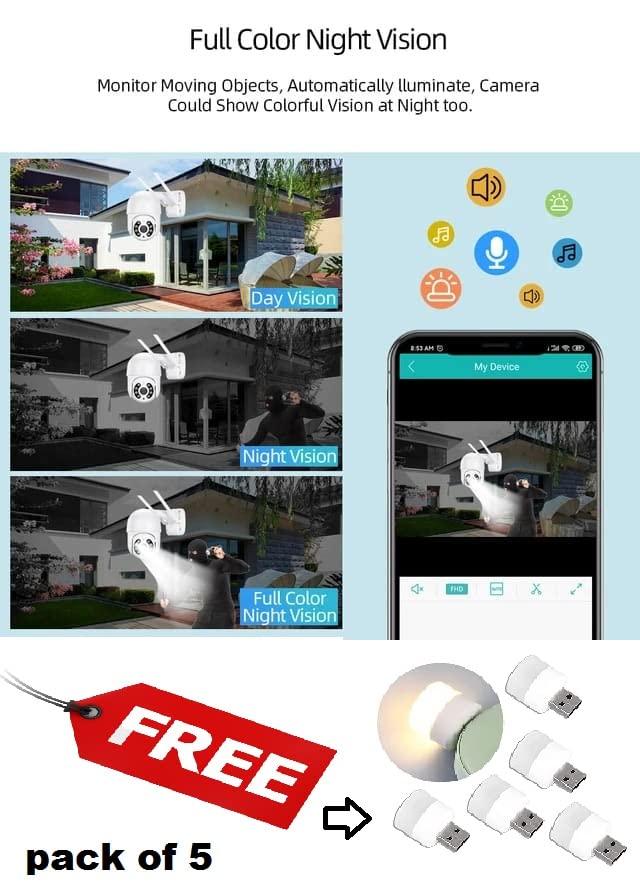
Figure 2: Camera mounted on a wall. This image illustrates the camera securely installed on an exterior wall, ready for surveillance.
3. Power Connection
Connect the power adapter to the camera's power input port and then plug it into a standard AC power outlet. The camera requires 12 Volts and consumes 5 Watts.
4. App Installation and Wi-Fi Connection
The camera operates wirelessly via Wi-Fi and is controlled through a smartphone application (v380 PRO recommended). It supports 2.4GHz Wi-Fi bands only.
- Download the recommended control application (e.g., v380 PRO) from your smartphone's app store (available for iOS and Android).
- Open the app and create an account or log in.
- Follow the in-app instructions to add your new camera. This typically involves scanning a QR code on the camera or manually entering its ID.
- Connect the camera to your local 2.4GHz Wi-Fi network by entering your Wi-Fi password when prompted in the app.

Figure 3: Quick Installation Guide. This image illustrates the simplified setup process, including scanning a QR code for quick configuration via the mobile application.
Operating Instructions
1. Pan, Tilt, and Zoom Control
Utilize the in-app controls to remotely adjust the camera's viewing angle. The camera supports 355° horizontal pan and 90° vertical tilt, providing extensive coverage with minimal blind spots. It also features a 5X digital zoom for closer inspection of details.
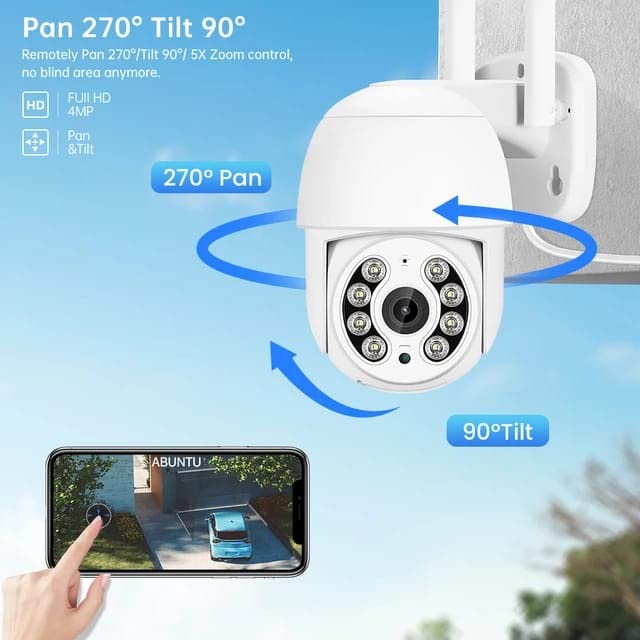
Figure 4: Pan and Tilt Functionality. This diagram visually explains the camera's ability to pan horizontally and tilt vertically, covering a wide surveillance area.
2. Two-Way Audio
The integrated microphone and speaker enable two-way communication. You can listen to the environment around the camera and speak through the camera using your smartphone app, allowing for interaction with visitors or deterring intruders.
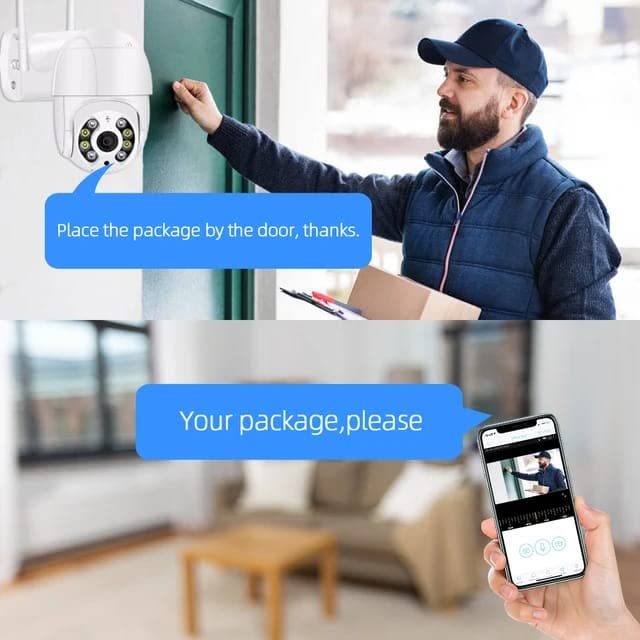
Figure 5: Two-Way Audio Communication. This image demonstrates the two-way audio feature, allowing users to communicate through the camera via their smartphone.
3. Motion Detection and Alerts
Configure motion detection settings within the app. When motion is detected, the camera can trigger light and sound alarms, send real-time alerts with snapshots to your phone, and upload data to email or an FTP server. The camera also supports auto-tracking, where it automatically follows detected movement.
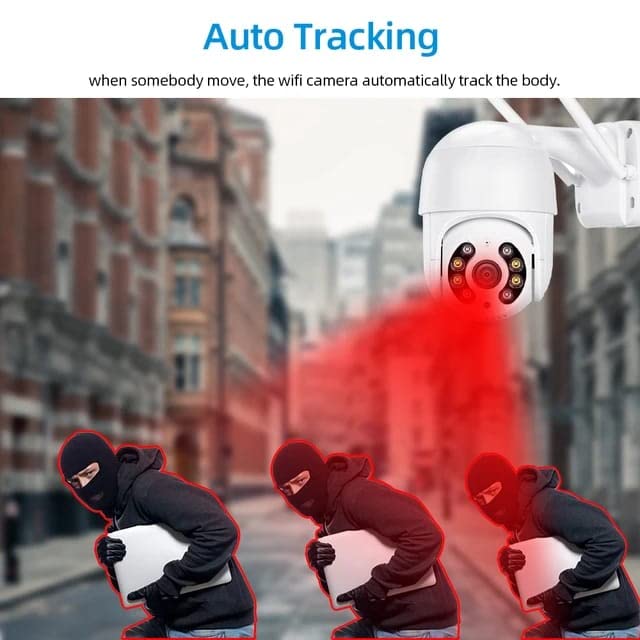
Figure 6: Auto-Tracking in Action. This image visually represents the camera's auto-tracking capability, showing it following moving subjects.
4. Night Vision
The camera is equipped with 4 effective IR LEDs and 4 white LEDs, providing clear video both day and night. It supports full-color night vision, allowing for detailed and colorful images even in low-light conditions.

Figure 7: Full Color Night Vision. This image compares standard day vision, infrared night vision, and the enhanced full-color night vision provided by the camera.
5. Video Recording and Storage
The camera supports local storage via an SD card (up to 128GB). Insert a compatible SD card into the designated slot on the camera. Recordings can be accessed and managed through the mobile application.
Maintenance
1. Cleaning
Regularly clean the camera lens and housing with a soft, dry cloth to ensure clear image quality. For stubborn dirt, a slightly damp cloth can be used, but avoid abrasive cleaners or excessive moisture.
2. Firmware Updates
Check the mobile application periodically for available firmware updates. Keeping the camera's firmware updated ensures optimal performance, security, and access to new features.
3. Storage Management
If using an SD card for storage, regularly review and back up important footage. Ensure the SD card has sufficient free space for continuous recording, or configure loop recording if desired.
Troubleshooting
- Camera Offline: Ensure the camera is powered on and the power adapter is securely connected. Verify your Wi-Fi network is active and the camera is within range. Reconnect the camera to Wi-Fi via the app if necessary.
- Poor Image Quality: Clean the camera lens. Check your Wi-Fi signal strength; a weak signal can affect video streaming quality.
- Motion Detection Issues: Adjust the motion detection sensitivity settings in the app. Ensure there are no obstructions in the camera's field of view.
- Night Vision Not Activating: Ensure the area is sufficiently dark for night vision to engage. Check for any physical obstructions blocking the IR/white LEDs.
- Two-Way Audio Problems: Check the volume settings on your phone and in the app. Ensure your phone's microphone is enabled for the app.
- Cannot Access via Web Interface: Please note that this camera does not support access via a web interface. All controls and viewing are done through the dedicated mobile application.
- Camera Not Responding: Try power cycling the camera by unplugging it for a few seconds and then plugging it back in. If the issue persists, a factory reset may be required (refer to app instructions for reset procedure).
Specifications
| Feature | Detail |
|---|---|
| Model Name | PTZ Camera |
| Video Capture Resolution | 1080p (1920x1080) |
| Pan Angle | 355° (Horizontal) |
| Tilt Angle | 90° (Vertical) |
| Digital Zoom | 5X |
| Connectivity Technology | Wireless (Wi-Fi) |
| Wireless Communication | Wi-Fi (2.4GHz band only) |
| International Protection Rating | IP66 (Waterproof) |
| Night Vision | Full Color Night Vision, 4 IR LEDs, 4 White LEDs |
| Audio | Two-Way Audio |
| Storage | Supports up to 128GB SD Card |
| Motion Detection | Yes, with Light & Sound Alarms, Auto Tracking |
| Power Source | AC Adapter |
| Voltage | 12 Volts |
| Wattage | 5 Watts |
| Material | Acrylonitrile Butadiene Styrene (ABS) |
| Dimensions (L x W x H) | 18 x 9 x 4 Centimeters |
| Weight | 400 Grams |
| Control Method | App (iOS & Android) |
| Form Factor | Dome |
| Installation Type | Wall-mounted |
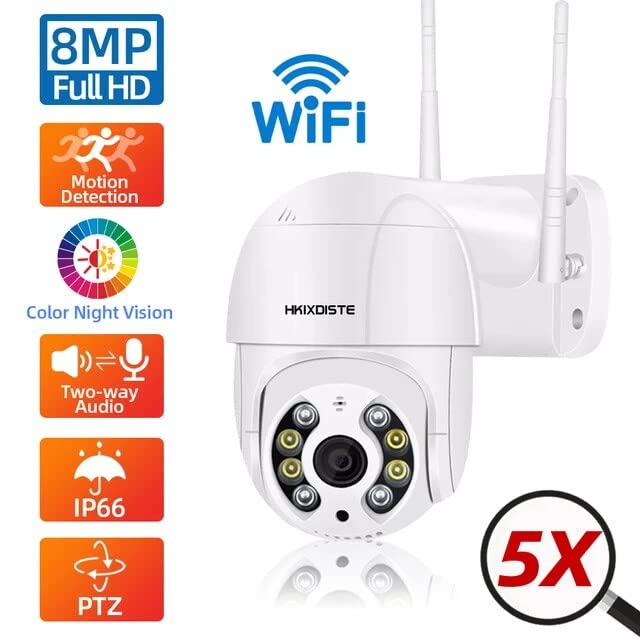
Figure 8: Key Product Features. This infographic summarizes the camera's main capabilities, including its resolution, connectivity, and special functions.
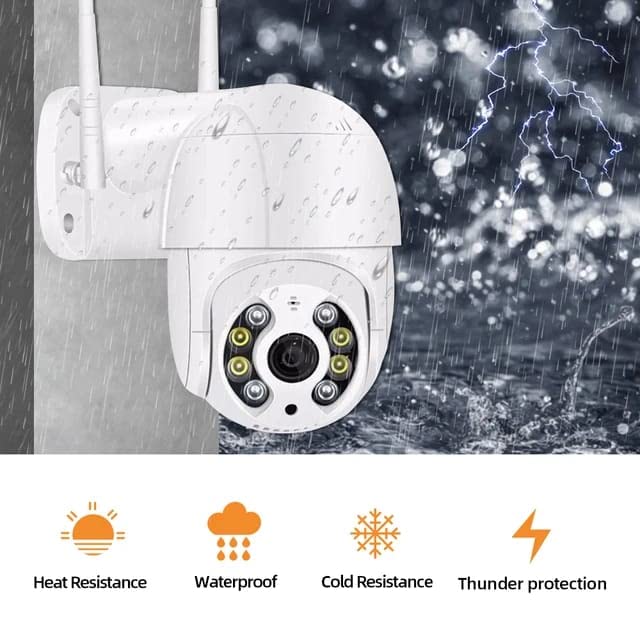
Figure 9: Weather Resistance. This image illustrates the camera's durability against various weather conditions, emphasizing its IP66 waterproof rating and resistance to extreme temperatures.
Warranty and Support
This product is manufactured by Generic. For any support or warranty-related inquiries, please refer to the contact information provided by your retailer or the manufacturer's official channels. An English User Manual is included in the box for your reference.
Manufacturer: Generic, Sonsan Smartpup PVt Ltd-Bhopura Ghaziabad-201005
Importer: Sonsan Smartpup pvt ltd.
Packer: Sonsan Smartpup Pvt Ltd