
1. Product Overview
The haisstronica HS-1167 is a professional crimping tool designed for non-insulated terminals, accommodating wire gauges from AWG 22 to AWG 8. This tool features a precise ratchet mechanism and an ergonomic handle for consistent and comfortable operation.
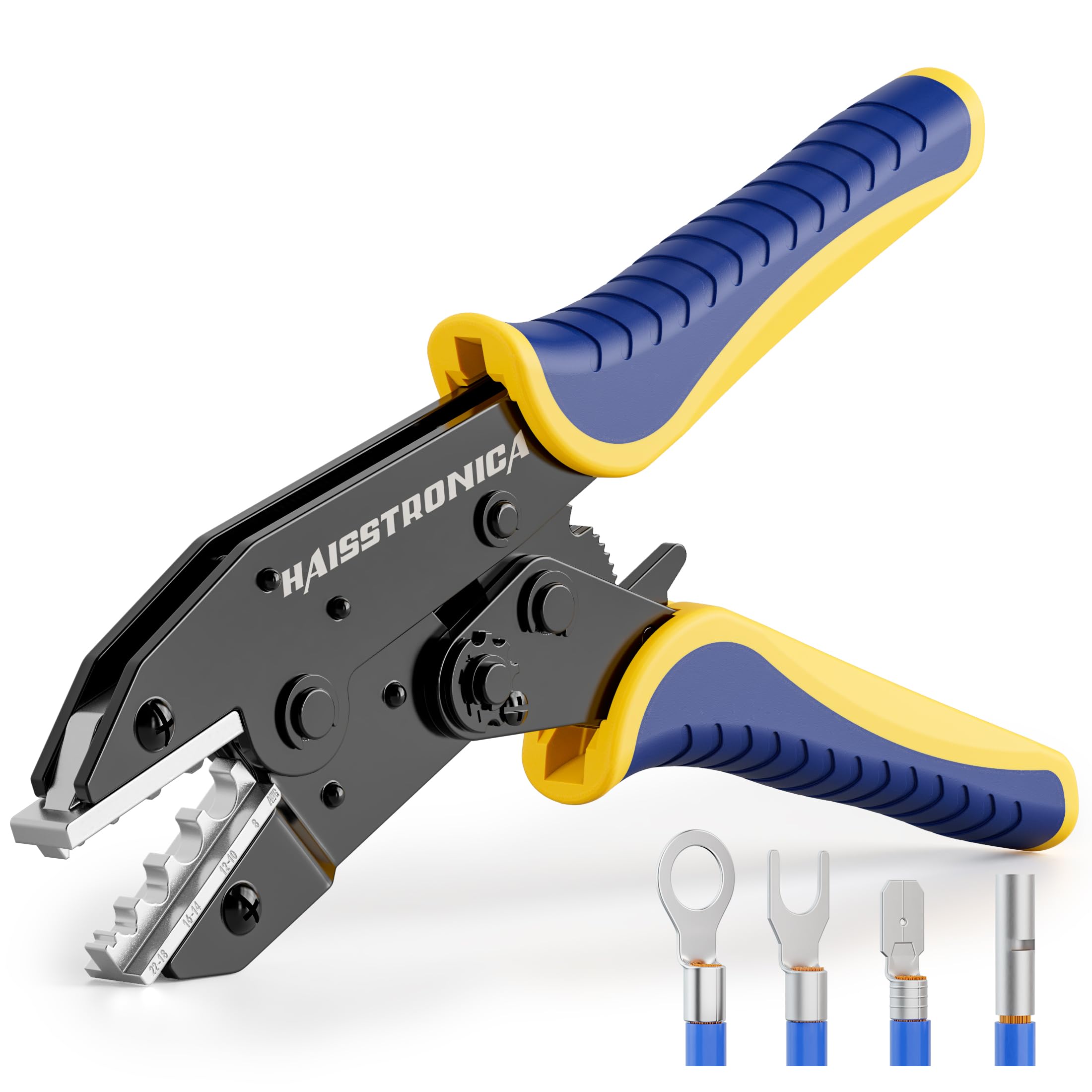
Image 1: haisstronica HS-1167 Crimping Tool for Non-Insulated Terminals.
2. Safety Information
- Always wear appropriate personal protective equipment, such as safety glasses, when using this tool.
- Ensure the power to the circuit is disconnected before working with electrical wires and terminals.
- Do not use the tool for purposes other than crimping non-insulated terminals.
- Keep hands and fingers clear of the crimping jaws during operation.
- Store the tool in a dry, safe place, out of reach of children.
- Inspect the tool for any damage before each use. Do not use if damaged.
3. Product Features
- Professional Jaws: Specifically designed for non-insulated terminals, ensuring a secure crimp without damaging the terminal shell.
- Precise Ratchet Structure: Automatically adjusts to the required pressure for different terminal sizes, ensuring consistent and reliable crimps. Features an adjustable crimp height for fine-tuning.
- Ergonomic Handle: Nylon, non-slip handles provide comfortable and efficient operation, reducing hand fatigue.
- Quick-Release Lever: Located on the handle for easy opening of the jaws after a crimp.
- Wire Size Markings: Jaws are clearly marked with wire sizes (AWG 22-18, 16-14, 12-10, 8) for easy identification and correct usage.

Image 2: Close-up of the crimping tool jaws showing AWG markings for different wire sizes.

Image 3: The adjustable intensity mechanism allows for precise pressure settings.
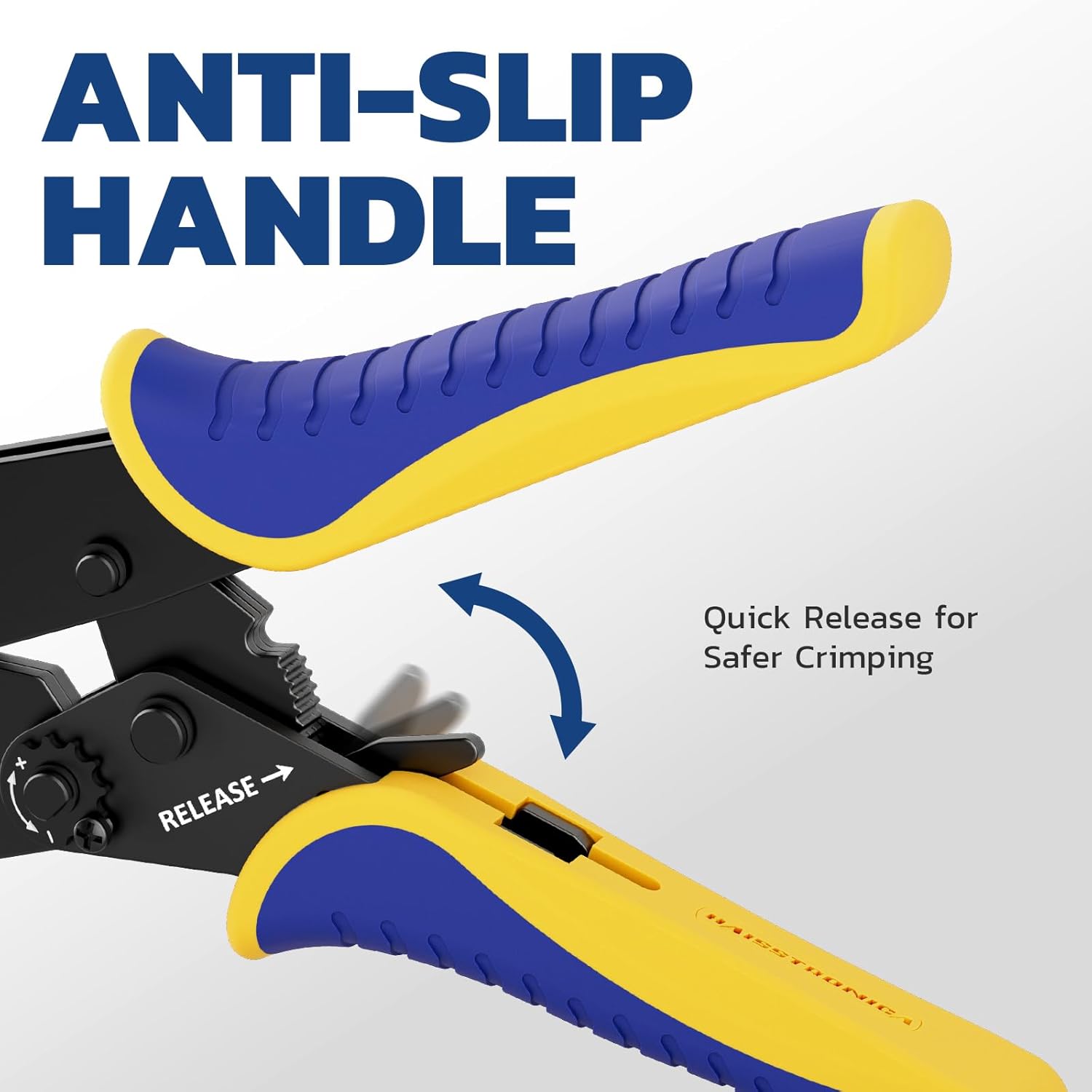
Image 4: Ergonomic, anti-slip handle with a quick-release lever for safe operation.
4. Setup
The haisstronica HS-1167 crimping tool comes pre-assembled and ready for use. No initial setup is required beyond familiarizing yourself with its features.
- Inspect the Tool: Before first use, check the tool for any signs of damage or loose parts. Ensure the jaws open and close smoothly.
- Understand Wire Gauge Markings: Locate the AWG markings on the crimping jaws. These indicate the appropriate slot for different wire sizes (22-18 AWG, 16-14 AWG, 12-10 AWG, 8 AWG).
- Adjust Crimp Height (Optional): The crimp height of the star wheel is adjustable. Use a screwdriver to turn the star wheel to increase or decrease crimping force if needed for specific terminals. Turn clockwise for more force, counter-clockwise for less.
5. Operating Instructions
Follow these steps for proper crimping:
- Prepare the Wire: Strip the insulation from the end of the wire to the appropriate length for your terminal. Ensure the stripped wire is clean and free of frayed strands.
- Select the Correct Terminal and Jaw Slot: Choose a non-insulated terminal that matches your wire gauge. Identify the corresponding AWG slot on the crimping tool's jaws.
- Insert Terminal: Place the terminal into the correct crimping slot. Ensure the open ends of the terminal rest on the flat side of the jaws.
- Insert Wire: Insert the stripped wire fully into the terminal.
- Crimp: Squeeze the handles of the crimping tool firmly. The ratchet mechanism will engage and apply pressure until the crimp is complete and the handles automatically release. This ensures a consistent and secure connection.
- Inspect the Crimp: After crimping, visually inspect the connection to ensure it is tight and secure. Gently tug on the wire to confirm it is firmly held by the terminal.

Image 5: Step-by-step guide on how to use the crimping tool.
Instructional Video: How to Use
Video 1: This video demonstrates the correct procedure for using the haisstronica crimping tool to create secure connections.
6. Maintenance
- Cleaning: After each use, wipe the tool clean with a dry cloth to remove any debris or residue. Avoid using harsh chemicals that could damage the tool's finish or components.
- Lubrication: Periodically apply a light machine oil to the pivot points and moving parts to ensure smooth operation and prevent rust.
- Storage: Store the crimping tool in a dry environment to prevent corrosion. Keep the jaws closed when not in use to protect them.
- Inspection: Regularly check the jaws for wear or damage. If the jaws become worn or misaligned, the crimping quality may be affected.
7. Troubleshooting
| Problem | Possible Cause | Solution |
|---|---|---|
| Poor crimp quality (loose connection, deformed terminal) | Incorrect wire gauge or terminal size selected. Insufficient crimping force. Terminal not fully inserted into the jaw slot. | Ensure the wire and terminal match the selected AWG slot. Adjust the crimp height star wheel for more pressure (clockwise). Verify the terminal is seated correctly before crimping. |
| Handles do not release after crimping | Ratchet mechanism stuck. Excessive force applied. | Press the quick-release lever on the handle to disengage the ratchet. Ensure the correct crimp height is set; avoid over-crimping. |
| Tool feels stiff or difficult to operate | Lack of lubrication. Dirt or debris in the mechanism. | Apply a light machine oil to pivot points. Clean the tool thoroughly. |
8. Specifications
| Feature | Detail |
|---|---|
| Brand | haisstronica |
| Model Number | HS-1167 |
| Compatible Wire Gauge | AWG 22-8 (Non-Insulated Terminals) |
| Item Weight | 1.2 pounds (550g) |
| Product Dimensions | 9.06"L x 2.36"W (230mm x 60mm) |
| Handle Material | Nylon |
| Grip Type | Ergonomic |
| GTIN (UPC) | 190372849281 |

Image 6: Visual representation of the crimping tool's specifications.
9. Warranty and Support
haisstronica stands behind the quality of its products. This crimping tool comes with a 30-day money-back guarantee and a 12-month replacement warranty.
For any questions, concerns, or support needs regarding your haisstronica HS-1167 Crimping Tool, please contact haisstronica customer service. Refer to your purchase documentation for specific contact details or visit the official haisstronica website.