1. Introduction
This manual provides instructions for the Generic Master Universal AC Remote, designed to operate a wide range of Gree, Tosot, Lennox, and ComfortStar air conditioning units. This remote offers comprehensive control with a Fahrenheit display and includes all essential functions, making it a convenient replacement for lost or damaged original remotes.
2. Setup
2.1. Battery Installation
- Open the battery compartment cover on the back of the remote.
- Insert two AAA batteries, ensuring correct polarity (+/-).
- Close the battery compartment cover securely.
2.2. Initial Use
The Master Universal AC Remote is pre-programmed to work with a wide array of compatible models, including those from Gree, Tosot, Lennox, and ComfortStar. In most cases, the remote will function immediately upon battery insertion with a compatible air conditioner. No complex code input or programming steps are typically required for initial operation.
If your specific AC model is listed in the compatibility section or shown in the compatibility image, the remote is designed to work directly. For optimal performance, ensure a clear line of sight between the remote and the air conditioner's receiver.
Front view of the Master Universal AC Remote (Model MFDV2), displaying 74°F on its screen. Key buttons for power, temperature adjustment, and mode selection are visible.
3. Operating Instructions
The remote features a clear digital display and intuitively placed buttons for easy control of your air conditioner. Below are the primary functions:
- ON/OFF Button: Powers the air conditioner on or off.
- TEMP ▲/▼ Buttons: Adjusts the desired temperature up or down. The display shows temperature in Fahrenheit.
- MODE Button: Cycles through operating modes such as Cool, Heat, Dry, Fan, and Auto.
- FAN SPEED Button: Adjusts the fan speed (Low, Medium, High, Auto).
- SWING Button: Controls the vertical louver movement for air distribution.
- TIMER ON/OFF Buttons: Sets a timer for the unit to turn on or off automatically.
- SLEEP Button: Activates sleep mode for energy-efficient operation during sleep.
- TURBO Button: Provides a quick boost to reach the desired temperature rapidly.
- LIGHT Button: Toggles the backlight of the remote's display.
- RESET LOCK Button: Resets settings or locks the remote to prevent accidental changes.
- AIR DIRECTION Button: Adjusts the horizontal louver movement.

A detailed close-up of the remote's functional buttons, including SWING, TIMER, SLEEP, TURBO, SET, CLR, and IFEEL, along with a LIGHT button, illustrating the comprehensive control options available.
4. Compatibility
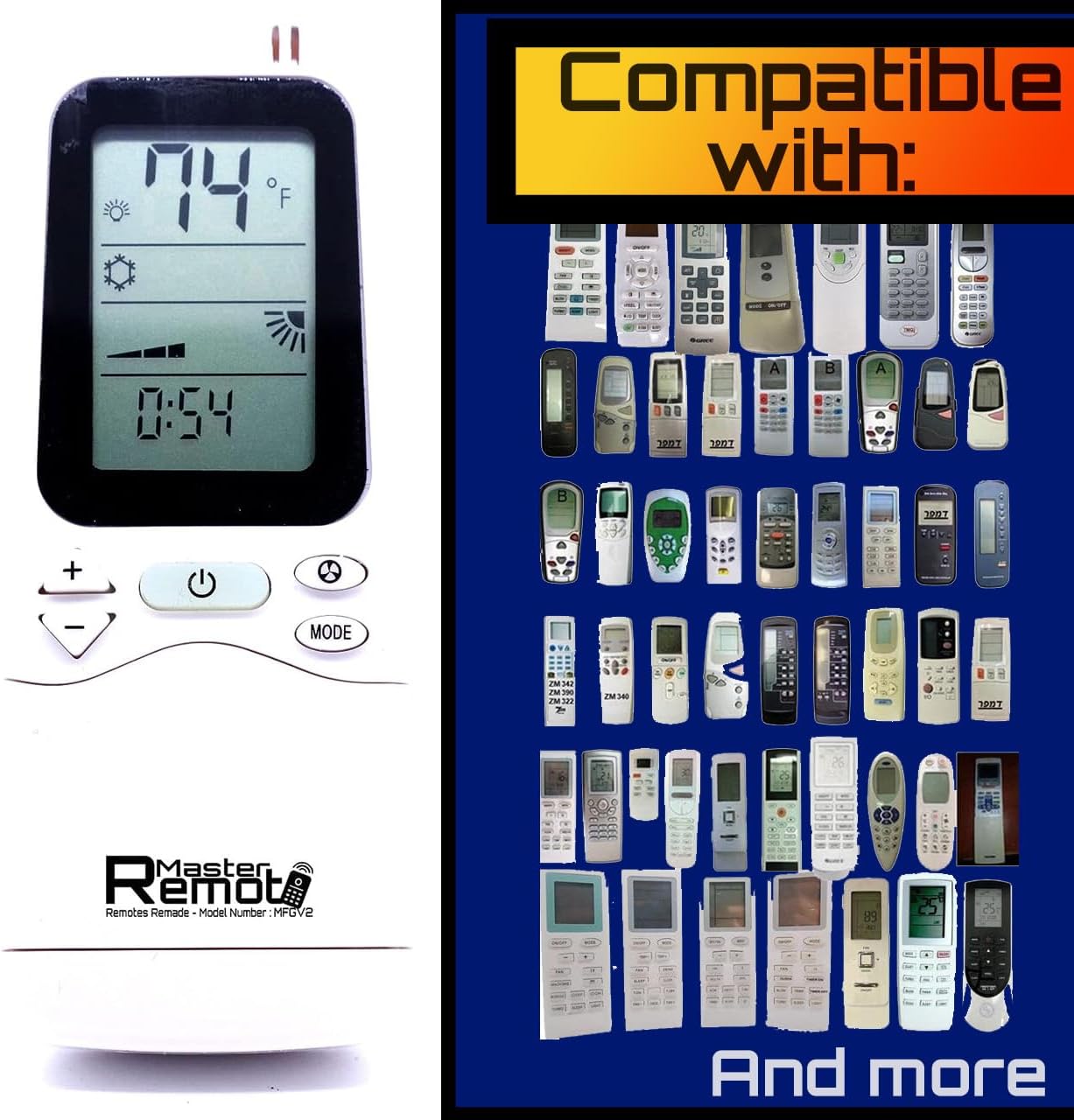
This Master Universal AC Remote is designed to be compatible with a wide range of air conditioner models from Gree, Tosot, Lennox, and ComfortStar. It is important to verify compatibility by checking if your original remote or AC model number is listed or visually matches the remotes shown in the compatibility chart.
Some of the compatible models include, but are not limited to:
- GWH12MB-D3DNA3D, GWH12QC-D3DNA6E, GWH12QC-D3DNA6E/I, GWH18MC-D3DNA3D, GWH18QD-D3DNA6E, GWH18QD-D3DNA6E/I, GWH24MD-D3DNA3D, GWH24QE-D3DNA6E
- Yt1f1, Yt1f2, Yt1f3, Yt1f4, Yt1ff, YX1F1, YX1F1F, YX1F2, YX1F3, YX1F4, YX1F4F, YX1F5, YX1F5F, YY1ZB
- ACZCI4H4R09, ACZCI4H4R12, ACZEM4C4R09, ACZEM4H4R12, ACZEM4C4R12, ACZEM4C4R18, ACZEM4C4R24, ACZEM4H4R12, ACZEM4H4R18, ACZEM4H4R24
- XV-4609, GH-PAC-10E5, 2105V08300, 26TTW07HP230V1A, 26TTW09AC115V1A, 26TTW09AC230V1A, 26TTW09HC230V1A, 26TTW09HP115V1A, 26TTW09HP230
- 40BNE018301, 40BNE024301, 40BNE030301, 40BNE036301, 51303504410, 51303541000, 51603504406, 51603538700, 51603538800
- Ballu I Green Pro BSAG-07HN1, AY-X36RU, GWH30LB-D3DNA3E, GWH36LB-D3DNA3E, LIVS09HP115V1AH, LIVS09HP230V1AH YT1F, LIVS12HP115V1AH, LIVS12HP230V1AH, LIVS18HP230V1AH, LIVS24HP230V1AH, DFF2AH36K1A
- Grp-e09sh-r4w, GWC09QB-D3DNA6E, GWC09QB-D3DNA6E/I, GWC12QC-D3DNA6E, GWC12QC-D3DNA6E/I, GWC18QD-D3DNA6E, GWC18QD-D3DNA6E/I, GWC24QE-D3DNA6E/I, GWH09MA-A3DNA3A, GWH09MB-D3DNA3D, GWH09QB-D3DNA6E, GWH09QB-D3DNA6E/I, GWH12MB-A3DNA3A
- LIVS30HP230V1AH, LIVS36HP230V1AH, TAC290, TAC490, TAC490 VER 1.1, VIR09HP115V1AH, VIR09HP230V1AH, VIR12HP115V1AH, VIR12H, 230V1AH, VIR18HP230V1AH, VIR24HP230V1AH, VIR30HP230V1AH, VIR36HP230V1AH

A visual compatibility chart displaying numerous original air conditioner remote models that the Master Universal AC Remote is designed to replace, indicating its broad compatibility.

Front view of the Master Universal AC Remote (Model MFT2) specifically for Gree, showing 16°C on its digital display. This image highlights the remote's compatibility with Gree units.
5. Specifications
| Feature | Detail |
|---|---|
| Model Numbers | MFDV2, MFT2 |
| Compatible Brands | Gree, Tosot, Lennox, ComfortStar |
| Display | Fahrenheit Digital Display |
| Power Source | 2 x AAA Batteries (not included) |
| Item Weight | 2.39 ounces |
| Package Dimensions | 5.24 x 2.17 x 1.42 inches |
| Color | Black or White |
| Special Feature | Universal, Wallmount Included |
| Max Number of Supported Devices | 1 |
| Compatible Devices | Air Conditioner |
6. Troubleshooting
- Remote not responding: Ensure batteries are correctly inserted and have sufficient power. Replace batteries if necessary.
- No response from AC unit: Verify that there is a clear line of sight between the remote and the AC unit. Ensure no obstructions are blocking the infrared signal.
- Incorrect functions or limited functionality: While this remote is broadly compatible, it is specifically designed for the listed Gree/Tosot/Lennox/ComfortStar models. If your AC is not among the compatible models, full functionality may not be guaranteed. Refer to the compatibility section.
- Display issues: If the remote display is blank or shows incomplete information, check battery power.
7. Warranty and Support
For warranty information, technical support, or further assistance, please contact the seller or manufacturer directly. Keep your purchase receipt as proof of purchase.


