
Introduction
This manual provides detailed instructions for the installation, operation, and maintenance of your Podofo 1080P HD Wireless Rear View Camera Kit. This system is designed to enhance driving safety by providing a clear view of the area behind your vehicle, suitable for cars, trailers, RVs, trucks, and buses. Please read this manual thoroughly before use to ensure proper functionality and safety.
Package Contents
Verify that all items listed below are included in your package:
- 1 x 7-inch TFT LCD Wireless Car Monitor
- 1 x Wireless Rear View Camera
- 2 x Antennas
- 1 x Car Charger
- 1 x Monitor Bracket
- 2 x Power Cables (for camera and monitor)
- 1 x Remote Control
- 1 x Double-sided Adhesive Tap
- 1 x User Manual
- Screws for mounting

Figure 1: Kit Components and Dimensions. This image illustrates the 7-inch monitor, wireless camera, and all accessories, along with their approximate dimensions.
Product Features
- Enhanced Wireless System: Compatible with various vehicles including trailers, RVs, trucks, and buses. Features a 7-inch high-resolution monitor for clear reversing images.
- 1080P HD Camera: Provides sharp and vibrant Full HD 1080p images. Image orientation and display settings (brightness, contrast, color) are adjustable via the monitor menu.
- Multi-Camera Support & Quad-Split Display: Supports up to 4 cameras (one included) with an optional quad-split display for comprehensive visual coverage.
- IP68 Waterproof & Infrared Night Vision: Designed for harsh conditions, the camera is IP68 waterproof and offers excellent night vision for reliable viewing in low light or rain.
- Advanced Blind Spot Detection (BSD): Alerts the driver to vehicles in blind spots, reducing lane change accident risks.
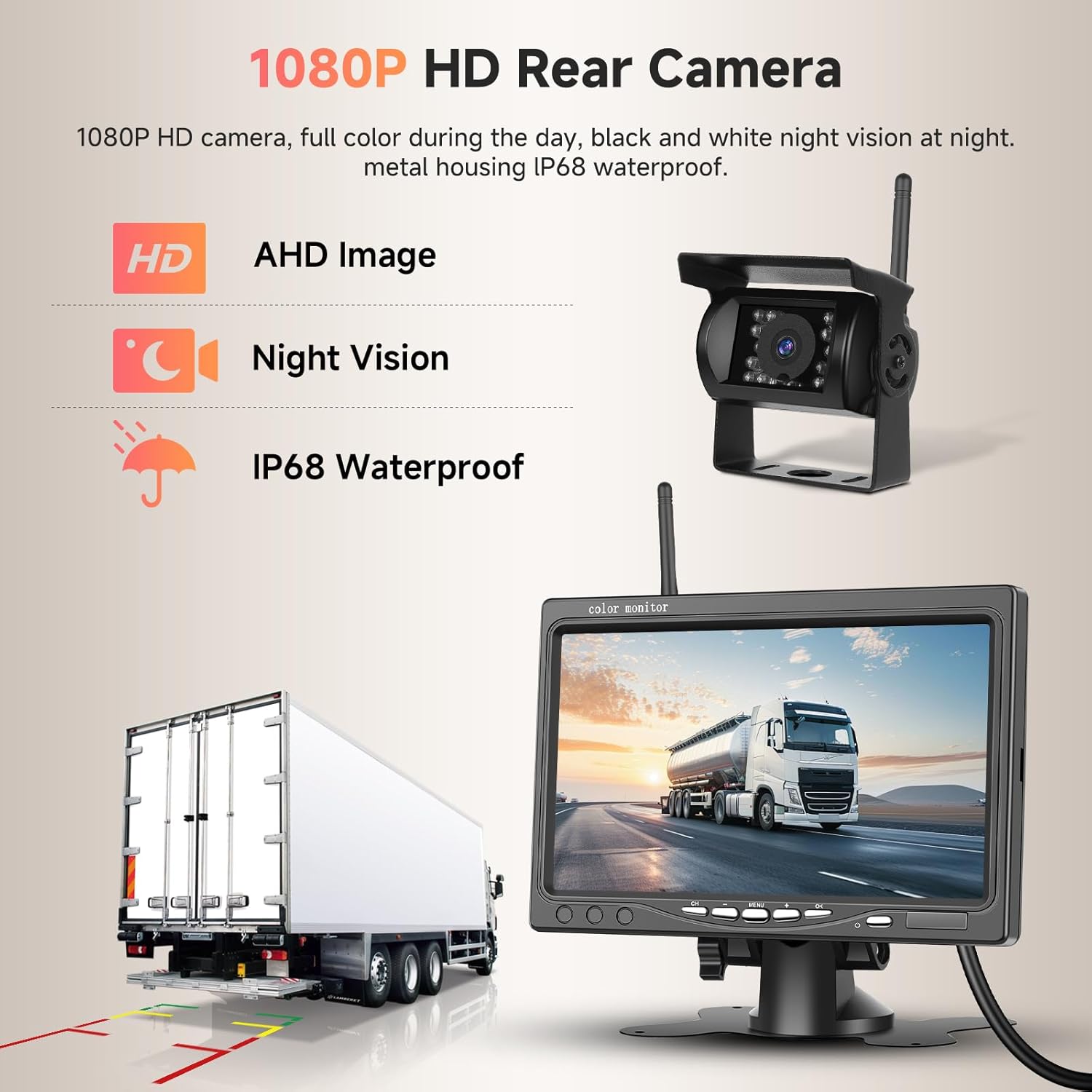
Figure 2: 1080P HD Rear Camera Capabilities. This image highlights the camera's HD resolution, night vision, and IP68 waterproof rating, showing its application with a truck.

Figure 3: Blind Spot Warning System in action. This image demonstrates how the system detects vehicles in blind spots and provides an audible warning.

Figure 4: IP68 Waterproofing and Superior Night Vision. This image illustrates the camera's durability against water and its ability to provide clear images in low-light conditions.
Setup and Installation
The installation process is designed to be straightforward. Follow these steps for proper setup:
- Mount the Monitor: Attach the 7-inch monitor to a suitable location in your vehicle using the provided bracket. Ensure the monitor is securely fastened and does not obstruct your view while driving.
- Install the Camera: Mount the wireless rear view camera at the back of your vehicle. The metal body and bracket allow for easy installation. Ensure the camera has a clear view of the rear.
- Connect Antennas: Screw the two antennas onto their respective ports on the monitor and camera.
- Power Connection (Monitor): Connect the monitor's power cable to the car charger and plug it into your vehicle's 12V-24V power outlet (cigarette lighter socket).
- Power Connection (Camera): Connect the camera's power cable to your vehicle's reverse light circuit or another suitable 12V-24V power source. This allows the camera to activate when reversing.
- Test the System: Once all connections are made, turn on your vehicle and engage reverse gear (if connected to reverse light). The monitor should display the camera feed.
Note: For optimal wireless signal, ensure there are no major metallic obstructions between the camera and the monitor.
Operating Instructions
This section details how to operate your Podofo Wireless Rear View Camera Kit.
Monitor Controls
The monitor features buttons for navigation and settings, and a remote control is also provided for convenience.
- Power Button: Turns the monitor on or off.
- Menu Button: Accesses the monitor's settings menu.
- Navigation Buttons: Used to navigate through menu options and adjust values.
- OK/Confirm Button: Confirms selections in the menu.
Adjusting Display Settings
Via the monitor menu, you can adjust various display parameters:
- Brightness: Adjust the screen's luminosity.
- Contrast: Modify the difference between light and dark areas.
- Color: Adjust the color saturation.
- Image Orientation (Mirror & Flip): You can flip the image horizontally or vertically to suit your viewing preference or camera mounting position.
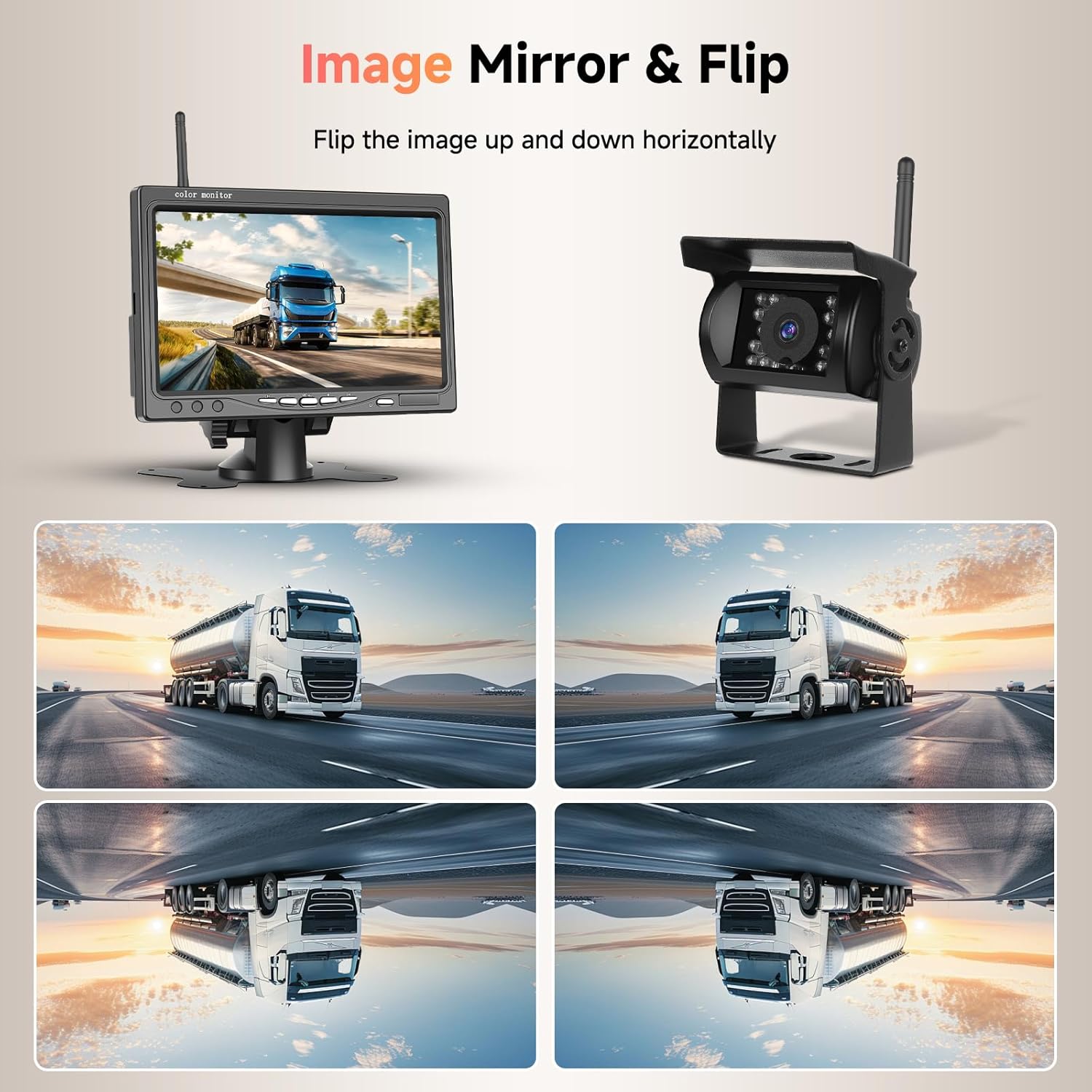
Figure 5: Image Mirror & Flip Function. This image illustrates the various ways the camera image can be adjusted for optimal viewing.
DIY Guide Lines
The system supports customizable reversing guidelines to assist with parking and maneuvering. These guidelines can be adjusted or toggled on/off:
- Guide Line On/Off: Enable or disable the parking guidelines.
- Adjust Width: Modify the width of the guidelines.
- Move Left/Right: Shift the guidelines horizontally.
- Move Up/Down: Shift the guidelines vertically.

Figure 6: DIY Guide Lines Customization. This image shows how to adjust the reversing guidelines for personalized assistance.
Maintenance
Regular maintenance ensures the longevity and optimal performance of your camera kit.
- Cleaning the Camera Lens: Periodically clean the camera lens with a soft, damp cloth to remove dirt, dust, or water spots that may obstruct the view. Avoid abrasive cleaners.
- Cleaning the Monitor Screen: Use a soft, lint-free cloth to clean the monitor screen. For stubborn smudges, a screen cleaner designed for electronics can be used.
- Check Connections: Regularly inspect all cable connections for tightness and signs of wear or corrosion. Ensure antennas are securely attached.
- Housing Inspection: Check the camera and monitor housings for any damage that could compromise their waterproof or dustproof ratings.
Troubleshooting
If you encounter issues with your Podofo Wireless Rear View Camera Kit, refer to the following troubleshooting guide:
| Problem | Possible Cause | Solution |
|---|---|---|
| No image on the monitor / Blue screen |
|
|
| Camera not turning on (LED light is red) | Insufficient light for the IR sensors. | This is normal for an IR camera. The LED light turns red when ambient light is low or in darkness to activate infrared vision. The camera is functioning as intended. |
| Flickering or distorted image |
|
|
| Remote control not working |
|
|
Specifications
7-inch Wireless TFT LCD Monitor:
- Screen Size: 7 inches
- TV System: NTSC / PAL
- Power Consumption: 6 W
- Housing Material: ABS
- Color: Black
- Power Supply: DC 12V - 24V
- Environmental Humidity: 10% - 90%
- Working Temperature: -20 ℃ to +60 ℃
- Dimensions: 17.1L x 3.2W x 11.3H cm (6.73L x 1.26W x 4.45H inches)
Wireless Rear View Camera:
- Housing Material: Metal with bracket
- Image Sensor: Color CMOS
- Waterproof Rating: IP68
- Effective Pixels: NTSC: 648x488 pixels
- Horizontal Resolution: 480 TV lines
- Power Supply: DC 12V - 24V
- Operating Temperature: -30 ℃ to +75 ℃ (RH95% MAX)
- Storage Temperature: -40 ℃ to +95 ℃ (RH95% MAX)
- Real View Angle: 170 degrees
- Lens Type: Wide angle
Warranty and Support
Manufacturer Warranty: This product comes with a 2-year manufacturer's warranty from the date of purchase.
Return Policy: A 30-day return/replacement policy is typically offered for this product.
Customer Support: For technical assistance, warranty claims, or any questions regarding your Podofo product, please contact Podofo customer service through the retailer's platform or the official Podofo website. Please have your model number (C0063AM1EUC122) and purchase details ready when contacting support.
For more information, you may visit the Podofo Seller Page on Amazon.