Product Overview
The Supersonic SC-175SWT Smartwatch is designed to enhance your daily life with its comprehensive health monitoring and smart connectivity features. It features a 1.4-inch HD LCD touch screen display for clear visuals and easy navigation.
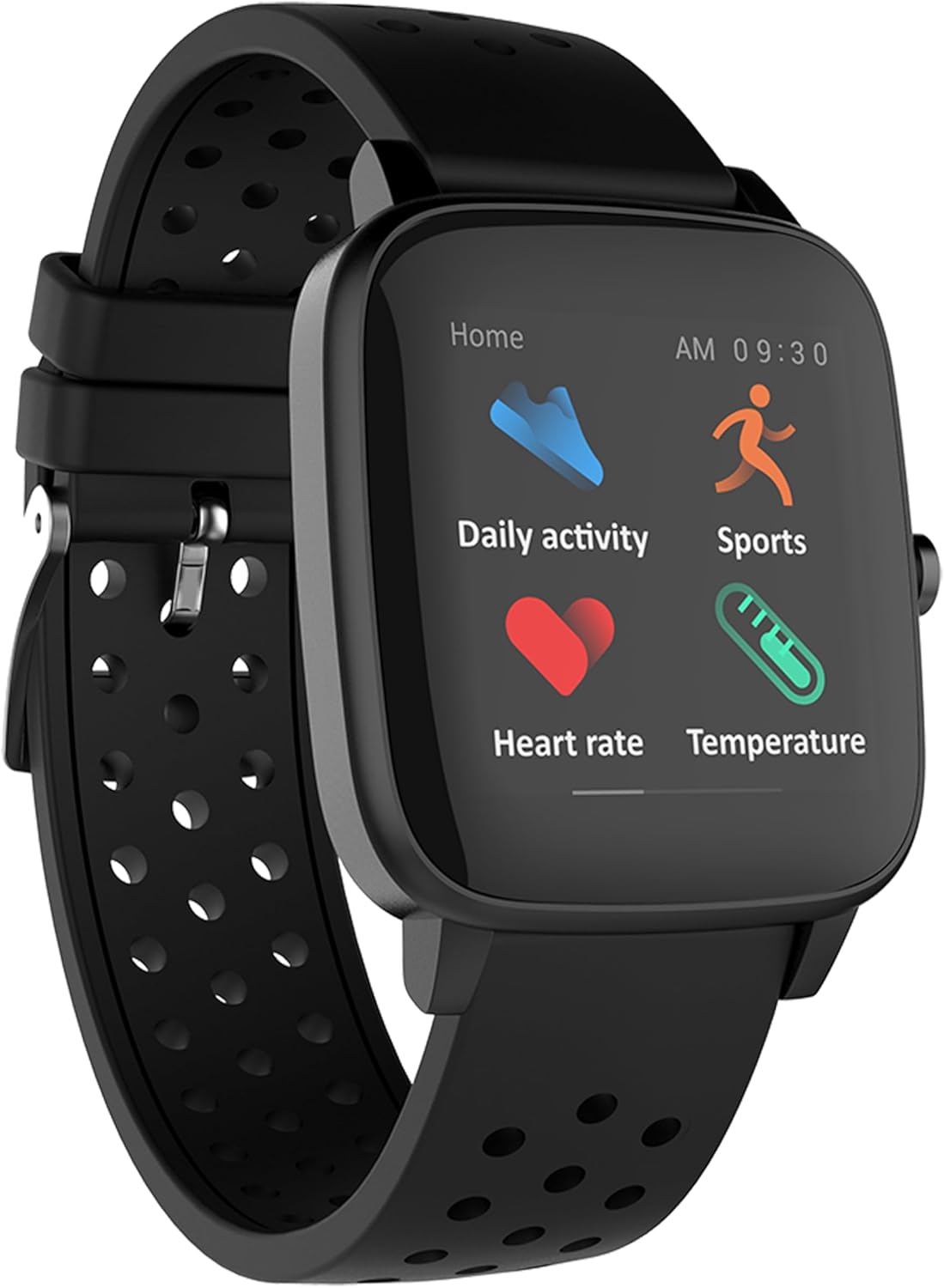
Figure 1: Front view of the Supersonic SC-175SWT Smartwatch.
Key features include built-in Bluetooth for seamless smartphone connection, multiple sensors for health monitoring, and multi-sport tracking capabilities. The smartwatch is also IP68 waterproof, making it suitable for various activities.
Features at a Glance:
- Display: 1.4-inch HD LCD touch screen.
- Connectivity: Bluetooth for smartphone synchronization (Android 5.0+ and iOS 10+ compatible).
- Health Monitoring: Body temperature, heart rate, and blood oxygen saturation (SpO2) monitoring.
- Activity Tracking: Tracks walking, running, climbing, riding, steps, calories, distance, and sleep.
- Smart Functions: Call and text notifications, media alerts, 100+ customizable watch faces, Find My Phone feature, and phone camera control.
- Durability: IP68 Waterproof rating.
Getting Started: Setup
1. Initial Charging
Before first use, fully charge your smartwatch. Connect the charging cable to the charging port on the back of the watch and plug the USB end into a compatible USB power adapter (not included) or a computer's USB port. The watch display will indicate charging status.
A full charge typically takes approximately 2 hours. The battery life can last up to 7 days on a single charge, depending on usage.
2. App Installation and Pairing
To unlock the full functionality of your smartwatch, you need to install the companion application on your smartphone. Search for the official Supersonic smartwatch app in your device's app store (Google Play Store for Android, Apple App Store for iOS).
- Download and install the app on your smartphone.
- Ensure Bluetooth is enabled on your smartphone.
- Open the app and follow the on-screen instructions to create an account or log in.
- Within the app, select "Add Device" or "Pair Device" and choose your SC-175SWT Smartwatch from the list of available Bluetooth devices.
- Confirm the pairing request on both your smartphone and the smartwatch if prompted.
The smartwatch is compatible with Android 5.0 or newer and iOS 10 or newer operating systems.
Operating Your Smartwatch
Navigating the Touch Screen
The SC-175SWT Smartwatch features a responsive touch screen for easy navigation. Use the following gestures:
- Swipe Up/Down: Scroll through menus and notifications.
- Swipe Left/Right: Access different feature screens or quick settings.
- Tap: Select an item or confirm an action.
- Press and Hold: Customize watch faces (from the home screen).
Health Monitoring
Your smartwatch is equipped with sensors to monitor various health metrics. Access these features from the main menu or by swiping to the relevant screen.

Figure 2: Smartwatch display showing heart rate and daily activity metrics.
- Heart Rate: Tap the heart rate icon to initiate a measurement. Keep your wrist still during measurement.
- Body Temperature: Tap the temperature icon to start monitoring. Ensure the watch is snug on your wrist for accurate readings.
- Blood Oxygen Saturation (SpO2): Select the SpO2 function to measure your blood oxygen levels.

Figure 3: Smartwatch display showing body temperature measurement in progress.
Note: The health monitoring features are for general wellness and fitness purposes only and are not intended for medical diagnosis or treatment. Consult a medical professional for any health concerns.
Activity and Sport Tracking
The smartwatch automatically tracks daily activities such as steps, calories burned, and distance traveled. For specific workouts, select the "Sports" mode.
- Multi-Sport Modes: Choose from various activities like walking, running, climbing, and riding to get tailored tracking data.
- Sleep Tracking: Wear the watch to bed to monitor your sleep patterns. Data will be synchronized with the app.
Smart Functions
- Notifications: Once paired, the watch will display incoming call alerts, text messages, and notifications from selected apps on your smartphone.
- Watch Faces: Press and hold the home screen to access over 100 customizable watch faces. Swipe left or right to browse and tap to select.
- Find My Phone: Activate this feature from the watch to send a signal to your paired smartphone, causing it to ring (even on silent mode) to help you locate it.
- Phone Camera Control: Open your phone's camera app, then shake your smartwatch to remotely trigger the camera shutter.
Maintenance
Cleaning Your Smartwatch
To maintain the appearance and functionality of your smartwatch, clean it regularly:
- Wipe the screen and body with a soft, lint-free cloth.
- For stubborn spots, slightly dampen the cloth with water. Avoid using harsh chemicals or abrasive materials.
- Ensure the charging contacts are clean and dry before charging.
Battery Care
- Charge the device using only the provided charging cable.
- Avoid exposing the watch to extreme temperatures, which can affect battery life.
- If storing the watch for an extended period, charge it to about 50% to preserve battery health.
Water Resistance (IP68)
The SC-175SWT Smartwatch has an IP68 waterproof rating, meaning it is protected against dust ingress and can withstand immersion in water up to 1.5 meters for up to 30 minutes. It is suitable for daily use, hand washing, and light water sports.
However, it is not recommended for diving, hot showers, or prolonged immersion in water. Avoid exposing the watch to high-pressure water or steam, as this may compromise the water seal.
Troubleshooting
If you encounter issues with your Supersonic SC-175SWT Smartwatch, refer to the following common problems and solutions:
| Problem | Possible Cause / Solution |
|---|---|
| Watch does not turn on or respond. |
|
| Cannot pair with smartphone. |
|
| Inaccurate health readings (HR, SpO2, Temp). |
|
| "Find My Phone" feature causes continuous ringing. | Some users have reported that activating the "Find My Phone" feature may cause the paired phone to ring continuously, even after attempting to turn off the watch. If this occurs, try disabling Bluetooth on your phone or force-closing the companion app to stop the ringing. A firmware update may be required to resolve this issue permanently. |
| Short battery life. |
|
Specifications
| Feature | Detail |
|---|---|
| Model Number | SC-175SWT |
| Display Size | 1.4 Inches |
| Product Dimensions | 1.6 x 0.1 x 8.75 inches |
| Item Weight | 4.8 ounces |
| Memory Storage Capacity | 128 MB |
| RAM Memory Installed Size | 128 MB |
| Operating System Compatibility | Android (5.0+), iOS (10+) |
| Connectivity Technology | Bluetooth |
| Battery Type | Lithium Polymer (included) |
| Battery Capacity | 180 Milliamp Hours |
| Water Resistance | IP68 |
| GPS | No GPS |
Warranty and Support
For information regarding product warranty, please refer to the warranty card included in your product packaging or visit the official Supersonic website. Warranty terms and conditions may vary by region and retailer.
If you require technical support, have questions about your device, or need assistance with troubleshooting beyond what is covered in this manual, please visit the Supersonic support page on their official website or contact their customer service directly. Contact details are typically available on the manufacturer's website.
Manufacturer: SuperSonic