
Introduction
Thank you for choosing the Devia Kintone Series TWS Wireless Earphones. This manual provides essential information for setting up, operating, and maintaining your earphones to ensure optimal performance and longevity. Please read this manual thoroughly before using the product.
Package Contents
Upon unpacking, please verify that all items listed below are present and in good condition:
- Devia Kintone Series TWS Wireless Earphones (Left and Right)
- Charging Case
- Charging Cable (Lightning)
- User Manual

Image: The product packaging displaying the Devia Kintone TWS Wireless Earphones and their charging case, along with key features.
Setup
Initial Charging
Before first use, fully charge the earphones and the charging case. Connect the provided Lightning cable to the charging case and a USB power source. The charging indicator will show the charging status. A full charge for the charging box takes approximately 1.5 hours, and for the earphones, it takes about 0.5 hours.

Image: Devia Kintone TWS Earphones charging case placed on a wireless charging pad, and also connected via a Lightning cable, demonstrating both charging methods.
Bluetooth Pairing
- Ensure the earphones are charged.
- Open the charging case. The earphones will automatically enter pairing mode.
- On your mobile device (e.g., cellphone), navigate to the Bluetooth settings.
- Search for available devices and select "Devia Kintone" or a similar name.
- Once connected, your device will indicate successful pairing.
The earphones support Bluetooth 5.0 for a stable and efficient connection.
Operating Instructions
Power On/Off
The earphones automatically power on when removed from the charging case and power off when placed back into the case and the lid is closed.
Music Playback
- Play/Pause: The earphones feature an in-ear induction function. Remove an earphone to pause music playback, and put it back on to resume music playback.
- Volume Control: Adjust volume directly from your connected device.
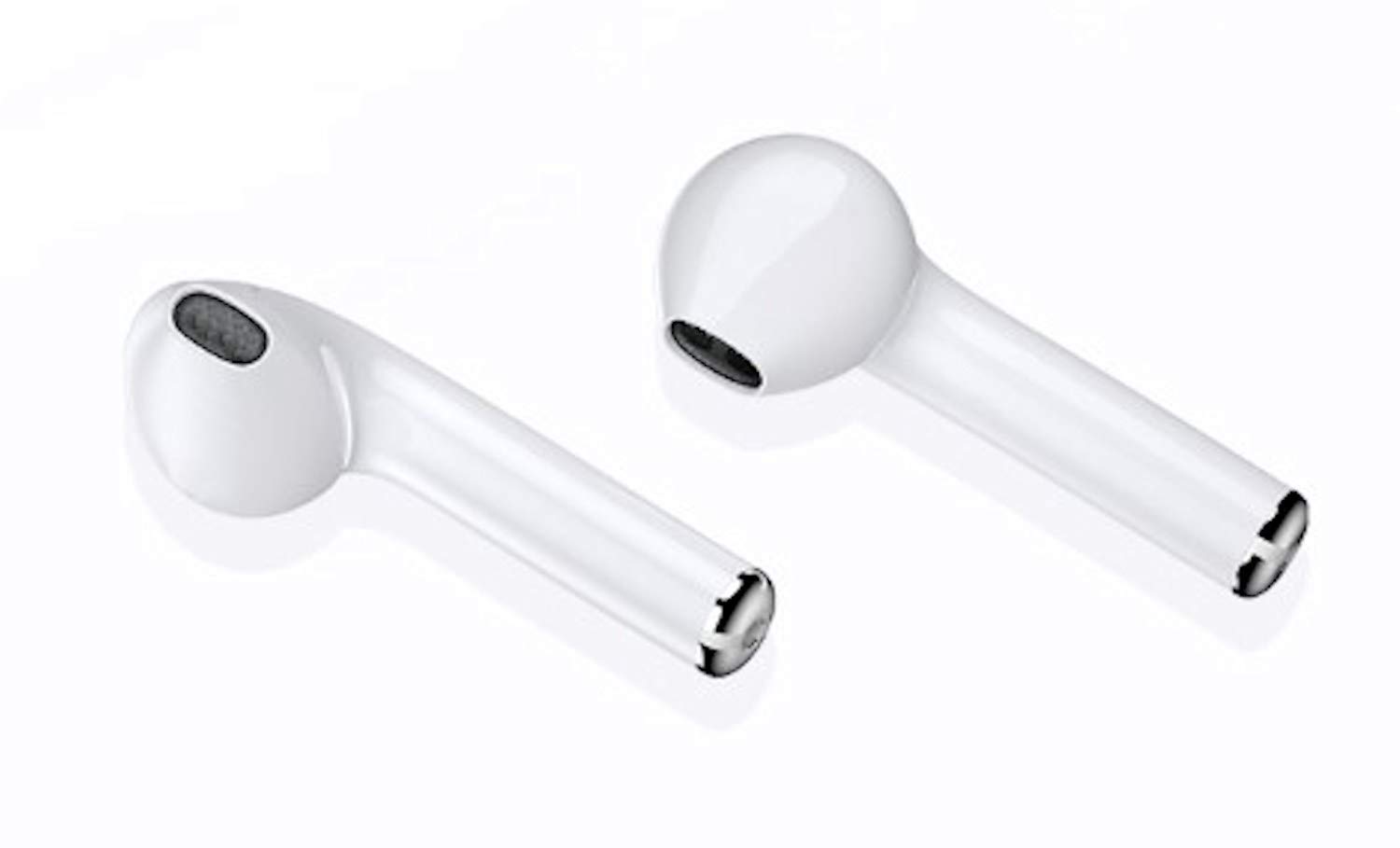
Image: A smartphone screen showing music playback, with Devia Kintone TWS Earphones positioned nearby, illustrating the in-ear induction feature for pausing and resuming music.
Call Management
Specific touch controls for call management are not detailed in the provided information. Please refer to your device's Bluetooth settings for call routing options or use your phone's interface to answer/end calls.
Features
The Devia Kintone Series TWS Wireless Earphones are designed with several advanced features for an enhanced audio experience:
- In-ear Induction Function: Automatically pauses music when removed and resumes when worn.
- High Fidelity Speaker: Equipped with 13mm speakers for clear and rich audio.
- Bluetooth 5.0: Provides a stable and efficient wireless connection.
- Intelligent Noise Reduction: Enhances call clarity and listening experience.
- Comfortable Design: Ergonomically designed for comfortable wear.
- Large Capacity Charging Bin: 300mAh charging case for extended battery life.
- Primary and Secondary Switching: Allows for seamless use of either earphone independently.
- Fully Compatible: Works with a wide range of Bluetooth-enabled devices.

Image: A detailed diagram illustrating the internal components of the 13mm high fidelity speaker within the earphone.

Image: An infographic highlighting eight key features of the Devia Kintone TWS Earphones, including Bluetooth 5.0, 300mAh charging bin, intelligent noise reduction, and comfortable design.
Maintenance
To ensure the longevity and optimal performance of your Devia Kintone earphones, follow these maintenance guidelines:
- Cleaning: Use a soft, dry, lint-free cloth to clean the earphones and charging case. Do not use abrasive cleaners or solvents.
- Storage: When not in use, store the earphones in their charging case to protect them from dust and damage.
- Avoid Water: The earphones are not waterproof. Avoid exposure to water, moisture, or excessive humidity.
- Temperature: Do not expose the earphones to extreme temperatures (hot or cold).
Troubleshooting
If you encounter issues with your earphones, try the following solutions:
- Earphones not pairing:
- Ensure both earphones are charged.
- Turn off Bluetooth on your device and turn it back on.
- Forget the device from your phone's Bluetooth list and try pairing again.
- Place earphones back in the case, close the lid, wait a few seconds, then open to re-enter pairing mode.
- No sound:
- Check the volume level on your connected device.
- Ensure earphones are properly connected to your device.
- Re-pair the earphones.
- Charging issues:
- Ensure the charging cable is securely connected to both the case and the power source.
- Try a different charging cable or power adapter.
- For wireless charging, ensure the case is correctly positioned on the charging pad.
Specifications
| Feature | Detail |
|---|---|
| Brand | Devia |
| Model Name | Kintone Series TWS Wireless Earphone (EM053-WH) |
| Item Model Number | DESTWS109W |
| Connectivity Technology | Wireless (Bluetooth 5.0) |
| Compatible Devices | Cellphones |
| Form Factor | In Ear |
| Control Type | Volume Control (via connected device) |
| Cable Feature | Without Cable |
| Material | Plastic |
| Color | White (Bianco) |
| Earphone Single Play Time | 3-4 hours (Normal usage) |
| Endurance Time (with case) | Up to 15 hours (3 full charges from case) |
| Standby Time | 80 hours |
| Earphone Charging Time | 0.5 hours |
| Charging Box Charging Time | 1.5 hours |
| Charging Interface | Lightning, Wireless Charging |
| Charging Case Battery Capacity | 300 mAh |
| Product Dimensions | 10 x 4 x 5 cm (Product); 44.2 x 22 x 53.8 mm (Charging Case) |
| Item Weight | 50 Grams (Total); 36g (Charging Case) |
Warranty and Support
Devia products are manufactured to high quality standards. For warranty information or technical support, please refer to the warranty card included in your product packaging or visit the official Devia website. Keep your purchase receipt as proof of purchase.
For further assistance, you may contact Devia customer service through their official channels.


