1. Introduction
Thank you for choosing the Q&Q Ana-Digi Analog-Digital Men's Watch, Model GW87J011Y. This timepiece combines classic analog hands with a modern digital display, offering versatile timekeeping and multiple functions. Designed for durability and style, this watch features 100-meter water resistance and a robust resin strap, making it suitable for various activities. This manual provides detailed instructions on how to set up, operate, and maintain your watch to ensure optimal performance and longevity.
2. Product Overview
Key Features:
- Analog and Digital Time Display
- Multi-function capabilities (Stopwatch, Alarm, Date)
- 100 Meter Water Resistance
- Durable Resin Strap
- Long-lasting Battery Life (approximately 2 years)
- Japanese Quartz Movement
Watch Components:
Familiarize yourself with the main components of your Q&Q Ana-Digi watch:

Figure 2.1: Front view of the Q&Q Ana-Digi watch. This image displays the watch face with both analog hands and the digital display, along with the various buttons and markings on the bezel.
- Crown (Right Side, Center): Used for setting analog time.
- ST/STP Button (Top Right): Used for Stopwatch Start/Stop.
- LIGHT Button (Bottom Right): Activates the backlight for the digital display.
- MODE Button (Bottom Left): Cycles through digital display modes (Time, Alarm, Stopwatch).
- RESET Button (Top Left): Used for resetting stopwatch, adjusting settings in various modes.
- Analog Display: Traditional hour, minute, and second hands.
- Digital Display: Shows digital time, date, and other functions.
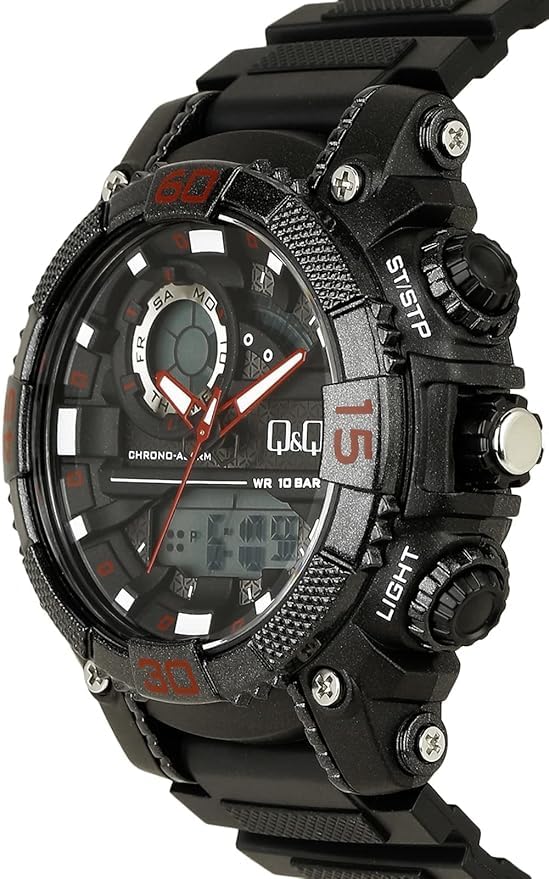
Figure 2.2: Side view of the watch, highlighting the crown and the ST/STP and LIGHT buttons on the right side of the watch case.
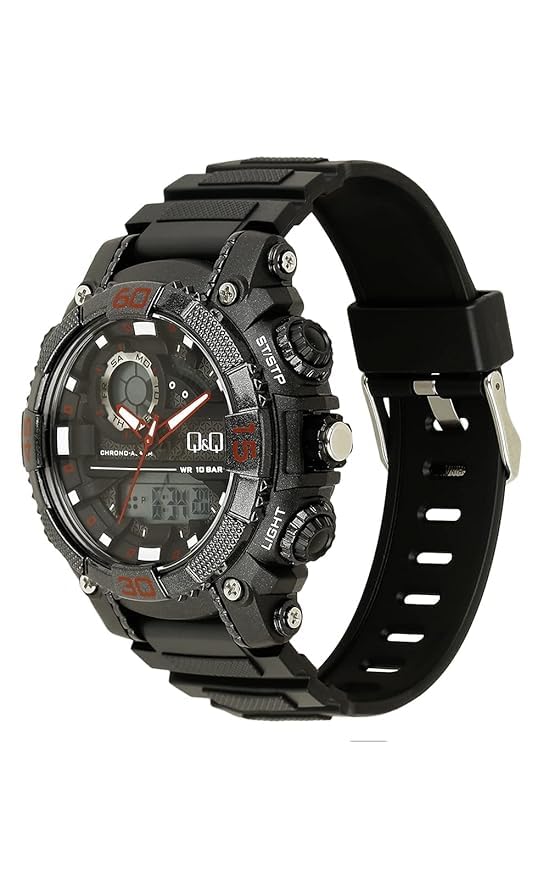
Figure 2.3: A different side angle of the watch, providing a clearer view of the watch profile and the resin strap attachment points.
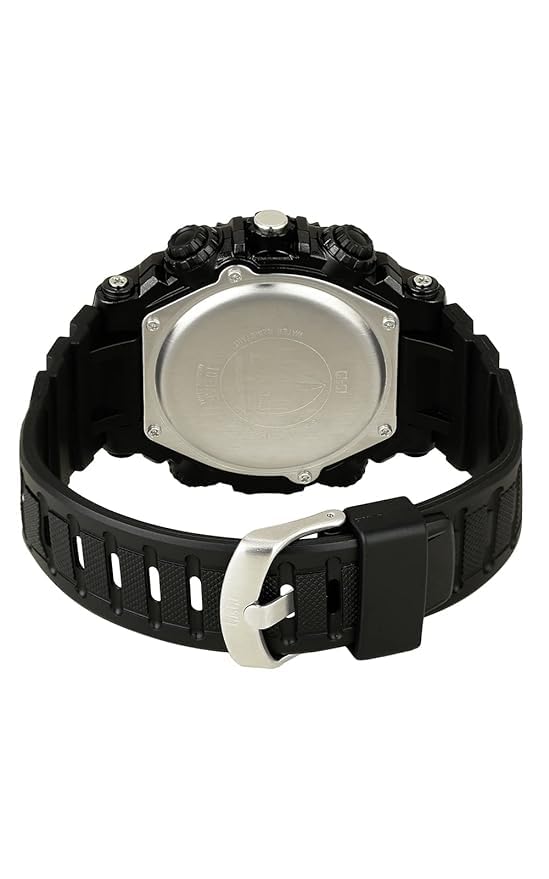
Figure 2.4: Rear view of the watch, displaying the stainless steel case back with engraved details such as water resistance rating and brand logo.
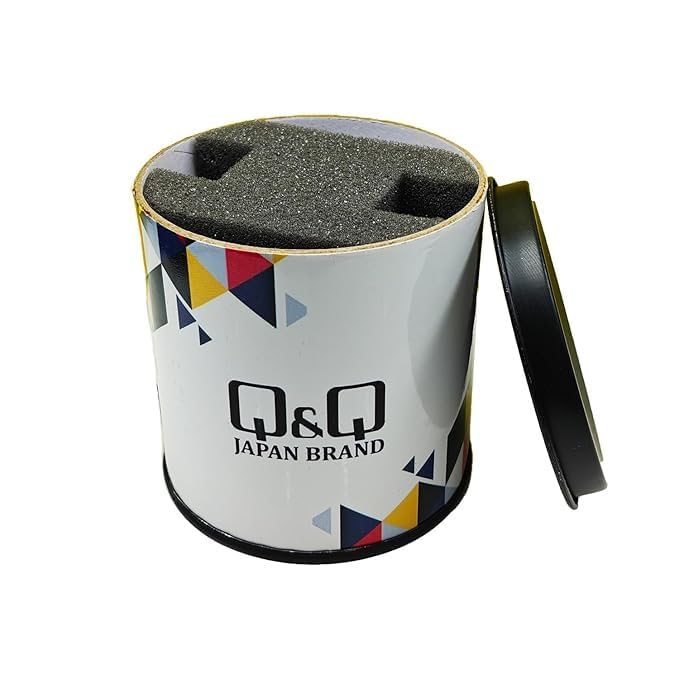
Figure 2.5: The cylindrical packaging box for the Q&Q watch, featuring the brand logo and design elements.
3. Setup
3.1 Initial Power-On
Your watch comes with a pre-installed battery. The digital display should be active upon receipt. If the digital display is blank, press any button to check if it activates. If it remains blank, the battery may need replacement (refer to Section 5.2).
3.2 Setting Analog Time
- Pull the crown (right side, center) out to the first click position.
- Rotate the crown to move the analog hands and set the desired time.
- Once the analog time is set, push the crown back into its normal position.
3.3 Setting Digital Time and Date
- From the normal time display mode, press the MODE button repeatedly until the digital time display starts flashing (indicating setting mode).
- Press the RESET button to cycle through the settings: seconds, hour, minute, month, date, day.
- Use the ST/STP button to adjust the flashing value (increase the number).
- Once all desired values are set, press the MODE button again to exit the setting mode.
4. Operating Your Watch
4.1 Mode Selection
Press the MODE button to cycle through the following digital display functions:
- Normal Time Display (Hour, Minute, Second, Day, Date)
- Stopwatch
- Alarm Setting
4.2 Stopwatch Function
- Press the MODE button until the stopwatch display appears (usually "00:00:00").
- Press the ST/STP button to start the stopwatch.
- Press the ST/STP button again to stop the stopwatch.
- While stopped, press the RESET button to clear the stopwatch to "00:00:00".
4.3 Alarm Function
- Press the MODE button until the alarm setting display appears.
- Press the RESET button to select the hour or minute to set (the value will flash).
- Use the ST/STP button to adjust the flashing value.
- Press MODE to confirm and exit alarm setting.
- To activate/deactivate the alarm, in alarm mode, press the ST/STP button. An alarm icon will typically appear/disappear to indicate its status.
- When the alarm sounds, press any button to stop it.
4.4 Backlight
Press the LIGHT button (bottom right) to illuminate the digital display for a few seconds, allowing for visibility in low-light conditions.
4.5 Water Resistance (100 Meters)
This watch is rated for 100-meter water resistance. This means it is suitable for swimming, showering, and snorkeling. However, it is not recommended for scuba diving. Avoid operating buttons or the crown while the watch is submerged in water to prevent water ingress.
5. Maintenance
5.1 Cleaning Your Watch
To maintain the appearance of your watch:
- Wipe the watch case and strap regularly with a soft, dry cloth.
- For stubborn dirt, use a slightly damp cloth and mild soap, then wipe dry immediately.
- Avoid using harsh chemicals, solvents, or abrasive cleaners, as these can damage the watch's finish and seals.
5.2 Battery Replacement
The watch is powered by one product-specific battery, which typically lasts approximately 2 years. When the digital display becomes dim or stops functioning, it's time to replace the battery. It is highly recommended to have the battery replaced by a qualified watch technician to ensure the water resistance seal is properly maintained.
6. Troubleshooting
| Problem | Possible Cause | Solution |
|---|---|---|
| Digital display is blank or dim. | Low or depleted battery. | Replace the battery (refer to Section 5.2). |
| Analog hands are not moving. | Crown is pulled out; battery issue. | Push the crown back in. If still not moving, battery may need replacement. |
| Time is inaccurate. | Incorrect setting; strong magnetic field. | Re-set both analog and digital time (refer to Section 3.2 & 3.3). Keep watch away from strong magnetic sources. |
| Water inside the watch. | Buttons operated underwater; damaged seal. | Immediately take the watch to a professional for inspection and repair to prevent further damage. |
7. Specifications
- Model Number: GW87J011Y
- Brand: Q&Q
- Movement: Japanese Quartz
- Display Type: Ana-Digi (Analog-Digital)
- Case Diameter: 52 Millimetres
- Band Material: Polyurethane
- Band Color: Black
- Water Resistance: 100 Meters (10 BAR)
- Battery Life: Approximately 2 Years
- Power Source: 1 Product Specific Battery (included)
- Product Dimensions: 24 x 5.2 x 24 cm
- Item Weight: 68 Grams
- Country of Origin: India
- Manufacturer: Japan CBM Corporation India Private Limited
8. Warranty and Support
8.1 Warranty Information
This Q&Q watch comes with a Limited Warranty. Please refer to the warranty card included with your purchase for specific terms and conditions, including coverage duration and what is covered. Typically, the warranty covers manufacturing defects under normal use.
8.2 Customer Support
For any questions, service, or warranty claims, please contact the manufacturer directly:
- Manufacturer: Japan CBM Corporation India Private Limited
- Address: 299, 6th Main, HAL 2nd Stage, Indiranagar, Bangalore - 5600038, India
- Contact Number: +91-80-43473700
- Email: bangalore@cbm.co.in
When contacting support, please have your watch model number (GW87J011Y) and proof of purchase ready.