
BLACK+DECKER BXDH20E
BLACK+DECKER BXDH20E 2-in-1 Dehumidifier and Air Purifier User Manual
Model: BXDH20E (Item Model Number: ES9540010B)
1. Introduction
Thank you for choosing the BLACK+DECKER BXDH20E 2-in-1 Dehumidifier and Air Purifier. This appliance is designed to effectively reduce humidity levels in your indoor environment while simultaneously purifying the air, creating a more comfortable and healthier living space. It is ideal for use in homes, offices, and other indoor areas up to 40 square meters.
Key features include a powerful dehumidification capacity of up to 20 liters per 24 hours, a 4-liter water tank, a high-efficiency HEPA13 filter that captures 99.97% of airborne particles, a dedicated laundry drying function, two fan speeds, and a programmable 24-hour timer for convenient operation. Its quiet design makes it suitable for use even during the night.
2. Safety Instructions
Please read all safety warnings and instructions carefully before using this appliance to prevent personal injury or damage to the unit. Keep this manual for future reference.
- Always connect the appliance to a properly grounded power outlet.
- Do not operate the appliance with a damaged cord or plug.
- Do not block the air inlets or outlets. Ensure adequate space around the unit for proper airflow.
- Do not use the appliance near water or in excessively wet environments.
- Unplug the appliance before cleaning, moving, or performing any maintenance.
- Keep children and pets away from the appliance during operation.
- Do not attempt to repair or modify the appliance yourself. Contact qualified service personnel for repairs.
- Ensure the water tank is correctly inserted before operation.
- Do not place objects on top of the appliance.
3. Product Overview
Familiarize yourself with the components of your BLACK+DECKER BXDH20E unit.

Figure 3.1: Front view of the Black+Decker BXDH20E 2-in-1 Dehumidifier and Air Purifier. This image shows the sleek, white design of the unit with the BLACK+DECKER logo prominently displayed on the top front panel and a circular control interface on the lower front section.

Figure 3.2: A hand demonstrating the removal of the water tank from the Black+Decker BXDH20E. The image highlights the ease of access to the tank and includes graphic overlays indicating the unit's 2 fan speeds and 4-liter tank capacity.

Figure 3.3: A hand connecting a continuous drainage hose to the back of the Black+Decker BXDH20E dehumidifier. This illustrates the option for continuous water removal, bypassing the need to manually empty the tank.

Figure 3.4: Diagram illustrating the 2-in-1 function of the Black+Decker BXDH20E as a dehumidifier and air purifier. The graphic shows air flowing through the unit, with a clear depiction of the HEPA13 filter capturing various airborne particles.
4. Setup
Follow these steps for initial setup of your dehumidifier:
- Unpacking: Carefully remove the appliance from its packaging. Retain the packaging materials for future storage or transport.
- Placement: Place the dehumidifier on a firm, level surface. Ensure there is at least 20 cm (8 inches) of space around all sides of the unit for proper air circulation. The unit is equipped with four wheels for easy transport.
- Power Connection: Plug the power cord into a grounded electrical outlet.
- Water Tank: Ensure the 4-liter water tank is correctly inserted into the unit. The unit will not operate if the tank is full or improperly placed.
5. Operating Instructions
The BLACK+DECKER BXDH20E offers various functions for optimal humidity control and air purification.
5.1 Control Panel
The control panel is located on the top of the unit. It features intuitive buttons for power, mode selection, fan speed, timer, and humidity settings.
5.2 Power On/Off
Press the Power button to turn the unit on or off.
5.3 Dehumidification Mode
The unit automatically detects the room's humidity level and adjusts its operation to reach the desired humidity. You can set the target humidity level between 30% and 80%.
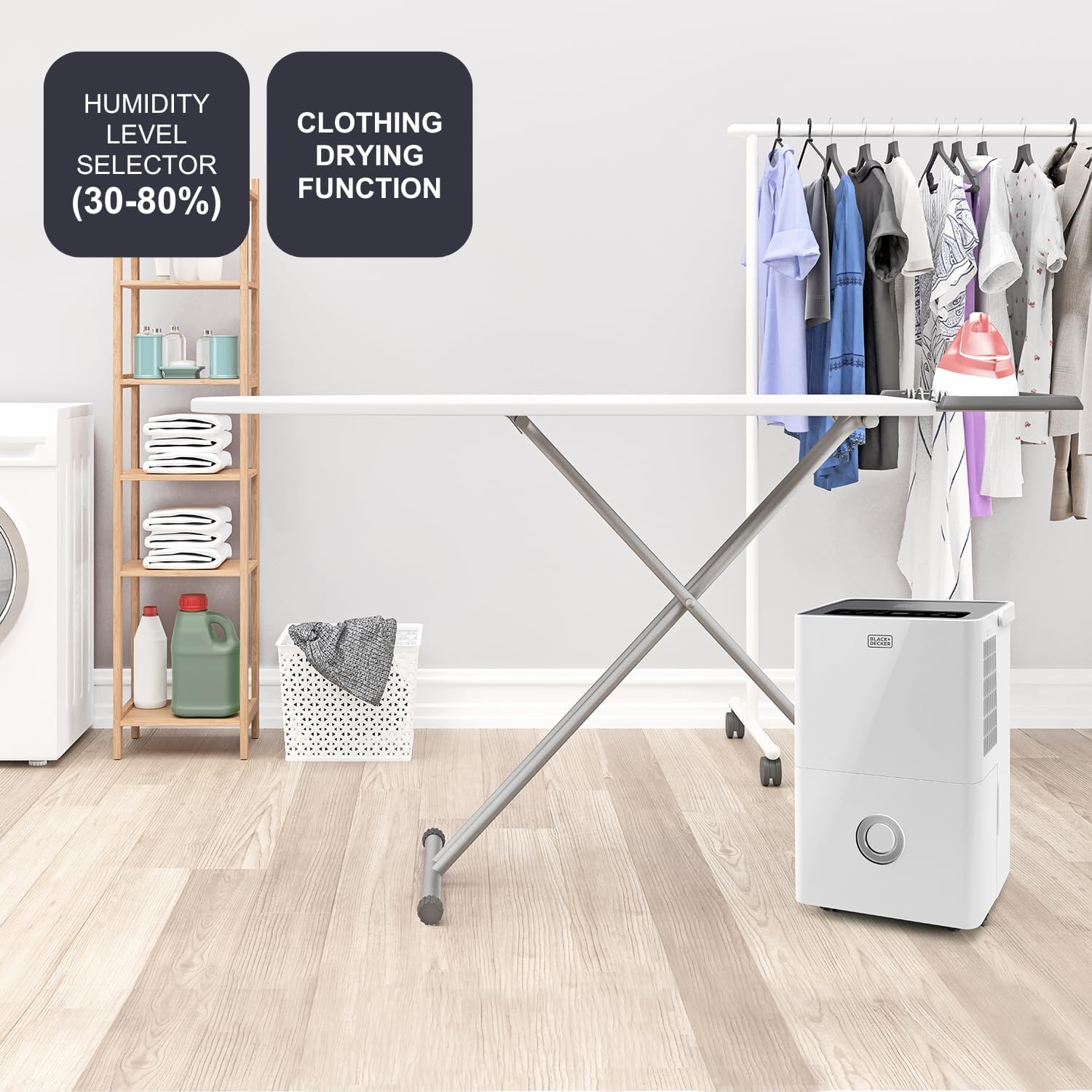
Figure 5.1: The Black+Decker BXDH20E dehumidifier positioned next to a laundry drying rack. This image visually demonstrates the unit's effectiveness in a domestic setting, highlighting its humidity level selector (ranging from 30% to 80%) and its specialized clothing drying function.
5.4 Air Purification Function
The integrated HEPA13 filter continuously purifies the air by capturing dust, pollen, pet dander, and other airborne particles. This function operates alongside dehumidification.
5.5 Fan Speed
Select between 2 fan speeds (Low/High) to adjust the dehumidification and air purification rate. Higher speed provides faster results but may produce more noise.
5.6 24-Hour Timer
The unit features a programmable 24-hour timer. You can set the appliance to turn on or off automatically after a specified period (1 to 24 hours). This allows for energy-efficient operation tailored to your schedule.

Figure 5.2: The Black+Decker BXDH20E dehumidifier operating quietly in a bedroom at night. The image emphasizes its suitability for nighttime use, with graphic overlays highlighting its 24-hour timer and very quiet operation.
5.7 Laundry Drying Function
This specialized function helps to dry freshly washed laundry faster by continuously operating at a high dehumidification rate. Place the unit in the room with the drying laundry for best results.

Figure 5.3: The Black+Decker BXDH20E dehumidifier placed in a room alongside a laundry drying rack. This image visually reinforces the unit's capacity to handle spaces up to 40 square meters and its 400W power consumption, making it effective for drying clothes.
5.8 Continuous Drainage
For continuous operation without emptying the water tank, connect a drainage hose (not included) to the continuous drainage outlet at the back of the unit. Ensure the hose is sloped downwards to allow water to drain by gravity into a suitable receptacle or drain.
6. Maintenance
Regular maintenance ensures optimal performance and extends the lifespan of your dehumidifier.
6.1 Emptying the Water Tank
When the water tank is full, the unit will automatically stop operating and an indicator light will illuminate. Carefully remove the tank, empty the collected water, and reinsert the tank firmly until it clicks into place.
6.2 Cleaning the Water Tank
Clean the water tank regularly with mild detergent and warm water to prevent mold and mildew growth. Rinse thoroughly and dry before reinserting.
6.3 Cleaning the Air Filter (HEPA13)
The HEPA13 filter should be checked and cleaned periodically, depending on usage and air quality. A dirty filter can reduce efficiency. Refer to the filter replacement instructions for details on accessing and cleaning the filter. The HEPA13 filter is not washable and should be replaced when visibly dirty or every 6-12 months, depending on usage.
6.4 Cleaning the Exterior
Wipe the exterior of the unit with a soft, damp cloth. Do not use abrasive cleaners or solvents.
7. Troubleshooting
If you encounter issues with your dehumidifier, refer to the following common problems and solutions:
| Problem | Possible Cause | Solution |
|---|---|---|
| Unit does not turn on | No power; Power cord not plugged in; Water tank full or incorrectly inserted. | Check power supply; Plug in power cord firmly; Empty and reinsert water tank correctly. |
| No water collected | Room humidity too low; Temperature too low; Air filter clogged; Unit in fan-only mode. | Increase target humidity; Ensure room temperature is above 5°C; Clean/replace air filter; Select dehumidification mode. |
| Unit is noisy | Unit not on a level surface; Air filter clogged; Obstruction in fan. | Place on a level surface; Clean/replace air filter; Check for and remove any obstructions. |
| Airflow is weak | Air filter clogged; Air inlets/outlets blocked. | Clean/replace air filter; Ensure no obstructions around air inlets/outlets. |
If the problem persists after trying these solutions, please contact customer support.
8. Technical Specifications
| Feature | Specification |
|---|---|
| Model Number | ES9540010B (BXDH20E) |
| Dehumidification Capacity | Up to 20 Liters/24 hours |
| Water Tank Volume | 4 Liters |
| Filter Type | HEPA13 |
| Recommended Floor Area | Up to 40 Square meters |
| Product Dimensions (D x W x H) | 33.5 x 24.5 x 51 cm |
| Item Weight | 15 Kilograms |
| Number of Fan Speeds | 2 |
| Special Features | Programmable Timer, Laundry Drying Function, Quiet Operation |
| Color | White |

Figure 8.1: Dimensions of the Black+Decker BXDH20E dehumidifier. This image provides a clear visual representation of the unit's overall size, indicating its depth (33.5 cm), width (24.5 cm), and height (51 cm).

Figure 8.2: Detailed side dimensions of the Black+Decker BXDH20E dehumidifier. This image offers a more granular view of the unit's proportions, specifying the width as 16.51 cm, the height of the upper section as 35.51 cm, and the height of the lower section as 11 cm.
9. Warranty and Customer Support
For information regarding warranty coverage, terms, and conditions, please refer to the warranty card included with your product or visit the official BLACK+DECKER website. If you require technical assistance, troubleshooting beyond this manual, or spare parts, please contact BLACK+DECKER customer support through their official channels.