
Product Overview
The Nakamichi NA3600M is a 2-DIN DVD receiver featuring a 6.75-inch screen. It offers seamless integration with mobile phones and supports a wide range of CD and DVD formats including DVD, VCD, MP3, MP4, CD-R, CD-RW, and DIVX. This unit includes FM/AM radio with RDS for traffic updates, Bluetooth for hands-free calling and high-resolution audio streaming, and a built-in 10-band equalizer for precise sound tuning. Its design focuses on user-friendly operation and versatile media compatibility for an enhanced in-car entertainment experience.
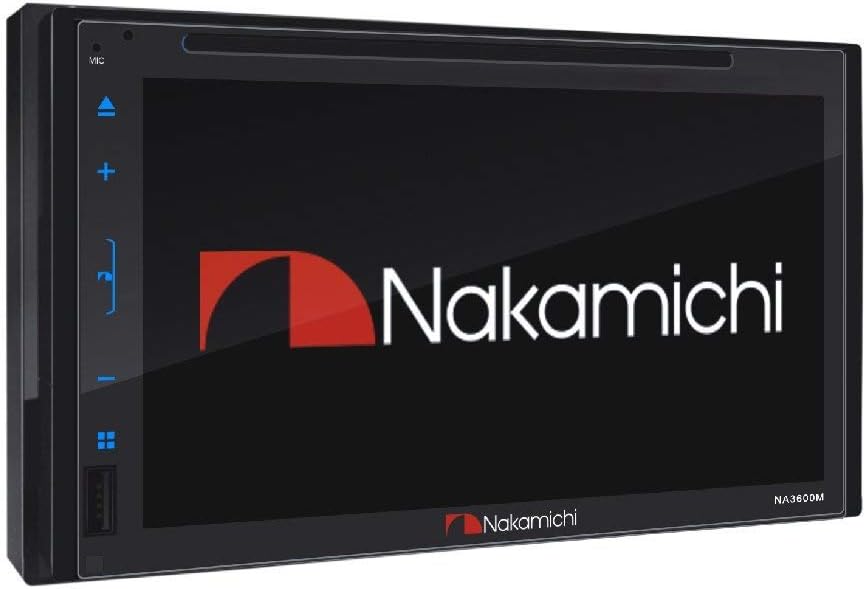
Figure 1: Front view of the Nakamichi NA3600M 2-DIN DVD receiver, showing the 6.75-inch screen and control buttons.
Setup and Installation
Proper installation is crucial for optimal performance. It is recommended that installation be performed by a qualified professional. Ensure the vehicle's battery is disconnected before beginning installation.
Wiring Connections
Refer to the wiring diagram below for connecting the NA3600M to your vehicle's electrical system and audio components. All connections must be secure to prevent malfunctions.

Figure 2: Rear panel of the Nakamichi NA3600M, illustrating various input and output ports for power, speakers, cameras, and audio components.
- A. F-Camera-IN: Front Camera Input
- B. Sub-woofer: Subwoofer Output
- C. R-Camera-IN: Rear Camera Input
- D. Video Input: Auxiliary Video Input
- E. Front Left Speaker: Audio Output for Front Left Speaker
- F. Rear Left Speaker: Audio Output for Rear Left Speaker
- G. Left Audio Input: Auxiliary Left Audio Input
- H. Video 2 Output: Second Video Output
- I. Radio Antenna: Antenna Connection
- J. Right Audio Input: Auxiliary Right Audio Input
- K. Video 1 Output: First Video Output
- L. Rear Right Speaker: Audio Output for Rear Right Speaker
- M. Front Right Speaker: Audio Output for Front Right Speaker
Note: The unit supports rear camera input and AV input.
Initial Power On
- After all connections are made, reconnect the vehicle's battery.
- Press the power button on the unit or vehicle's ignition to turn on the device.
- The Nakamichi logo will appear, followed by the main menu.
Operating Instructions
Touch Screen Operation
The NA3600M features a responsive capacitive touch screen for intuitive control. Tap icons to select functions, swipe to navigate menus, and use pinch-to-zoom gestures where applicable.
Media Playback (DVD/CD/USB)
The unit supports various media formats for playback, including DVD, VCD, MP3, MP4, CD-R, CD-RW, and DIVX. Insert the disc into the disc slot or connect a USB device to the designated USB port.
- Disc Playback: Gently insert a disc into the slot. The unit will automatically detect and begin playback.
- USB Playback: Connect a USB drive containing compatible media files. Select the USB source from the main menu to browse and play files.

Figure 3: The NA3600M display showcasing its high-resolution capabilities for both audio and visual content on its 6.75-inch high brightness and wide viewing LCD.
Radio Operation (FM/AM/RDS)
Access the Radio function from the main menu. Use the touch screen to scan for stations, manually tune, or save your favorite stations as presets. RDS (Radio Data System) provides additional information such as station name and traffic announcements where available.
Bluetooth Connectivity
The built-in Bluetooth module allows for hands-free calling and wireless audio streaming.
- Pairing: Enable Bluetooth on your mobile device and search for "NA3600M". Select it to pair. A PIN (usually 0000) may be required.
- Hands-Free Calling: Once paired, you can make and receive calls directly through the unit. The car's speakers will be used for audio, and the built-in microphone for your voice.
- Audio Streaming: Play music from your paired device wirelessly. Use the unit's controls to skip tracks or adjust volume.
Equalizer Adjustment
Fine-tune your audio experience with the 10-band equalizer. Access the equalizer settings from the audio menu. You can select from various preset equalizers (e.g., Pop, Rock, Jazz) or customize your own sound profile.
MirrorLink Functionality
The NA3600M supports MirrorLink for certain Android phones. This feature allows you to mirror your compatible smartphone's screen onto the unit's display, providing safe access to navigation, music, and other applications while driving.

Figure 4: Illustration of the MirrorLink feature, showing an Android phone's screen mirrored onto the NA3600M display, enabling safe in-car access to phone applications.
Maintenance
Regular maintenance ensures the longevity and optimal performance of your Nakamichi NA3600M.
- Screen Cleaning: Use a soft, lint-free cloth slightly dampened with water or a screen cleaning solution. Do not use abrasive cleaners or solvents.
- Disc Care: Handle discs by their edges. Keep them clean and free of scratches. Store discs in their cases when not in use.
- General Care: Avoid exposing the unit to extreme temperatures, direct sunlight for prolonged periods, or excessive moisture.
Troubleshooting
If you encounter issues with your NA3600M, refer to the following common problems and their solutions:
| Problem | Possible Cause | Solution |
|---|---|---|
| No Power | Loose power connection, blown fuse. | Check power wiring and vehicle's fuse box. Ensure connections are secure. |
| No Sound | Volume too low, speaker wires disconnected, incorrect audio source. | Increase volume. Verify speaker connections. Select the correct audio input source. |
| Disc Error |
Ask a question about this manualAsk about setup, troubleshooting, compatibility, parts, safety, or missing instructions. Manuals+ will review the question and use this page’s manual context to help answer it. |