
1. Introduction
Welcome to the HOVERSTAR HS2.01 Bluetooth Flash Wheel Self-Balancing Electric Scooter user manual. This guide provides essential information for the safe and efficient operation, maintenance, and troubleshooting of your new electric scooter. Please read this manual thoroughly before first use and keep it for future reference.
The HOVERSTAR HS2.01 is designed for a smooth and enjoyable riding experience, featuring self-balancing technology, vibrant LED flash wheels, and integrated Bluetooth connectivity for music playback.
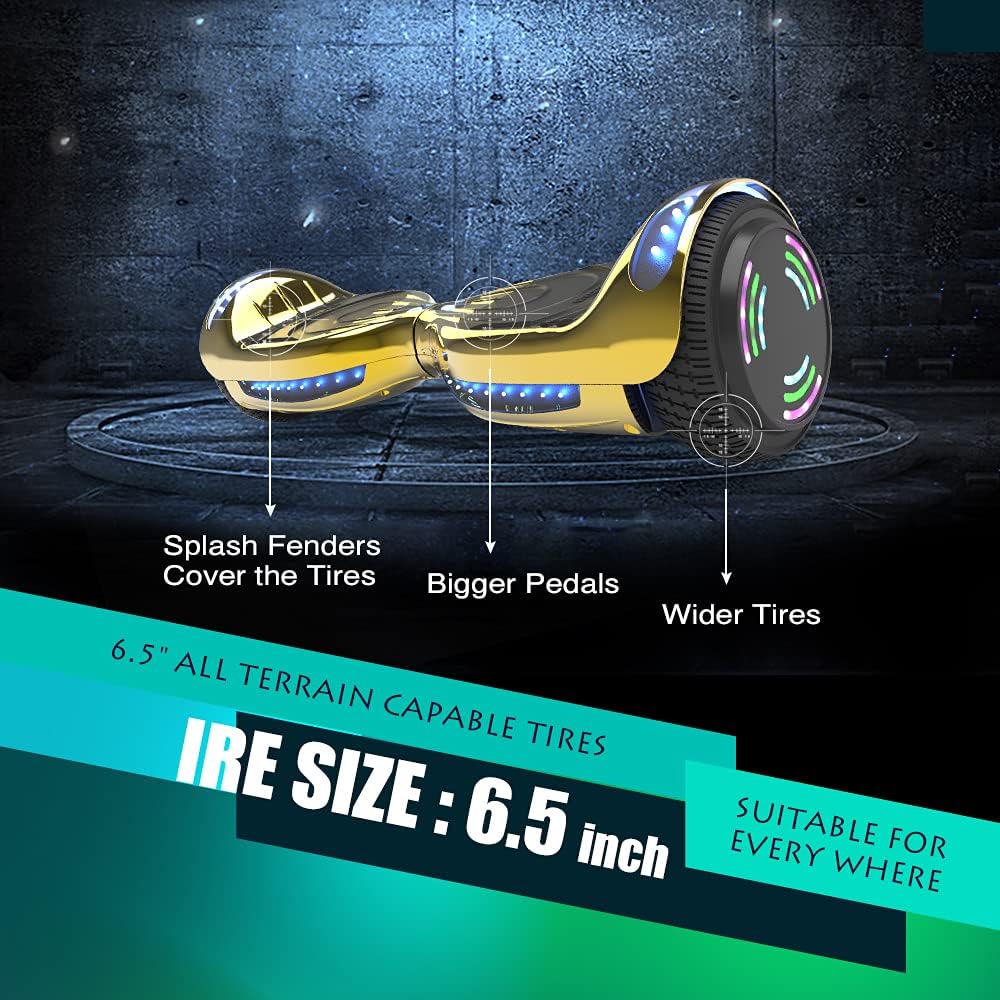
Image 1: HOVERSTAR HS2.01 Hoverboard in Chrome Gold, showcasing its sleek design.
2. Important Safety Information
WARNING: Riding an electric scooter can be dangerous. Always wear appropriate safety gear, including a helmet, knee pads, elbow pads, and wrist guards. Ensure proper footwear (closed-toe shoes) is worn. Do not ride in sandals.
- Age and Weight Restrictions: This scooter is suitable for kids and youth. The maximum load capacity is 120 pounds (approximately 54 kilograms).
- Supervision: Children should always be supervised by an adult while riding.
- Environment: Ride on flat, dry surfaces away from traffic, pedestrians, and obstacles. Avoid wet conditions, uneven terrain, and steep inclines.
- Speed: The top speed is 6.2 miles per hour. Always ride at a safe speed appropriate for your skill level and surroundings.
- Charging: Use only the provided charger. Do not overcharge the device.
3. What's in the Box
Your HOVERSTAR HS2.01 package includes:
- HOVERSTAR HS2.01 Self-Balancing Electric Scooter
- Charging Adapter
- User Manual (this document)
4. Setup and Initial Use
4.1 Initial Charging
Before first use, fully charge your HOVERSTAR HS2.01 scooter. Connect the charging adapter to the charging port on the scooter and then plug it into a power outlet. The charger light will be RED while charging and will turn GREEN when fully charged. Do not charge for more than 6 hours.
Video 1: Demonstrates the charging process for the HOVERSTAR HS2.01 Hoverboard. The charger light indicates charging status (red for charging, green for full).
4.2 Power On/Off
To power on the scooter, press and hold the power button located on the side until the indicator lights illuminate. To power off, press and hold the power button again until the lights turn off.
4.3 Self-Balancing Calibration
The HOVERSTAR HS2.01 features self-balancing technology. For optimal performance, ensure the scooter is on a flat, level surface when powering on. The system will automatically calibrate to provide a stable ride.
Video 2: Illustrates the auto-balancing feature of the HOVERSTAR HS2.01 Hoverboard when powered on and when a rider steps on it.
5. Operating Instructions
5.1 Riding the Scooter
- Mounting: Place one foot firmly on a footpad. Once the scooter stabilizes, quickly step on with your other foot. Maintain a relaxed posture and keep your body centered.
- Movement: Lean slightly forward to move forward, and lean backward to slow down or move in reverse. To turn, apply gentle pressure with your left foot to turn right, and with your right foot to turn left.
- Dismounting: When you are ready to stop, slow down to a complete halt. Step off one foot at a time, preferably backward.

Image 2: Close-up of the HOVERSTAR HS2.01 Hoverboard's non-slip footpads, designed for enhanced stability and traction during use.
5.2 LED Flash Wheels and Front LED Light
The HOVERSTAR HS2.01 is equipped with two LED flashing wheels and a front LED light. These lights enhance visibility and add a dynamic visual effect during operation, especially in low-light conditions.

Image 3: A display of multiple HOVERSTAR HS2.01 Hoverboards in various colors and designs, highlighting the LED flash wheels.
5.3 Bluetooth Connectivity
Your HOVERSTAR HS2.01 includes a built-in Bluetooth speaker, allowing you to play music from your smartphone or other Bluetooth-enabled devices while you ride.
- Turn on the Hoverboard: Ensure your scooter is powered on.
- Enable Bluetooth: On your mobile device, go to settings and turn on Bluetooth.
- Pair Device: Search for available devices and select "Bluetooth" (or a similar name) to connect.
- Play Music: Once paired, open your music application and play your desired audio. Adjust the volume from your phone.

Image 4: The HOVERSTAR HS2.01 Hoverboard, highlighting its integrated wireless speaker for Bluetooth music playback.

Image 5: A child connecting a smartphone to the HOVERSTAR HS2.01 Hoverboard via Bluetooth to play music.
6. Maintenance
- Cleaning: Wipe the scooter with a damp cloth. Do not use harsh chemicals or abrasive cleaners. Avoid direct water spray.
- Storage: Store the scooter in a cool, dry place away from direct sunlight and extreme temperatures.
- Battery Care: Charge the battery regularly, even if not in use, to maintain its lifespan. Avoid completely draining the battery.
7. Troubleshooting
If you encounter any of the following problems, please try resetting your hoverboard:
- Beeping and flashing red circle light
- Not balancing when riding
- Cannot turn on
- Bluetooth not working
- Only one wheel works
- Unusual noise
- Not charging
How to Reset the Hoverboard:
- Step 1: Place the hoverboard on a level surface.
- Step 2: Press and hold the power button for 20 seconds.
- Step 3: When the LED lights flash, release the power button.
- Step 4: Turn off the hoverboard.
- Step 5: Turn it on again. The reset is complete.
Video 3: Demonstrates how to reset the HOVERSTAR HS2.01 Hoverboard to resolve common operational issues.
8. Specifications
| Feature | Detail |
|---|---|
| Brand Name | HOVERSTAR |
| Model Name | HS2.01 (LBW12A) |
| Color | Chrome Gold |
| Material | Plastic |
| Max Load Capacity | 120 pounds (approx. 54 kg) |
| Top Speed | 6.2 miles per hour |
| Special Features | Built-In Bluetooth speaker, LED Lights (flash wheels, front LED) |
| Item Dimensions (LxWxH) | 4.5 x 4.5 x 4.5 inches |
| Package Dimensions (LxWxH) | 20.75 x 7.5 x 7.5 inches |
| Package Weight | 4.97 Kilograms |
| Suggested Age Range | Kid, Youth |
9. Warranty and Support
HOVERSTAR provides a 90-day free exchange service and parts service for your HS2.01 electric scooter. If you experience any issues with your hoverboard, please contact us through Amazon email for assistance. Our customer support team is dedicated to providing you with the best possible support.
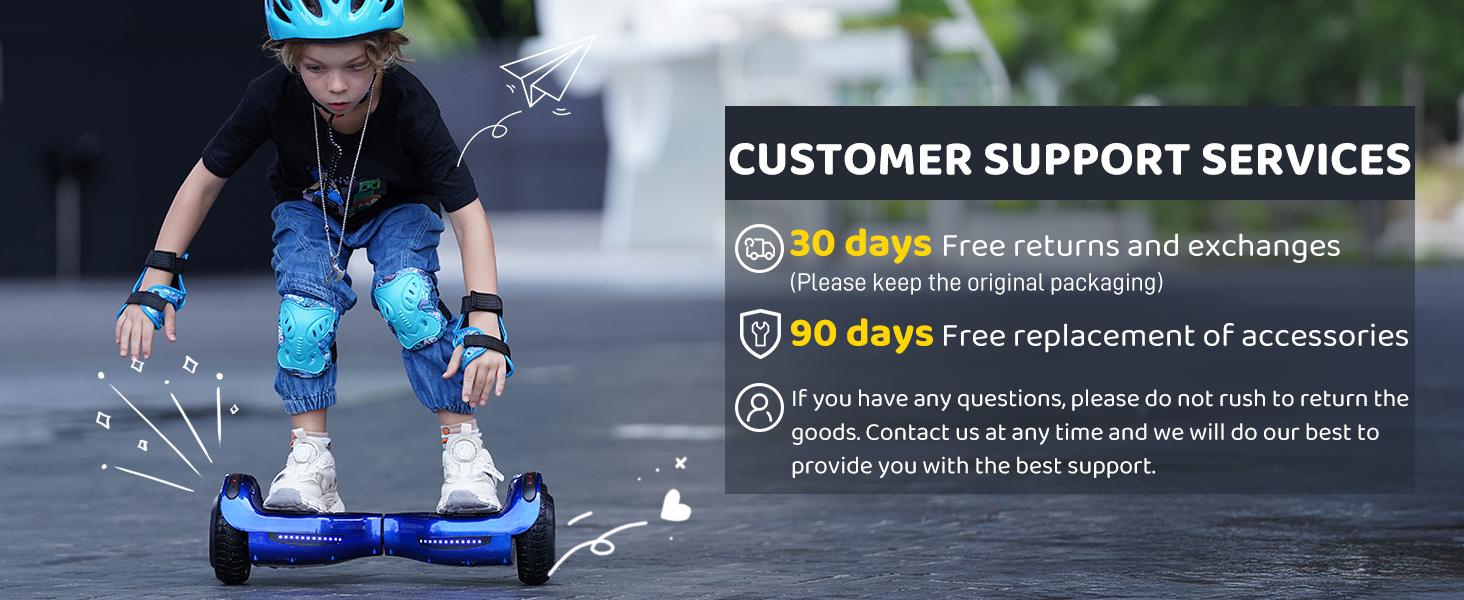
Image 6: Information on HOVERSTAR's customer support services, including 30-day free returns and exchanges, and 90-day free replacement of accessories.