
1. Introduction
This manual provides detailed instructions for the setup, operation, and maintenance of your Samsung HW-C400 2.0 Channel Soundbar. This soundbar is designed to enhance your audio experience with features like a built-in woofer, Bluetooth connectivity, and USB music playback. Please read this manual thoroughly before using the product to ensure proper and safe operation.
The Samsung HW-C400 2.0 Channel Soundbar offers wireless audio streaming and improved TV audio. It includes an optical input for digital audio, a 3.5mm input for analog devices, and Bluetooth for wireless streaming from compatible devices. A remote control is included for convenience.
2. Safety Information
Always follow basic safety precautions when using this product to reduce the risk of fire, electric shock, and injury.
- Do not expose this appliance to rain or moisture.
- Do not block any ventilation openings. Install in accordance with the manufacturer's instructions.
- Do not install near any heat sources such as radiators, heat registers, stoves, or other apparatus (including amplifiers) that produce heat.
- Protect the power cord from being walked on or pinched, particularly at plugs, convenience receptacles, and the point where they exit from the apparatus.
- Only use attachments/accessories specified by the manufacturer.
- Unplug this apparatus during lightning storms or when unused for long periods of time.
- Refer all servicing to qualified service personnel. Servicing is required when the apparatus has been damaged in any way, such as power-supply cord or plug is damaged, liquid has been spilled or objects have fallen into the apparatus, the apparatus has been exposed to rain or moisture, does not operate normally, or has been dropped.
3. What's in the Box
Upon opening the packaging, please verify that all components are present and in good condition:
- Samsung HW-C400 Soundbar
- Remote Control
- Power Cord
- User Manual (this document)

Image: The Samsung HW-C400 Soundbar shown with its included remote control.
4. Setup
4.1 Physical Placement
Place the soundbar on a flat, stable surface directly in front of your television for optimal sound projection. Ensure there is adequate space around the soundbar for ventilation.
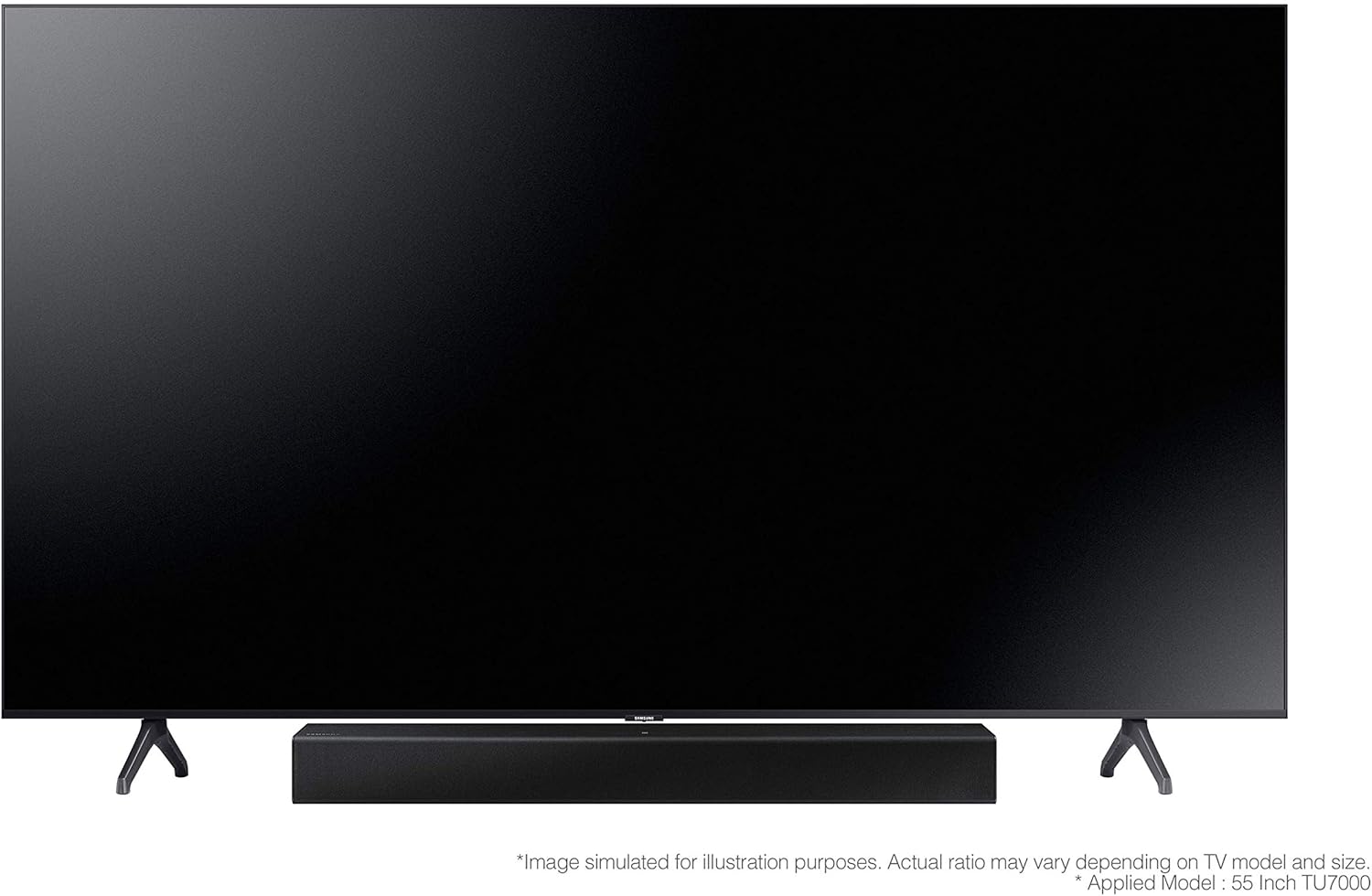
Image: The Samsung HW-C400 Soundbar positioned centrally below a television screen.

Image: An angled view showing the Samsung HW-C400 Soundbar's compact placement in front of a television.

Image: Diagram illustrating the dimensions of the Samsung HW-C400 Soundbar: 25.24 inches (W) x 2.56 inches (H) x 4.21 inches (D).
4.2 Connecting to Your Devices
The soundbar offers multiple connectivity options:
- Optical Input: For digital audio connection to your TV. Connect an optical cable from your TV's optical output to the soundbar's optical input.
- 3.5mm Input: For analog wired devices. Connect a 3.5mm audio cable from your device's audio output to the soundbar's 3.5mm input.
- Bluetooth: For wireless audio streaming from compatible smartphones, tablets, or Samsung TVs.
- NFC (Near Field Communication): For quick pairing with compatible NFC-enabled smartphones.
- USB: For playing music directly from a USB memory device.

Image: The rear panel of the soundbar, displaying the optical and 3.5mm audio input ports.
4.3 Power Connection
Connect the power cord to the soundbar's power input, then plug the other end into a wall outlet. The soundbar is designed for 110-240 Volt worldwide use.
4.4 Remote Control Setup
The remote control requires 1 AA battery (included). Insert the battery into the remote control, ensuring correct polarity.
5. Operating Instructions
5.1 Basic Controls
The soundbar can be controlled using the included remote control or the buttons located on the top panel of the unit.

Image: Close-up view of the power, volume, and input selection buttons located on the top surface of the soundbar.
- Power Button: Turns the soundbar on or off.
- Volume Buttons (+/-): Adjusts the master volume level.
- Input Selection Button: Cycles through available input sources (Optical, 3.5mm, Bluetooth, USB).
5.2 Bluetooth Connection
To connect your device via Bluetooth:
- Press the Input Selection button on the soundbar or remote until 'BT' (Bluetooth) is displayed.
- On your mobile device, enable Bluetooth and search for available devices.
- Select 'Samsung HW-C400' from the list to pair. Once connected, the soundbar will indicate successful pairing.
5.3 NFC Connection
For quick pairing with NFC-enabled smartphones:
- Ensure NFC is enabled on your smartphone.
- Place your smartphone over the NFC symbol on the soundbar. The soundbar will automatically attempt to connect.

Image: A close-up of the NFC (Near Field Communication) symbol located on the top surface of the soundbar, indicating the touchpoint for NFC pairing.
5.4 USB Music Playback
To play music from a USB device:
- Insert your USB memory device into the USB port on the soundbar.
- Press the Input Selection button until 'USB' is displayed.
- The soundbar will automatically begin playing compatible audio files from the USB device.
5.5 Audio Features
- Dolby Audio / DTS 2.0 Channel: Provides a rich surround sound experience, enhancing movie and music playback.
- Built-in Woofer: The soundbar features two built-in woofers and a sound duct to intensify bass without the need for a separate subwoofer.
6. Maintenance
To ensure the longevity and optimal performance of your soundbar, follow these maintenance guidelines:
- Cleaning: Use a soft, dry cloth to clean the exterior of the soundbar. Do not use liquid cleaners or aerosol sprays.
- Ventilation: Ensure that the ventilation openings are not blocked to prevent overheating.
- Storage: If storing the soundbar for an extended period, disconnect it from power and store it in a cool, dry place.
7. Troubleshooting
If you encounter issues with your Samsung HW-C400 Soundbar, refer to the following common problems and solutions:
| Problem | Possible Cause | Solution |
|---|---|---|
| No sound from soundbar. | Power not connected, incorrect input selected, volume too low, mute activated. | Check power connection. Select correct input source. Increase volume. Deactivate mute. |
| Bluetooth pairing fails. | Soundbar not in pairing mode, device too far, interference. | Ensure soundbar is in Bluetooth mode. Move device closer. Turn off other Bluetooth devices. |
| Soundbar volume fluctuates or drops. | Interference, source device issue, remote control issue. | Check for sources of interference. Test with a different audio source. Ensure remote control buttons are not stuck or being accidentally pressed. |
| Remote control not working. | Dead battery, obstruction, incorrect aiming. | Replace remote battery. Remove any obstructions between remote and soundbar. Aim remote directly at the soundbar's sensor. |
| Sound quality is poor (e.g., crackling, low bass). | Incorrect audio settings, poor source quality, cable issues. | Adjust audio settings on your TV or source device. Ensure audio cables are securely connected. Try a different audio cable. |
8. Specifications
| Feature | Detail |
|---|---|
| Model Name | HW-T400 |
| Speaker Type | Soundbar, Built-in Woofer |
| Surround Sound Channel Configuration | 2.0 |
| Speaker Maximum Output Power | 40 Watts |
| Input Voltage | 110-240 Volts |
| Product Dimensions (D x W x H) | 4.21"D x 25.24"W x 2.56"H |
| Item Weight | 2 Kilograms (4.4 pounds) |
| Connectivity Technology | Bluetooth, NFC, USB, Optical, 3.5mm |
| Wireless Communication Technology | Bluetooth, NFC |
| Maximum Bluetooth Range | 10 Meters |
| Included Components | Remote |
| Remote Control Batteries | 1 AA battery (included) |
| Color | Black |
| First Available Date | September 27, 2020 |
9. Warranty and Support
Your Samsung HW-C400 Soundbar comes with a limited warranty. Please refer to the warranty card included in your product packaging for specific terms and conditions.
For technical support, service, or to purchase accessories, please visit the official Samsung Store or contact Samsung customer service.
Official Samsung Store: Samsung Store on Amazon