
1. Introduction
Welcome to the instruction manual for your SVPRO 5MP 10X Optical Zoom USB Camera. This guide provides essential information for the proper setup, operation, and maintenance of your camera, ensuring optimal performance and longevity. Please read this manual thoroughly before using the product.
2. Product Overview
The SVPRO 5MP USB Camera is designed for high-definition video capture with its 5-50mm manual varifocal lens, offering 10X optical zoom capabilities. It features an Aptina MI5100 sensor for clear images and an IR-cut filter for accurate color reproduction.
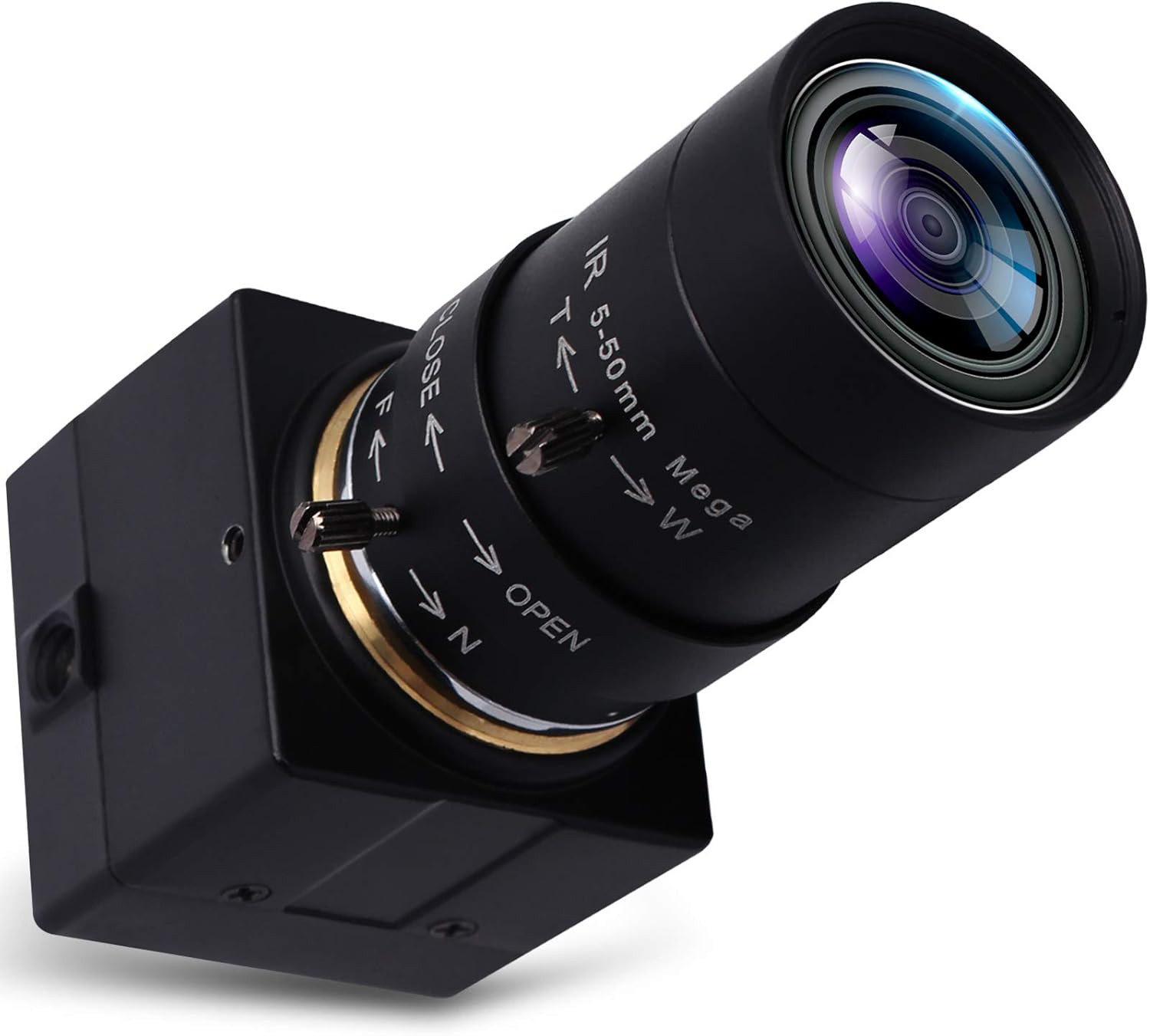
Figure 1: SVPRO 5MP 10X Optical Zoom USB Camera. This image displays the camera unit with its prominent lens and compact body.
Key Features:
- High Resolution: Max 2592x1944 (5MP) for detailed video and images.
- Varifocal Lens: 5-50mm manual lens with 10X optical zoom for adjustable viewing angles and distances.
- Advanced Sensor: Equipped with a 1/2.5" Aptina MI5100 Sensor for reliable image quality.
- IR-Cut Filter: Integrated 650±10nm IR-cut filter ensures high color saturation and purity.
- Durable Design: Features an aluminum housing for enhanced durability.
- Mounting Option: Includes a 1/4-inch screw hole for tripod mounting.
Components:
- Camera Body
- 5-50mm Varifocal Lens (with adjustable aperture, focus, and focal length rings)
- USB Cable (3 meters)

Figure 2: Camera Dimensions and Key Components. This image illustrates the physical dimensions of the camera and highlights the aluminum housing and 1/4-inch tripod screw hole.
3. Setup
Setting up your SVPRO USB Camera is a straightforward process due to its plug-and-play design.
3.1 Connecting the Camera
- Connect the USB cable from the camera to an available USB port on your computer or compatible device.
- The camera is driver-free and should be automatically recognized by Windows, Linux, Mac, and Android operating systems.

Figure 3: Plug & Play Connectivity. This diagram shows the camera connecting via USB to various operating systems and compatible platforms.
3.2 Mounting the Camera
The camera features a 1/4-inch screw hole on its housing, allowing it to be mounted on a standard tripod or other compatible mounting accessories for stable positioning.
4. Operating Instructions
To achieve the desired image quality and field of view, manual adjustments are necessary for this camera.
4.1 Manual Lens Adjustments

Figure 4: Lens Adjustment Points. This image highlights the rings for adjusting aperture, focus, and focal length on the camera lens.
- Zoom (Focal Length): Rotate the ring labeled 'T' (Telephoto) and 'W' (Wide) to adjust the focal length between 5mm and 50mm. This provides 10X optical zoom, allowing you to capture subjects at various distances.
- Focus: Rotate the ring labeled 'N' (Near) and 'F' (Far) to achieve a sharp image. This is a manual focus lens, requiring precise adjustment for clarity.
- Aperture (Iris): Rotate the ring labeled 'OPEN' and 'CLOSE' to control the lens aperture. Adjusting the aperture regulates the amount of light entering the sensor, affecting image brightness and depth of field.

Figure 5: Demonstrating Zoom Levels. This image shows examples of the camera's zoom capabilities at 2X, 4X, 8X, and 10X optical zoom (10mm, 20mm, 40mm, 50mm focal lengths respectively).
4.2 Software Adjustments
Once connected, you can further refine image quality using your preferred camera software. Adjustable parameters typically include:
- Brightness
- Contrast
- Color Saturation
- Definition
- Gamma
- White Balance (WB)
4.3 Applications
The SVPRO USB Camera is compatible with a wide range of video conferencing and streaming applications, including but not limited to:
- Skype
- OBS Studio
- Zoom
- GoToMeeting
- Facebook LIVE
- YouTube Live streaming services
It also supports OTG protocol for use with compatible Android devices.

Figure 6: Multi-Application Scenarios. This image illustrates various uses for the camera, such as video calls, video conferences, online teaching, and live streaming.
5. Maintenance
Proper maintenance ensures the longevity and optimal performance of your camera.
- Lens Cleaning: Use a soft, lint-free microfiber cloth specifically designed for optics to clean the lens. Avoid abrasive materials or harsh chemicals.
- General Cleaning: Wipe the camera body with a dry, soft cloth. Do not use liquid cleaners directly on the camera.
- Storage: Store the camera in a cool, dry place away from direct sunlight and extreme temperatures.
- Connection Care: Ensure the USB cable is not bent sharply or subjected to excessive strain, which could damage the connection.
6. Troubleshooting
If you encounter issues with your SVPRO USB Camera, refer to the following common troubleshooting steps:
- No Image or Black Screen:
- Verify that the USB cable is securely connected to both the camera and the computer.
- Ensure the camera is selected as the active video input device in your application settings.
- Check that the lens aperture (iris) is not fully closed.
- Fuzzy or Unclear Image:
- Carefully adjust the manual focus ring on the lens until the image is sharp. Note that the focus can be sensitive.
- Clean the lens surface with a suitable lens cleaning cloth.
- Poor Color or Low Light Performance:
- Adjust the aperture ring to allow more light into the lens.
- Utilize your camera software to adjust brightness, contrast, color saturation, and white balance settings.
- Be aware that the Aptina MI5100 sensor may have limitations in extremely low light environments.
- Connection Issues:
- Try connecting the camera to a different USB port on your computer.
- Ensure your operating system is compatible (Windows, Linux, Mac, Android).
7. Specifications
| Brand | SVPRO |
| Model Number | SV-USB500W05G-SFV(5-50) |
| Max Resolution | 2592x1944 (5MP) |
| Sensor | 1/2.5" Aptina MI5100 |
| Lens Type | 5-50mm Manual Varifocal, CS-mount |
| Optical Zoom | 10X |
| Connectivity | USB 2.0 |
| Operating Systems | Windows 10, 7, 8, XP, MAC, Linux, Android |
| Dimensions (LxWxH) | 3.66 x 1.5 x 1.5 inches |
| Item Weight | 10.6 ounces |
| Power Source | DC (via USB) |
| Special Features | IR-Cut filter, 1/4-inch tripod screw hole, Plug & Play |
8. Support
For technical assistance, product inquiries, or any support needs, please contact SVPRO customer service. Refer to the product packaging or the official SVPRO website for the most current contact information.


