Introduction
Thank you for choosing the Westinghouse Queen Size Electric Heated Blanket. This blanket is designed to provide warmth and comfort with advanced safety features and user-friendly controls. Made from 200GSM double-sided flannel, it is super soft, comfortable, skin-friendly, and breathable. The inner heating line is evenly distributed to prevent localized overheating, ensuring safe and consistent warmth.
This product is ETL and FCC certified, ensuring your safety during normal use. It features overheat protection and low electromagnetic radiation. Please read this manual carefully before use to ensure proper operation and maintenance.
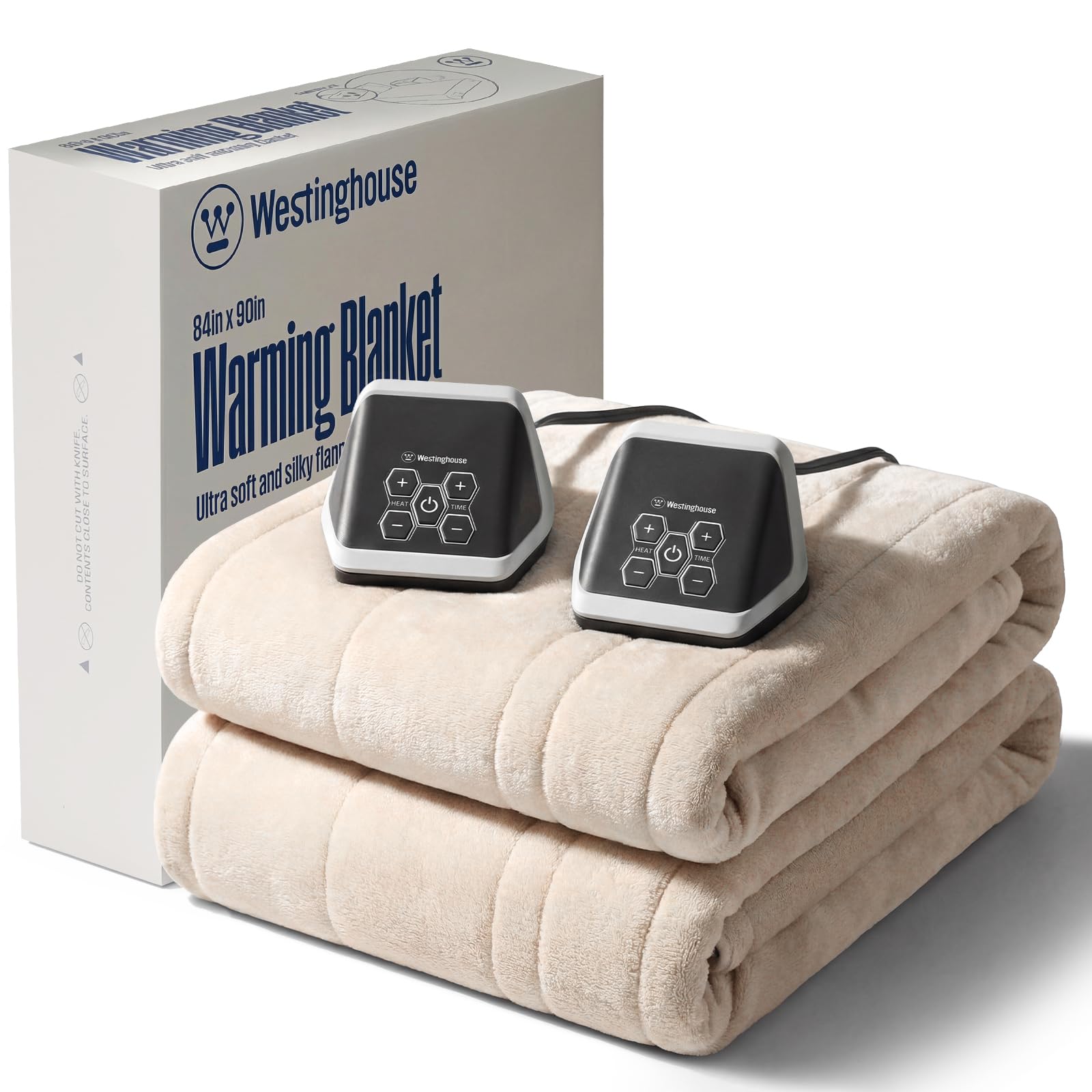
Image: Westinghouse Queen Size Electric Heated Blanket in Beige, spread out on a bed.
Setup Instructions
- Unpack the Blanket: Carefully remove the heated blanket from its packaging.
- Position the Blanket: Place the heated blanket on your bed with the label positioned at the foot of the bed and facing upward. Ensure the blanket is spread evenly without any folds or creases.
- Connect the Controllers: The Queen size blanket comes with dual controllers. Locate the connectors on the blanket and the corresponding plugs on the controllers. Align the arrows and firmly push the plugs into the connectors until they click into place.
- Plug into Power: Plug the power cords from both controllers into a standard 120V AC electrical outlet. Ensure the cords are not pinched or tucked under the mattress or furniture.
Video: Unboxing and initial setup of the Westinghouse Electric Blanket, demonstrating how to connect the controllers and place the blanket on a bed.
Operating Instructions
Your Westinghouse heated blanket features intelligent dual controls, allowing individual temperature settings for each side of the bed. It also includes a 20-minute warm-up function for quick heating.
- Power On: Press the power button on each controller to turn on your side of the blanket. The display will illuminate.
- Adjust Heat Level: Use the '+' and '-' buttons under 'HEAT' to select your desired heat level. There are 10 heating settings available.
- Set Auto Shut-Off Timer: Use the '+' and '-' buttons under 'TIME' to set the automatic shut-off timer. You can choose a duration from 1 to 12 hours. The blanket will automatically turn off after the selected time.
- Pre-Heat Function: The blanket supports a 20-minute warm-up to quickly reach your desired temperature.
- Power Off: Press the power button again to turn off the blanket when no longer needed.

Image: A close-up view of the digital controller for the Westinghouse heated blanket, highlighting the 10 heat levels and 12-hour auto-off timer.

Image: An illustration showing the dual heating zones of the Westinghouse heated blanket on a bed, indicating personalized warmth for two users.
Maintenance
Proper care ensures the longevity and performance of your heated blanket.
- Disconnect Power: Always unplug the power cord from the controller and detach the controller from the blanket before cleaning.
- Machine Washable: The blanket supports machine washing. Wash in a washing machine at 30°C (86°F) water temperature on a gentle cycle.
- Drying: Air dry the blanket completely. Do not plug in or turn on the heating product when wet. Do not use until completely dry.
- Do Not: DO NOT DRY CLEAN. DO NOT BLEACH. DO NOT IRON.
Video: Demonstration of how to disconnect the controller and machine wash the Westinghouse Electric Blanket.
Troubleshooting
- Blanket Not Heating:
- Ensure all connections between the blanket, controllers, and power outlet are secure.
- Check if the power outlet is functional by plugging in another appliance.
- Verify that the heat setting is not on 'L' (low) if you desire higher warmth.
- Allow up to 20 minutes for the blanket to reach its full temperature.
- Uneven Heating or Cold Spots:
- Ensure the blanket is spread flat on the bed without any folds, bunches, or items placed on top that could obstruct heat distribution.
- Note that heating elements are typically designed to cover the main sleeping area and may not extend to the very edges of the blanket for safety and efficiency.
- Controller Display Not Working:
- Unplug the blanket from the wall outlet for 5 minutes, then reconnect it. This may reset the controller.
- Ensure the controller is firmly connected to the blanket.
Specifications
| Brand | Westinghouse |
| Model Number | 1 |
| Size | Queen Size (84x90 Inches) |
| Material | Flannel |
| Color | Beige |
| Heating Levels | 10 |
| Auto Shut-Off Timer | 1-12 Hours |
| Special Features | Dual Control, Overheat Protection, Even Heat Distribution, Machine Washable |
| Certifications | ETL, FCC |
| Item Weight | 7 Pounds |
Warranty & Support
Westinghouse provides after-sales service for this heating electric blanket. If you have any questions or concerns about the product, please contact our customer service staff for assistance. Refer to the product packaging or the included user manual for specific contact information.


