
1. Important Safety Information
WARNING: Read this manual carefully before using the product. This product is a fitness device for household use.
- Consult a physician before using this product if you have any health problems to prevent accidents during exercise.
- If you are undergoing treatment for a heart condition, blood pressure, high cholesterol, etc., it is crucial to consult a physician before starting any exercise.
- Always evaluate your health conditions before exercising. Incorrect training methods can cause health problems.
- Stop exercising immediately if you experience any discomfort, such as headache, chest pain, irregular heartbeat, shortness of breath, dizziness, nausea, etc. Consult a physician before continuing to exercise.
- Ensure the pedal exerciser is placed on a stable, non-slip surface during use.
- The maximum recommended user weight is 100 kg.
2. Product Overview
The vidaXL Pedal Exerciser is a compact and portable fitness device designed for both arm and leg exercises. It features a sturdy steel frame, adjustable resistance, and a multi-functional LCD display to track your workout progress.
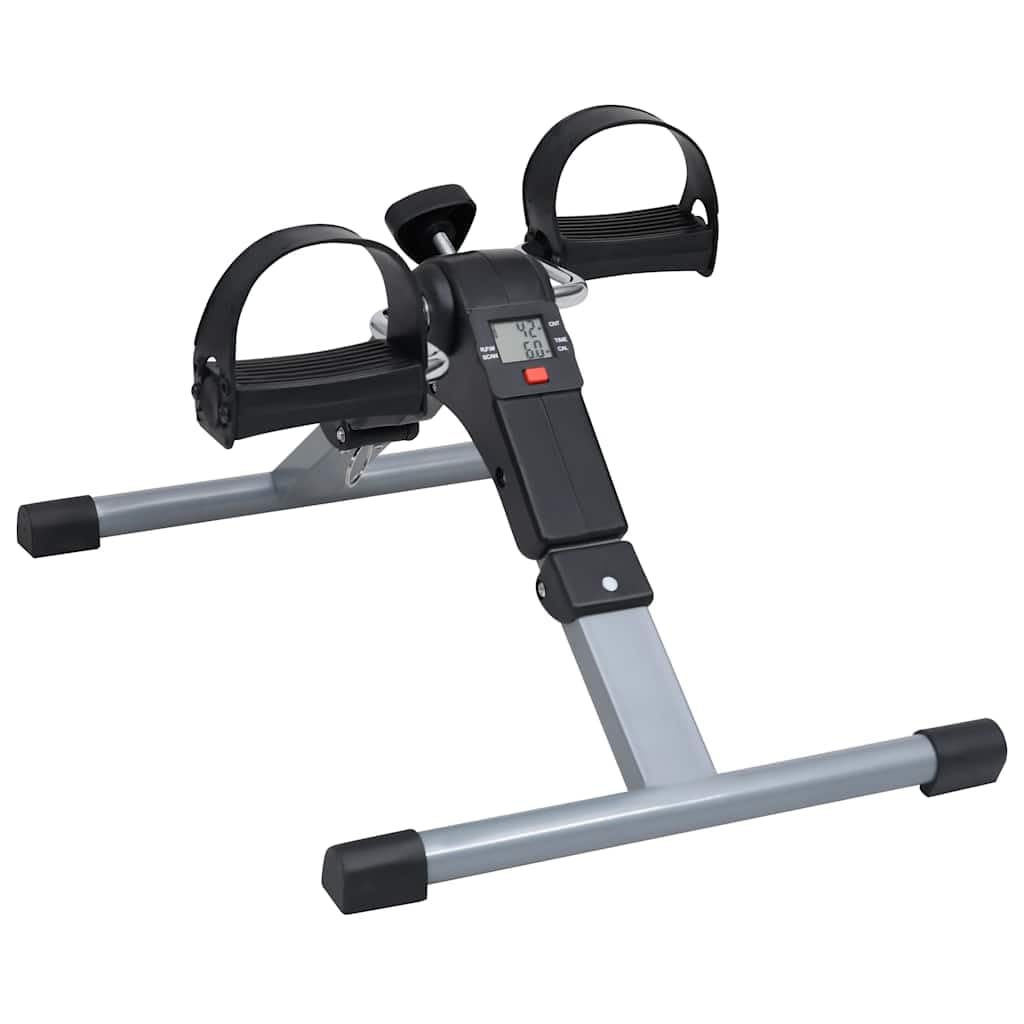
Figure 2.1: Overall view of the vidaXL Pedal Exerciser with key dimensions (Length: 49 cm, Width: 37 cm, Height: 36 cm).
Its foldable design allows for easy transport and storage, making it ideal for home use.
3. Setup and Assembly
The vidaXL Pedal Exerciser comes largely pre-assembled. Follow these steps for initial setup:
- Unfold the Frame: Carefully unfold the exerciser's legs until they lock securely into place. Ensure all four feet are stable on the ground.
- Positioning: Place the pedal exerciser on a flat, stable, and non-slip surface. For leg exercises, place it on the floor in front of a chair. For arm exercises, place it on a sturdy table.
- Check Pedals: Ensure the pedal straps are securely attached and can be adjusted to fit your feet or hands comfortably.

Figure 3.1: Front view of the pedal exerciser, showing the pedals and main unit.

Figure 3.2: The pedal exerciser in a folded configuration, highlighting its compact storage capability.
4. Operating Instructions
4.1. Using the LCD Display
The pedal exerciser features a multi-functional digital LCD screen that displays various workout metrics. The data can be automatically displayed alternately using the scan function.

Figure 4.1: Detailed view of the LCD display showing workout data.
- TIME: Displays the duration of your current exercise session.
- COUNT (CNT): Shows the total number of pedal revolutions during the current session.
- RPM: Revolutions Per Minute, indicating your current pedaling speed.
- CALORIES (CAL): Estimates the number of calories burned during your workout.
- SCAN: Automatically cycles through and displays each metric (TIME, COUNT, RPM, CALORIES) for a few seconds.
Press the red button below the display to cycle through modes manually or to activate/deactivate the scan function.
4.2. Adjusting Resistance
The pedal exerciser is equipped with a tension knob to adjust the intensity level of your workout. This allows you to customize the resistance to suit your fitness needs.
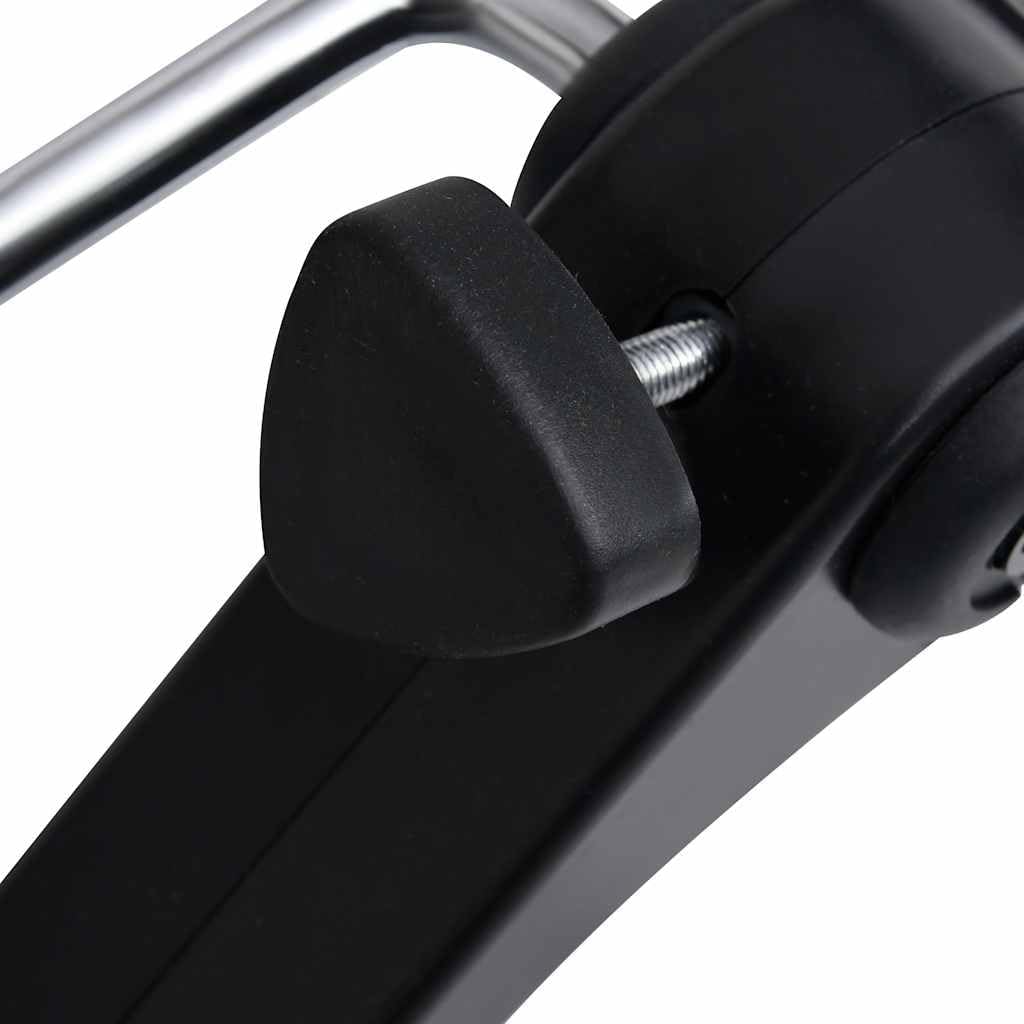
Figure 4.2: The resistance knob, used to increase or decrease pedaling difficulty.
- To Increase Resistance: Turn the knob clockwise.
- To Decrease Resistance: Turn the knob counter-clockwise.
Adjust the resistance gradually until you find a comfortable yet challenging level for your exercise.
4.3. Performing Exercises
The pedal exerciser can be used for both leg and arm workouts.
- For Leg Exercises:
- Sit comfortably in a chair with your feet flat on the floor.
- Place the pedal exerciser on the floor in front of you.
- Place your feet into the pedal straps and adjust them for a secure fit.
- Begin pedaling in a smooth, controlled motion.
- For Arm Exercises:
- Sit comfortably in a chair and place the pedal exerciser on a sturdy table in front of you.
- Place your hands into the pedal straps and adjust them for a secure fit.
- Begin pedaling with your arms in a smooth, controlled motion.

Figure 4.3: Top-down view, illustrating the pedal movement for both arm and leg use.
5. Maintenance
Regular maintenance ensures the longevity and optimal performance of your pedal exerciser.
- Cleaning: Wipe down the exerciser with a damp cloth after each use to remove sweat and dust. Avoid using abrasive cleaners or solvents.
- Storage: When not in use, fold the exerciser and store it in a dry, cool place away from direct sunlight and moisture.
- Inspection: Periodically check all bolts, nuts, and moving parts to ensure they are secure and functioning correctly. Tighten any loose components.
- Lubrication: No specific lubrication is typically required for this type of pedal exerciser. If you notice any squeaking, consult a professional.
6. Troubleshooting
If you encounter any issues with your vidaXL Pedal Exerciser, refer to the following common problems and solutions:
| Problem | Possible Cause | Solution |
|---|---|---|
| LCD Display not working | Battery drained or incorrectly installed. | Check and replace the battery (usually a button cell battery). Ensure it is inserted with correct polarity. |
| Pedals are stiff or difficult to turn | Resistance knob set too high. | Turn the resistance knob counter-clockwise to decrease the tension. |
| Exerciser is unstable or wobbles | Not placed on a flat surface; legs not fully extended/locked. | Ensure the exerciser is on a flat, stable surface. Check that the folding legs are fully extended and locked. |
| Squeaking noise during use | Loose components or friction in moving parts. | Check and tighten all visible bolts and nuts. If the noise persists, contact customer support. |
7. Product Specifications
| Model Number: | 92477 |
| Brand: | vidaXL |
| Material: | Alloy Steel, Plastic |
| Color: | Black, Grey |
| Dimensions (L x W x H): | 49 x 37 x 36 cm |
| Weight: | 2.92 kg |
| Maximum User Weight: | 100 kg |
| Display Type: | LCD |
| Control Type: | Knob (for resistance) |
| Features: | Adjustable Resistance, Foldable Design, LCD Monitor (Time, Count, RPM, Calories) |
8. Warranty and Support
Specific warranty information and direct customer support contact details are not available in the provided product data. For warranty claims or technical assistance, please refer to the retailer or the official vidaXL website where you purchased the product.
You may also visit the vidaXL Store on Amazon for more information.