
1. Introduction
Thank you for choosing the VITESSE 63 Inch Ergonomic Gaming Desk. This manual provides essential information for the safe and efficient assembly, operation, and maintenance of your new gaming desk. Please read all instructions carefully before beginning assembly and retain this manual for future reference.

Image 1.1: The VITESSE 63 Inch Ergonomic Gaming Desk fully assembled with a gaming setup.
2. Safety Information
- Ensure all parts are present and undamaged before assembly. Do not use if any parts are missing or broken.
- Assemble the desk on a soft, clean surface to prevent scratches.
- Do not overtighten screws during assembly to avoid damaging the material.
- Keep small parts away from children.
- Maximum weight capacity: 260 pounds. Do not exceed this limit.
- Ensure the desk is placed on a level surface to prevent instability.
3. Package Contents
Verify that all components listed below are included in your package:
- Desktop sections (PVC laminated carbon fiber surface)
- Z-shaped leg frames (Alloy Steel)
- Support beams and brackets
- Large Mouse Pad
- Gaming Handle Rack (with USB ports)
- Cup Holder
- Headphone Hook Holder
- Cable Grommets
- Storage Tray
- Assembly Hardware (screws, bolts, Allen wrench)
- Installation Instruction Paper
4. Setup and Assembly
Assembly typically requires two people. Follow the included installation instruction paper for detailed, step-by-step visual guidance. Ensure all screws are securely tightened once the desk is fully assembled.
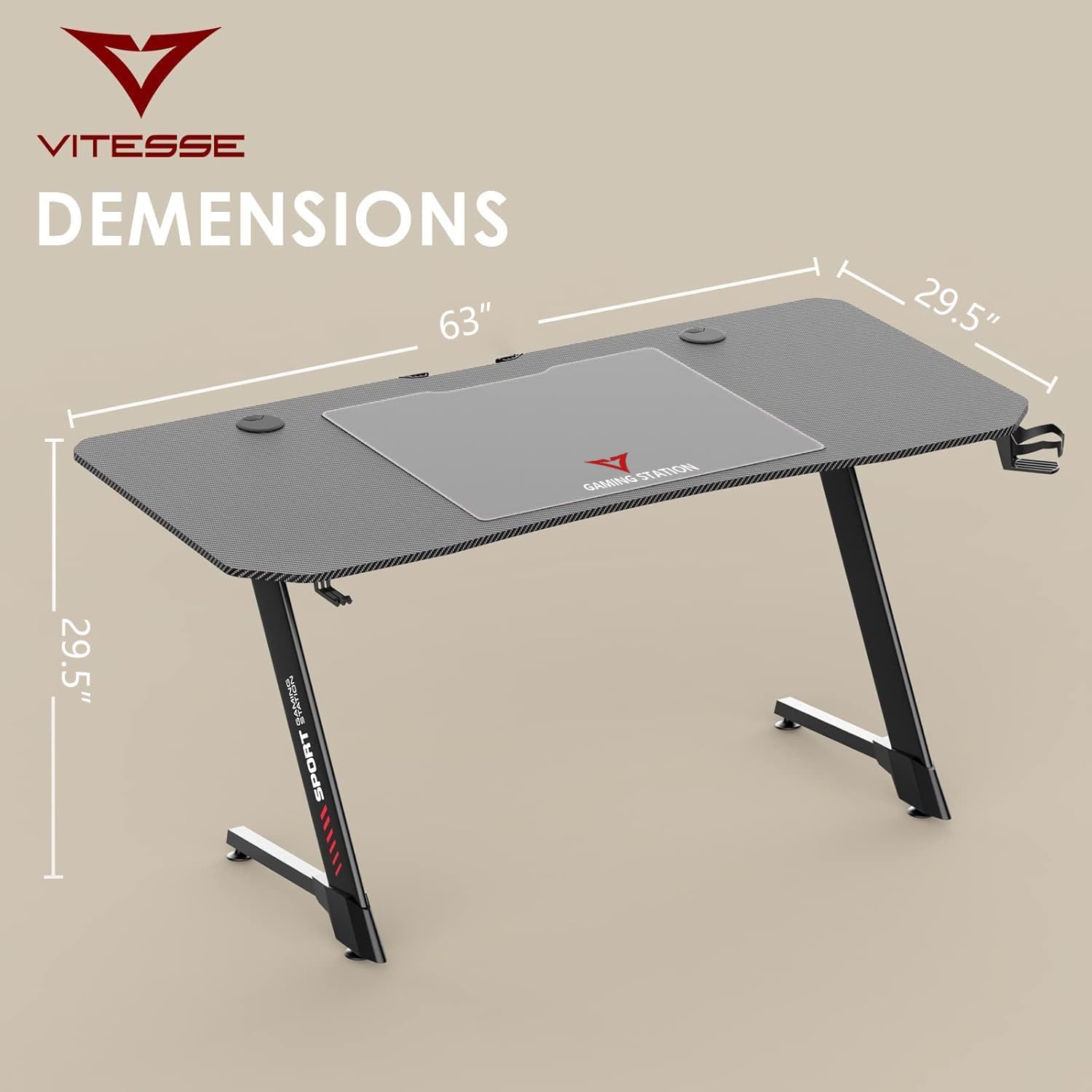
Image 4.1: Desk dimensions: 63 inches (length) x 29.5 inches (width) x 29.5 inches (height).

Image 4.2: An example of a fully set up VITESSE Gaming Desk, showcasing its spacious desktop.
5. Operating Instructions
5.1 Gaming Handle Rack
The gaming handle rack provides a convenient storage solution for your phone, tablet, or headphones. It also features integrated USB ports for charging your devices directly from the desk.
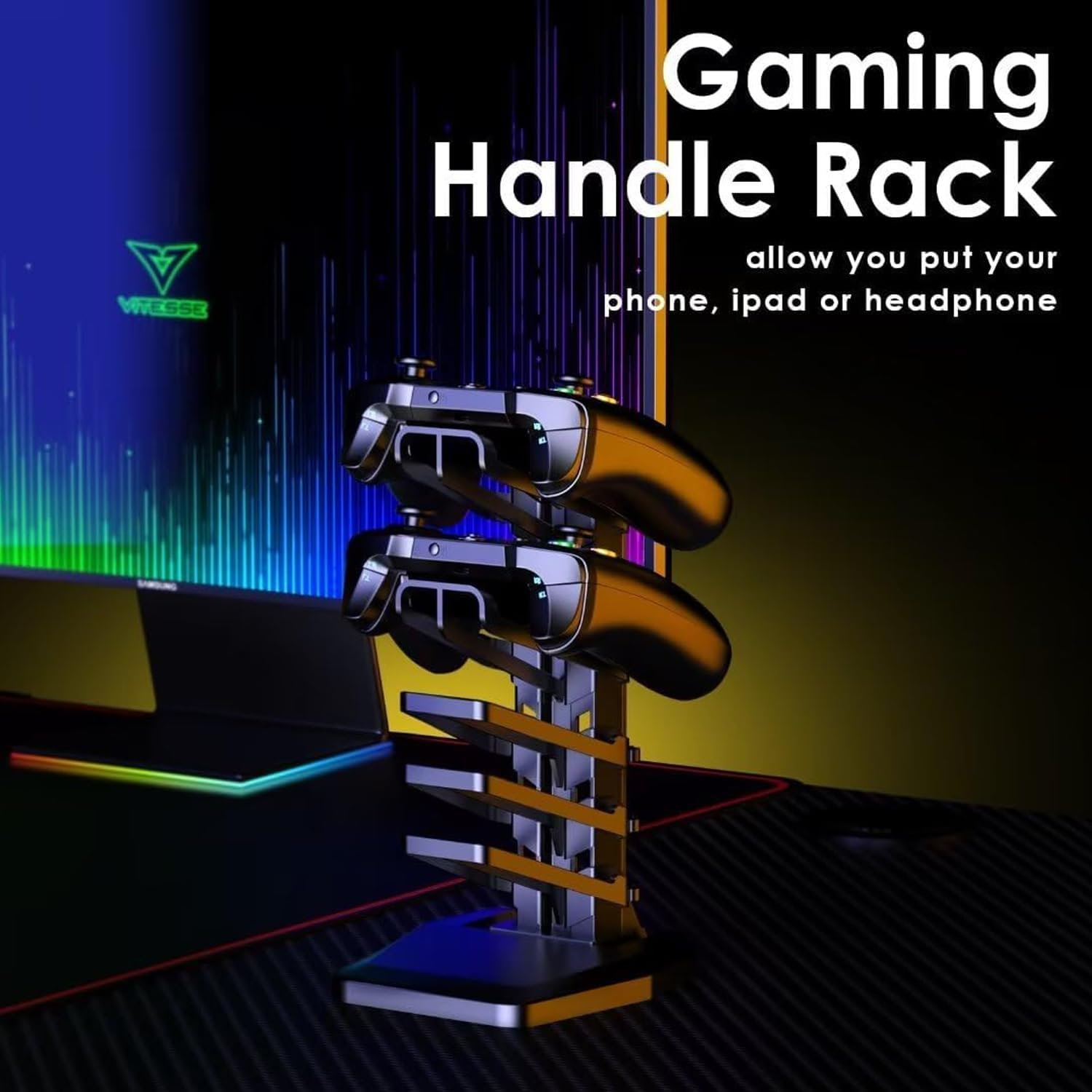
Image 5.1: The gaming handle rack, ideal for organizing controllers and mobile devices.
5.2 Cup Holder and Headphone Hook
The desk includes a detachable cup holder and a headphone hook. These accessories can be installed on either side of the desk using the pre-drilled holes, allowing for personalized setup. The cup holder is designed to accommodate various cup sizes.

Image 5.2: The convenient headphone hook and cup holder for easy access to your essentials.
5.3 Large Mouse Pad and Carbon Fiber Desktop
The desk features a spacious 63x29.5 inch carbon fiber desktop, accompanied by a large, durable mouse pad. This provides ample surface area for your gaming monitors, PC, keyboard, and other peripherals, ensuring smooth mouse movement and an organized workspace.

Image 5.3: The carbon fiber texture of the desktop and the included large mouse pad.
5.4 Cable Management
Integrated cable grommets and a storage tray help keep your cables organized and out of sight, contributing to a clean and clutter-free gaming environment.

Image 5.4: Cable management features help maintain a tidy workspace.
6. Maintenance
- Regularly wipe the desktop surface with a soft, damp cloth. Avoid abrasive cleaners.
- Check all screws and bolts periodically to ensure they remain tight. Retighten if necessary.
- Keep the desk away from direct sunlight and extreme temperatures to prevent material damage.
- Avoid placing hot items directly on the desktop without protective padding.
7. Troubleshooting
7.1 Desk Wobbles
- Ensure the desk is on a flat, level surface.
- Check all assembly screws and bolts. Tighten any loose connections.
- Verify that the Z-shaped legs are correctly installed and secured.
7.2 USB Ports Not Functioning
- Ensure the USB cable from the gaming handle rack is properly connected to a power source (e.g., your PC or a USB wall adapter).
- Test with a different USB device to confirm the port functionality.
8. Specifications
| Feature | Detail |
|---|---|
| Brand | VITESSE |
| Model Number | Z Shaped |
| Product Dimensions | 63"D x 29.5"W x 29.5"H |
| Color | Carbon Fiber Black |
| Style | Gaming |
| Base Material | Alloy Steel |
| Top Material Type | Polyvinyl Chloride, Carbon Fiber |
| Special Feature | Ergonomic, Gaming Handle Rack, Storage Tray, Cable Grommets, Cup Holder, Headphone Hook |
| Maximum Weight Recommendation | 260 Pounds |
| Required Assembly | Yes (Recommended 2 people) |
| UPC | 761344803435 |
9. Warranty and Support
9.1 Warranty Information
VITESSE offers a 1-Year Worry-Free Warranty. This includes free replacement or parts for any quality problem within one year of purchase.
9.2 Customer Support
If you encounter any issues with this product or have questions, please feel free to contact our customer support staff. Refer to your purchase documentation for specific contact details.
