
IPCamPower IPCP-212XD
IPCamPower POE Combiner Splitter Adapter Instruction Manual
Model: IPCP-212XD
Brand: IPCamPower
1. Introduction
The IPCamPower POE Combiner Splitter Adapter is designed to simplify the installation of IP cameras by allowing two cameras to share a single Ethernet cable run. This innovative solution reduces cabling costs and installation time, making it ideal for both new and existing surveillance system setups. It is compatible with all standard 802.3af/at POE switches, POE NVRs, and POE IP cameras, supporting both Mode A and Mode B POE pinouts for maximum flexibility.

Figure 1: IPCamPower POE Combiner Splitter Adapter Kit, including the combiner unit, splitter unit, and weatherproof connectors.
2. Package Contents
Please verify that all items are present in your package:
- 1 x Combiner Unit
- 1 x Splitter Unit
- Weatherproof Grommets (for Splitter Unit)
3. Key Features
- Cable Cost Reduction: Allows two IP cameras to operate over a single Ethernet cable, significantly reducing cabling requirements and installation costs.
- Broad Compatibility: Works seamlessly with all standard 802.3af/at POE switches, POE NVRs, and POE IP cameras.
- Mode A and B POE Support: Features a dual toggle switch to ensure compatibility with both Mode A and Mode B POE pinout types.
- Weatherproof Design: The Splitter Unit is equipped with IP68-rated weatherproof RJ45 connectors, allowing for outdoor exposure to various weather elements including rain, sleet, snow, ice, and sun.
- Simple Plug-and-Play: Designed for straightforward installation without complex configuration.
- Efficient Installation: Ideal for scenarios where two cameras are located in close proximity, eliminating the need for a second long cable run back to the network switch or NVR.
4. Setup and Installation
Follow these steps to set up your POE Combiner Splitter Adapter:
- Identify Units: The set consists of a sender "Combiner" unit and a receiver "Splitter" unit. The Combiner unit typically has two short Ethernet cables with RJ45 connectors, while the Splitter unit has two short cables with weatherproof connectors.
- Connect Combiner: Plug the two RJ45 connectors from the Combiner unit into two open POE ports on your POE switch or POE NVR.
- Run Single Cable: Connect a single, long Ethernet cable (Cat5e or Cat6 recommended) from the Combiner unit to the location where your two IP cameras are situated.
- Connect Splitter: At the camera location, plug the long Ethernet cable into the input of the Splitter unit.
- Connect Cameras: Connect two short Ethernet cables from the outputs of the Splitter unit to your two IP cameras. Ensure all connections are secure.
- Adjust POE Mode (if necessary): The Combiner unit features a dual toggle switch (Mode A and Mode B). If your POE switch or NVR uses a specific pinout mode and the cameras are not powering on, adjust this switch to the alternative mode to ensure compatibility.

Figure 2: Conceptual diagram illustrating the connection of two cameras to a single cable run using the Combiner and Splitter units.

Figure 3: Compatibility overview, highlighting the broad support for IP cameras, POE NVRs, and POE switches.
Installation Video Guide
Video 1: This video demonstrates the functionality and installation process of the IPCamPower POE Combiner Splitter. It shows how to connect the combiner to a POE switch and the splitter to two cameras, illustrating the cable reduction benefits.
5. Operation
The IPCamPower POE Combiner Splitter Adapter operates on a plug-and-play principle. Once correctly installed and connected to a compatible POE source and IP cameras, it will automatically combine and split the Power over Ethernet (POE) and data signals. No additional software or configuration is required for its basic operation.
6. Maintenance
The POE Combiner Splitter Adapter is designed for durability and requires minimal maintenance. The Splitter Unit features an IP68 rating, providing excellent protection against dust and water ingress, making it suitable for outdoor environments.
- Cleaning: Periodically wipe down the units with a soft, dry cloth to remove any dust or debris. Avoid using harsh chemicals or abrasive cleaners.
- Connection Check: Ensure all Ethernet connections remain secure, especially in outdoor installations where environmental factors might affect them.
- Weatherproof Connectors: For outdoor installations, ensure the weatherproof RJ45 connectors on the Splitter Unit are properly tightened to maintain their IP68 rating.
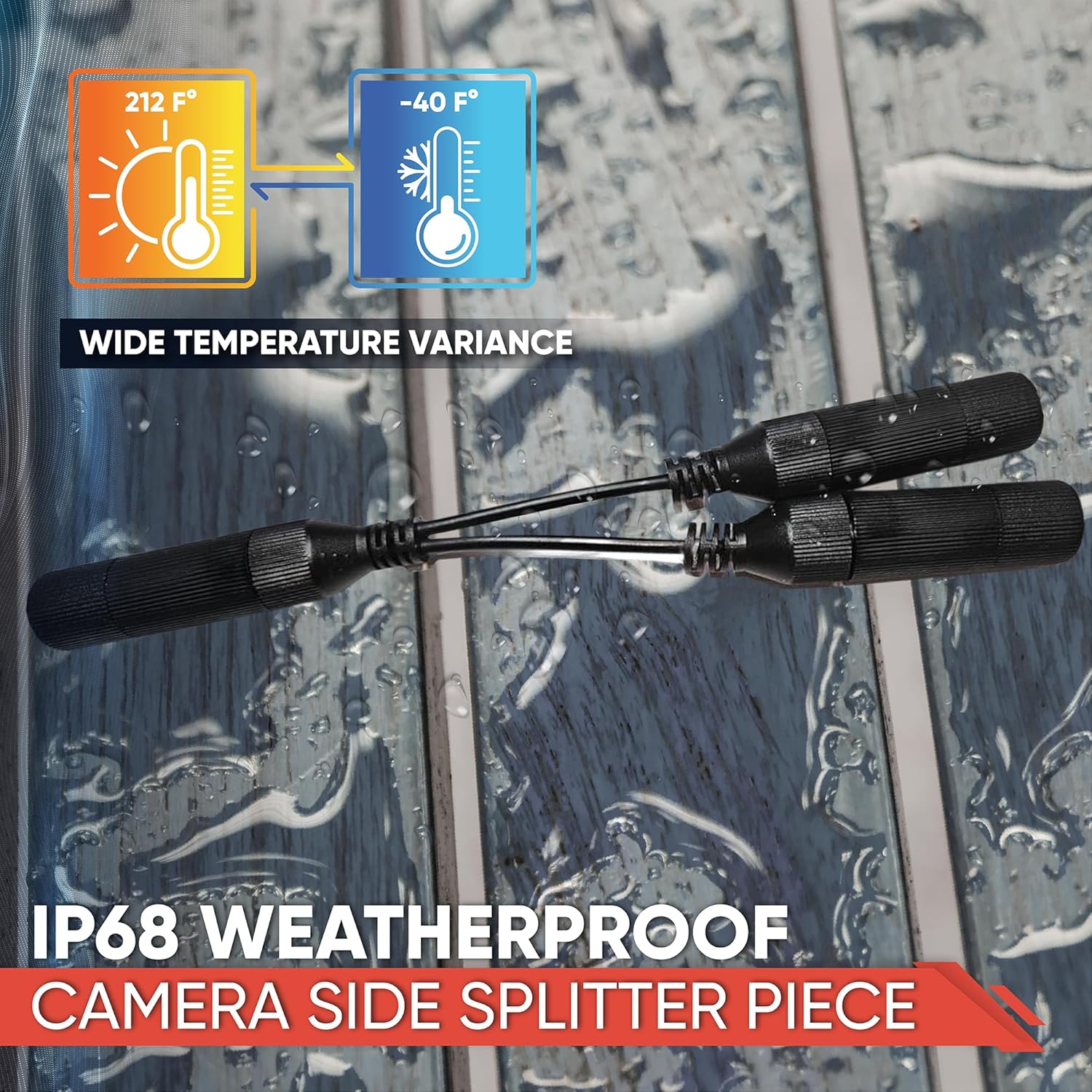
Figure 4: The Splitter Unit is designed with IP68 weatherproof capabilities, ensuring reliable performance in various outdoor conditions.
7. Troubleshooting
If you encounter issues with your POE Combiner Splitter Adapter, consider the following:
- No Power to Cameras:
- Verify that the POE switch or NVR ports are active and providing power.
- Check all Ethernet cable connections for proper seating and integrity.
- Ensure the POE Mode A/B switch on the Combiner unit is set correctly for your POE source. Try switching modes if unsure.
- Confirm that your cameras are POE compatible and within the power budget of your POE source.
- No Data Connection:
- Inspect all Ethernet cables for damage. Try replacing cables if suspected.
- Ensure the RJ45 connectors are fully inserted into the ports.
- Check network settings on your cameras and NVR/switch.
- Intermittent Connection:
- Ensure the long cable run is not exceeding recommended lengths for Ethernet (typically 100 meters or 328 feet).
- Verify cable quality (Cat5e or Cat6 recommended).
- Check for external interference or loose connections.
8. Specifications
| Attribute | Detail |
|---|---|
| Brand | IPCamPower |
| Model Number | IPCP-212XD |
| Product Dimensions | 6.75 x 1 x 1 inches (Combiner) |
| Item Weight | 3 ounces |
| Hardware Interface | Ethernet |
| Color | Black |
| Compatible Devices | Internet Protocol Camera |
| Data Link Protocol | Ethernet |
| Data Transfer Rate | 100 Megabits Per Second |
| UPC | 753215818273 |
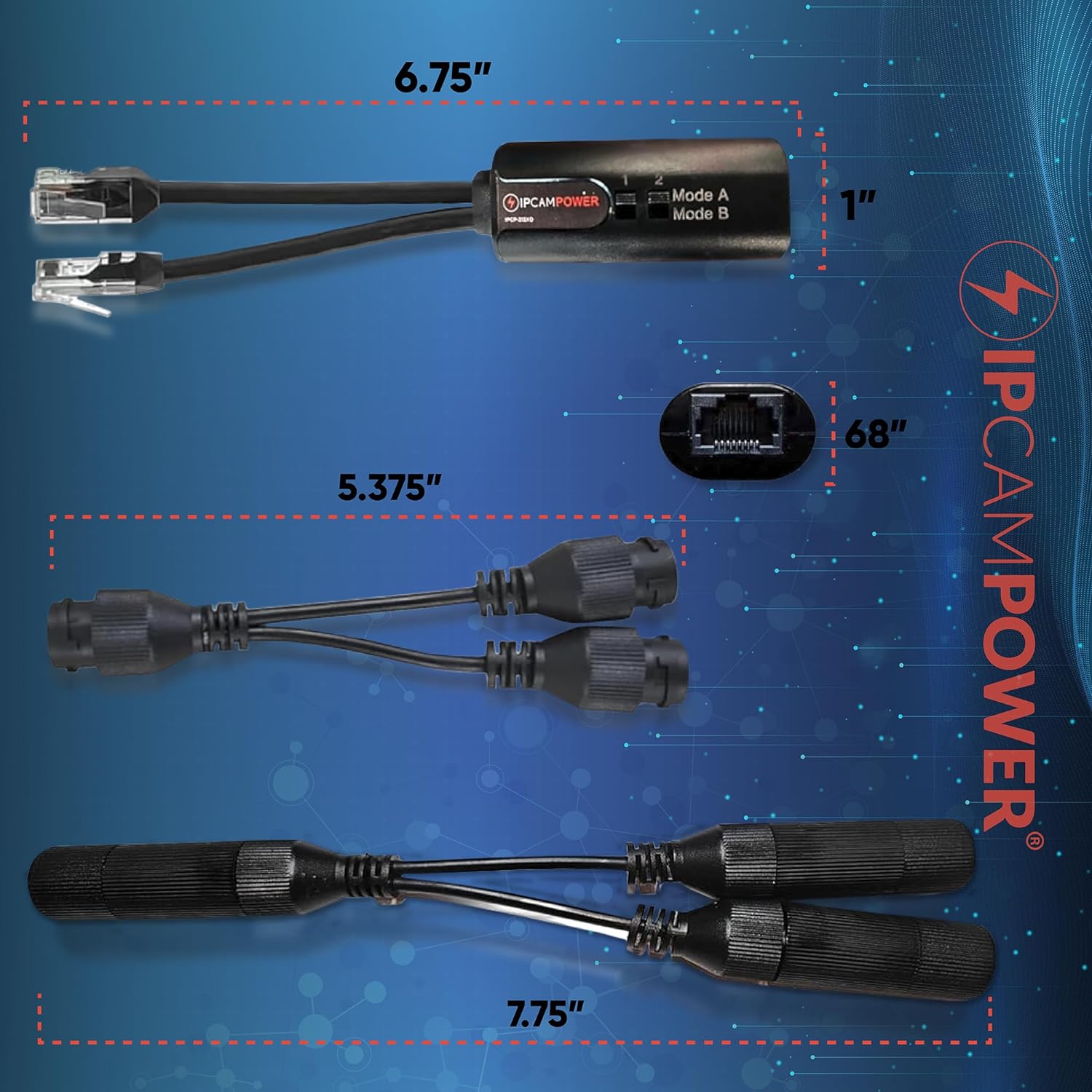
Figure 5: Detailed dimensions of the Combiner and Splitter units for planning installation space.
Related Documents - IPCP-212XD
 |
IPCamPower IPCP-212XD POE Combiner/Splitter: Installation and Troubleshooting Guide Guide to installing and troubleshooting the IPCamPower IPCP-212XD POE Combiner/Splitter, enabling two IP cameras on a single Ethernet cable. Includes compatibility and setup details. |
 |
IPCamPower IPCP-16P2G-AF/AT User Guide: 16-Port PoE Switch Comprehensive user guide for the IPCamPower IPCP-16P2G-AF and IPCP-16P2G-AT 16-port unmanaged PoE switches, covering product overview, features, installation, and port descriptions. |
 |
IPCamPower IPCP-16G4G-AT1: 16-Port Gigabit Unmanaged PoE Switch with 984' Extend Mode Detailed overview of the IPCamPower IPCP-16G4G-AT1, a 16-port Gigabit Unmanaged PoE Switch featuring 30W POE+ per port, 300W total budget, 984' Extend Mode, Port Isolation, and Auto Port Reboot Repair for robust network infrastructure. |
 |
IPCamPower IPCP-212X PoE Combiner/Splitter Adapter for Dual Camera Setup Learn about the IPCamPower IPCP-212X, a PoE combiner/splitter adapter designed to run two IP cameras on a single cable. This adapter offers simplified dual camera setup, reduced cabling costs, ultimate weather protection with IP68 rating, and universal PoE compatibility. It supports IEEE802.3af/at standards and is ideal for professional installers and consumers. |
 |
IPCamPower IPCP-PS90-BT1 Industrial Gigabit PoE Power Splitter The IPCamPower IPCP-PS90-BT1 is an industrial-grade Gigabit PoE Power Splitter that converts PoE input to selectable DC voltages (5V, 9V, 12V, 24V) while passing through PoE and maintaining 1 Gbps network speeds. Features 90W PoE input, 72W shared output, and industrial components. |
 |
IPCamPower IPCP-4P10GINJECTOR-BT1: 4-Port 10G PoE++ Extreme Power PoE Injector Hub Detailed specifications and features of the IPCamPower IPCP-4P10GINJECTOR-BT1, a 4-port 802.3bt PoE++ injector hub delivering up to 95W per port and 380W total budget with 10Gbps data pass-through for high-demand network devices. |
Ask a question about this manual
Ask about setup, troubleshooting, compatibility, parts, safety, or missing instructions. Manuals+ will review the question and use this page’s manual context to help answer it.