
Axloie G1
Axloie G1 Bluetooth Sport Earbuds User Manual
1. Introduction
Thank you for choosing the Axloie G1 Bluetooth Sport Earbuds. This manual provides essential information for setting up, operating, and maintaining your earbuds to ensure optimal performance and longevity. Please read this manual thoroughly before use.
Package Contents
- Axloie G1 Bluetooth Sport Earbuds (Left and Right)
- Charging Case
- USB Charging Cable
- Multiple Sizes of Ear Tips
- User Manual
2. Setup
2.1 Charging the Earbuds and Case
Before first use, fully charge the earbuds and the charging case. Place the earbuds into the charging case; they will automatically begin charging. Connect the charging case to a USB power source using the provided USB cable.
2.2 Power On/Off
- Power On: The earbuds automatically power on when removed from the charging case.
- Power Off: The earbuds automatically power off and begin charging when placed back into the charging case.
2.3 Bluetooth Pairing
The Axloie G1 earbuds feature one-step pairing for convenience.
- Take both earbuds out of the charging case. They will automatically power on and pair with each other.
- Activate Bluetooth on your mobile phone or device and search for "AXLOIE Goin" in the list of available devices. Select it to connect.
- After the initial pairing, the earbuds will automatically connect to your phone when removed from the case, provided Bluetooth is enabled on your device.
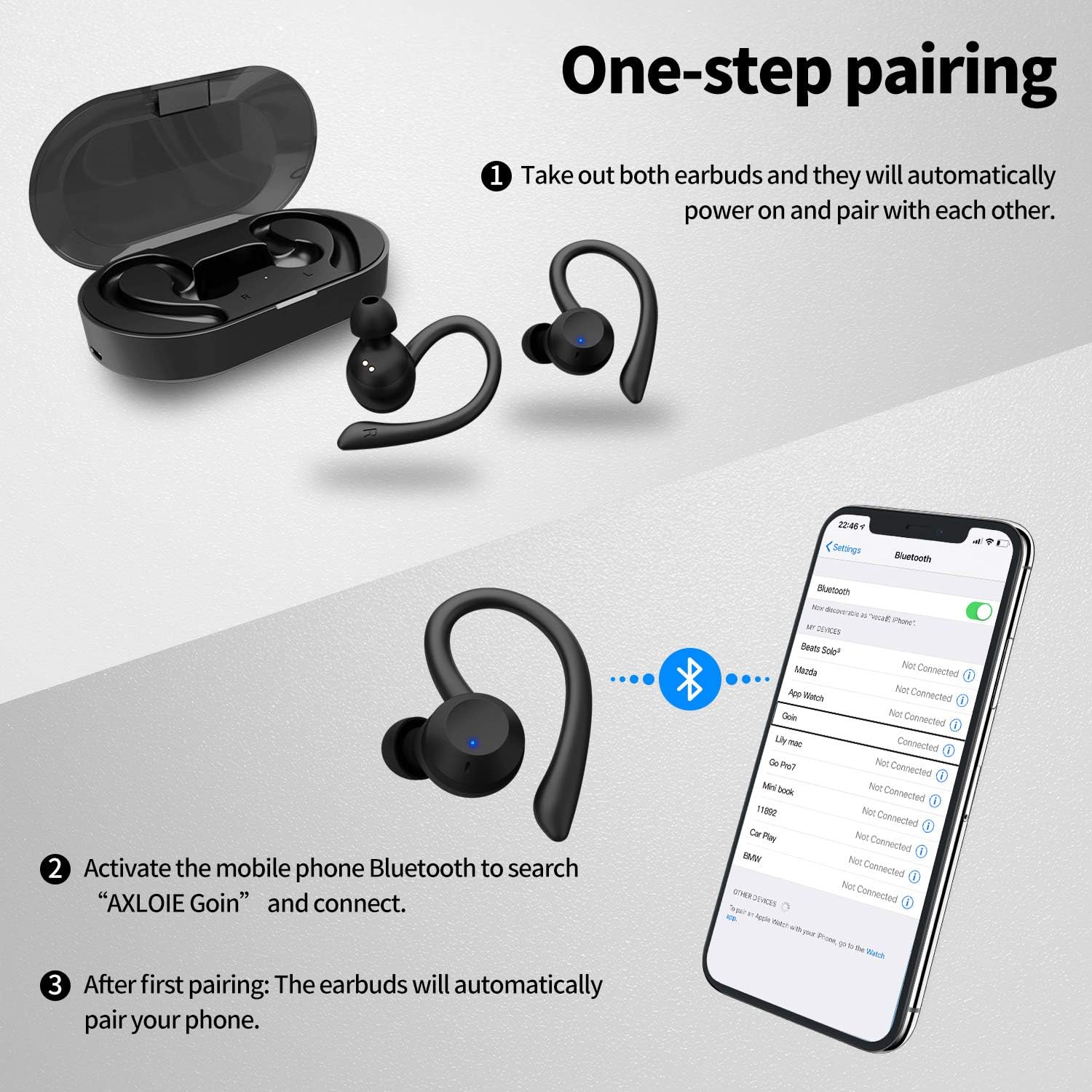
Figure 2.3.1: One-step pairing process for Axloie G1 earbuds.
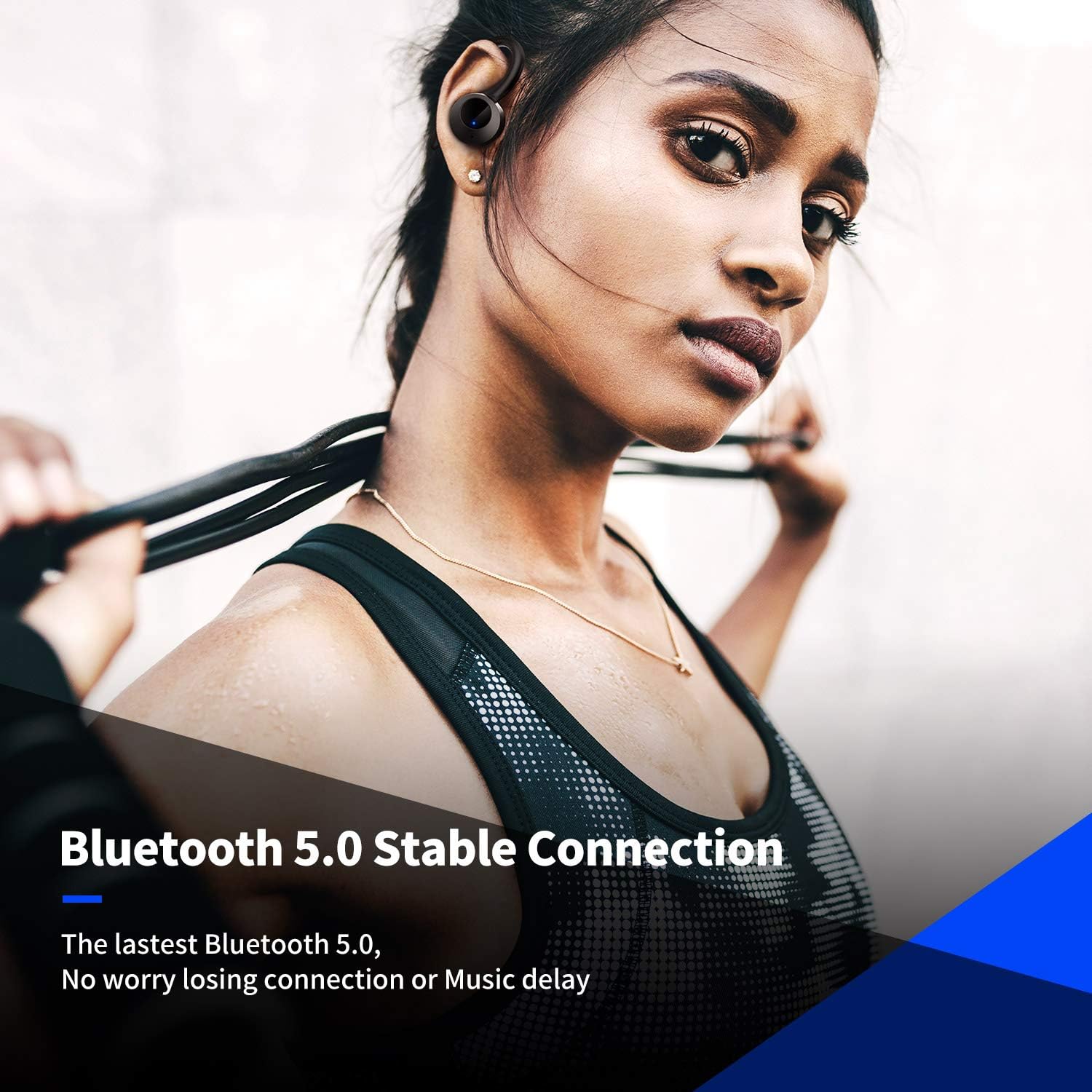
Figure 2.3.2: Axloie G1 earbuds utilizing Bluetooth 5.0 for a stable connection.
3. Wearing the Earbuds
The Axloie G1 earbuds are designed with flexible ear hooks to ensure a secure and comfortable fit, especially during physical activities.
- Select the most suitable ear tips from the provided options for a snug fit in your ear canal.
- Place the earbud into your ear, then gently adjust the ear hook over the top of your ear until it feels secure and comfortable.
- Ensure the earbud is properly seated to achieve optimal sound quality and noise isolation.
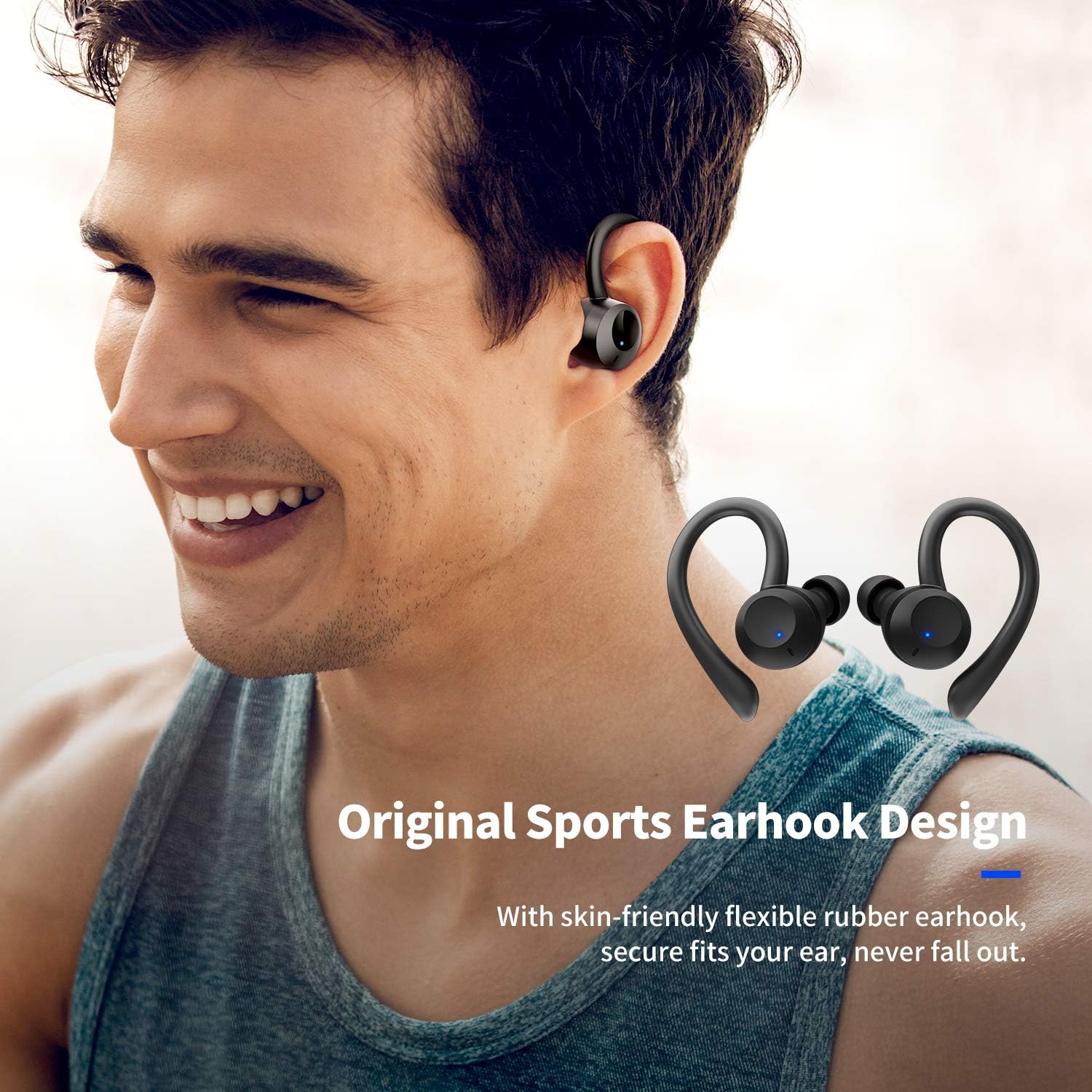
Figure 3.1: Proper wearing of Axloie G1 earbuds with ear hooks for a secure fit.

Figure 3.2: Axloie G1 earbuds designed for sports use, offering secure fit and comfort.
4. Operating the Earbuds
The Axloie G1 earbuds feature intuitive touch controls for managing music and calls.
4.1 Music Playback
- Play/Pause: Tap once on either earbud.
- Next Track: Double-tap the right earbud.
- Previous Track: Double-tap the left earbud.
- Volume Control: (Specific gesture not provided, typically long press or multiple taps. Refer to product packaging for exact details if available.)

Figure 4.1.1: Axloie G1 earbuds feature real-time analysis technology for enhanced audio quality.
4.2 Call Management
- Answer/End Call: Tap once on either earbud.
- Reject Call: Long press on either earbud for 2 seconds.
4.3 Voice Assistant
- Activate Voice Assistant: Triple-tap on either earbud (e.g., Siri, Google Assistant).
5. Maintenance
5.1 Cleaning
Regular cleaning helps maintain sound quality and hygiene.
- Gently wipe the earbuds and charging case with a soft, dry, lint-free cloth.
- Remove ear tips and clean them with mild soap and water, then dry thoroughly before reattaching.
- Do not use abrasive cleaners, alcohol, or chemical solvents.
5.2 Water Resistance (IPX6)
The Axloie G1 earbuds are rated IPX6 waterproof, meaning they are protected against high-pressure water jets from any direction. This makes them resistant to sweat and rain, suitable for intense activities or daily use.
- Do not submerge the earbuds in water.
- Ensure the charging port on the case is dry before charging.
- If the earbuds get wet, wipe them dry before placing them back in the charging case.

Figure 5.2.1: Axloie G1 earbuds demonstrating IPX6 sweatproof and waterproof design.
5.3 Storage
Store the earbuds in their charging case when not in use to protect them and keep them charged. Avoid storing them in extreme temperatures.
6. Troubleshooting
If you encounter issues with your Axloie G1 earbuds, refer to the following common problems and solutions:
| Problem | Solution |
|---|---|
| Earbuds do not power on. | Ensure the charging case and earbuds are charged. Place earbuds in the case, then remove them. |
| Earbuds do not pair with each other. | Place both earbuds back into the charging case, close the lid, then open it and remove them simultaneously. |
| Earbuds do not connect to the device. | Ensure Bluetooth is enabled on your device. Forget "AXLOIE Goin" in your device's Bluetooth settings and re-pair. |
| No sound from one or both earbuds. | Check device volume. Ensure earbuds are charged and properly paired. Try re-pairing. |
| Charging case not charging. | Ensure the USB cable is securely connected to both the case and the power source. Try a different cable or power adapter. |
7. Specifications
- Model Name:
- G1
- Brand:
- Axloie
- Connectivity Technology:
- Wireless (Bluetooth 5.0)
- Ear Placement:
- In-Ear (Intra-aural)
- Form Factor:
- Earbuds with Earhooks
- Water Resistance Level:
- IPX6 (Sweatproof & Rainproof)
- Control Method:
- Touch
- Special Features:
- HiFi Stereo Sound, CVC 6.0 Noise Reduction
- Battery Life (Earbuds):
- Up to 5 hours per charge
- Total Playtime (with Charging Case):
- Up to 20 hours (400 mAh charging case)
- Battery Composition:
- Lithium-ion Polymer
- Material:
- Plastic
- Compatible Devices:
- Smartphones, Tablets, Laptops, Computers, Smart Speakers, Car Audio Systems, Televisions
8. Warranty and Support
8.1 Warranty Information
Axloie products are covered by a limited warranty from the date of purchase. Please refer to the warranty card included in your package or visit the official Axloie website for detailed warranty terms and conditions.
8.2 Customer Support
If you have any questions, require technical assistance, or need to claim warranty service, please contact Axloie customer support through the following channels:
- Email: support@axloie.com (Example, actual email may vary)
- Website: www.axloie.com/support (Example, actual URL may vary)
Please have your product model number (G1) and purchase details ready when contacting support.
Ask a question about this manual
Ask about setup, troubleshooting, compatibility, parts, safety, or missing instructions. Manuals+ will review the question and use this page’s manual context to help answer it.