
VEVOR Ring Engraver Machine
VEVOR Inside Ring Engraver Machine User Manual
Model: Ring Engraver Machine
Brand: VEVOR
1. Introduction
The VEVOR Inside Ring Engraver Machine is a precision tool designed for engraving characters and designs on the inside surface of various rings. This machine offers a reliable and efficient method for personalizing jewelry, providing results comparable to hand engraving with enhanced consistency.
It is suitable for engraving on materials such as gold, silver, copper, and platinum, making it a versatile addition for jewelers and hobbyists alike.

Figure 1: VEVOR Inside Ring Engraver Machine

Figure 2: Examples of Engraved Rings
2. Safety Instructions
- Always read and understand the entire manual before operating the machine.
- Keep the work area clean and well-lit. Cluttered or dark areas invite accidents.
- Do not operate the machine in explosive atmospheres, such as in the presence of flammable liquids, gases, or dust.
- Keep children and bystanders away while operating the machine. Distractions can cause you to lose control.
- Dress properly. Do not wear loose clothing or jewelry. Keep your hair and clothing away from moving parts.
- Use personal protective equipment. Always wear eye protection.
- Do not overreach. Keep proper footing and balance at all times.
- Maintain the machine. Check for misalignment or binding of moving parts, breakage of parts, and any other condition that may affect the machine’s operation.
- Disconnect the power plug from the power source before making any adjustments, changing accessories, or storing the machine.
3. Package Contents
Upon unpacking, please verify that all items listed below are included and in good condition:
- 1 x VEVOR Inside Ring Engraving Machine
Note: Additional accessories or practice rings may be included depending on the specific product package.
4. Specifications
| Parameter | Value |
|---|---|
| Brand | VEVOR |
| Model | Ring Engraver Machine |
| Material | Metal |
| Product Dimensions (L x W x H) | 10" x 9" x 16" (25.4 cm x 22.86 cm x 40.64 cm) |
| Item Weight | 8.73 lbs (3.96 kg) |
| Character Height | 1.5mm - 2.0mm |
| Rotary Angle of Jaw | 360° |
| Dial Diameter | Approx. 5" (125 mm) |
| Special Feature | Lightweight design |
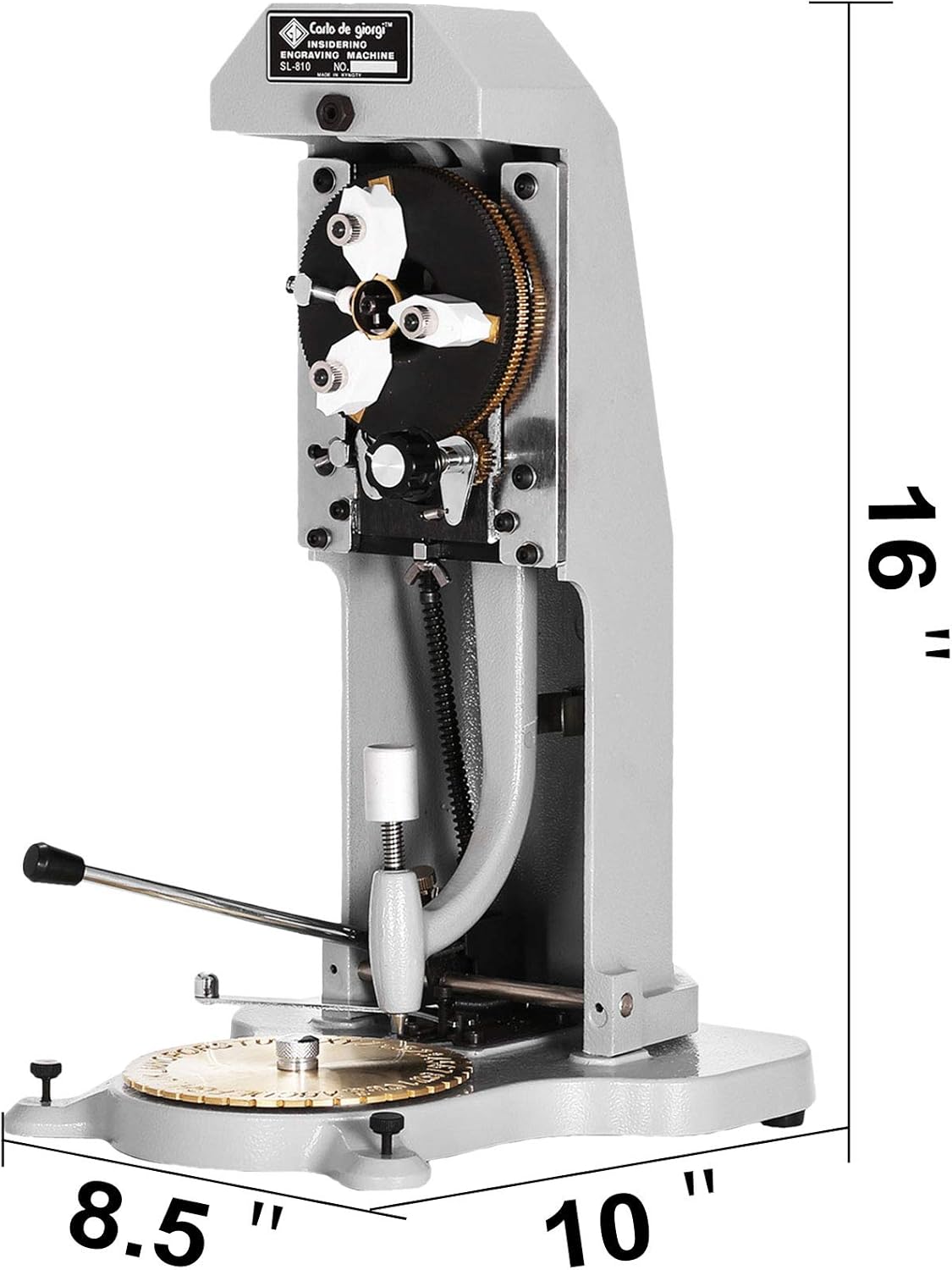
Figure 3: Product Dimensions

Figure 4: Solid Base for Stability
5. Setup
Before operating the VEVOR Inside Ring Engraver Machine, ensure it is placed on a stable, level surface. No complex assembly is typically required for this unit, but familiarizing yourself with its components is crucial.

Figure 5: Key Components of the Engraver
Component Identification:
- Ring Clip: Holds the ring securely in place during engraving.
- Grip Adjustment Knob: Used to adjust the grip and secure the ring.
- Handle: Operates the engraving mechanism.
- Lettering Plate Handle: Used to rotate the lettering plate.
- Lettering Pen: The diamond-tipped stylus that traces characters from the lettering plate.
- Lettering Plate: Contains the characters (letters, numbers, symbols) to be engraved.
6. Operating Instructions
Follow these steps for precise and effective engraving:
- Prepare the Ring: Ensure the ring is clean and free of debris.
- Secure the Ring: Place the ring into the chuck (ring clip) at the top of the machine. Use the grip adjustment knob to tighten and secure the ring firmly.

Figure 6: Securing the Ring in the Clip
- Select Character: Rotate the lettering plate using the lettering plate handle to align the desired character (letter, number, or symbol) under the lettering pen. The dial has English letters and Arabic numerals.
- Engrave the Character:
- Gently lower the lettering pen onto the selected character on the lettering plate.
- Simultaneously, operate the main handle to bring the engraving stylus into contact with the inside of the ring.
- Carefully trace the character on the lettering plate with the lettering pen. The diamond nib will precisely engrave the character onto the ring.

Figure 7: Lettering Pen in Action

Figure 8: Engraving Detail on Lettering Plate
- Repeat: Lift the lettering pen and main handle, then rotate the ring slightly to prepare for the next character. Repeat the process for all desired characters.
- Remove Ring: Once engraving is complete, loosen the grip adjustment knob and carefully remove the engraved ring.
Practice is recommended on scrap material before engraving valuable items to achieve desired results.
7. Maintenance
Proper maintenance ensures the longevity and optimal performance of your VEVOR Inside Ring Engraver Machine.
- Cleaning: The manufacturer recommends Hand Wash Only for cleaning. Use a soft, dry cloth to wipe down the machine after each use to remove any metal dust or debris. For stubborn grime, a slightly damp cloth can be used, ensuring no moisture enters internal mechanisms.
- Lubrication: Periodically apply a small amount of light machine oil to moving parts, such as the joints of the engraving arm and the rotation mechanism of the lettering plate, to ensure smooth operation.
- Stylus Inspection: Regularly inspect the diamond engraving nib for wear or damage. A dull or chipped stylus will result in poor engraving quality and should be replaced.
- Storage: Store the machine in a clean, dry environment, away from direct sunlight and extreme temperatures, when not in use.
8. Troubleshooting
This section addresses common issues you might encounter with your ring engraver.
| Problem | Possible Cause | Solution |
|---|---|---|
| Engraving is too light or inconsistent. |
|
|
| Characters are not clear or distorted. |
|
|
| Machine parts feel stiff or sticky. |
|
|
If the issue persists after attempting these solutions, please contact VEVOR customer support.
9. Warranty and Support
VEVOR products are designed for durability and performance. For specific warranty details, please refer to the warranty card included with your product or visit the official VEVOR website.
For technical assistance, troubleshooting beyond this manual, or to inquire about replacement parts, please contact VEVOR customer support. Contact information can typically be found on the product packaging or the official VEVOR website.
You can visit the VEVOR Store at https://www.amazon.com/stores/VEVOR/page/09A776F6-0EB9-4948-918D-9FF03FC17370 for more information and products.
Ask a question about this manual
Ask about setup, troubleshooting, compatibility, parts, safety, or missing instructions. Manuals+ will review the question and use this page’s manual context to help answer it.