
IFOLO SN87
IFOLO Smart Watch SN87 User Manual
Model: SN87
Introduction
This manual provides comprehensive instructions for the setup, operation, and maintenance of your IFOLO Smart Watch SN87. Please read this manual carefully before using the device to ensure optimal performance and longevity.
The IFOLO Smart Watch SN87 is designed for both men and women, featuring a 1.4-inch touch screen, activity tracking, heart rate and sleep monitoring, 5ATM waterproofing, and compatibility with both Android and iOS smartphones.

Figure 1: IFOLO Smart Watch SN87. This image shows the overall design of the smartwatch, highlighting its sleek black finish and digital display.
Package Contents
Upon opening the package, please verify that all items are present and in good condition:
- 1 x IFOLO Smart Watch SN87
- 1 x Watch Strap
- 1 x Charging Cable
- 1 x User Manual (this document)
Setup Guide
1. Charging the Device
Before first use, fully charge your IFOLO Smart Watch SN87. Connect the magnetic charging cable to the charging points on the back of the watch and plug the USB end into a standard USB power adapter (not included) or a computer USB port.
A full charge typically takes approximately 2 hours. The battery indicator on the watch screen will show charging status.
2. Downloading the Companion App
To unlock the full features of your smart watch, download the official companion application on your smartphone. Search for "IFOLO Smart" or similar in your device's app store (Google Play Store for Android, Apple App Store for iOS).
The app is compatible with iOS 9.0+ and Android 5.0+ devices.
3. Pairing with Your Smartphone
- Ensure Bluetooth is enabled on your smartphone.
- Open the IFOLO companion app.
- Follow the on-screen instructions within the app to search for and connect to your SN87 Smart Watch. The watch's Bluetooth name will typically be "SN87" or "IFOLO-SN87".
- Confirm the pairing request on both your watch and smartphone.
Once paired, the watch will synchronize time and data with your phone.
Operating Instructions
Basic Navigation
The IFOLO Smart Watch SN87 features a 1.4-inch HD colored full touch screen for intuitive operation.
- Swipe Up/Down: Navigate through menus and notifications.
- Swipe Left/Right: Access quick functions or different data screens.
- Tap: Select an item or confirm an action.
- Side Button: Press to return to the home screen or wake the device.

Figure 2: 1.4-inch HD Colored Full Touch Screen Interface. This image illustrates the various data points and functions accessible directly from the watch's main screen, including sport tracking, heart rate, blood oxygen, sleep monitoring, step count, news, weather, camera control, and music playback.
Key Features
Activity and Fitness Tracking
The watch automatically tracks your daily steps, calories burned, and distance traveled. It supports 10 sports modes including Walking, Running, Cycling, Climb, Yoga, Skipping, Badminton, Basketball, Football, and Jump Rope.

Figure 3: 10 Sport Modes. This image highlights the diverse range of sports activities the watch can track, acting as a personal coach on your wrist.
Heart Rate and Sleep Monitoring
The watch continuously monitors your heart rate throughout the day. It also automatically detects and tracks your sleep patterns, providing data on deep sleep, light sleep, and wake-up times, accessible via the companion app.
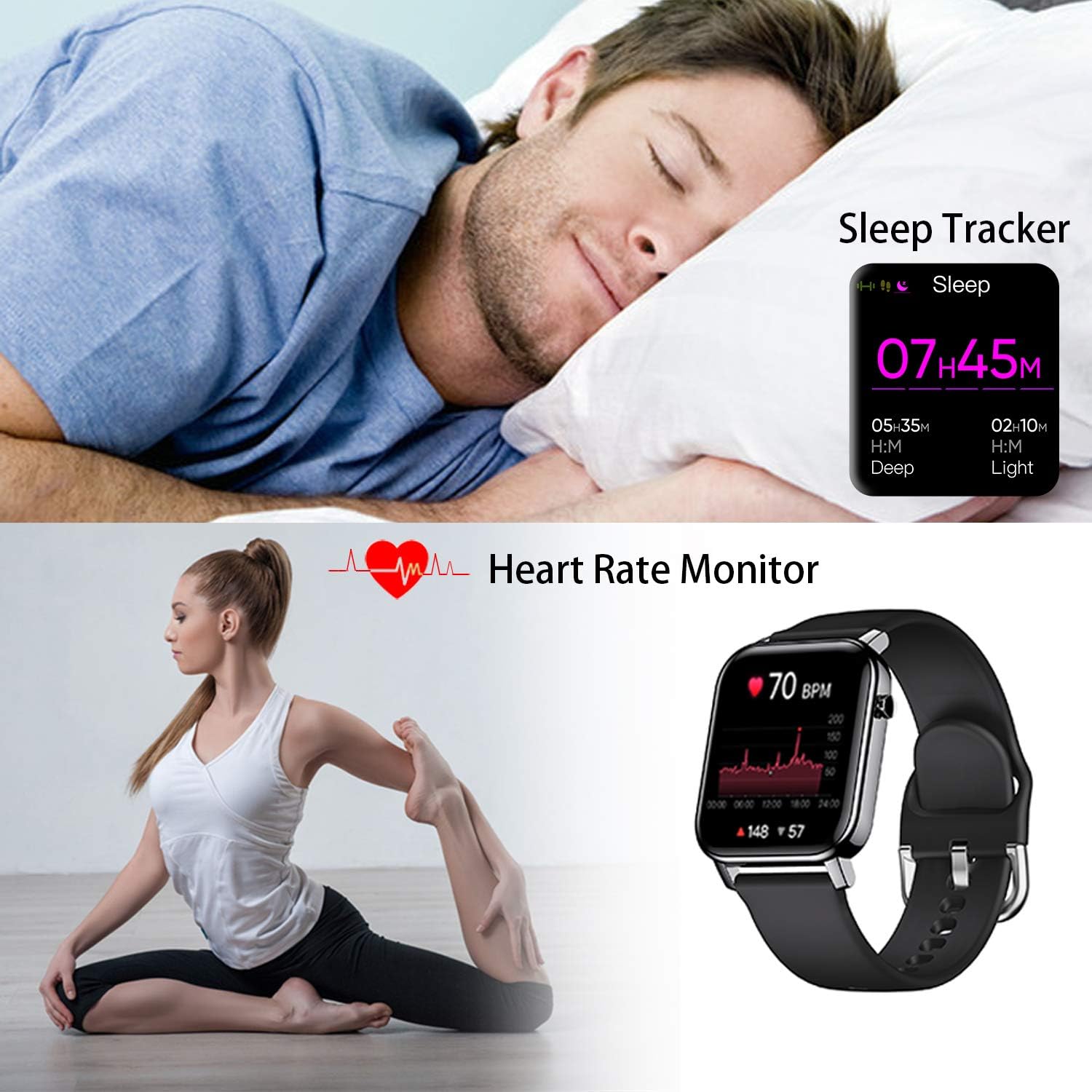
Figure 4: Sleep and Heart Rate Monitoring. This image demonstrates the watch's capability to track sleep duration and quality, as well as monitor heart rate during activities or at rest.
Notifications and Calls
Once connected to your smartphone, the watch will display incoming call alerts and messages from various applications such as WhatsApp, Twitter, Facebook, Skype, WeChat, and Instagram. You can read messages directly on the watch screen.

Figure 5: Call and Message Alerts. This image illustrates how the smart watch receives and displays notifications from popular messaging and social media platforms, ensuring you never miss important updates.
Music and Camera Control
Control your smartphone's music playback directly from your watch, including play/pause, skip tracks, and volume adjustment. You can also remotely control your phone's camera by tapping the camera icon on the watch or shaking your arm.

Figure 6: Music and Camera Control. This image shows the convenience of controlling music playback and remotely triggering your smartphone's camera directly from the watch.
Customizable Watch Faces
The watch offers over 70 stylish watch interfaces. You can also customize the watch face using your own photos through the companion app.
Other Smart Features
Additional tools include alarm clocks, stopwatch, deep breather guide, weather display, sedentary reminder, adjustable brightness, and a "find phone" function.
Maintenance
Cleaning Your Smart Watch
- Wipe the watch screen and strap regularly with a soft, damp cloth.
- Avoid using harsh chemicals or abrasive cleaners, as these can damage the watch's finish.
- Ensure the charging contacts are clean and dry before charging.
Water Resistance (5ATM)
The IFOLO Smart Watch SN87 is 5ATM water-resistant, meaning it can withstand pressures equivalent to a depth of 50 meters. This makes it suitable for swimming and showering. However, it is not recommended for diving or high-pressure water activities.
Avoid exposing the watch to hot water, steam, or corrosive liquids, as this may compromise the water resistance.
Battery Care
- Charge the watch regularly, even if not in use, to maintain battery health.
- Avoid extreme temperatures, which can degrade battery performance.
- The watch supports up to 10 days of use and 45 days of standby time on a single charge.
Troubleshooting
| Problem | Possible Cause | Solution |
|---|---|---|
| Watch not turning on | Low battery | Charge the watch for at least 30 minutes. |
| Cannot pair with phone | Bluetooth off; App not open; Watch too far; Interference | Ensure Bluetooth is on, app is open, watch is close to phone. Restart both devices. |
| No notifications | App permissions not granted; Notifications disabled in app | Check app permissions in phone settings. Enable notifications within the IFOLO app. |
| Inaccurate activity data | Loose fit; Incorrect personal information in app | Ensure watch is worn snugly. Verify height, weight, and stride length in the app. |
Specifications
- Model: SN87
- Brand: IFOLO
- Display: 1.4-inch HD Colored Full Touch Screen
- Resolution: 360 x 360 pixels
- Operating System: Android, iOS compatible
- Water Resistance: 5ATM
- Battery Life: Up to 10 days (typical use), 45 days (standby)
- Connectivity: Bluetooth
- Sensors: Heart Rate Monitor, Calorie Tracker
- Dimensions: 9.5 x 8.5 x 5 cm (Product Package); Watch dimensions: 1.5 inch (height) x 1.3 inch (width) x 0.37 inch (thickness)
- Weight: 130 g (Product Package)
- Included: Smart Watch, Strap, Charger, Instructions

Figure 7: Product Dimensions. This image provides a visual representation of the watch's physical dimensions and strap length.
Warranty and Support
For warranty information and customer support, please refer to the contact details provided on the product packaging or visit the official IFOLO website. Keep your purchase receipt as proof of purchase for warranty claims.
For common issues, please refer to the Troubleshooting section of this manual or the FAQ section on the IFOLO support page.