
vitalASC B08JHF9L44
vitalASC Active Digital Pen for iPad User Manual
Model: B08JHF9L44
Introduction
The vitalASC Active Digital Pen is designed to enhance your iPad experience, offering precision and responsiveness for drawing, writing, and navigation. This manual provides comprehensive instructions for setup, operation, and maintenance of your new stylus.
What's Included
Upon unboxing your vitalASC Active Digital Pen, please ensure all the following items are present:
- 1 x vitalASC Active Digital Pen
- 3 x Extra Pen Tips
- 1 x Pen Tip Puller
- 1 x USB Charging Cable (Micro-USB)
- 1 x User Manual (this document)
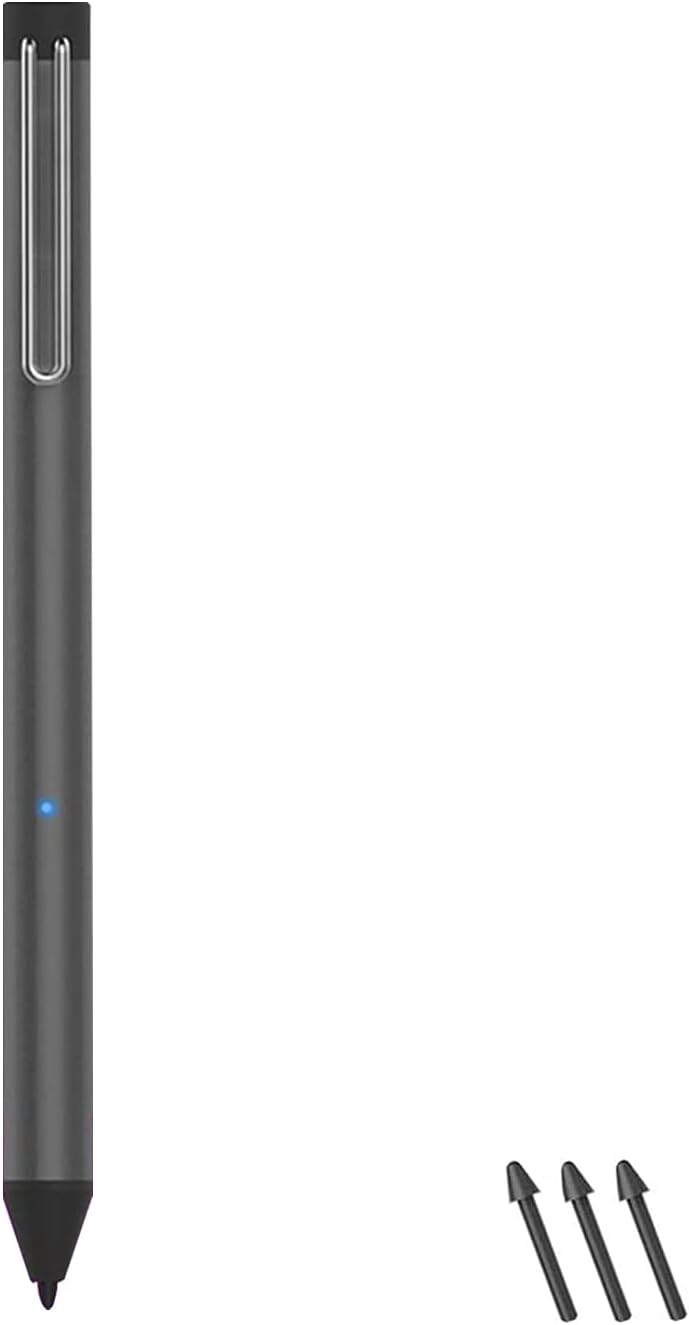
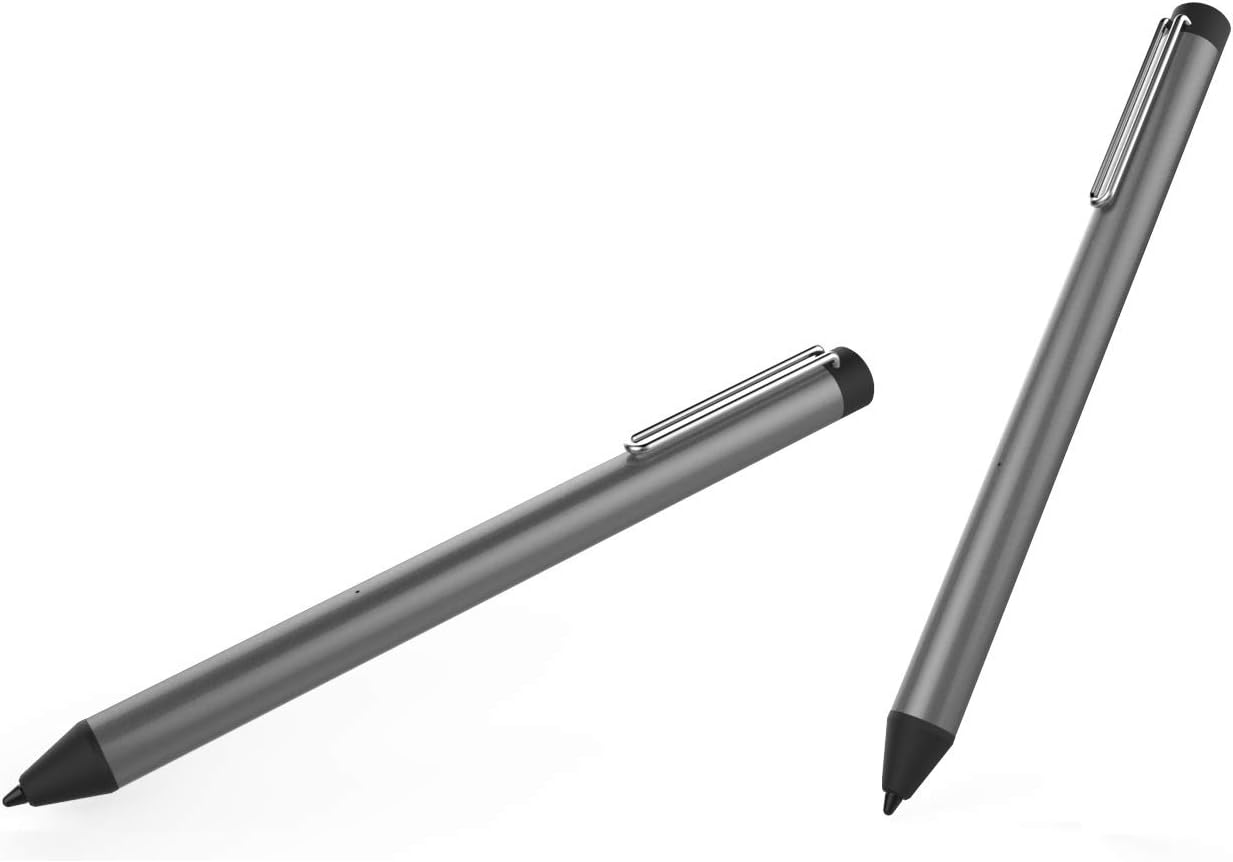

Product Overview
The vitalASC Active Digital Pen features a sleek design with key components for optimal functionality:
- Pen Tip: For precise writing and drawing.
- Power Indicator Light: Shows power status and charging.
- Micro-USB Charging Port: Located at the top end of the pen.
- Pen Clip: For secure attachment to notebooks or pockets.

Product Features Video
Video: An overview of the vitalASC Active Digital Pen, highlighting its features and components.
Compatibility
This vitalASC Active Digital Pen is compatible with various Apple iPad models released after 2018. Please refer to the table below to confirm compatibility with your specific iPad model:
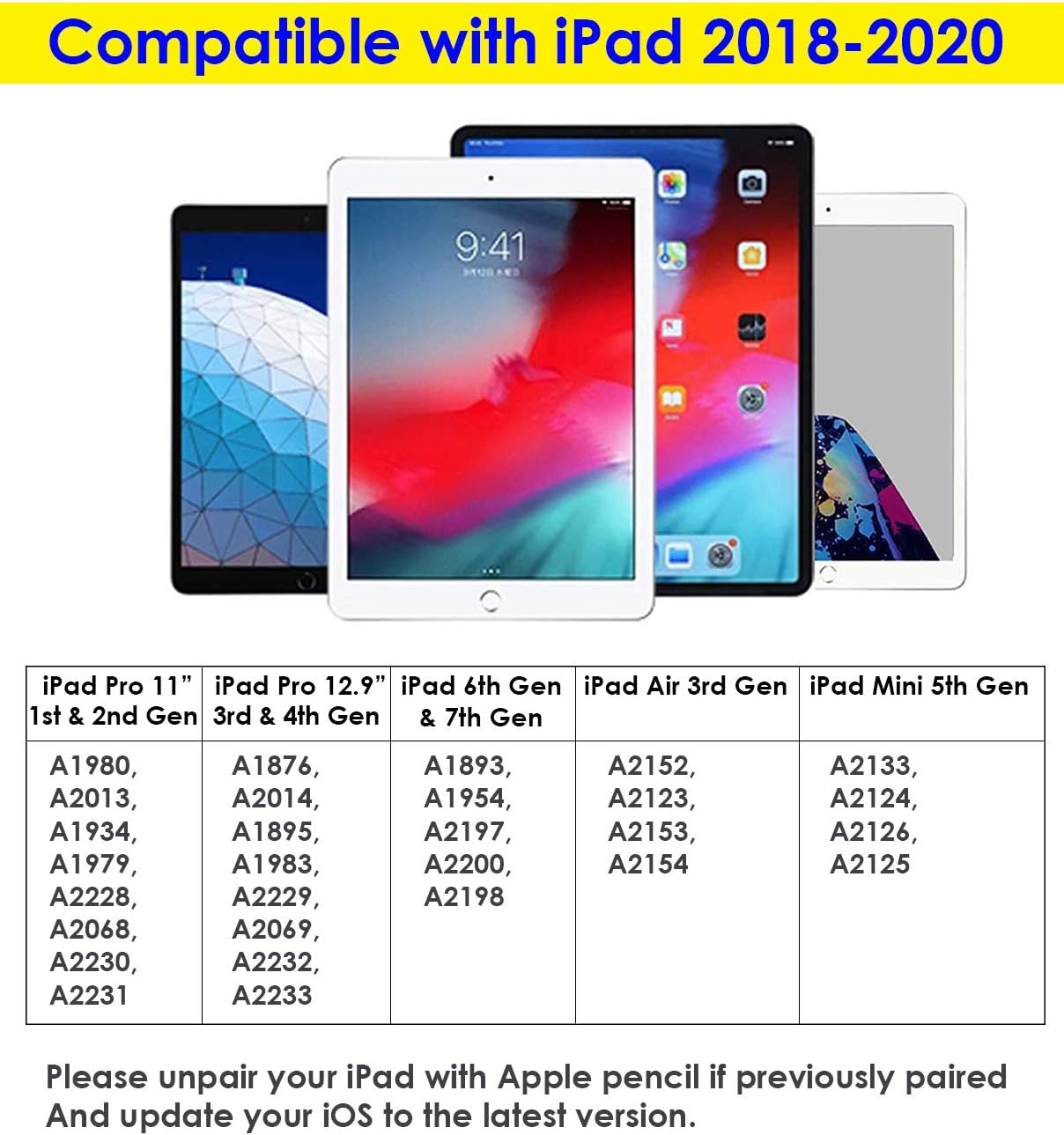
Important: If you have previously paired an Apple Pencil with your iPad, please unpair it before using the vitalASC Active Digital Pen. Ensure your iOS is updated to the latest version for optimal performance.
Setup
Initial Charging
Before first use, fully charge your vitalASC Active Digital Pen. Connect the provided Micro-USB charging cable to the charging port at the top of the pen and plug the other end into a USB power source (e.g., computer, wall adapter). The power indicator light will illuminate during charging and turn off when fully charged.
Connecting to iPad
The vitalASC Active Digital Pen does not require Bluetooth pairing. Simply touch the pen tip to your iPad screen to activate it. The power indicator light will turn blue when active and ready for use.
To turn off the pen, press and hold the top end of the pen for 3 seconds until the blue light turns off.
Operating Instructions
Basic Usage
Once activated, the vitalASC Active Digital Pen functions like a traditional pen on your iPad screen. Use it for navigation, writing notes, drawing, and interacting with apps.

Palm Rejection
The pen features palm rejection technology, allowing you to rest your hand naturally on the iPad screen while writing or drawing without unintended marks. This feature ensures a comfortable and precise user experience.
Tilt Sensitivity
The vitalASC Active Digital Pen supports tilt sensitivity, enabling you to vary line thickness and shading by tilting the pen, similar to using a pencil. This feature is particularly useful in drawing and art applications.


Maintenance
Charging the Pen
To maintain optimal performance, charge your vitalASC Active Digital Pen regularly. A full charge provides extended usage time. The pen automatically enters a low-power state after a period of inactivity to conserve battery.
Replacing Pen Tips
Over time, the pen tip may wear down. To replace it:
- Gently pull the old pen tip straight out using the provided pen tip puller.
- Insert a new pen tip firmly into the pen until it clicks into place.
Ensure the new tip is securely seated before use to prevent damage or improper function.
Troubleshooting
| Problem | Possible Cause | Solution |
|---|---|---|
| Pen is not responding. | Low battery; Pen is off; Previous Apple Pencil still paired. | Charge the pen; Tap the pen tip on the screen to activate; Go to iPad Bluetooth settings and "Forget This Device" for any Apple Pencils. |
| Pen is not charging. | Faulty cable or power source; Charging port obstruction. | Try a different Micro-USB cable and USB power source; Check charging port for debris. |
| Lag or inconsistent performance. | Outdated iOS; App compatibility; Worn-out pen tip. | Update iPad to the latest iOS version; Ensure the app supports stylus input; Replace the pen tip. |
| Palm rejection not working. | App settings; iPad settings. | Check the specific app's settings for palm rejection; Ensure your iPad is compatible with this feature. |
Specifications
- Brand: vitalASC
- Model: B08JHF9L44
- Material: Metal
- Item Weight: 3.03 ounces (0.09 Kilograms)
- Package Dimensions: 7.25 x 2.44 x 1.1 inches
- Batteries: 1 Lithium Ion battery (included)
- Battery Description: Lithium-Ion, Alkaline
- Compatible Devices: Tablet (specifically iPads after 2018)
- UPC: 667492005816
Warranty and Support
For any questions, technical support, or warranty inquiries regarding your vitalASC Active Digital Pen, please contact vitalASC customer service. Refer to the product packaging or the vitalASC official website for contact information.
You can also visit the vitalASC Store on Amazon for more information: vitalASC Amazon Store.
Related Documents - B08JHF9L44
 |
AirSens for iPad User Manual: Active Capacitive Pen Guide Comprehensive user manual for the AirSens Active Capacitive Pen for iPad. Learn how to use, charge, and troubleshoot your stylus pen for various compatible iPad models. |
 |
Green Lion Kids Pro Active Stylus Pen - User Manual and Specifications Detailed information about the Green Lion Kids Pro Active Stylus Pen (Model GL-PEN8), including specifications, usage guide, compatibility, packing list, warranty, and contact information. |
 |
TIKKENS Active Stylus Pen (TISP01) - User Manual & Features Comprehensive guide for the TIKKENS Active Stylus Pen (TISP01). Learn about its specifications, features, and how to use it with Apple and other capacitive touchscreen devices. Includes setup instructions and charging information. |
 |
S-Pen Stylus for iPad: User Manual, Features, and Compatibility Comprehensive user manual for the S-Pen stylus, detailing features like palm rejection and tilt angle sensing, compatibility with iPad models 2018-2022, charging, and maintenance. Includes model ZYKPGB-1-US. |
 |
DOUXE S3 Active Stylus Pen Instruction Manual Comprehensive instruction manual for the DOUXE S3 Active Stylus Pen, detailing features, technical specifications, operating instructions, safety warnings, and warranty information for touchscreen device users. |
 |
Logitech Combo Touch & Crayon User Manuals Detailed user guides for the Logitech Combo Touch keyboard case and Logitech Crayon digital pencil, covering setup, features, compatibility, and care for various iPad models. |
Ask a question about this manual
Ask about setup, troubleshooting, compatibility, parts, safety, or missing instructions. Manuals+ will review the question and use this page’s manual context to help answer it.