
1. Introduction
This manual provides essential instructions for the safe and effective use of your Marg AC Adapter. Please read this manual thoroughly before using the product and retain it for future reference. This adapter is designed to provide power to compatible HoMedics massager models.
2. Product Overview
The Marg AC Adapter is engineered for reliable power delivery and efficient charging. Its compact design ensures portability, making it suitable for various environments.
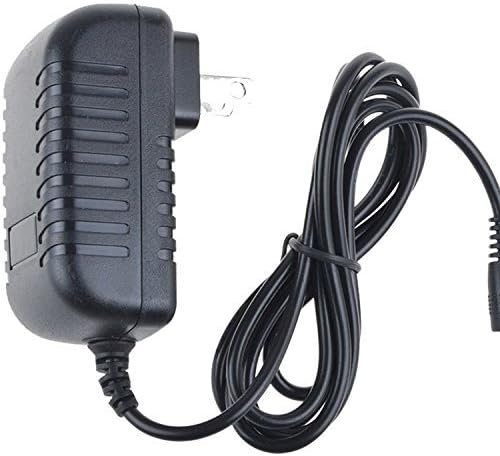
Figure 1: Top-down view of the Marg AC Adapter, illustrating the main power brick and the connected output cable.

Figure 2: Side view of the Marg AC Adapter, detailing the two-prong wall plug for power input and the cable leading to the device.

Figure 3: Angled view of the Marg AC Adapter, providing a perspective of its overall shape and the robust connection point for the output cable.
3. Compatibility
This Marg AC Adapter is specifically designed for use with the following HoMedics massager models:
- HoMedics MMN-7000
- HoMedics BK-600
- HoMedics BKSQ-200BK
- HoMedics BK7000
Ensure your device model matches one of the listed compatible models before use.
4. Setup Instructions
- Verify Compatibility: Confirm that your HoMedics massager model is listed in the compatibility section above.
- Inspect Adapter: Before each use, visually inspect the AC adapter and its cable for any signs of damage, such as cuts, frayed wires, or bent prongs. Do not use if damaged.
- Connect to Device: Plug the small connector end of the AC adapter cable into the power input port of your HoMedics massager.
- Connect to Power Outlet: Insert the two-prong plug of the AC adapter firmly into a standard wall power outlet. Ensure the outlet provides the correct voltage (refer to specifications).
- Power On Device: Once connected, you may power on your HoMedics massager according to its own operating instructions.
5. Operating Instructions
Once the Marg AC Adapter is properly connected to both the power outlet and your HoMedics massager, it will begin to supply power or charge the device's internal battery (if applicable). The adapter provides stable power delivery for consistent performance.
- Charging Indication: Refer to your HoMedics massager's instruction manual for specific charging indicators (e.g., LED lights) that confirm it is receiving power or charging.
- Unplugging: To disconnect, first turn off your massager, then unplug the adapter from the wall outlet, and finally disconnect it from the massager.
6. Safety Information
Your safety is paramount. Please observe the following safety guidelines:
- Indoor Use Only: This adapter is designed for indoor use in dry locations. Do not expose it to water, rain, or excessive humidity.
- Overcharging Protection: The adapter is equipped with features to prevent overcharging, protecting your device's battery.
- Overheating Protection: Built-in safeguards help prevent the adapter from overheating during operation.
- Ventilation: Ensure adequate ventilation around the adapter during use. Do not cover it with cloths or place it in enclosed spaces.
- Avoid Damage: Do not bend, twist, or pull the power cord excessively. Avoid placing heavy objects on the cord.
- Children and Pets: Keep the adapter and its cords out of reach of children and pets.
- Disconnection: Always grasp the plug, not the cord, when unplugging from the wall outlet.
- Voltage Compatibility: Ensure the wall outlet voltage matches the adapter's input voltage requirements.
7. Specifications
| Feature | Detail |
|---|---|
| Brand | Marg |
| Manufacturer | Marg |
| Input Voltage | 240 Volts |
| Main Power Connector Type | 2 Pin (US Type A/B compatible) |
| ASIN | B08JCTHZW2 |
| First Available Date | July 29, 2020 |
Note: The voltage and current specifications mentioned in product titles often refer to the compatible device's requirements. The actual power supply's output specifications are typically found on the adapter label itself.
8. Troubleshooting
- Device Not Receiving Power:
- Ensure the adapter is securely plugged into both the wall outlet and the massager.
- Check if the wall outlet is functional by plugging in another device.
- Inspect the adapter cable for any visible damage. If damaged, discontinue use.
- Adapter Feels Warm:
- It is normal for the adapter to feel slightly warm during operation. If it becomes excessively hot, unplug it immediately and contact support.
- Ensure the adapter has adequate ventilation and is not covered.
9. Maintenance
- Cleaning: Disconnect the adapter from all power sources before cleaning. Use a soft, dry cloth to wipe the surface. Do not use liquid cleaners or abrasive materials.
- Storage: When not in use, store the adapter in a cool, dry place, away from direct sunlight and extreme temperatures. Avoid tightly coiling the cable to prevent damage.
10. Warranty and Support
For warranty information or technical support regarding your Marg AC Adapter, please refer to the documentation provided with your purchase or contact the manufacturer directly. Keep your purchase receipt as proof of purchase.