
1. Introduction
This manual provides essential information for the safe and effective operation of your IMRELAX 600W Outdoor Beam Spotlight Moving Head Light, Model 200. Please read these instructions thoroughly before installation and use to ensure proper function and longevity of the product.
The IMRELAX 600W Outdoor Beam Spotlight is designed for large-scale outdoor events, city skyline illumination, stadium concerts, and landmark lighting. It features a high-brightness 600W light source, IP65 waterproof rating, and advanced control options.
2. Safety Instructions
- Electrical Safety: Ensure the power supply voltage matches the product's requirements (240 Volts). Always connect to a grounded outlet. Disconnect power before any maintenance or cleaning.
- Installation: This fixture is heavy (83.4 lbs). Ensure secure mounting by qualified personnel. Use appropriate rigging hardware.
- Outdoor Use: The light is IP65 rated for outdoor use, protecting against dust and water jets. However, avoid submerging the unit.
- Heat: The light source generates significant heat. Maintain adequate ventilation around the fixture. Do not block air vents.
- Eye Safety: Do not look directly into the light beam. High-intensity light can cause eye damage.
- Flammable Materials: Keep flammable materials at a safe distance from the fixture.
- Repairs: All repairs must be performed by authorized service personnel. Unauthorized modifications will void the warranty.
3. Product Overview
The IMRELAX 600W Outdoor Beam Spotlight is a robust and powerful lighting fixture designed for professional applications. Key features include:
- High Brightness: 600W light source delivering 660,000 lumens.
- IP65 Waterproof: Suitable for all-weather outdoor installations.
- Color Wheel: 11 colors plus open, with half-color and rainbow effects.
- Fixed Gobo Wheel: 14 fixed metal gobos plus open, with bidirectional shaking.
- Prism Wheel: 8-facet prism, bidirectionally rotating at variable speed.
- Rainbow Prism: Features imported 7-color filters for colorful beams.
- Movement: Pan 540° rotation, Tilt 270° rotation, with 8/16 bit adjustment.
- Control: DMX512 with RDM function for remote address code setting.
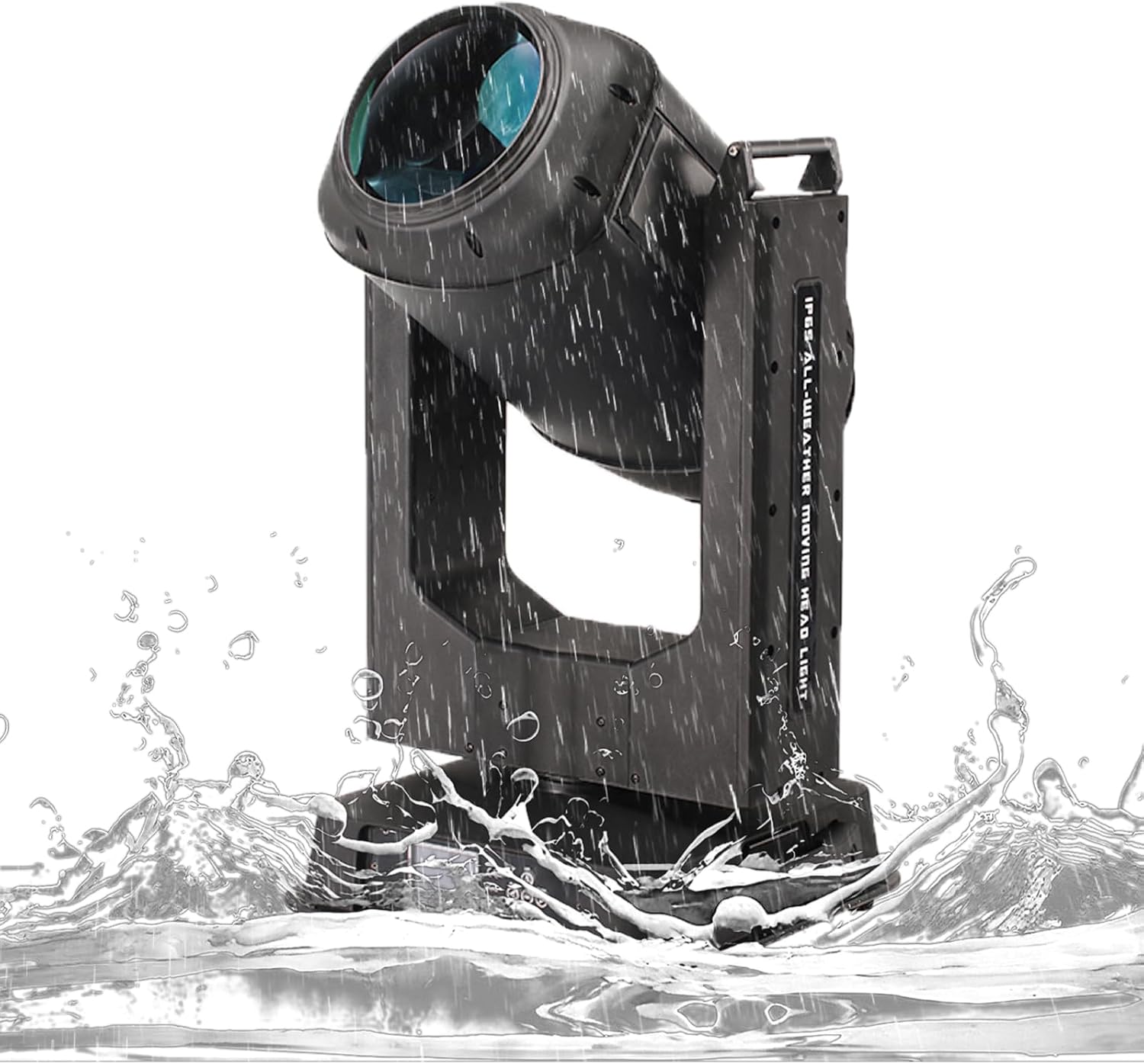
Figure 3.1: Front view of the IMRELAX 600W Outdoor Beam Spotlight, showcasing its robust design and waterproof features.

Figure 3.2: Rear view of the spotlight, showing power input and DMX connections.

Figure 3.3: Product dimensions: 21.7 inches (L) x 16.5 inches (W) x 32.3 inches (H).
4. Setup and Installation
4.1 Unpacking
Carefully remove the fixture from its packaging. Inspect for any damage during transit. Retain all packaging materials for future transport or service.
4.2 Mounting
The IMRELAX 600W Beam Spotlight is designed for wall mount or truss mounting. Due to its weight (83.4 lbs), ensure the mounting surface or truss system can safely support the fixture. Always use safety cables in addition to primary mounting hardware.
- Securely attach appropriate clamps or brackets to the fixture's mounting points.
- Lift the fixture into position, ensuring all connections are tight and secure.
- Attach a safety cable to the designated safety point on the fixture and to a secure anchor point on the truss or structure.
4.3 Electrical Connection
- Ensure the main power switch on the fixture is in the OFF position.
- Connect the power cable to the fixture's power input and then to a grounded 240V AC power outlet.
- Verify all connections are secure and waterproof seals are intact for outdoor use.
4.4 DMX Connection
The fixture uses DMX512 for control. Connect a DMX cable from your DMX controller to the DMX IN port of the first fixture. For multiple fixtures, daisy-chain them by connecting the DMX OUT of the first fixture to the DMX IN of the next, and so on.
- Connect the DMX controller to the fixture's DMX IN port.
- If using multiple fixtures, connect DMX OUT to DMX IN for subsequent units.
- Set the DMX address for each fixture using the onboard display or remotely via RDM.
5. Operating Instructions
5.1 Initial Power-Up
After all connections are made, switch the main power to ON. The fixture will perform a self-test and then be ready for DMX control.
5.2 DMX Control
Control all functions of the fixture using a DMX512 controller. Refer to the DMX channel chart (typically provided in a separate document or on the manufacturer's website) for specific channel assignments for Pan, Tilt, Color, Gobo, Prism, Dimmer, Strobe, etc.
- Pan/Tilt: Control the horizontal (540°) and vertical (270°) movement with 8-bit or 16-bit precision.
- Color Wheel: Select from 11 colors plus open white. Utilize half-color and rainbow effects for dynamic lighting.
- Gobo Wheel: Project patterns using 14 fixed metal gobos. The wheel supports bidirectional shaking for added effects.
- Prism: Engage the 8-facet prism for beam multiplication. Control its rotation speed and direction.
- Rainbow Prism: Use the 7-color filter prism to create multi-colored beams.

Figure 5.1: Illustration of the color wheel, showing 11 distinct colors and an open position.

Figure 5.2: Illustration of the fixed gobo wheel, displaying 14 different patterns and an open position.

Figure 5.3: Various color and gobo effects projected by the spotlight.
6. Maintenance
6.1 Cleaning
Regular cleaning helps maintain optimal performance and extends the lifespan of the fixture.
- Exterior: Wipe the exterior casing with a soft, damp cloth. Do not use harsh chemicals or abrasive cleaners.
- Optics: Gently clean lenses and reflectors with a soft, lint-free cloth and a specialized optical cleaning solution. Avoid scratching the surfaces.
- Air Vents: Periodically clear dust and debris from air vents to ensure proper cooling.
6.2 General Care
- Regularly inspect power and DMX cables for damage.
- Check all mounting hardware for tightness and security.
- Store the fixture in a dry, dust-free environment when not in use.
7. Troubleshooting
| Problem | Possible Cause | Solution |
|---|---|---|
| Fixture does not power on. | No power supply; faulty cable; internal fuse blown. | Check power connection; test power cable; contact service for fuse replacement. |
| No DMX control. | Incorrect DMX address; faulty DMX cable; DMX controller issue. | Verify DMX address setting; test DMX cable; check DMX controller output. |
| Movement (Pan/Tilt) is erratic or non-responsive. | DMX signal issue; motor calibration required. | Check DMX signal; power cycle the fixture; consult manual for calibration procedure or contact support. |
| Light output is dim or inconsistent. | Dirty optics; lamp nearing end of life (if applicable); internal fault. | Clean lenses; contact service for lamp replacement or internal inspection. |
If troubleshooting steps do not resolve the issue, please contact IMRELAX customer support.
8. Specifications
| Feature | Detail |
|---|---|
| Model Number | 200 |
| Brand | IMRELAX |
| Light Source Wattage | 600 Watts |
| Brightness | 660,000 lumens |
| Voltage | 240 Volts |
| IP Rating | IP65 (Waterproof) |
| Pan Movement | 540° rotation (8/16 bit) |
| Tilt Movement | 270° rotation (8/16 bit) |
| Color Wheel | 11 colors + open, half color, rainbow effect |
| Fixed Gobo Wheel | 14 metal gobos + open, bidirectional shaking |
| Prism Wheel | 8-facet prism, bidirectional variable speed rotation |
| Rainbow Prism | 7-color filters |
| Control Mode | DMX512, RDM function |
| Material | Metal, Polycarbonate (PC) |
| Product Dimensions | 21.7"L x 16.5"W x 32.3"H |
| Item Weight | 83.4 Pounds |
| UPC | 732083179822 |
9. Warranty and Support
IMRELAX Stage Lighting provides comprehensive support for its products.
- Warranty: All products purchased from IMRELAX Stage Lighting include free parts maintenance within 2 years from the date of purchase.
- Lifetime Service: IMRELAX offers lifetime product service for all its lighting fixtures.
- Protection Plans: Extended protection plans are available for purchase, offering additional coverage beyond the standard warranty. Please refer to your retailer for details on 3-Year or 4-Year protection plans.
- Customer Support: For technical assistance, troubleshooting, or warranty claims, please contact IMRELAX customer service.