

1. Introduction and Product Overview
The Panasonic Intelli-Balance 100 Energy Recovery Ventilator (ERV), model FV-10VE2, is designed to improve indoor air quality by efficiently exchanging stale indoor air with fresh outdoor air. This unit is specifically engineered for temperate climates, capable of operating effectively in temperatures as low as 14°F (-10°C). It helps balance air pressure within the home while recovering energy from the exhaust air, leading to reduced heating and cooling costs.
Key functions include removing moist, stale air and supplying fresh, filtered air, ensuring a healthier living environment. The unit features optimized airflow with a Pick-A-Flow selector and custom controls for flexible operation.

Image: Top-down view of the Panasonic Intelli-Balance 100 ERV unit, showcasing its compact design and two main duct connections.
2. Safety Information
Please read and understand all instructions before installation and operation. Failure to follow these instructions may result in property damage, personal injury, or death.
- Electrical Safety: Ensure the power supply is disconnected before performing any installation, maintenance, or troubleshooting. All electrical wiring must comply with local codes and regulations. This unit operates on 120 Volts.
- Installation: Installation should be performed by a qualified professional. Improper installation can lead to hazards.
- Ventilation: Do not block any air vents or exhaust openings. Proper airflow is crucial for safe and efficient operation.
- Maintenance: Only use genuine Panasonic replacement parts. Regular maintenance is essential for safe and optimal performance.
- Children and Pets: Keep children and pets away from the unit during operation and maintenance.
3. Product Features
The FV-10VE2 model incorporates several advanced features for superior performance and user convenience:
- Energy Recovery Ventilator (ERV): Efficiently exchanges indoor and outdoor air while recovering heat and moisture, reducing energy consumption.
- Optimized Airflow: Features two DC/ECM motors with a 'Pick-A-Flow' selector, allowing adjustment of airflow from 30 to 100 CFM (Cubic Feet Per Minute).
- Boost Function: Instantly increases fan speed to 100 CFM when activated, providing rapid ventilation.
- Adjustable Timer: A Minutes Per Hour (Min/Hr) timer allows users to set specific operating durations.
- MERV 8 Filter: Includes a MERV 8 filter to capture airborne particles, improving indoor air quality.
- Temperate Climate Model: Specifically designed for regions where temperatures can drop to 14°F (-10°C).
- Flexible Installation: Can be installed in various locations, including bathrooms, garages, laundry rooms, and living rooms.

Image: Diagram illustrating how the ERV creates a balanced ventilation system with fresh air supply and exhaust.

Image: Visual representation of key performance features including energy-efficient motors, dual speed fan, flexible installation, and air quality improvement.

Image: A modern bathroom setting, demonstrating the suitability of the ERV for various indoor environments and its design for North American climate zones.
4. Setup and Installation
The Panasonic Intelli-Balance 100 ERV is designed for professional installation due to its integration with HVAC systems and electrical requirements. While some users with advanced DIY skills may attempt installation, it is highly recommended to consult a certified HVAC technician or electrician.
- Location: The unit can be installed in a variety of indoor spaces, including attics, basements, utility closets, or suspended from ceilings. Ensure adequate space for maintenance and airflow.
- Ducting: Proper ducting is critical for efficient operation. The unit requires connections for fresh air intake, stale air exhaust, supply to home, and return from home. Ensure all duct connections are sealed to prevent air leakage.
- Electrical Connection: Connect the unit to a 120-volt power supply. All wiring must conform to local electrical codes.
- Condensate Drain: Ensure proper routing and drainage for any condensate produced by the unit.
- Filter Installation: The MERV 8 filter should be properly seated in its designated slot before operation.
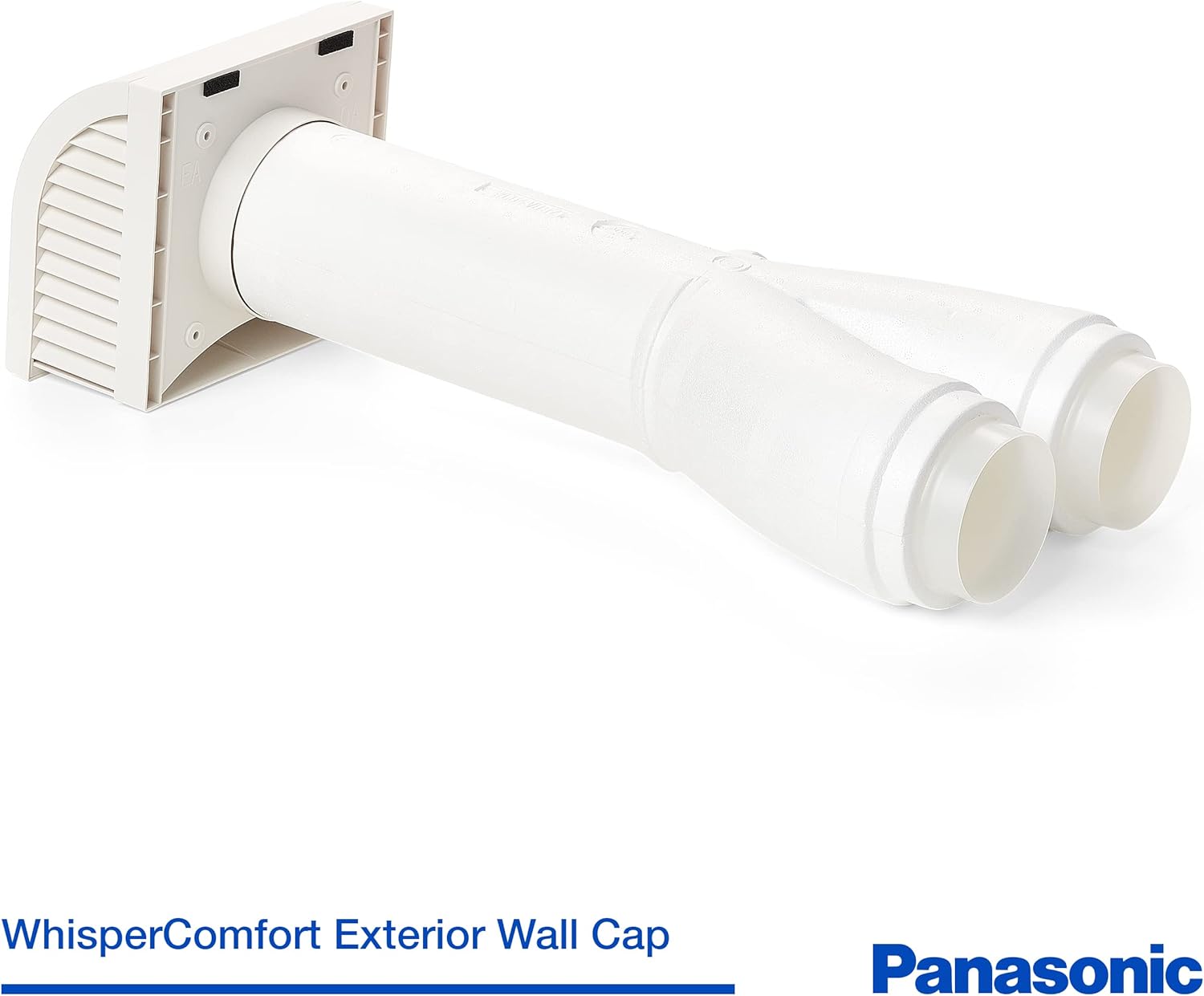
Image: The Panasonic Intelli-Balance 100 ERV unit shown with its duct connections, illustrating the setup for air intake and exhaust.
5. Operating Instructions
The Intelli-Balance 100 ERV offers straightforward controls for managing your indoor air quality.
- Power On/Off: The unit is typically wired to a dedicated switch or integrated into a home automation system. Turn the switch to the 'ON' position to begin operation.
- Pick-A-Flow Selector: This selector allows you to choose the desired continuous airflow rate between 30 and 100 CFM. Adjust this setting based on the size of your home and ventilation needs.
- Boost Function: Activate the boost function for temporary maximum ventilation (100 CFM). This is useful for quickly clearing odors or excess humidity from areas like bathrooms or kitchens.
- Minutes Per Hour (Min/Hr) Timer: Set the timer to control how many minutes per hour the ERV should operate. This allows for customized, intermittent ventilation to maintain optimal air quality without continuous high-speed operation.

Image: A detailed view of the top of the ERV unit, highlighting the 'Pick-A-Flow' airflow selector, which allows adjustment of the ventilation rate from 50 to 100 CFM.
6. Maintenance
Regular maintenance ensures the longevity and efficient operation of your Intelli-Balance 100 ERV.
- Filter Replacement/Cleaning: The MERV 8 filter should be inspected regularly (e.g., every 3-6 months) and replaced or cleaned as needed. A dirty filter can restrict airflow and reduce efficiency.
- Heat Exchange Core Cleaning: Periodically inspect and clean the heat exchange core to remove any accumulated dust or debris. Refer to the full user manual for detailed cleaning instructions.
- Duct Inspection: Check ductwork for any blockages, leaks, or damage. Ensure all connections remain sealed.
- Exterior Vents: Ensure exterior intake and exhaust vents are clear of obstructions like leaves, snow, or insect nests.

Image: The ERV unit from an angle, showing the power cord connection and indicating the location of the MERV 8 filter for maintenance purposes.
7. Troubleshooting
If you encounter issues with your ERV, refer to the following common troubleshooting steps:
- No Power: Check the circuit breaker and ensure the unit is properly plugged in. Verify the power switch is in the 'ON' position.
- Reduced Airflow: Inspect the MERV 8 filter for excessive dirt or blockages. Check for obstructions in the ductwork or exterior vents.
- Unusual Noise: Ensure the unit is securely mounted and free from vibrations. Check for any loose components or debris inside the unit.
- Odor from Unit: A new unit may emit a slight odor initially, which should dissipate after a few days of continuous operation. If a persistent or strong odor occurs, ensure proper ventilation and consult a professional.
- Unit Not Operating as Expected: Verify that the Pick-A-Flow selector and Min/Hr timer settings are correctly configured for your desired operation.
For persistent issues or complex problems, contact Panasonic customer support or a qualified HVAC technician.
8. Specifications
| Specification | Detail |
|---|---|
| Brand | Panasonic |
| Model Name | FV-10VE2 |
| Product Dimensions | 17.52"D x 14.09"W x 10.2"H |
| Item Weight | 10.1 Pounds |
| Power Source | Corded Electric |
| Voltage | 120 Volts |
| Wattage | 36 watts |
| Air Flow Capacity | 30-100 CFM (Adjustable) |
| Filter Type | MERV 8 |
| Room Type | Bathroom, Garage, Laundry Rooms, Living Room |
| Control Method | Touch (airflow selector switch) |
| Efficiency | High |
| Specification Met | ASHRAE 62.2 |
| UPC | 885170374010 |
9. Warranty and Support
The Panasonic Intelli-Balance 100 ERV (FV-10VE2) comes with a manufacturer's warranty. For specific details regarding the warranty period and coverage, please refer to the warranty documentation included with your product or visit the official Panasonic website.
For technical support, service, or to inquire about replacement parts, please contact Panasonic customer support. Have your model number (FV-10VE2) and purchase date ready when contacting support.
Panasonic Customer Support: Refer to your product packaging or the official Panasonic website for the most current contact information.