
1. Introduction
This manual provides detailed instructions for the K&F CONCEPT Trail Camera Model 156.99. This camera is designed for various outdoor applications, including wildlife observation, hunting, home security, and farm area surveillance. It features high-resolution photo and video capture, low glow night vision, and motion activation to effectively monitor your desired area.
2. Product Overview
2.1 Key Features
- High-Resolution Photos & Videos: Captures 16-megapixel still images and 1080P video footage, providing clear and detailed visuals.
- Excellent Low Glow Night Vision: Equipped with 22 pieces of 850nm low glow infrared LEDs for clear night recordings without disturbing wildlife.
- Lightning Fast Triggering: Detects movement and triggers within 0.3 seconds, with a detection distance of up to 30 meters (100 feet) during the day and 20 meters (65 feet) at night.
- Time Lapse Mode: Allows the camera to automatically capture photos or videos at set intervals, ideal for observing slow processes.
- Durable & Waterproof Design: IP65 waterproof rating ensures reliable operation in various weather conditions.
- Low Power Consumption: Operates for up to 6 months on standby with 4 AA batteries (not included).
2.2 Camera Components
Familiarize yourself with the main parts of your trail camera:
- Main Lens: Captures images and videos.
- PIR Motion Sensors: Detects movement to trigger recording.
- Infrared LEDs: Provides illumination for night vision.
- 2.0-inch LCD Screen: For menu navigation and reviewing captured media.
- Control Buttons: Used to navigate menus and adjust settings.
- SD Card Slot: For memory card insertion (supports standard SD cards).
- Battery Compartment: Holds 4 AA batteries.
- Mini-USB Port: For connecting to a computer.
- AV Port: For video output.
- Mounting Points: Includes a tripod mount and slots for the included strap.

Internal view of the K&F CONCEPT Trail Camera, showing the LCD screen, control buttons, battery compartment, and SD card slot.
3. Setup
3.1 Battery Installation
- Open the camera housing.
- Locate the battery compartment.
- Insert 4 AA batteries (not included), ensuring correct polarity (+/-).
- Close the battery compartment securely.
3.2 SD Card Installation
- With the camera powered off, locate the SD card slot inside the camera housing.
- Insert a standard SD card (not included) into the slot until it clicks into place. Ensure the card is inserted in the correct orientation.
- It is recommended to use a Class 4 or higher SD card for optimal performance.
3.3 Initial Settings
- Slide the power switch from 'OFF' to 'SETUP' mode. The internal LCD screen will turn on.
- Use the control buttons to navigate the menu. Set the current date and time.
- Select your desired operating mode (Photo, Video, or Photo+Video).
- Adjust other settings such as photo resolution, video resolution, video length, PIR sensitivity, and time-lapse interval as needed.
- After configuring settings, slide the power switch to 'ON' to activate the camera for recording.
Official K&F Concept video demonstrating the setup process for the Mini Trail Game Camera, including battery and SD card installation, and switching to 'ON' mode.
3.4 Mounting the Camera
The camera can be mounted using the included strap or a tripod mount.
- Strap Mounting: Thread the provided nylon strap through the mounting slots on the back of the camera and secure it around a tree or post.
- Tripod Mounting: Use the 1/4-inch tripod screw hole at the bottom of the camera to attach it to a tripod or the included metal tripod mount.

The K&F CONCEPT Trail Camera mounted on a tree, showcasing its compact size and camouflage design for high concealment.
4. Operating Instructions
4.1 Recording Modes
The camera offers three primary recording modes:
- Photo Mode: Captures still images when motion is detected.
- Video Mode: Records video clips when motion is detected.
- Photo+Video Mode: Captures a still image followed by a video clip when motion is detected.
4.2 Motion Detection and Triggering
Once the camera is in 'ON' mode, it will automatically detect movement within its sensor range and trigger recording based on your selected mode and settings. The 0.3-second trigger speed ensures minimal delay in capturing events.

Image illustrating the camera's fast trigger speed, capturing a cheetah in motion.
4.3 Night Vision Operation
The camera automatically switches to night vision mode in low-light conditions, utilizing its 850nm infrared LEDs to capture clear black-and-white images and videos without visible flash.

Comparison of day and night vision images captured by the K&F CONCEPT Trail Camera, demonstrating clear visibility in both conditions.
Official K&F Concept video showcasing the night vision capabilities of the Trail Game Camera, capturing wildlife in low-light conditions.
4.4 Reviewing Media
You can review captured photos and videos directly on the camera's 2.0-inch LCD screen in 'SETUP' mode, or by connecting the camera to a computer via the Mini-USB port and accessing the SD card content.
5. Maintenance
- Cleaning: Regularly clean the camera lens and PIR sensors with a soft, dry cloth to ensure clear images and proper motion detection.
- Battery Check: Monitor battery levels periodically and replace all 4 AA batteries when low to maintain optimal performance.
- SD Card Management: Format the SD card regularly (after backing up important files) to prevent data corruption and ensure smooth recording.
- Waterproof Seals: Ensure the camera housing is securely closed and the rubber seals are free from debris to maintain its IP65 waterproof rating.
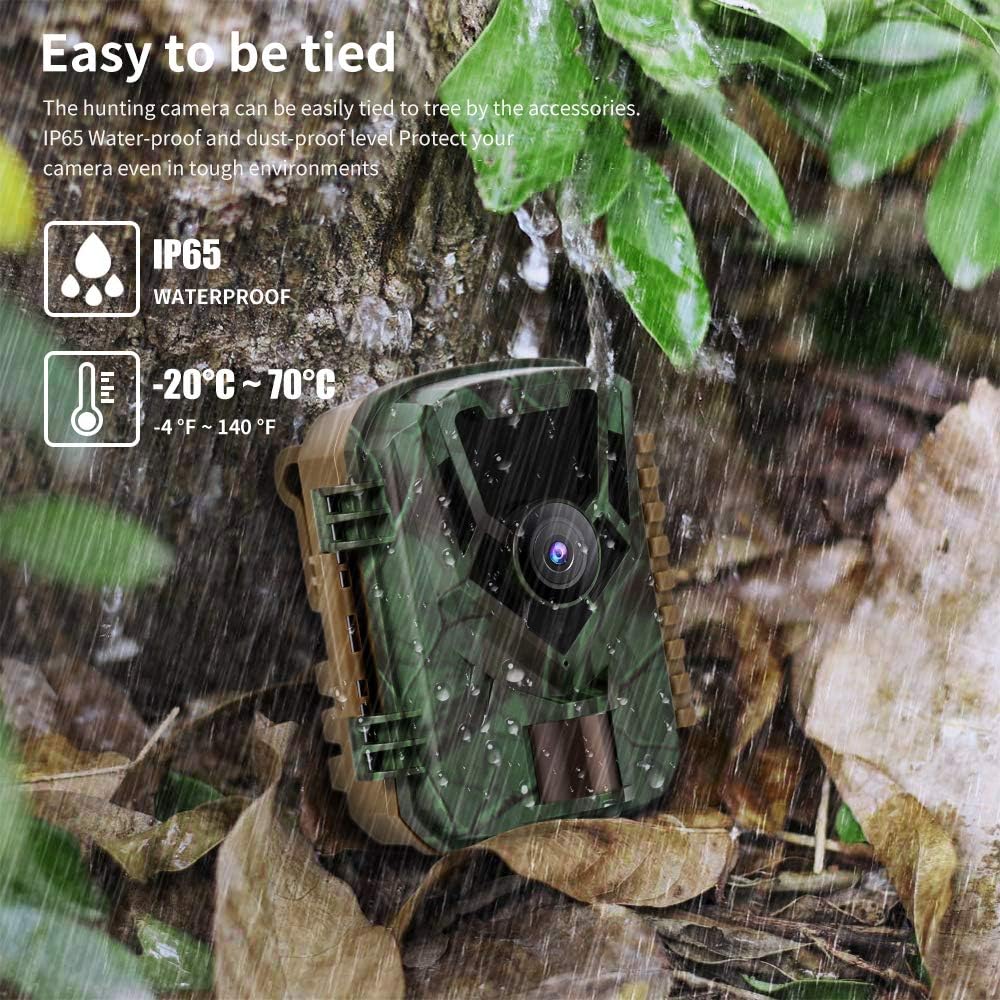
The K&F CONCEPT Trail Camera operating in rainy conditions, demonstrating its IP65 waterproof capability.
6. Troubleshooting
| Problem | Possible Cause | Solution |
|---|---|---|
| Camera not powering on | Low or incorrectly installed batteries. | Replace with fresh AA batteries, ensuring correct polarity. |
| Poor image/video quality | Dirty lens, incorrect resolution settings, or subject too far. | Clean the lens. Check resolution settings in 'SETUP' mode. Ensure subject is within optimal range. |
| Camera not detecting motion | PIR sensor blocked, sensitivity set too low, or camera facing heat sources. | Clear any obstructions from the PIR sensors. Increase PIR sensitivity in settings. Reposition camera away from direct sunlight or heat sources. |
| SD card error | Incompatible SD card, card not formatted, or card full. | Use a compatible standard SD card (Class 4 or higher). Format the SD card in the camera's 'SETUP' menu. Delete old files or replace the card if full. |
| Night vision not clear | Infrared LEDs obstructed or subject out of range. | Ensure IR LEDs are not blocked. Confirm subject is within the 20-meter night vision range. |
| False triggers | Environmental factors like rain, wind, or small animals/insects. | Adjust PIR sensitivity to a lower setting. Reposition the camera to avoid areas with excessive movement from foliage or small, non-target animals. |
7. Specifications
| Feature | Detail |
|---|---|
| Brand | K&F CONCEPT |
| Model Number | 156.99 |
| Still Image Resolution | 16 MP |
| Video Resolution | 1080P (30 fps) |
| Trigger Speed | 0.3 seconds |
| Night Vision | 22pcs 850nm Low Glow IR LEDs |
| Night Vision Range | Up to 20 meters (65 feet) |
| Waterproof Rating | IP65 |
| Power Source | 4 x AA Batteries (not included) |
| Standby Time | Up to 6 months |
| Screen Size | 2.0-inch LCD |
| Storage | SD Card (not included) |
| Connectivity | Mini USB |
| Dimensions | 4.3 x 3.4 x 2.1 inches |
| Weight | 12.8 ounces |
| Recommended Uses | Wildlife Observation/Hunting, Home/Property Security, Farm Area Surveillance |
8. Warranty and Support
For warranty information, technical support, or service inquiries regarding your K&F CONCEPT Trail Camera Model 156.99, please contact K&F CONCEPT customer service directly. Refer to the contact information provided with your product packaging or visit the official K&F CONCEPT website for assistance.


