
Introduction
Thank you for choosing the JELLICO TWS-3 True Wireless Earbuds. These earbuds are designed to provide a superior audio experience with advanced features such as Bluetooth 5.0 connectivity, smart touch controls, and IPX5 waterproofing. This manual will guide you through the setup, operation, and maintenance of your new earbuds.
The TWS-3 earbuds offer uncompromising sound quality with a graphene diaphragm, delivering clear midrange and bass for an immersive stereo sound experience. Their waterproof and sweatproof IPX5 technology ensures durability during workouts and various physical activities.
Package Contents
- JELLICO TWS-3 True Wireless Earbuds (Left and Right)
- Charging Case
- USB Charging Cable (may vary by region)
- User Manual
Setup
1. Charging the Earbuds and Case
Before first use, fully charge the earbuds and the charging case. Place the earbuds into the charging case. Connect the charging case to a power source using the provided USB cable. The LED indicators on the case will show the charging status. The charging case has a 400mAh battery capacity.

Image: Product specifications highlighting battery capacity and playtime.
A full charge provides up to 6 hours of music playtime for the earbuds and up to 15 hours total with the charging case. Standby time is approximately 100 hours.
2. Pairing with Your Device
The TWS-3 earbuds feature instant pairing technology for a seamless connection.
- Ensure the earbuds are charged.
- Open the charging case. The earbuds will automatically power on and enter pairing mode.
- On your smartphone or Bluetooth-enabled device, go to the Bluetooth settings.
- Search for available devices and select 'TWS3 Wireless' from the list.
- Once connected, you will hear an audio prompt, and the earbuds will be ready for use.
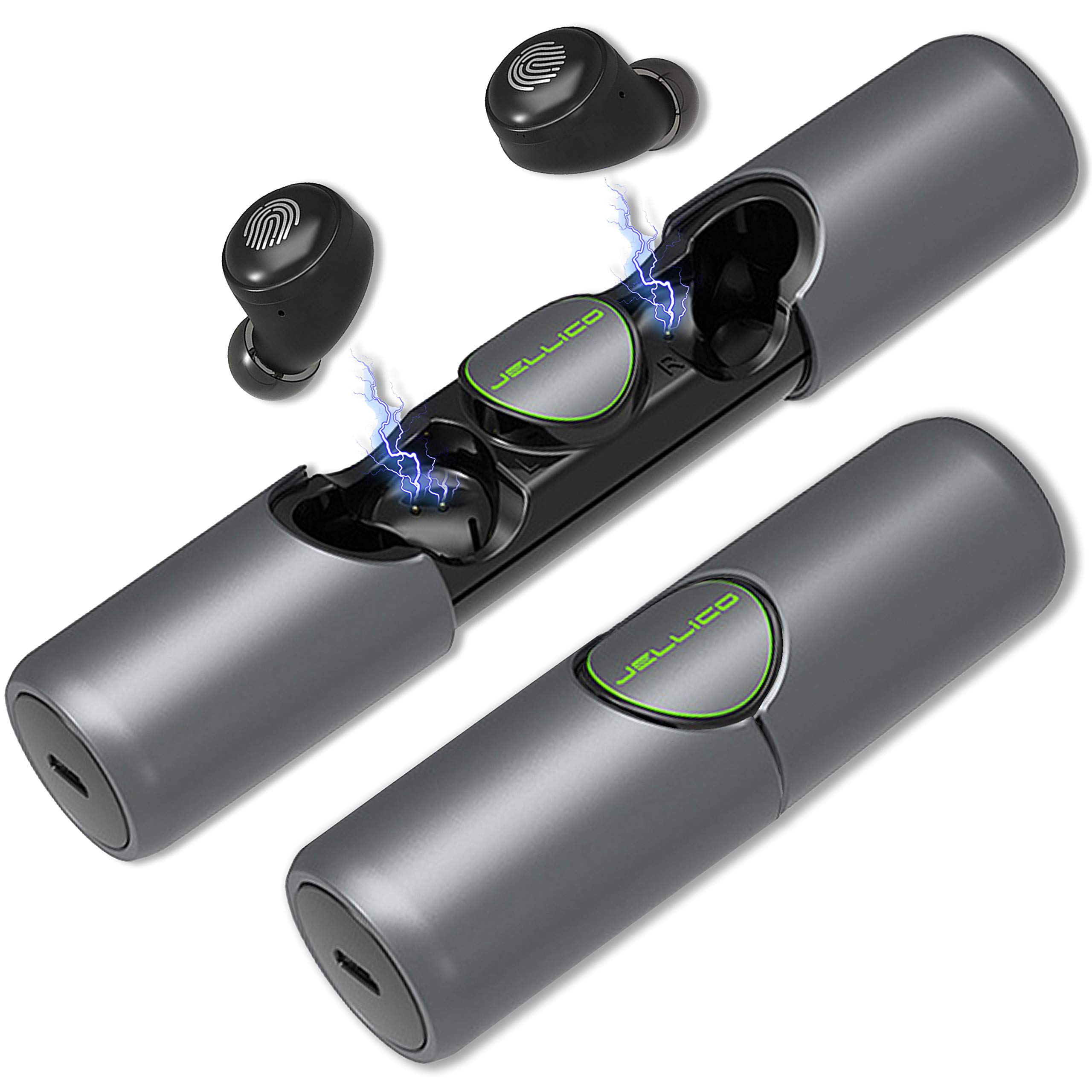
Image: Illustration of instant pairing technology with a smartphone's Bluetooth settings.
Operating Instructions
Smart Touch Controls
The TWS-3 earbuds are equipped with smart touch controls for easy management of music playback and calls. The touch sensitive area is located on the outer surface of each earbud.

Image: Diagram illustrating the smart touch control functions of the earbuds.
- Play/Pause: Short press either earbud.
- Answer Call: Short press either earbud.
- Reject Call: Long press either earbud.
- Summon Voice Assistant (e.g., Siri): Long press either earbud for 2 seconds.
- Next Song: Double-click the right earbud.
- Previous Song: Double-click the left earbud.
- Volume Up: Triple-click the right earbud.
- Volume Down: Triple-click the left earbud.
Voice Assistant
Activate your device's voice assistant (e.g., Siri) by long-pressing either earbud for 2 seconds. This allows for hands-free control of various functions like making calls, setting reminders, or opening apps, depending on your device's capabilities.
Wearing the Earbuds
Insert the earbuds gently into your ears. Adjust them for a comfortable and secure fit. The lightweight design ensures comfort during extended use and various activities.

Image: A person wearing the earbuds, demonstrating their comfortable and lightweight design.
Maintenance
Cleaning
Regularly clean your earbuds and charging case with a soft, dry, lint-free cloth. Avoid using abrasive materials or harsh chemicals. Ensure the charging contacts on both the earbuds and the case are clean and dry to prevent charging issues.
Storage
When not in use, store the earbuds in their charging case to protect them from dust, moisture, and physical damage. Store in a cool, dry place away from direct sunlight and extreme temperatures.
Troubleshooting
- No Sound or Poor Sound Quality:
- Ensure the earbuds are properly paired and connected to your device.
- Check the volume levels on both the earbuds and your connected device.
- Ensure the earbuds are clean and free from debris, especially the speaker mesh.
- Try restarting your device and re-pairing the earbuds.
- Earbuds Not Pairing:
- Ensure both earbuds are charged.
- Make sure Bluetooth is enabled on your device and the earbuds are within range.
- Turn off and on your device's Bluetooth, then try pairing again.
- If issues persist, place the earbuds back into the charging case, close the lid, wait a few seconds, then open the lid and try pairing again.
- Charging Issues:
- Ensure the charging cable is securely connected to both the case and the power source.
- Verify that the power source is active.
- Clean the charging contacts on both the earbuds and inside the charging case with a dry cotton swab.
Specifications
| Model | TWS-3 |
| Connectivity Technology | Wireless |
| Wireless Communication Technology | Bluetooth |
| Bluetooth Version | 5.0 |
| Charging Case Battery Capacity | 400mAh |
| Music Play Time | Up to 6 hours (earbuds) |
| Talk Time | Up to 5 hours |
| Standby Time | Approximately 100 hours |
| Water Resistance Level | IPX5 Waterproof |
| Control Method | Touch, Voice |
| Microphone Format | Built-In |
| Product Dimensions | 10.41 x 2.97 x 2.97 cm |
| Item Weight | 195 g |
Warranty and Support
For warranty information, technical support, or any inquiries regarding your JELLICO TWS-3 True Wireless Earbuds, please refer to the product packaging or contact JELLICO customer service directly through their official website or contact channels.