
Sound Town NIX-26PRO
Sound Town Dual-Channel Power Amplifier User Manual
Model: NIX-26PRO
1. Introduction
This user manual provides comprehensive instructions for the Sound Town NIX-26PRO Dual-Channel Power Amplifier. Designed for professional audio applications, this amplifier delivers robust power output and features essential protections for reliable performance. Please read this manual thoroughly before operating the device to ensure proper setup, optimal performance, and longevity of your equipment.
2. Product Overview and Features
The Sound Town NIX-26PRO is a high-performance, rack-mountable power amplifier built for demanding live sound and installation environments. Its robust design and intelligent features ensure clear, powerful audio delivery.
Key Features:
- Output Power: 2 x 950W RMS @ 8-Ohm Stereo, 2 x 1800W RMS @ 4-Ohm Stereo.
- Connectivity: XLR input, output, and Speakon output connectors for broad compatibility with professional audio systems.
- Protection: Intelligent limiter design, independent DC, and thermal overload protection on each channel to safeguard both the amplifier and connected speakers.
- Cooling System: Efficient dual DC fans prevent excessive thermal buildup, ensuring stable operation during extended use.
- Construction: Rugged, heavy-duty metal 2U rack mount chassis designed to withstand touring applications and rigorous use.
Product Views:

Figure 2.1: Front angle view of the Sound Town NIX-26PRO Power Amplifier, showcasing its rack-mountable design and front panel controls.
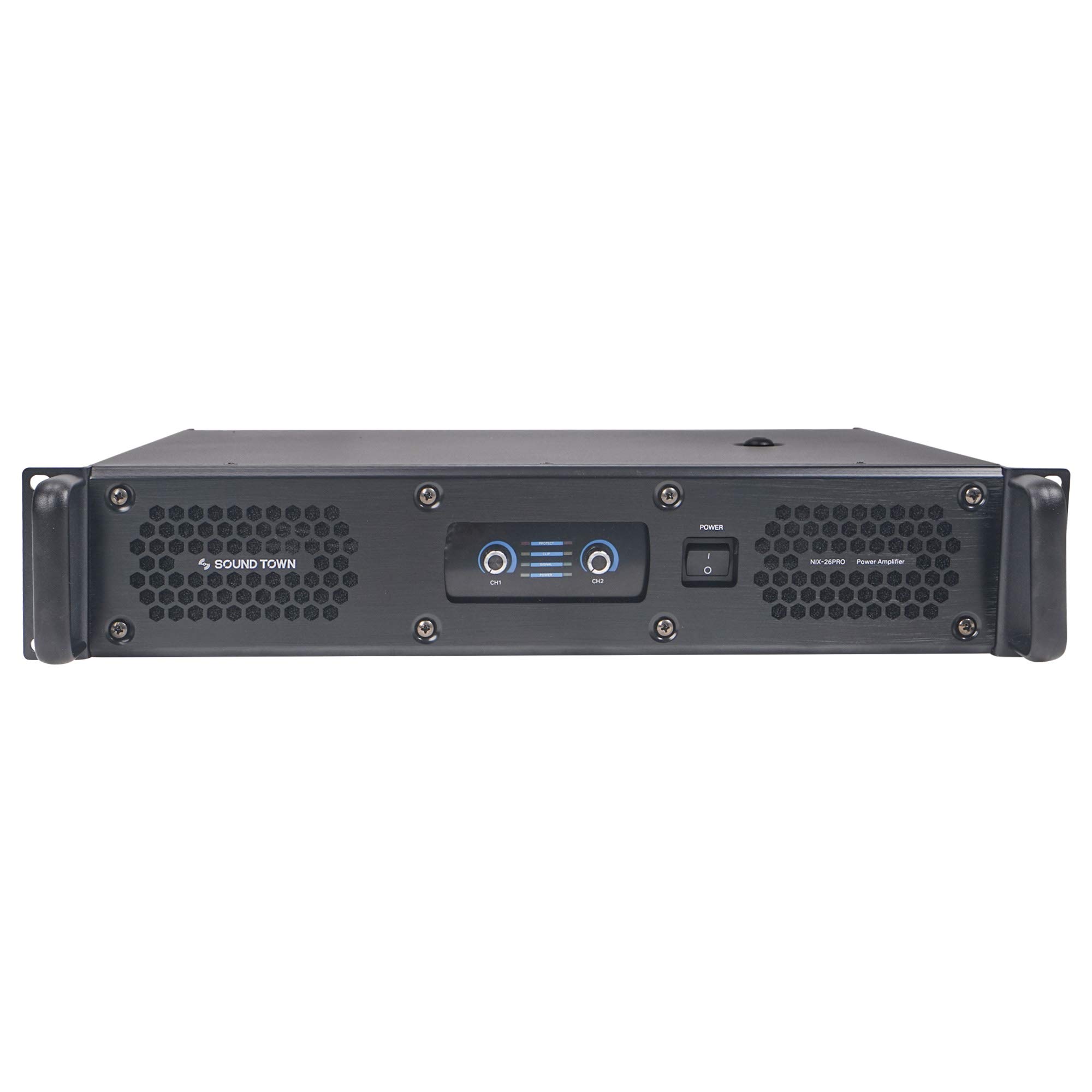
Figure 2.2: Direct front view of the amplifier, highlighting the channel level indicators, gain knobs, and power switch.
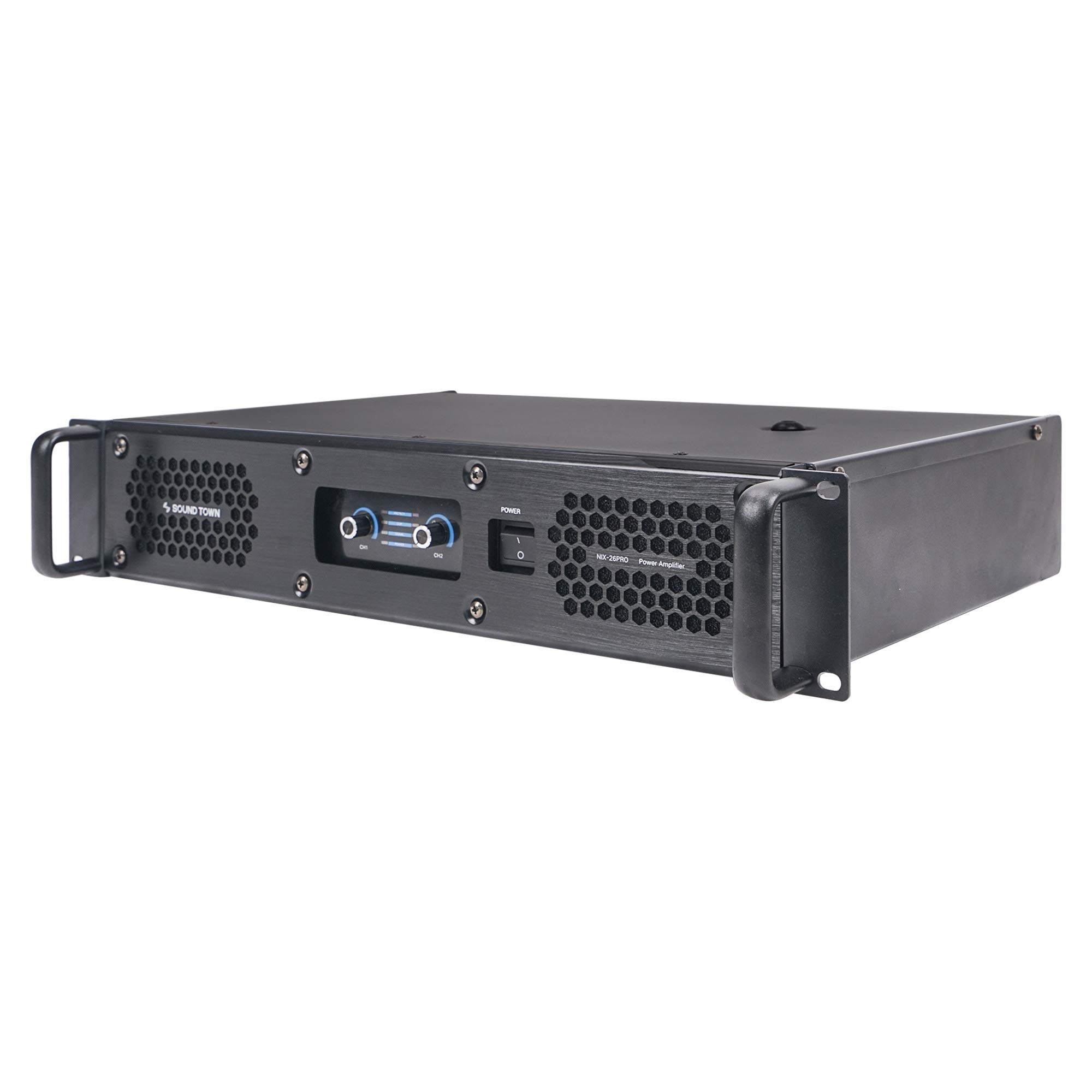
Figure 2.3: Another front angle view, providing a clear perspective of the ventilation grilles on the front panel.

Figure 2.4: Rear panel view, showing the XLR inputs, Speakon outputs, mode switch, sensitivity control, and power input.
3. Setup
3.1 Unpacking and Inspection
Carefully remove the amplifier from its packaging. Inspect the unit for any signs of damage that may have occurred during transit. If damage is found, contact your dealer immediately.
3.2 Rack Mounting
The NIX-26PRO is designed for standard 19-inch rack mounting. Secure the amplifier using appropriate rack screws. Ensure adequate ventilation space around the unit, especially at the front and rear where air intake and exhaust occur.
3.3 Connections
- Audio Inputs: Connect your audio source (mixer, preamplifier) to the XLR input connectors on the rear panel. The amplifier features two input channels (Input 1 and Input 2).
- Audio Outputs: Connect your speakers to the Speakon output connectors (Output 1 and Output 2). Ensure correct polarity and secure connections.
- Power Connection: Connect the amplifier to a suitable AC power outlet using the provided power cable. Verify that the voltage matches the amplifier's requirements (120V AC for North American models).
Important: Always ensure all connections are secure before powering on the amplifier.
4. Operating Instructions
4.1 Powering On/Off
To power on the amplifier, ensure all connections are made and then press the power switch on the front panel. The power indicator light will illuminate. To power off, press the switch again.
4.2 Gain Control
Each channel (CH1 and CH2) has an independent gain control knob on the front panel. Adjust these knobs to set the input sensitivity and overall output level for each channel. Start with the gain knobs at their minimum setting and gradually increase to the desired level.
4.3 Mode Selection
The rear panel features a mode switch to select between different operating modes:
- Stereo: Each channel operates independently, processing its own input signal and driving its own speaker.
- Parallel: A single input signal is fed to both channels, driving two separate speakers with the same audio.
- Bridge: Both channels are combined to deliver maximum power into a single, higher-impedance speaker (typically 8 ohms). Refer to the rear panel diagram for correct Speakon wiring in bridge mode.
Caution: Ensure the correct mode is selected for your speaker configuration to prevent damage to the amplifier or speakers.
5. Maintenance
5.1 Cleaning
Regularly clean the exterior of the amplifier with a soft, dry cloth. Do not use liquid cleaners or solvents, as they may damage the finish or internal components. Ensure ventilation grilles are free from dust and debris to maintain proper airflow.
5.2 Ventilation
The NIX-26PRO features dual DC fans for efficient cooling. Ensure that the amplifier is operated in a well-ventilated area and that the air intake and exhaust vents are not obstructed. Proper airflow is crucial for preventing thermal buildup and ensuring the long-term reliability of the unit.
6. Troubleshooting
If you encounter issues with your Sound Town NIX-26PRO amplifier, refer to the following common troubleshooting steps:
| Problem | Possible Cause | Solution |
|---|---|---|
| No power | Power cable disconnected; Power switch off; Blown fuse; Circuit breaker tripped. | Check power cable connection; Ensure power switch is ON; Check and replace fuse if necessary (refer to specifications for fuse type); Reset circuit breaker on rear panel. |
| No sound output | Input cables disconnected; Speaker cables disconnected or incorrect polarity; Gain knobs set too low; Incorrect mode selected; Source device issue. | Verify all audio input and output connections; Check speaker cable polarity; Increase gain levels gradually; Confirm correct operating mode (Stereo, Parallel, Bridge); Test with a different audio source. |
| Distorted sound | Input signal too high (clipping); Speaker impedance mismatch; Damaged speaker. | Reduce input signal level from source; Ensure speaker impedance matches amplifier's capabilities; Test with a different speaker. |
| Amplifier overheating / Thermal protection activated | Poor ventilation; Excessive load; Prolonged high-power operation. | Ensure adequate airflow around the unit; Reduce load or operating volume; Allow amplifier to cool down before resuming operation. |
If the problem persists after attempting these solutions, please contact Sound Town customer support for further assistance.
7. Specifications
The following table details the technical specifications of the Sound Town NIX-26PRO Power Amplifier:
| Attribute | Value |
|---|---|
| Output Power (8-Ohm Stereo) | 2 x 950W RMS |
| Output Power (4-Ohm Stereo) | 2 x 1800W RMS |
| Item Weight | 30.8 pounds |
| Package Dimensions | 22.56 x 17.25 x 7 inches |
| Item Model Number | 2 x 1800W, 2U |
| Size | 2 x 1800W |
| Voltage | 12 Volts (DC) - Note: This refers to internal voltage, not AC input. |
| Brand | Sound Town |
| Manufacturer | Sound Town |
8. Warranty and Support
Sound Town products are manufactured to high quality standards. For information regarding warranty coverage, please refer to the warranty card included with your product or visit the official Sound Town website. For technical support, troubleshooting assistance beyond this manual, or parts inquiries, please contact Sound Town customer service.
You can find more information and contact details by visiting the Sound Town Store on Amazon.
Ask a question about this manual
Ask about setup, troubleshooting, compatibility, parts, safety, or missing instructions. Manuals+ will review the question and use this page’s manual context to help answer it.