Introduction
The SO3 Selfie Stick with Tripod Stand and Detachable Wireless Bluetooth Remote is designed to enhance your mobile photography and videography experience. This versatile 2-in-1 device functions as both an extendable selfie stick and a stable tripod, allowing you to capture photos and videos from various angles and distances. Its compact and lightweight design makes it ideal for travel, parties, and everyday use.
Safety Information
- Do not expose the device to extreme temperatures or direct sunlight for prolonged periods.
- Keep the device away from water and other liquids.
- Ensure your smartphone is securely mounted in the holder before extending the stick or using the tripod.
- When using as a tripod, ensure the center of gravity of the cellphone is aligned with the selfie stick for optimal stability. Lowering the height of the extendable rod improves stability.
- Do not attempt to disassemble or modify the device.
- Keep out of reach of children.
Package Contents
- 1 x SO3 Selfie Stick Tripod
- 1 x Wireless Bluetooth Remote (with CR1632 battery)
- 1 x User Manual
Product Overview

Figure 1: SO3 Selfie Stick and Tripod with Remote
This image displays the SO3 Selfie Stick in two configurations: extended as a selfie stick with a phone attached, and folded as a compact tripod with a phone attached. The detachable Bluetooth remote is also shown separately. This illustrates the product's dual functionality.

Figure 2: Key Features of SO3 Selfie Stick
This image highlights several key features: a blue indicator light on the remote, the portable tripod design, the anti-skid silica materials used for grip, and the foldable clamp mechanism for securing a smartphone. These details emphasize the product's design and functionality.
- Extendable Rod: Telescoping rod for adjustable length (up to 70cm).
- Phone Holder: Adjustable and rotatable clamp to securely hold smartphones (2.16-3.42'' screen width).
- Tripod Legs: Foldable legs for stable freestanding use.
- Bluetooth Remote: Detachable wireless remote for remote photo/video capture.
- Rotation Head: 225° adjustable rotation head and 360° rotatable phone holder for versatile angles.
Setup
1. Attaching Your Smartphone
- Gently pull open the phone holder clamp.
- Carefully insert your smartphone into the clamp, ensuring it is securely gripped. The holder supports devices with screen widths between 2.16 and 3.42 inches.
- Adjust the phone holder's angle as needed. It can rotate 360° and the head can adjust 225° for optimal positioning.

Figure 3: Adjustable Rotation for Optimal Angles
This diagram illustrates the flexibility of the SO3 Selfie Stick's phone holder, showing how it can rotate 360 degrees and the head can adjust 225 degrees. This allows users to easily switch between vertical and horizontal camera modes to achieve the best shooting angle for photos, video calls, or live streaming.
2. Pairing the Bluetooth Remote
- Step 1: Turn on the shutter by switching the camera button on the remote control. The remote, named "SelfieCom", will enter into pairing mode, and the indicator LED will flash quickly.
- Step 2: Activate the Bluetooth function on your smartphone and search for available devices.
- Step 3: Select the device named "SelfieCom" from the list. Pairing will be finished automatically in a few seconds.
- Once paired, the LED indicator on the remote will stop flashing and remain solid. The remote is now ready for use.
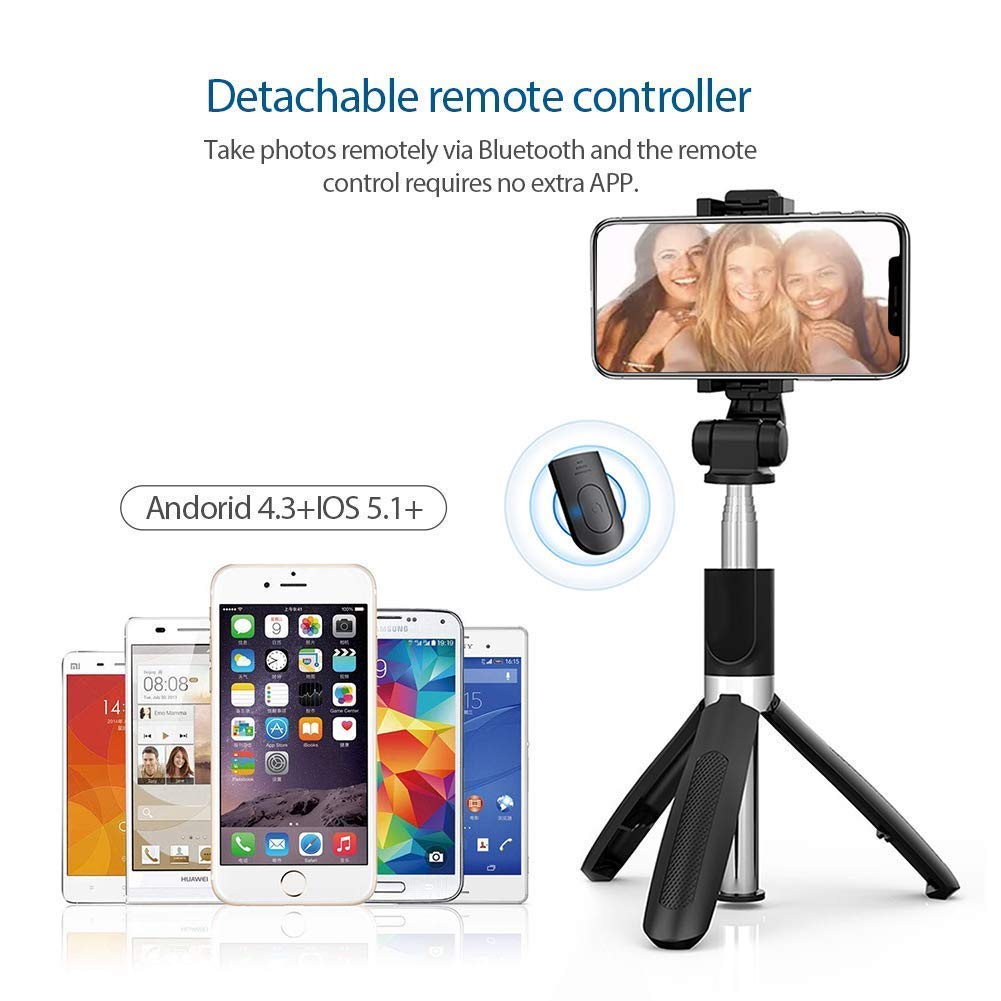
Figure 4: Detachable Bluetooth Remote Pairing
This image shows the detachable Bluetooth remote controller alongside various Android and iOS smartphones, indicating broad compatibility. It visually reinforces the wireless nature of the remote for taking photos without needing extra apps.
Operating Instructions
1. Using as a Selfie Stick
- Ensure the tripod legs are folded and secured within the handle.
- Hold the handle firmly and extend the telescoping rod to your desired length (up to 70cm).
- Position your smartphone for the desired shot.
- Press the button on the Bluetooth remote to capture a photo or start/stop video recording.

Figure 5: Extended Length and Usage Scenarios
This image demonstrates the SO3 Selfie Stick fully extended to its 70cm length. Below it, various usage scenarios are depicted, including group photography, video calls (FaceTime), business applications, and general video chat, highlighting the versatility of the extended stick.
2. Using as a Tripod Stand
- Fold out the tripod legs from the handle until they are fully extended and stable.
- Place the tripod on a flat, stable surface.
- Adjust the height of the extendable rod as needed. For better stability, especially with heavier phones, keep the rod at a lower height.
- Ensure the center of gravity of your smartphone is aligned with the selfie stick for optimal balance.
- Use the Bluetooth remote for long-distance photo or video capture.
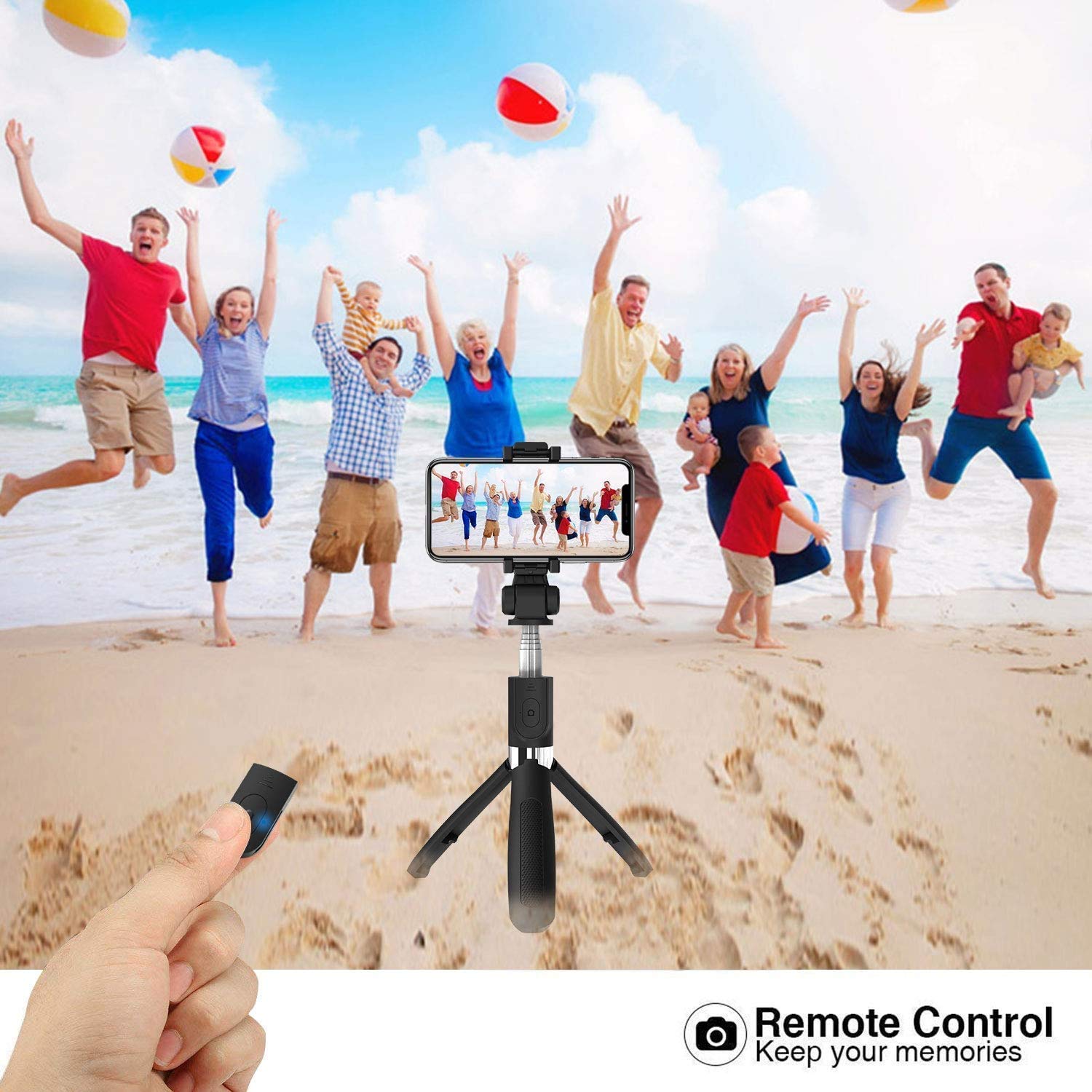
Figure 6: Tripod Mode with Remote Control
This image shows the SO3 Selfie Stick set up as a tripod on a sandy beach, capturing a group of people jumping in the background. A hand is shown pressing the remote control button, illustrating the convenience of taking group photos or videos from a distance without needing to hold the device.
Maintenance
- Cleaning: Wipe the selfie stick and remote with a soft, dry cloth. Do not use abrasive cleaners or solvents.
- Storage: Store the device in a cool, dry place away from direct sunlight and moisture. Ensure the tripod legs are folded and the stick is retracted to its compact size for storage.
- Battery Replacement: The Bluetooth remote uses a CR1632 battery. If the remote's indicator light does not flash or it fails to pair, replace the battery.

Figure 7: Compact Design for Easy Portability
This image highlights the compact and lightweight design of the SO3 Selfie Stick, showing its folded length of 18.6cm. It also provides visual examples of how easily the device can be carried in a handbag, pocket, or backpack, emphasizing its portability for users on the go.
Troubleshooting
| Problem | Possible Cause | Solution |
|---|---|---|
| Remote not pairing with phone. | Remote is off, battery is low, or Bluetooth is off on phone. | Ensure remote is switched on. Replace CR1632 battery if needed. Turn on Bluetooth on your phone and try pairing again. Ensure no other Bluetooth devices are interfering. |
| Selfie stick is unstable in tripod mode. | Tripod legs not fully extended, surface is uneven, or phone's center of gravity is off. | Ensure tripod legs are fully extended and locked. Place on a flat, stable surface. Adjust phone position to align its center of gravity with the stick. Lower the extendable rod for increased stability. |
| Phone not fitting in holder. | Phone is too wide. | The holder supports screen widths between 2.16 and 3.42 inches. Ensure your phone falls within this range. Do not force the phone into the holder. |
Specifications
- Model: SO3
- Brand: Generic
- Material: Stainless Steel
- Color: Black
- Max. Extended Length: 70 cm (approx. 27.5 inches)
- Folded Length: 18.6 cm (approx. 7.3 inches)
- Compatible Phone Width: 2.16 - 3.42 inches
- Rotation Angle (Head): 225°
- Rotation Angle (Phone Holder): 360°
- Remote Control: Detachable Wireless Bluetooth Remote
- Remote Battery: CR1632
- Compatible OS: Android 4.3+ / iOS 5.1+
- ASIN: B08HWZFTQD
Warranty and Support
For any product-related inquiries, technical support, or warranty claims, please refer to the retailer or point of purchase. Keep your purchase receipt as proof of purchase for any warranty services.


