
douself QW13
QW13 Smart Watch User Manual
Model: QW13 | Brand: douself
Introduction
This user manual provides detailed instructions for the douself QW13 Smart Watch. Please read this manual carefully before using the device to ensure proper operation and to maximize its features. Keep this manual for future reference.

Image: The QW13 Smart Watch, featuring a sleek black design with a round display showing the time and date.
Setup Guide
1. Initial Charging
Before first use, fully charge your QW13 Smart Watch. Connect the magnetic charging cable to the charging points on the back of the watch and plug the USB end into a standard USB power adapter (not included) or a computer USB port. The watch display will indicate charging status.
2. App Installation
To unlock the full potential of your QW13 Smart Watch, download the companion application on your smartphone. The watch supports both iOS and Android operating systems.
- Scan the QR code provided in the watch packaging or on the watch screen (if available) to download the app.
- Alternatively, search for the app name (usually mentioned in the quick start guide) in your phone's app store (App Store for iOS, Google Play Store for Android).
3. Device Pairing
Ensure Bluetooth is enabled on your smartphone.
- Open the installed companion app on your smartphone.
- Follow the in-app instructions to add a new device. The app will search for available smartwatches.
- Select 'QW13' from the list of found devices.
- Confirm the pairing request on both your phone and the watch, if prompted.
- Once paired, the watch will synchronize time and data with your phone.
Operating Instructions
Display and Navigation

Image: The QW13 Smart Watch features a stylish round dial with 2.5D tempered glass, a 240x240px HD resolution, and a 1.28-inch color LCD screen.
The QW13 Smart Watch features a 1.28-inch TFT color screen with touch functionality. Navigate through menus by swiping left, right, up, or down. Tap to select an option. The side button typically serves as a 'back' or 'home' button.
Key Features
- Heart Rate Monitor: The watch continuously monitors your heart rate throughout the day. Access heart rate data directly on the watch or view detailed graphs in the companion app.

Image: The QW13 Smart Watch displaying real-time heart rate data and a historical graph, allowing users to track their heart health.
- Sleep Monitor: Wear the watch to bed to track your sleep patterns, including deep sleep, light sleep, and awake times. Review your sleep quality analysis in the app.
- Multiple Sports Modes: The watch supports various sports modes to track your activities. Select your desired sport from the watch menu to record data such as steps, distance, and calories burned.
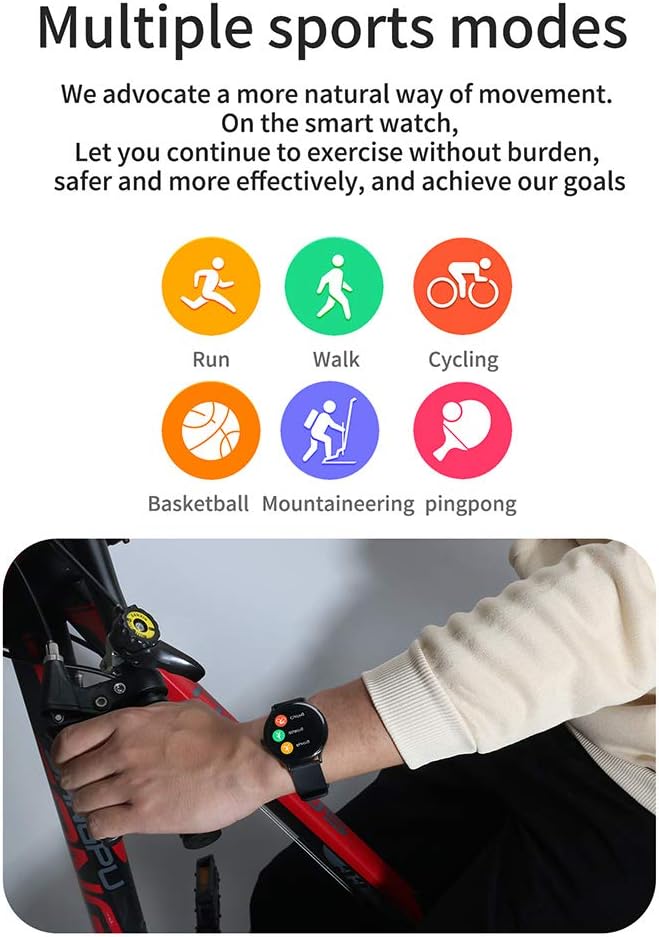
Image: The QW13 Smart Watch offers multiple sports modes, including running, walking, cycling, basketball, mountaineering, and pingpong, to accurately track various physical activities.
- Weather Forecast: Once connected to your smartphone, the watch can display real-time weather information for your location.

Image: The QW13 Smart Watch showing the current weather forecast, including temperature and weather conditions like 'Sunny'.
- Incoming Call & Information Reminder: Receive notifications for incoming calls, SMS messages, and app alerts directly on your wrist. You can view message content and caller ID.

Image: The QW13 Smart Watch displaying an incoming call notification and icons for various app information reminders, such as SMS, WeChat, and QQ.
- Camera Remote Control: Use your watch as a remote shutter for your smartphone's camera.
Maintenance
Water Resistance (IP67)
The QW13 Smart Watch features an IP67 waterproof design. This means it is resistant to daily life particles, dust, sweat, and splashes. It can withstand daily hand washing and rain. However, it is not suitable for deep sea diving, saunas, or hot baths. Avoid prolonged submersion in water.

Image: The QW13 Smart Watch shown with water splashing over it, illustrating its IP67 waterproof design for daily use.
Cleaning and Care
- Wipe the watch regularly with a soft, dry cloth.
- If necessary, use a slightly damp cloth to clean the screen and strap, then dry thoroughly.
- Avoid using harsh chemicals or abrasive materials, as these can damage the watch.
- Keep the charging contacts clean and dry to ensure proper charging.
Troubleshooting
- Watch not turning on: Ensure the watch is fully charged. Connect it to the charger for at least 30 minutes.
- Unable to pair with phone:
- Make sure Bluetooth is enabled on your phone.
- Ensure the watch is within Bluetooth range (typically 10 meters).
- Restart both the watch and your phone.
- Try unpairing and re-pairing the device through the app.
- Inaccurate heart rate/sleep data: Ensure the watch is worn snugly on your wrist, not too tight or too loose. Clean the sensor on the back of the watch.
- Notifications not appearing: Check app notification settings on your phone and within the companion app to ensure they are enabled for the watch. Ensure the watch is connected via Bluetooth.
Specifications

Image: Product dimensions of the QW13 Smart Watch, indicating a thickness of 9.0mm, a width of 42mm, and a full perimeter of 233mm.

Image: A close-up view emphasizing the thin and lightweight design of the QW13 Smart Watch, with a body thickness of 9.0mm.
| Feature | Description |
|---|---|
| Model | QW13 |
| Screen Size | 1.28 inch TFT |
| Screen Resolution | 240*240px |
| Visible Screen Diagonal | 2" / 4 cm |
| Waterproof Rating | IP67 |
| Operating System | iOS, Android |
| Connectivity Technology | Bluetooth, GPS (via phone) |
| Special Features | Sleep Monitor, Camera (remote), Heart Rate Monitor |
| Shape | Oval |
| Dimensions (Thickness) | 9.0 mm |
| Full Perimeter | 233 mm |
Warranty and Support
For warranty information and customer support, please refer to the documentation included with your purchase or contact the seller directly. Keep your proof of purchase for any warranty claims.
Related Documents - QW13
 |
Shenzhen VStarcam Technology Co., Ltd. - Equipment Type Attestation FCC Equipment Type Attestation for Shenzhen VStarcam Technology Co., Ltd.'s Battery Camera, including FCC ID 2AP2H-BW4 and a comprehensive list of supported models. |
 |
Shenzhen VStarcam Battery Camera FCC Certification and Applicant Attestation Official FCC certification and applicant attestation for Shenzhen VStarcam Technology Co., Ltd's Battery Camera models, including FCC ID 2AP2H-BW4 and covered list information. |
Ask a question about this manual
Ask about setup, troubleshooting, compatibility, parts, safety, or missing instructions. Manuals+ will review the question and use this page’s manual context to help answer it.