
1. Introduction
Welcome to your OHSEN 1903 Digital Sport Watch. This manual provides detailed instructions for setting up, operating, and maintaining your watch. Please read it carefully to ensure proper use and longevity of your device.

Image: The OHSEN 1903 Digital Sport Watch, featuring a blue silicone strap and a black case, with the digital display showing the current time.
2. Setup
2.1 Initial Power On
Your watch is powered by a CR2025 button cell battery. It should be ready for use upon arrival. If the display is blank, the battery may need replacement (refer to Maintenance section).
2.2 Setting Time and Date
The OHSEN 1903 watch typically has four buttons: MODE, LIGHT, START, and RESET. The exact button functions for setting may vary slightly, but the general procedure is as follows:
- Press the MODE button repeatedly until the time display (e.g., hours or minutes) begins to flash.
- Use the START button to adjust the flashing digit (e.g., increment hours or minutes).
- Use the RESET button to move to the next digit or setting field (e.g., from hours to minutes, then to date).
- Repeat steps 2 and 3 until all desired settings (hours, minutes, AM/PM, year, month, day) are correctly adjusted.
- Once all settings are correct, press the MODE button to exit the setting mode and save your changes.
3. Operation
3.1 Mode Selection
Press the MODE button to cycle through the watch's various functions:
- Time Display (default mode)
- Stopwatch
- Alarm
- Date/Week Display
3.2 Stopwatch Function
To use the stopwatch:
- Press MODE until the stopwatch display appears (often indicated by "ST" or a stopwatch icon).
- Press START to begin timing.
- Press START again to pause the timing.
- Press RESET to clear the stopwatch to zero.
3.3 Alarm Setting
To set the alarm:
- Press MODE until the alarm display appears (often indicated by "AL" or an alarm icon).
- Press START to adjust the hour digit.
- Press RESET to switch to the minute digit adjustment.
- Press START to adjust the minute digit.
- Press MODE to confirm the alarm time and exit the setting mode.
- To activate or deactivate the alarm, typically press START and RESET simultaneously while in alarm mode, or use a dedicated button combination as indicated by an alarm ON/OFF indicator on the display.
3.4 EL Night-Light
Press the LIGHT button to illuminate the display. This feature provides clear visibility of the time and other information in low-light conditions. The light will remain active for a few seconds.

Image: The OHSEN 1903 watch display showing the EL night-light function, illuminating the digital time for visibility in the dark.
4. Key Features
- Water Resistance: This watch is water resistant to 50 meters (5 ATM / 164 FT). It supports swimming and cold showers. Important: Do not press any buttons underwater. Avoid exposure to hot water or diving, as this can compromise the water resistance seals.
- Multi-Functions: Includes hourly chime, date/week display, EL night-light, 1/100 second stopwatch, alarm, and 12/24 hour military time format.
- Shock Resistance: Designed to withstand minor impacts and daily wear.
- Durable Construction: Features a plastic and resin case, high transparent mineral glass, and a soft silicone strap for comfort and longevity.

Image: An overview of the OHSEN 1903 watch's key features, including 12/24 hour format, stopwatch, 50M waterproof rating, luminous display, hourly chime, week calendar, daily alarm, and time display.
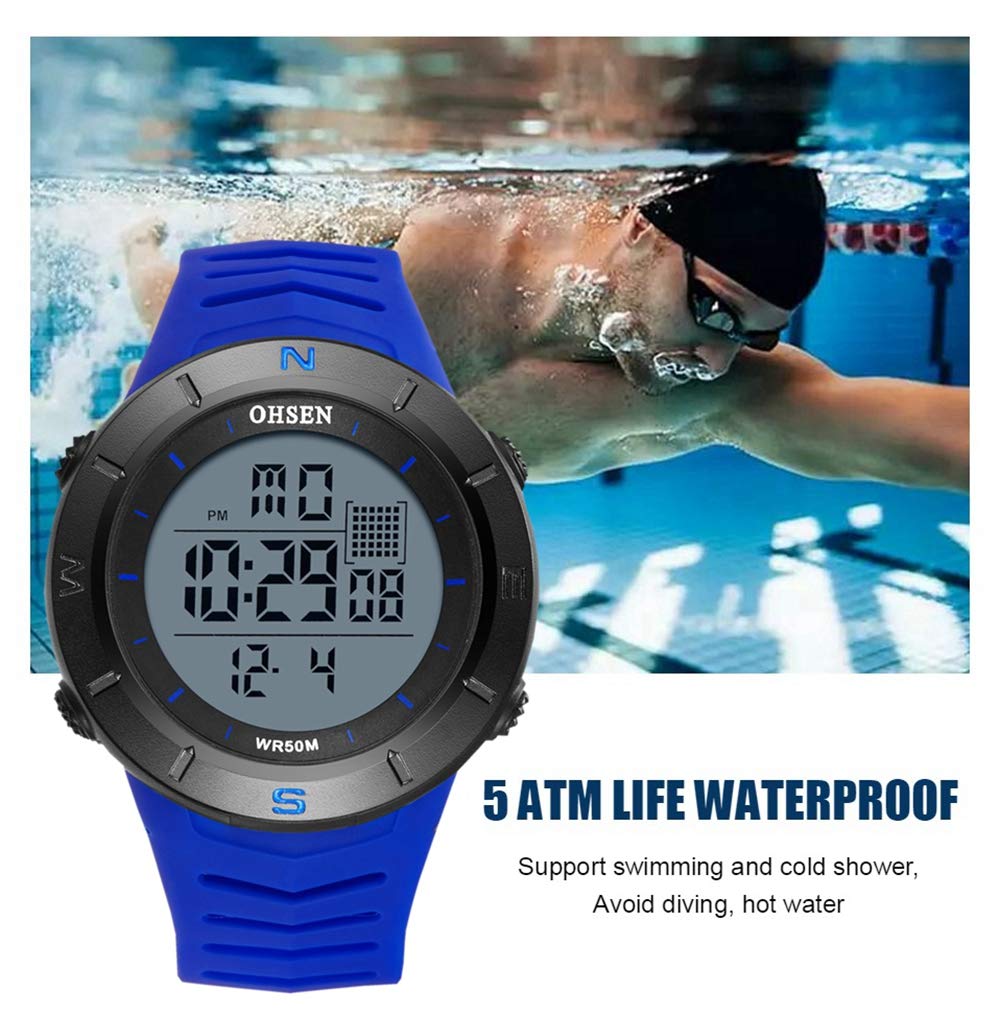
Image: The OHSEN 1903 watch being worn during swimming, illustrating its 5 ATM water resistance. Note: Avoid pressing buttons underwater.
5. Maintenance
5.1 Cleaning
To clean your watch, wipe the case and strap with a soft, slightly damp cloth. Avoid using harsh chemicals, solvents, or abrasive cleaners, as these can damage the watch's finish or seals.
5.2 Water Resistance Precautions
To maintain the water resistance of your watch:
- Always ensure the watch is completely dry before pressing any buttons, especially after exposure to water.
- Avoid exposing the watch to extreme temperature changes, such as moving from a cold environment directly into a hot shower or sauna, as this can affect the seals.
- Do not wear the watch in hot tubs or during diving activities.
5.3 Battery Replacement
The watch is powered by a Japanese button cell CR2025. When the display dims, becomes erratic, or stops functioning, it indicates that the battery needs replacement. For optimal performance and to ensure the water resistance is maintained, battery replacement should ideally be performed by a qualified watch technician.
6. Troubleshooting
| Problem | Possible Cause | Solution |
|---|---|---|
| Display is blank or dim. | Low or depleted battery. | Replace the CR2025 battery. |
| Time is incorrect or not advancing. | Time not set correctly or watch has been reset. | Refer to the "Setting Time and Date" section to reset the time. |
| Water or condensation inside the watch. | Buttons pressed underwater, exposure to hot water, or damaged water seals. | Immediately take the watch to a qualified technician for inspection and repair. Avoid further water exposure. |
| Alarm not sounding. | Alarm not activated or set incorrectly. | Ensure the alarm is set and activated as per the "Alarm Setting" instructions. |
7. Specifications
| Feature | Detail |
|---|---|
| Model Number | 1903 |
| Display Type | Digital |
| Case Material | Plastic, Resin |
| Case Diameter | 51 mm (2.01 Inches) |
| Case Thickness | 15 mm (0.59 Inches) |
| Band Material | Silicone |
| Band Width | 38 mm (1.49 Inches) |
| Band Length | 270 mm |
| Water Resistance Depth | 50 Metres (5 ATM) |
| Movement Type | Digital |
| Battery Type | CR2025 (Japanese button cell) |
| Special Features | Alarm, Chronograph (Stopwatch), EL Light (Glow In The Dark), Date/Week, 12/24 Hour Format, Shock Resistance |
| Clasp Type | Buckle |
| Item Weight | 100 g |

Image: Detailed views of the OHSEN 1903 watch components, including the mineral glass, silicone strap, buckle, and the engraved stainless steel case back.

Image: A diagram showing the key dimensions of the OHSEN 1903 watch, such as band length, case diameter, case thickness, and band width.
8. Warranty and Support
Specific warranty information for the OHSEN 1903 Digital Sport Watch is not provided in the product details. For any support needs, warranty inquiries, or service, please contact your original retailer or the manufacturer, OHSEN Watch Co,Ltd, directly. Please retain your proof of purchase for any warranty claims.