
Introduction
This manual provides detailed instructions for the operation and maintenance of your HANNLOMAX HX-146CR Alarm Clock Radio. Please read this manual thoroughly before using the product to ensure proper function and to maximize its features.
The HANNLOMAX HX-146CR is a versatile alarm clock radio featuring PLL FM Radio with preset stations, dual alarms, a 1.2" green LED display, Bluetooth connectivity, dual USB ports for charging (2.4A and 1A), and MP3 playback via USB. It also includes a dimmer function and memory backup.

Figure 1: Front view of the HANNLOMAX HX-146CR Alarm Clock Radio, displaying the time 12:00 on its green LED screen. Two USB ports are visible at the bottom.
Product Features
- Digital Clock with Dual Alarms: Set two independent alarms with options to wake up by buzzer or radio. Features a 9-minute snooze function and a SLEEP TIMER for radio listening while falling asleep.
- PLL FM Radio with Preset Stations: Easily locate and save your favorite FM radio stations with digital scan. An external FM antenna is included to enhance reception.
- 1.2" Green LED Display: Provides a clear and easily readable time display, suitable for various users.
- Dimmer Function: Adjust the brightness of the LED display to your preference.
- Dual USB Ports for Charging: Includes one 2.4A USB port for fast charging and one 1A USB port for standard charging of smartphones and tablets.
- Bluetooth Streaming: Wirelessly play audio from your smartphone or other Bluetooth-enabled devices. The built-in speaker features a metal body for enhanced audio stability and high-quality stereo sound.
- USB Port for MP3 Playback: Play MP3 music files directly from a USB flash drive using the 1A USB port.
- AC/DC Adapter and Memory Backup: Powered by an included AC/DC adapter. The memory backup function retains all settings during power outages, eliminating the need for re-setup.
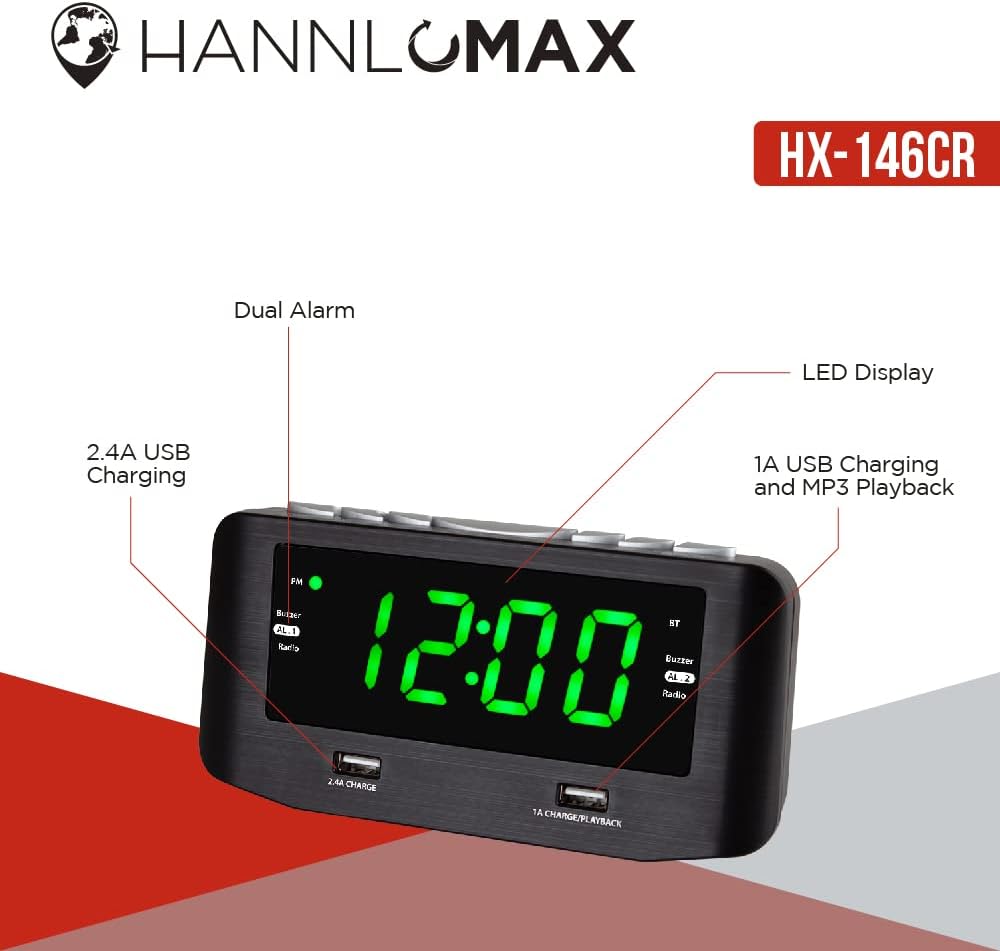
Figure 2: Diagram illustrating key features of the HX-146CR, including dual alarm, LED display, and USB charging/playback capabilities.

Figure 3: Visual representation of the HX-146CR's core functionalities: USB charging, Bluetooth connectivity, MP3 playback, and dual alarm.
Package Contents
Please check the package for the following items:
- HANNLOMAX HX-146CR Alarm Clock Radio
- AC/DC Power Adapter
- User Manual (this document)
- External FM Antenna
Setup
1. Power Connection
Connect the supplied AC/DC power adapter to the DC IN jack located on the back of the unit. Plug the other end of the adapter into a standard wall outlet. The unit will power on and the display will illuminate.
2. Memory Backup
The HX-146CR features a built-in memory backup system. In the event of a power outage, this function will automatically store all your settings (time, alarm settings, radio presets) to prevent loss. No user intervention or additional batteries are required for this feature.
3. FM Antenna Connection
For optimal FM radio reception, fully extend the external FM antenna. Position the antenna for the best possible signal quality. Avoid placing the antenna near other electronic devices that may cause interference.
Operating Instructions
Setting the Clock Time
- Press and hold the TIME SET button. The hour digits will begin to flash.
- Use the HOUR button to adjust the hour. Pay attention to the PM indicator if setting 12-hour format.
- Press the TIME SET button again. The minute digits will flash.
- Use the MINUTE button to adjust the minutes.
- Press the TIME SET button once more to confirm and exit time setting mode.
Setting Dual Alarms (AL.1 / AL.2)
The unit features two independent alarms, AL.1 and AL.2.
- Press and hold the AL.1 SET or AL.2 SET button. The alarm hour digits will flash.
- Use the HOUR button to set the desired alarm hour.
- Press the respective AL. SET button again. The alarm minute digits will flash.
- Use the MINUTE button to set the desired alarm minutes.
- Press the respective AL. SET button again to select the wake-up source: Buzzer or Radio. The corresponding indicator (Buzzer or Radio) will light up.
- Press the respective AL. SET button one last time to confirm and activate the alarm. The alarm indicator (AL.1 or AL.2) will appear on the display.
- To deactivate an alarm, press the respective AL. ON/OFF button until the alarm indicator disappears from the display.
Snooze Function
When an alarm sounds, press the SNOOZE button (usually a large button on top). The alarm will pause for approximately 9 minutes and then sound again.
Sleep Timer
The sleep timer allows you to fall asleep to the radio or Bluetooth audio, which will automatically turn off after a set period.
- While the radio or Bluetooth is playing, repeatedly press the SLEEP button to cycle through available sleep times (e.g., 90, 60, 30, 15 minutes, OFF).
- The unit will automatically turn off after the selected duration.
FM Radio Operation
- Press the MODE button to select FM radio mode.
- Press the TUNE +/- buttons to manually tune to a station.
- Press and hold the TUNE +/- buttons for automatic scanning to the next available station.
- To auto-scan and save all available stations: Press and hold the SCAN button (if available, otherwise use a combination of TUNE and MEMORY buttons as per typical clock radios). The unit will scan and store stations to presets.
- To recall preset stations, press the PRESET +/- buttons.
Bluetooth Streaming
- Press the MODE button to select Bluetooth (BT) mode. The BT indicator on the display will flash, indicating pairing mode.
- On your smartphone or Bluetooth-enabled device, enable Bluetooth and search for available devices.
- Select "HX-146CR" (or similar name) from the list of found devices to pair.
- Once paired, the BT indicator will stop flashing and remain solid. You can now play audio from your device through the clock radio.
USB Charging and MP3 Playback
The HX-146CR features two USB ports on the front panel:
- 2.4A CHARGE Port: Designed for faster charging of compatible devices.
- 1A CHARGE/PLAYBACK Port: Provides standard charging and supports MP3 audio playback from a USB flash drive.

Figure 4: A smartphone connected to the 1A USB port for charging and potential MP3 playback.
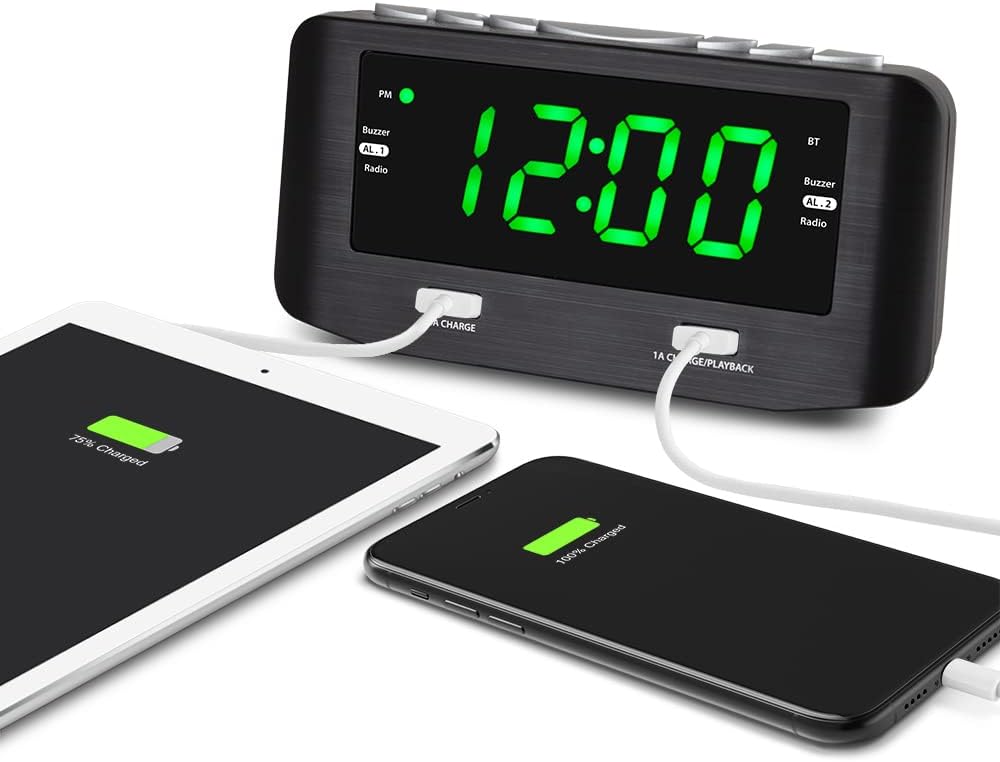
Figure 5: The HX-146CR demonstrating its dual USB charging capability, powering both a smartphone and a tablet.
For Charging:
Connect your device's USB charging cable to either the 2.4A or 1A USB port on the clock radio. Charging will begin automatically.
For MP3 Playback:
- Insert a USB flash drive containing MP3 audio files into the 1A CHARGE/PLAYBACK USB port.
- Press the MODE button to select USB mode. The unit should automatically detect and begin playing MP3 files.
- Use the PLAY/PAUSE and SKIP +/- buttons to control playback.
Dimmer Function
To adjust the brightness of the 1.2" green LED display, repeatedly press the DIMMER button (or similar button, typically on the top panel). Cycle through available brightness levels (e.g., High, Medium, Low, Off).
Maintenance
- Cleaning: Use a soft, dry cloth to clean the exterior of the unit. Do not use abrasive cleaners, waxes, or solvents as they may damage the finish.
- Placement: Place the unit on a stable, flat surface away from direct sunlight, heat sources, and excessive dust or moisture.
- Ventilation: Ensure adequate ventilation around the unit to prevent overheating. Do not block ventilation openings.
Troubleshooting
| Problem | Possible Cause / Solution |
|---|---|
| Unit does not power on. |
|
| Display is too bright/dim. |
|
| Poor FM radio reception. |
|
| Bluetooth device cannot pair. |
|
| USB MP3 playback not working. |
|
Specifications
| Feature | Detail |
|---|---|
| Brand | HANNLOMAX |
| Model Number | HX-146CR |
| Display Type | Digital, 1.2" Green LED |
| Connectivity Technology | Bluetooth, USB |
| Power Source | Corded Electric (AC/DC Adapter included) |
| USB Charging Ports | 1 x 2.4A, 1 x 1A (Charge/Playback) |
| Alarm Type | Dual Alarm (Buzzer or Radio) |
| Special Features | Dimmer Function, Memory Backup, PLL FM Radio with Presets, MP3 Playback |
| Product Dimensions | 6.42"W x 3.35"H (approx. 166mm W x 82mm H x 69mm D) |
| Item Weight | 15.8 ounces |
| Material | Metal (speaker body), Plastic (main casing) |

Figure 6: Dimensions of the HANNLOMAX HX-146CR Alarm Clock Radio.
Warranty and Support
For warranty information, technical support, or service inquiries regarding your HANNLOMAX HX-146CR Alarm Clock Radio, please refer to the warranty card included with your purchase or visit the official HANNLOMAX website. Contact information for customer support is typically available on the manufacturer's website.
You can visit the HANNLOMAX Store on Amazon for more information: HANNLOMAX Store