
STARUMENT Starument-PortableHandheldVacuum
STARUMENT Portable Handheld Cordless Vacuum Cleaner User Manual
Model: Starument-PortableHandheldVacuum
Introduction
Thank you for choosing the STARUMENT Portable Handheld Cordless Vacuum Cleaner. This manual provides essential information for the safe and efficient operation, maintenance, and troubleshooting of your new device. Please read it thoroughly before first use and retain it for future reference.

Image: The STARUMENT Portable Handheld Cordless Vacuum Cleaner in black, showcasing its sleek, compact design.
What's Included
Verify that all components are present in the packaging:
- 1 x STARUMENT Portable Handheld Vacuum Cleaner
- 1 x Adjustable Nozzle (with brush attachment)
- 1 x USB-C Charging Cable

Image: An overhead view displaying the handheld vacuum, an adjustable nozzle with brush, and a USB-C charging cable, indicating the package contents.
Setup and Initial Use
- Unpacking: Carefully remove all components from the packaging.
- Initial Charge: Before first use, fully charge the vacuum cleaner. Connect the provided USB-C cable to the charging port on the vacuum and plug the other end into a compatible USB power adapter (not included). The charging indicator light will show the charging status.
- Attach Nozzle: Select the appropriate nozzle for your cleaning task. The adjustable nozzle can be extended or retracted and includes a brush for versatile cleaning.
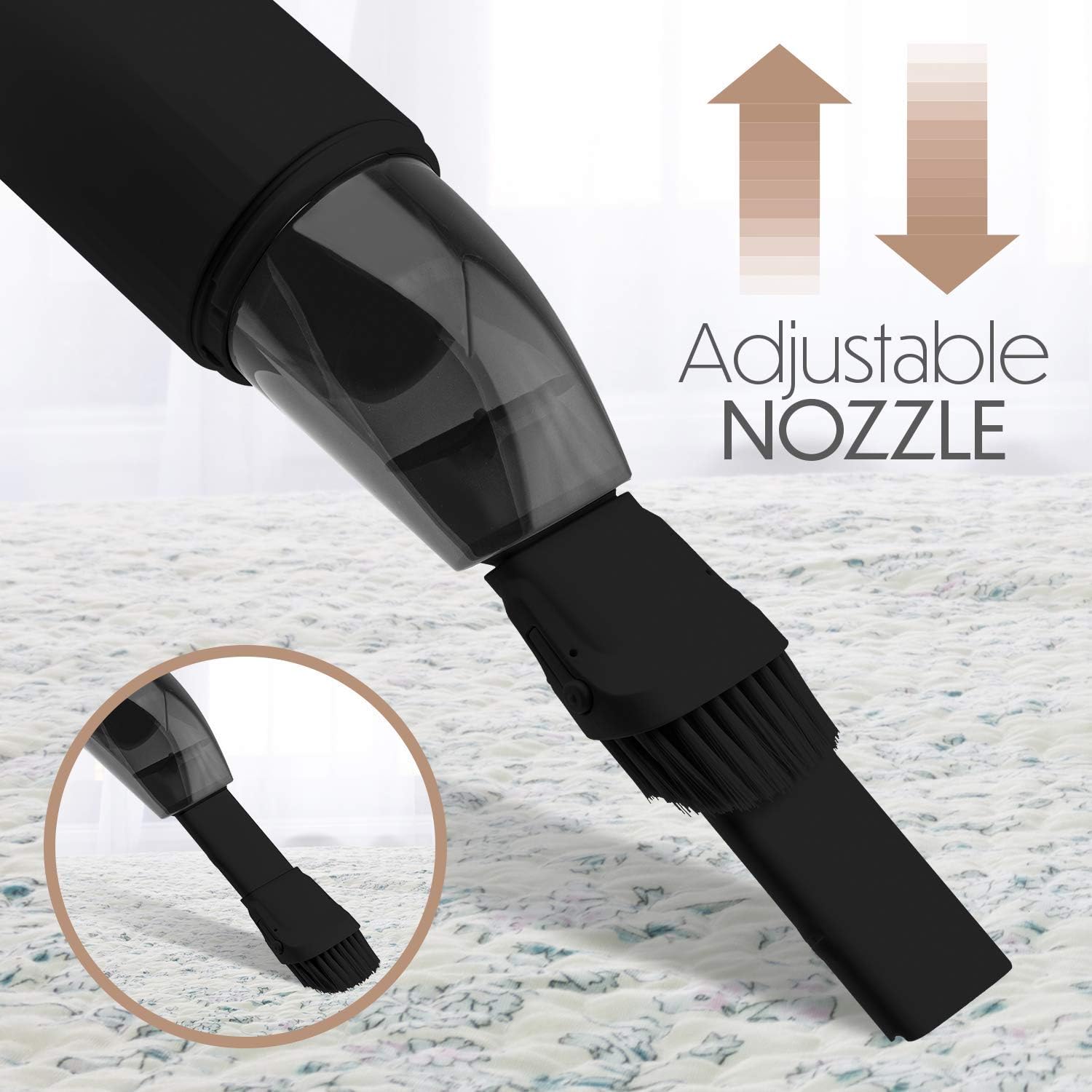
Image: A close-up of the adjustable nozzle, demonstrating its extendable feature and integrated brush for various cleaning needs.
Operating Instructions
The STARUMENT Portable Handheld Cordless Vacuum Cleaner is designed for efficient cleaning of various surfaces, including car interiors, sofas, carpets, furniture, and keyboards.
- Power On/Off: Press the power button located on the handle to turn the vacuum cleaner on. Press it again to turn it off.
- Suction Levels: The vacuum features two power levels. Press the power button once for the standard suction mode, and press it a second time for increased suction power. Press a third time to turn off.
- Cleaning: Guide the nozzle over the area to be cleaned. For stubborn dirt or pet hair, utilize the brush attachment on the adjustable nozzle.
- Portability: Its compact and lightweight design allows for easy transport and use in various locations, such as home, office, or car.

Image: The handheld vacuum in action, effectively cleaning crumbs from a textured rug, demonstrating its cleaning capability.

Image: The portable vacuum positioned on a desk beside a laptop, highlighting its compact size and suitability for office or personal workspace use.
Maintenance
Regular maintenance ensures optimal performance and extends the lifespan of your vacuum cleaner.
- Emptying the Dustbin:
- Twist the dustbin counter-clockwise to detach it from the main unit.
- Empty the collected debris into a waste bin.
- Reattach the dustbin by aligning and twisting clockwise until secure.
- Cleaning the Filter:
- Remove the filter from the dustbin.
- Tap the filter gently to dislodge dust. For a more thorough cleaning, rinse the filter under running water.
- Important: Ensure the filter is completely dry before reinserting it into the vacuum cleaner. Operating with a wet filter can damage the device.
- General Cleaning: Wipe the exterior of the vacuum cleaner with a soft, damp cloth. Do not use harsh chemicals or abrasive cleaners.

Image: An infographic highlighting key features, including the "Washable Dust Filter," indicating ease of maintenance.
Troubleshooting
If you encounter issues with your vacuum cleaner, refer to the following common problems and solutions:
| Problem | Possible Cause | Solution |
|---|---|---|
| Vacuum does not turn on. | Battery is depleted. | Charge the vacuum cleaner fully using the provided USB-C cable. |
| Weak suction power. | Dustbin is full or filter is clogged. | Empty the dustbin and clean the filter. Ensure the filter is dry before reinserting. |
| Vacuum stops unexpectedly. | Battery is low. | Recharge the vacuum cleaner. |
| Charging indicator light not working. | Faulty USB-C cable or power adapter. | Try a different USB-C cable or power adapter. Ensure connections are secure. |
If the problem persists after attempting these solutions, please contact customer support.
Specifications
| Brand | STARUMENT |
| Model Name | Starument Portable Hand Vacuum Cleaner |
| Model Number | Starument-PortableHandheldVacuum |
| Color | Black |
| Special Feature | Lightweight |
| Filter Type | Foam |
| Included Components | Battery, Brush |
| Cordless | Yes |
| Capacity | 120 Milliliters |
| Wattage | 120 watts |
| Recommended Uses | Carpet, Furniture, Home, Office |
| Form Factor | Handheld |
| Product Dimensions | 12"L x 3"W x 3"H |
| Battery Type | Lithium-Ion |
| Noise Level | 80 dB |
| Battery Life | 20 minutes |
| Connectivity Technology | USB |
| Number of Power Levels | 2 |
| Item Weight | 2.05 pounds |
| UPC | 653552150299 |
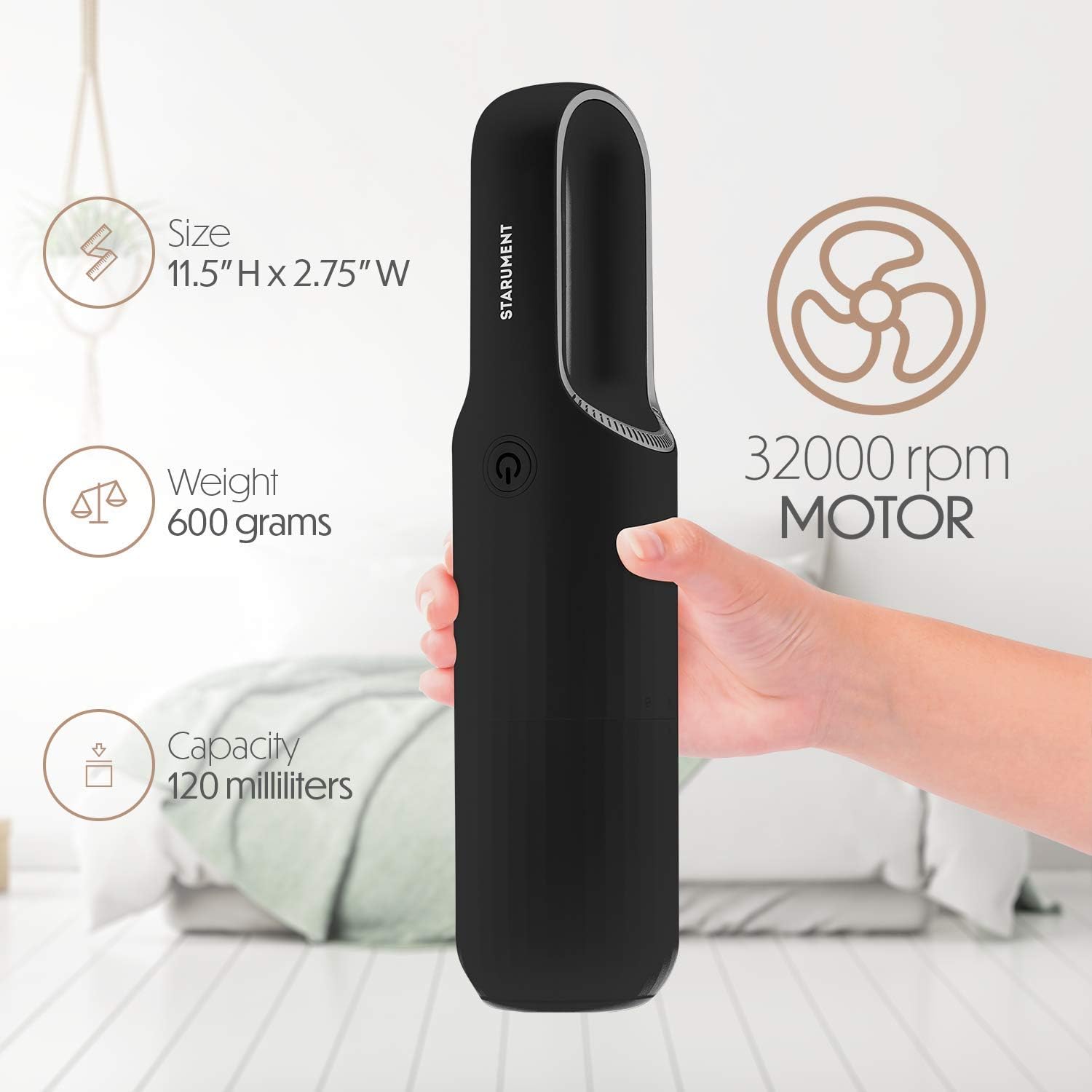
Image: An illustration detailing the vacuum's physical specifications including size (11.5"H x 2.75"W), weight (600 grams), capacity (120 milliliters), and motor speed (32000 rpm).
Warranty and Support
For warranty information or technical support, please refer to the documentation included with your purchase or visit the official STARUMENT website. You may also contact STARUMENT customer service directly for assistance.
Return Policy: The product typically includes a 30-day return/replacement policy from the date of purchase.
Protection Plans: Extended protection plans may be available for purchase separately. Please check with your retailer for details.
Manufacturer: starument
Seller: starument (fulfilled by Amazon)
Ask a question about this manual
Ask about setup, troubleshooting, compatibility, parts, safety, or missing instructions. Manuals+ will review the question and use this page’s manual context to help answer it.