
ZJFKSDYX L87
ZJFKSDYX L87 Wireless Gaming Keyboard User Manual
Model: L87 | Brand: ZJFKSDYX
Rechargeable 3000mAh 2.4G LED Backlit Wireless Keyboard
Introduction
Thank you for choosing the ZJFKSDYX L87 Wireless Gaming Keyboard. This high-performance 2.4G wireless keyboard is designed to provide a superior typing and gaming experience with its fast membrane keys, ergonomic design, and vibrant LED backlighting. This manual provides detailed instructions for setup, operation, maintenance, and troubleshooting to ensure optimal performance and longevity of your keyboard.

Image: The ZJFKSDYX L87 Pink Wireless Gaming Keyboard, showcasing its compact design and the included USB wireless dongle.
Setup Guide
Follow these steps to set up your ZJFKSDYX L87 Wireless Gaming Keyboard:
- Initial Charge: Before first use, fully charge the keyboard for approximately 8 hours using the provided USB cable.

Image: Detail showing the charging port and a USB-C cable for charging the keyboard.
- Power On: Locate the power switch on the keyboard and slide it to the "ON" position.
- Connect USB Dongle: Insert the 2.4G USB wireless receiver dongle into an available USB port on your computer, gaming console (PS4, Xbox One), or Mac device.

Image: Visual guide for turning on the keyboard and inserting the wireless USB dongle into a device.
- Automatic Connection: The keyboard will automatically connect to your device. No additional drivers are typically required.

Image: Illustration of the keyboard's wireless connectivity with various devices like TV, laptop, and desktop computer.
Operating Instructions
The ZJFKSDYX L87 keyboard features 87 keys, including 12 multimedia combination keys and 19 anti-ghosting keys, designed for efficient use in both gaming and office environments.
Backlight Control
The keyboard offers three groups of rainbow backlight effects with adjustable modes and brightness levels:
- Switch Breathing Modes: Press FN + LED to cycle through 2 breathing modes.
- Switch Light Color: Press LED to switch between 3 static modes.
- Adjust Brightness: Press FN + PU (Page Up) to increase brightness or FN + PD (Page Down) to decrease brightness (4 levels).

Image: Instructions for controlling backlight modes, colors, and brightness using FN key combinations.
Multimedia Functions
Utilize the FN key in combination with the F-keys for quick access to multimedia and system functions:
| Key Combination | Function |
|---|---|
| FN + F1 | Media Player |
| FN + F2 | Volume Down |
| FN + F3 | Volume Up |
| FN + F4 | Mute |
| FN + F5 | Stop |
| FN + F6 | Previous Track |
| FN + F7 | Play/Pause |
| FN + F8 | Next Track |
| FN + F9 | |
| FN + F10 | Home Page |
| FN + F11 | My Computer |
| FN + F12 | Calculator |

Image: Visual representation of the keyboard's multimedia function keys.
Power Saving Mode
The keyboard is equipped with an intelligent sleep function. If there is no operation for approximately 60 seconds, the keyboard will automatically enter a shallow sleep layer to conserve battery life. Press any key to wake it up.

Image: Graphic explaining the keyboard's intelligent power-saving sleep mode.
Maintenance
Proper care and maintenance will extend the life of your ZJFKSDYX L87 keyboard:
- Cleaning: Use a soft, dry cloth to wipe the keyboard surface. For deeper cleaning, use a small brush or compressed air to remove dust and debris from between the keys. Avoid using harsh chemicals or abrasive materials.
- Keycap Care: The ABS keycaps are designed with a two-color injection molding process to prevent characters from fading. They are anti-sweat and resistant to damage. While durable, avoid excessive force when cleaning or handling individual keycaps.
- Charging: Charge the keyboard when the backlight dims or the keyboard becomes unresponsive. A full charge provides approximately 8 hours of continuous use with the backlight on.
- Storage: Store the keyboard in a cool, dry place away from direct sunlight and extreme temperatures.
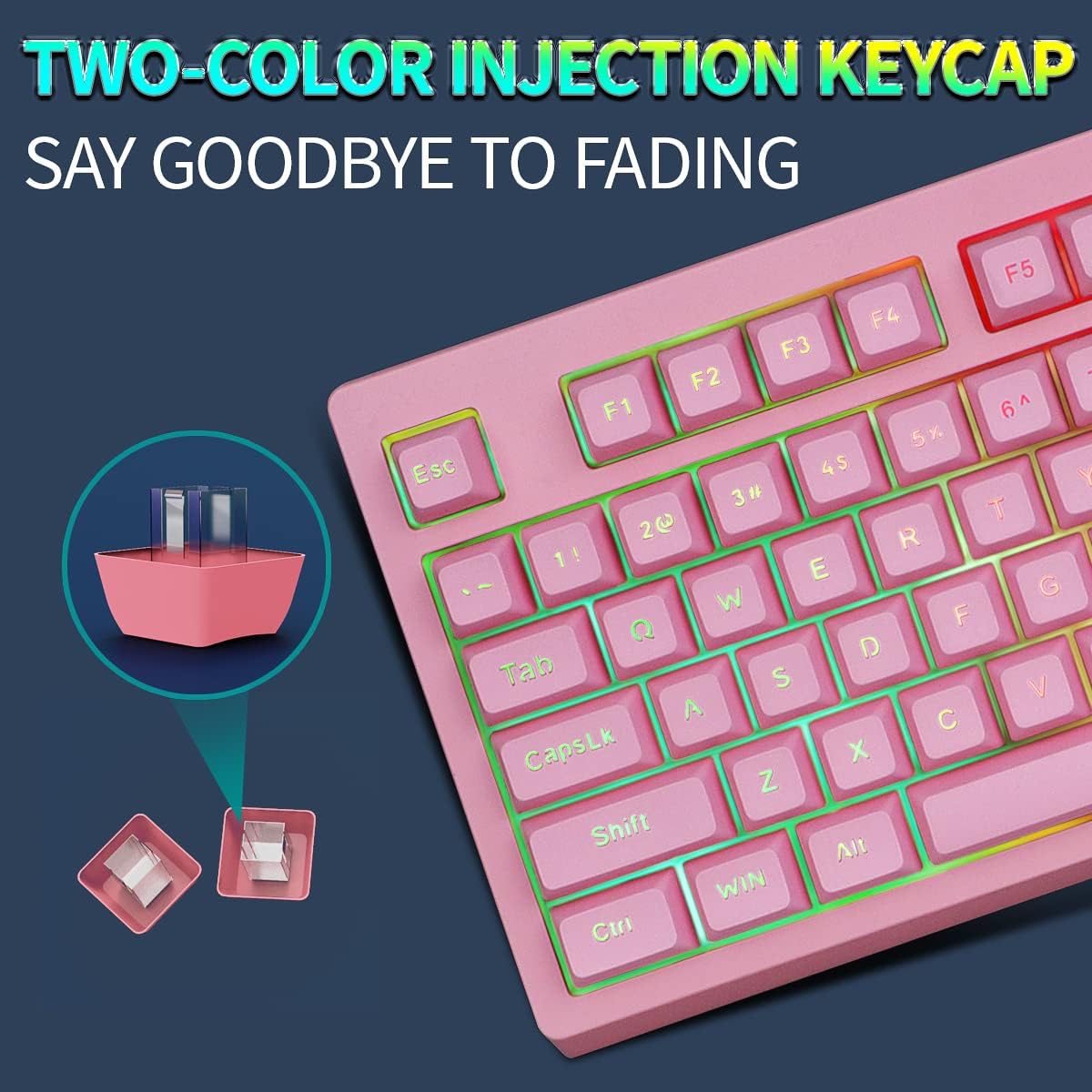
Image: Detailed view of the two-color injection keycap design, highlighting its durability.
Troubleshooting
If you encounter issues with your ZJFKSDYX L87 keyboard, refer to the following common problems and solutions:
- Keyboard Not Responding / Lights Glitching:
- Check Battery: The most common reason for lights glitching or unresponsiveness is a low battery. Ensure the keyboard is fully charged.
- Power Cycle: Turn the keyboard off, wait a few seconds, then turn it back on.
- Re-insert Dongle: Remove the USB wireless receiver from your device and re-insert it into a different USB port if available.
- Restart Device: Restart the computer or gaming console to refresh the connection.
- Backlight Not Working or Dim:
- Adjust Brightness: Use FN + PU to increase brightness.
- Check Battery: Low battery can cause dim backlighting. Charge the keyboard.
- Cycle Modes: Use FN + LED or LED to cycle through backlight modes and static colors.
- Keys Not Registering / Ghosting Issues:
- Clean Keys: Ensure no debris is lodged under the keycaps.
- Re-establish Connection: Follow steps for "Keyboard Not Responding" above.
- Short Battery Life:
- Full Charge: Ensure the keyboard is charged for the recommended 8 hours for optimal battery performance.
- Power Saving: The keyboard automatically enters sleep mode after 60 seconds of inactivity to save power. Ensure this feature is functioning.
- Backlight Usage: Continuous use of high brightness backlight settings will consume more battery.
Specifications
| Feature | Detail |
|---|---|
| Model Number | L87 |
| Connectivity | 2.4G Wireless |
| Number of Keys | 87 |
| Key Type | Membrane (Mechanical Feeling) |
| Anti-Ghosting | 19 Keys |
| Battery Capacity | 3000 mAh Lithium Polymer |
| Battery Life (with light) | Up to 8 hours continuous use |
| Backlight | RGB Rainbow Effect (3 groups, 2 breathing modes, 3 static modes, 4 brightness levels) |
| Keycap Material | ABS (Two-color injection molding) |
| Keystroke Lifetime | 10,000,000 keystrokes |
| Dimensions (L x W x H) | 14.96 x 11.34 x 1.73 inches |
| Weight | 1.9 pounds |
| Compatible Devices | PC, PS4, Xbox One, Mac |
| Color | Pink |
| Included Accessories | USB Cable, 2.4G USB Wireless Receiver |
Warranty and Support
ZJFKSDYX stands behind the quality of its products. The ZJFKSDYX L87 Wireless Gaming Keyboard comes with a 5-year warranty from the date of purchase.
If you have any questions, concerns, or require technical assistance, please do not hesitate to contact our customer support team. Our team is dedicated to providing prompt assistance and will respond within 24 hours.
Contact Information:
- For support, please refer to the contact details provided on the product packaging or the official ZJFKSDYX website.
Ask a question about this manual
Ask about setup, troubleshooting, compatibility, parts, safety, or missing instructions. Manuals+ will review the question and use this page’s manual context to help answer it.