
Introduction
Thank you for choosing the CHWARES CH035 Digital Kitchen Scale. This manual provides essential information for the safe and efficient operation of your new kitchen scale. Please read it thoroughly before first use and keep it for future reference.
Safety Information
- Do not immerse the scale in water or other liquids. The scale is not waterproof.
- Clean the scale with a soft, damp cloth. Avoid abrasive cleaners.
- Place the scale on a solid, flat, and stable surface for accurate measurements.
- Do not overload the scale beyond its maximum capacity of 5 kg / 11 lb.
- Keep out of reach of children.
- Avoid contact with strong acids or citrus juices, as these may damage the stainless steel surface.
- The scale cannot be used while charging.
Package Contents
- CHWARES CH035 Digital Kitchen Scale
- 1.4 L Stainless Steel Bowl
- USB Charging Cable
- User Manual (this document)
Product Overview
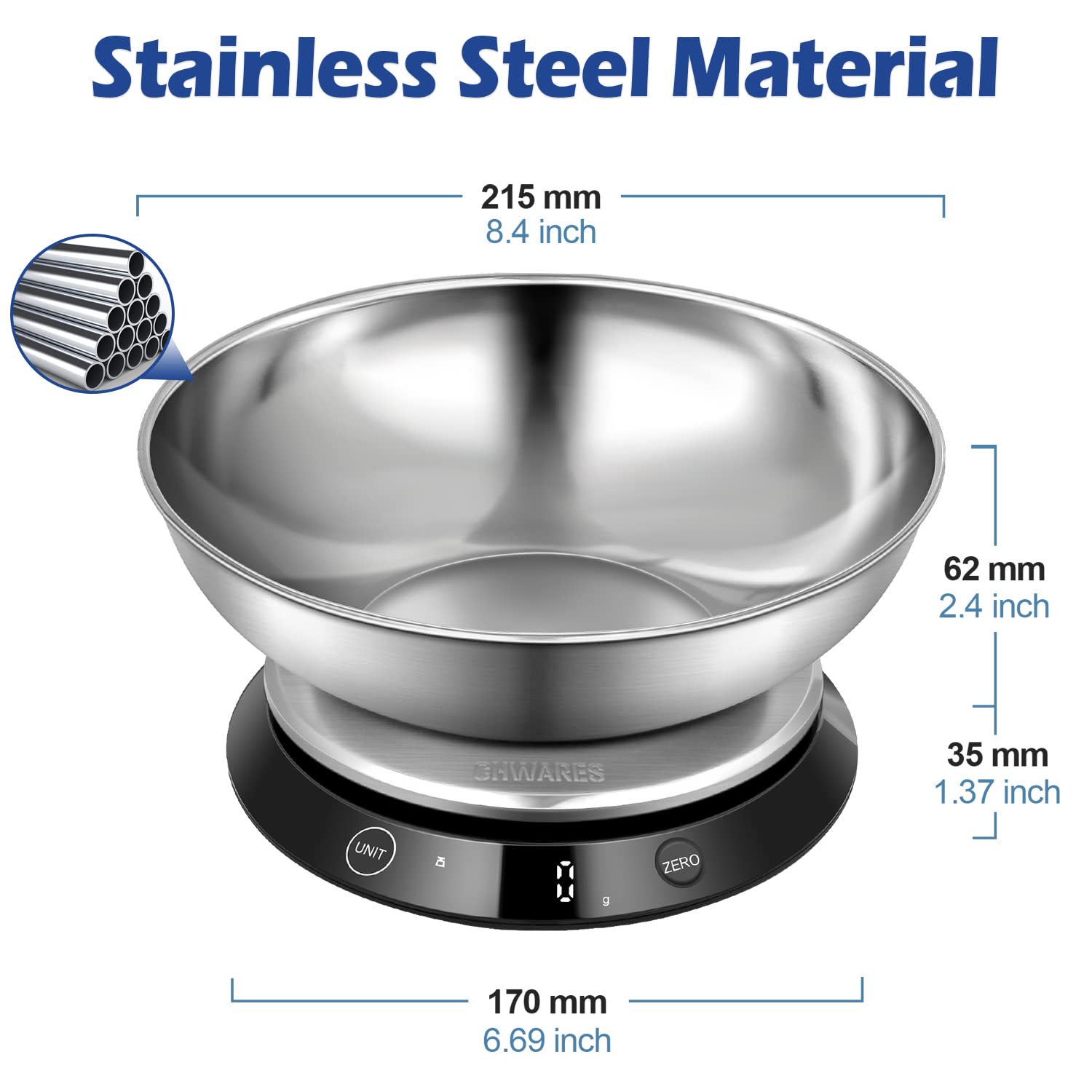
The CHWARES CH035 Digital Kitchen Scale features a sleek design with a stainless steel weighing platform and an easy-to-read LED display. It includes a detachable stainless steel bowl for convenient weighing.

Setup
- Initial Charge: Before first use, fully charge the scale using the provided USB charging cable. Connect the cable to the charging port at the back of the scale and to a USB power source. The LED indicators will show charging status.
- Placement: Place the scale on a hard, flat, and stable surface to ensure accurate readings.
- Bowl Placement: If using the stainless steel bowl, place it securely on the weighing platform before turning on the scale or performing any measurements.

Operating Instructions
1. Power On/Off
- To turn on the scale, gently press the UNIT button located on the front of the scale. The display will light up.
- The scale features a Step-On & Auto-Off technology. It will automatically turn off after a few minutes of inactivity to conserve battery life.
2. Unit Conversion
- Press the UNIT button repeatedly to cycle through the available measurement units: g (grams), ml (milliliters), milk ml (milk milliliters), lb:oz (pounds and ounces), fl'oz (fluid ounces), and milk fl'oz (milk fluid ounces).
- Select the desired unit before weighing your ingredients.

3. Tare Function
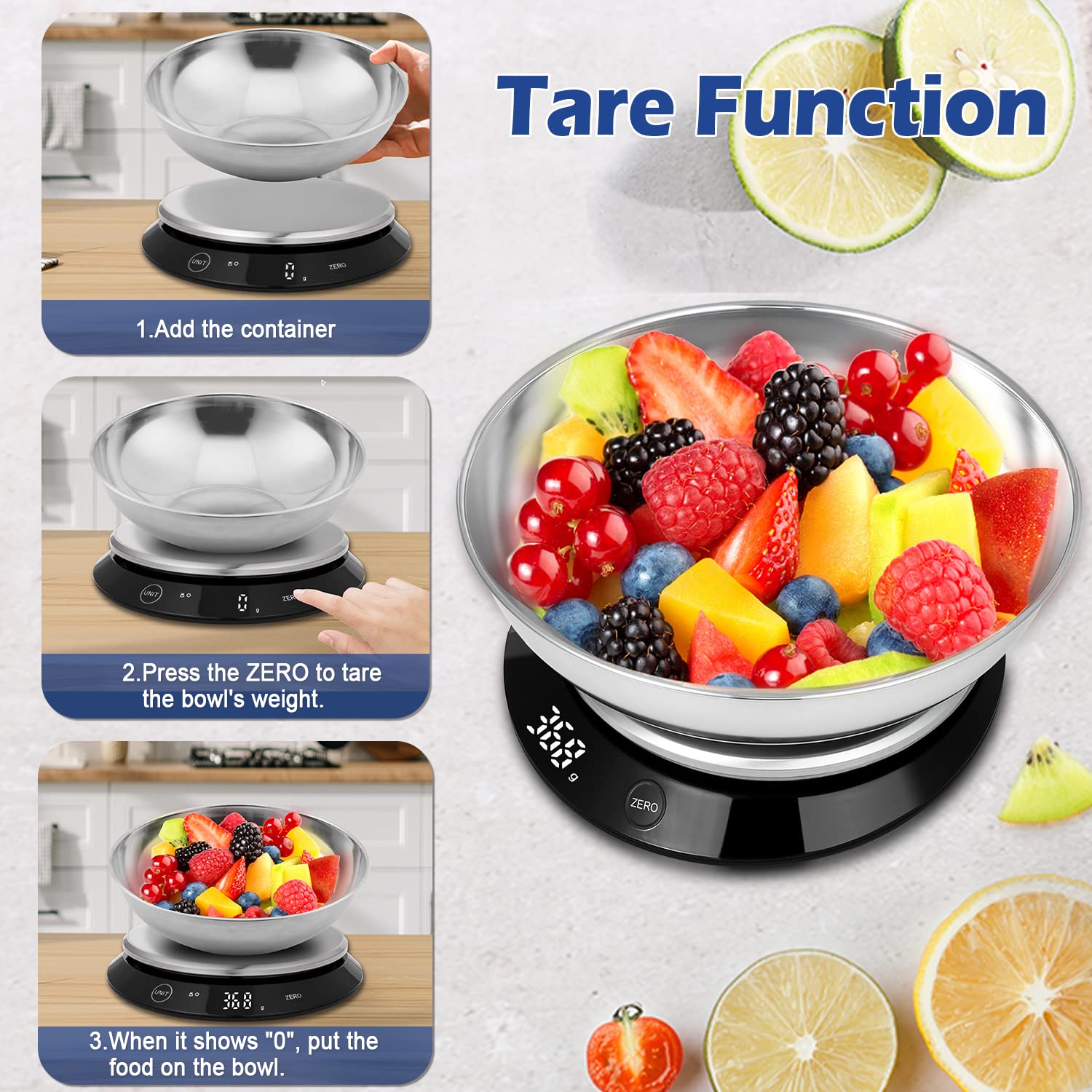
The Tare function allows you to subtract the weight of a container or previous ingredients, so you can measure subsequent ingredients accurately.
- Place an empty container (e.g., the stainless steel bowl) on the weighing platform. The display will show its weight.
- Press the ZERO button. The display will reset to "0" and a "T" indicator will appear, indicating the tare function is active.
- Add your ingredients to the container. The display will show only the net weight of the ingredients.
- To clear the tare, remove all items from the scale and press ZERO again if the display does not automatically return to zero.
Video: An official product video from CHWARES demonstrating the features and operation of the digital kitchen scale, including the tare function and unit conversion.
4. Weighing Procedure
- Ensure the scale is on a flat surface and powered on.
- Select your desired unit of measurement using the UNIT button.
- If using a container, place it on the platform and press ZERO to tare its weight.
- Carefully place the item(s) to be weighed onto the platform or into the tared container.
- Read the stable weight displayed on the LED screen.
Maintenance
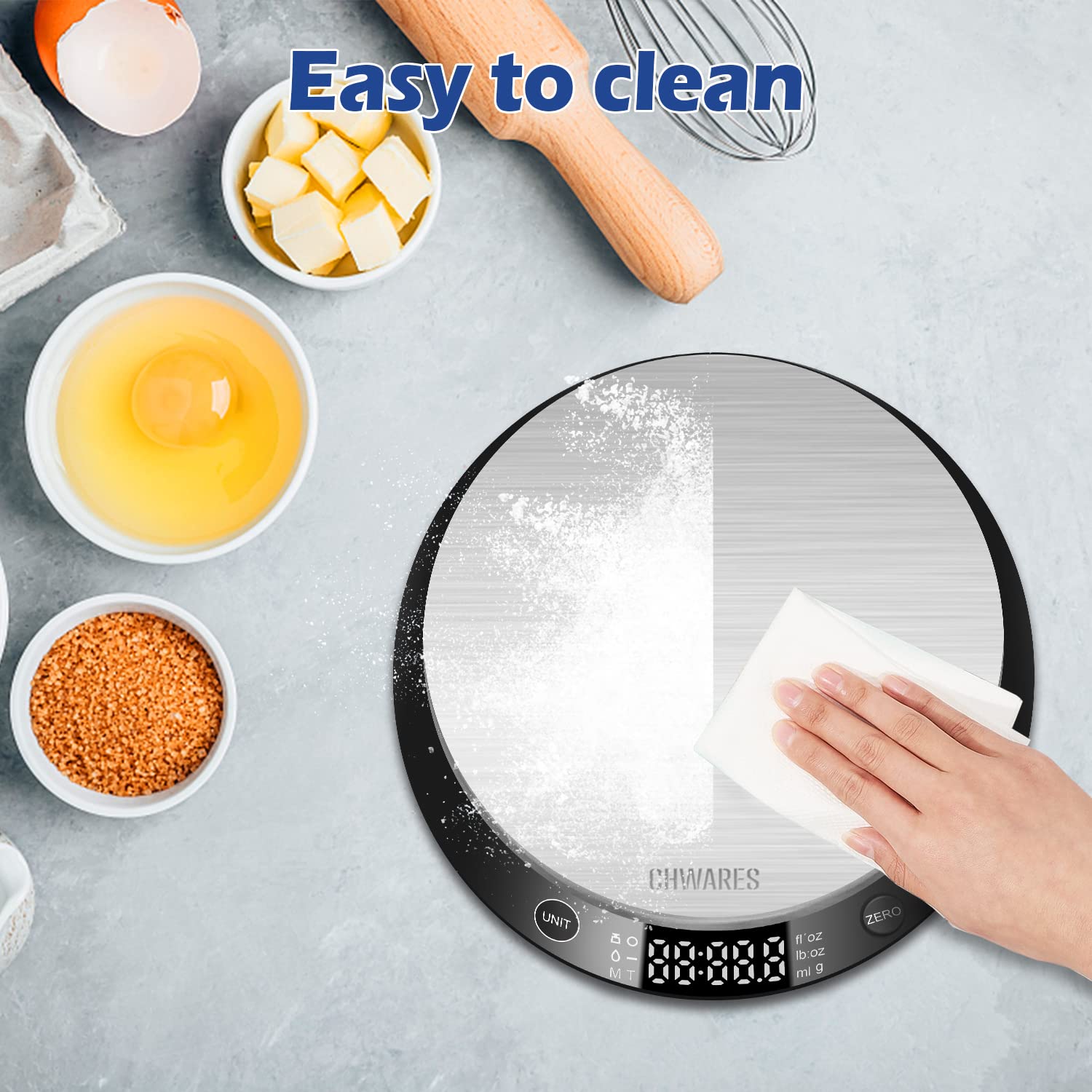
- Cleaning: Wipe the scale platform and body with a slightly damp cloth or tissue. Do not use harsh chemicals or immerse the scale in water. The stainless steel bowl is detachable and can be washed separately.
- Storage: Store the scale in a cool, dry place. The stainless steel bowl can be inverted and placed over the scale for compact storage.
- Battery: The scale is rechargeable. Charge it when the battery indicator shows low power. A single charge can last for 1 to 2 months depending on usage.
Troubleshooting
| Problem | Possible Cause | Solution |
|---|---|---|
| Inaccurate readings | Scale not on a flat surface; Overloaded; Low battery; External interference. | Place on a stable, flat surface. Do not exceed 5kg/11lb. Recharge the battery. Avoid strong electromagnetic fields. |
| Scale does not turn on | Low battery; Unit not properly pressed. | Charge the scale. Ensure a firm press on the UNIT button. |
| Display shows "Lo" | Low battery. | Recharge the scale. |
| Display shows "Err" | Overload. | Remove items immediately to prevent damage. Do not exceed maximum capacity. |
Specifications
| Feature | Detail |
|---|---|
| Brand | CHWARES |
| Model Number | CH035 |
| Weight Limit | 5 kg / 11 lb |
| Readout Accuracy | 1 g / 0.1 oz |
| Units of Measurement | g, ml, milk ml, lb:oz, fl'oz, milk fl'oz |
| Display Type | LED (Backlit) |
| Special Features | Rechargeable, Tare Function, Step-On & Auto-Off, Non-Slip Platform, Precision Balanced |
| Material | Stainless Steel (Food-grade) |
| Product Dimensions | 6.69 x 6.69 x 1.37 inches (Scale base) |
| Item Weight | 1.15 Pounds |
Warranty and Support
For warranty information or technical support, please refer to the contact details provided with your purchase or visit the official CHWARES website. Keep your purchase receipt as proof of purchase.
