
Introduction
This manual provides essential information for the proper use, care, and maintenance of your Orient Automatic Watch RA-AC0K04E10B. Your Orient watch is a precision timepiece crafted with a durable style and reliable automatic movement. Please read these instructions carefully to ensure optimal performance and longevity of your watch.

Image: Front view of the Orient Automatic Watch RA-AC0K04E10B, showcasing its green dial, luminous markers, and distinctive green and orange unidirectional rotating bezel.
Setup
1. Unboxing Your Watch
Your Orient watch comes securely packaged in a protective box. Carefully remove the watch and inspect it for any visible damage. Retain the packaging for future storage or transport.

Image: The black presentation box for the Orient watch, featuring the brand logo on the lid.
2. Setting the Time and Date
- Unscrew the Crown: The crown is located at the 4 o'clock position. Rotate the crown counter-clockwise until it is free from the case.
- Manual Winding: In position 1 (crown unscrewed, closest to the case), rotate the crown clockwise approximately 30-40 times to manually wind the mainspring. This provides an initial power reserve.
- Setting the Date: Pull the crown out to position 2. Rotate the crown clockwise or counter-clockwise to set the desired date. Avoid setting the date between 9 PM and 3 AM, as this can damage the movement.
- Setting the Time: Pull the crown out to position 3. The second hand will stop (hacking feature). Rotate the crown to set the hour and minute hands. To ensure accuracy, set the time a few minutes ahead, then push the crown back to position 2 when the time signal reaches the desired minute.
- Secure the Crown: Once the time and date are set, push the crown back to position 1 and screw it in clockwise firmly against the case to ensure water resistance.
3. Adjusting the Strap
The watch comes with a durable green fabric (NATO style) strap. Adjust the strap to fit comfortably on your wrist, ensuring it is snug but not too tight. The buckle features the Orient logo.

Image: The Orient Automatic Watch RA-AC0K04E10B worn on a wrist, showing the green fabric strap and the watch's profile.
Operating Your Watch
1. Automatic Movement
Your Orient watch is powered by an automatic mechanical movement (Caliber F6722). This movement is self-winding, meaning it gains power from the motion of your wrist. When worn regularly, it will maintain its power reserve. If the watch stops due to lack of motion, it can be restarted by gently shaking it side-to-side for a few minutes or by manually winding it as described in the Setup section.
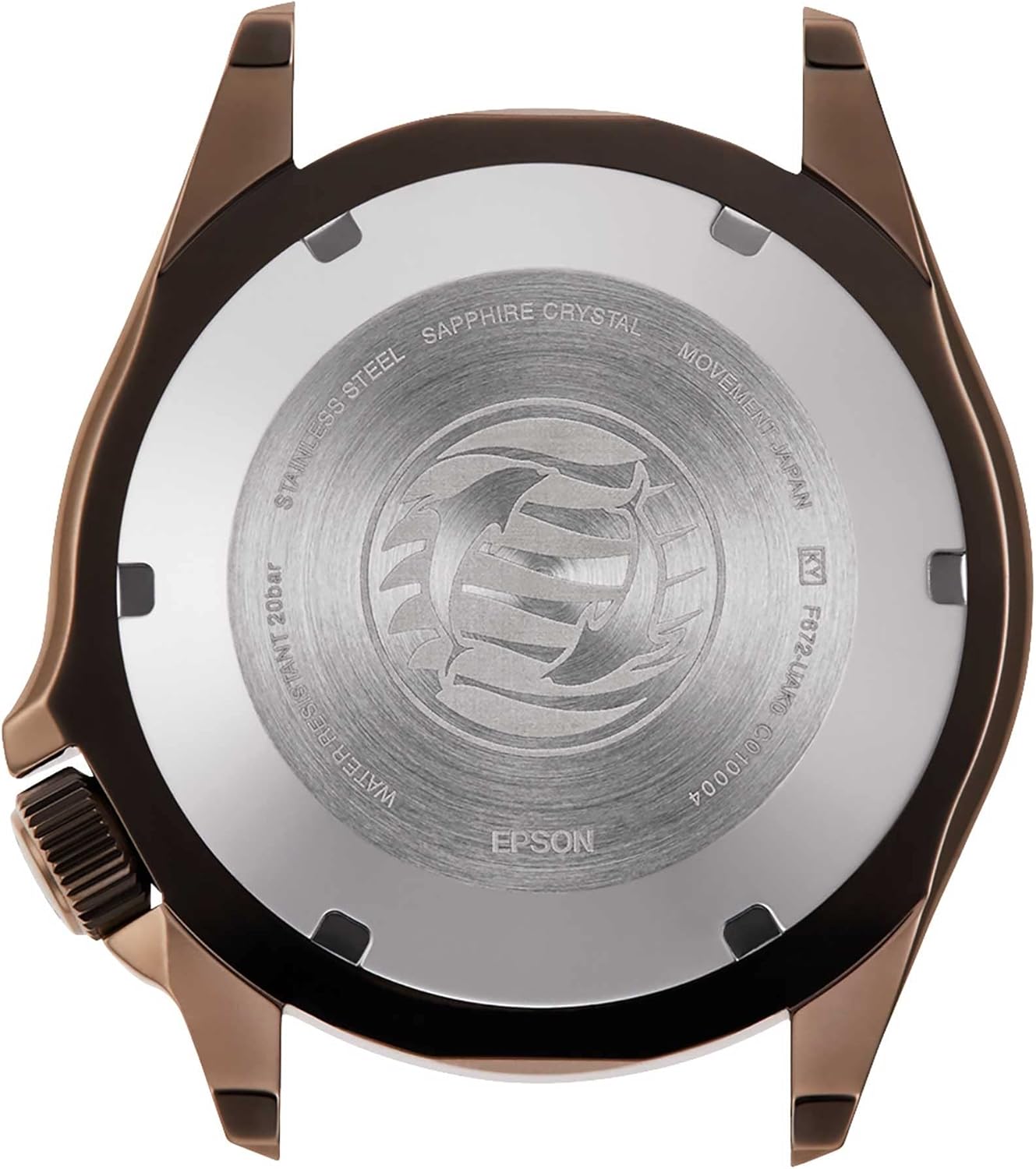
Image: The screw-down case back of the Orient Automatic Watch RA-AC0K04E10B, indicating 'Stainless Steel', 'Sapphire Crystal', 'Movement Japan', and 'Water Resistant 20bar'.
2. Water Resistance (200m / 20 Bar)
This watch is rated for 200 meters (20 Bar) of water resistance, making it suitable for professional marine activity and serious surface water sports, but not for saturation diving. Always ensure the crown is fully screwed down before exposing the watch to water.
3. Unidirectional Rotating Bezel
The watch features a unidirectional rotating bezel, which can be used to measure elapsed time. Rotate the bezel counter-clockwise to align the zero marker with the minute hand. The minute hand's position on the bezel will then indicate the elapsed time.
Maintenance
1. Cleaning Your Watch
- Case and Crystal: Wipe the watch case and sapphire crystal with a soft, dry cloth. For stubborn dirt, a slightly damp cloth can be used, followed by immediate drying.
- Fabric Strap: The fabric strap can be hand-washed with mild soap and water. Allow it to air dry completely before reattaching it to the watch.
2. Storage
When not wearing your watch, store it in a cool, dry place away from direct sunlight and strong magnetic fields. The original watch box is ideal for storage.
3. Service Intervals
For optimal performance and longevity, it is recommended to have your automatic watch serviced by an authorized service center every 3-5 years. This includes cleaning, lubrication, and adjustment of the movement, as well as checking water resistance seals.
Troubleshooting
- Watch Not Running: If the watch has stopped, ensure it is sufficiently wound. Wear it for several hours or manually wind it using the crown (30-40 turns).
- Inaccurate Time: Minor variations in timekeeping are normal for mechanical watches. If the watch is consistently running too fast or too slow, it may require regulation by a professional watchmaker. Avoid exposing the watch to strong magnetic fields, which can affect accuracy.
- Water Intrusion: If you notice condensation under the crystal or suspect water has entered the watch, immediately take it to an authorized service center. Do not attempt to open the watch yourself.
Specifications
| Feature | Detail |
|---|---|
| Model Number | RA-AC0K04E10B |
| Movement Type | Automatic (Mechanical Self-Winding) |
| Case Material | Stainless Steel |
| Case Diameter | 43.4 Millimeters |
| Case Thickness | 12.8 Millimeters |
| Crystal | Synthetic Sapphire |
| Water Resistance Depth | 200 Meters (20 Bar) |
| Band Material Type | Nylon (Fabric) |
| Band Width | 22 Millimeters |
| Dial Color | Green |
| Item Weight | 50 Grams |
Official Product Video
Video: An overview of the Orient Triton Watch, highlighting its features and design. This video provides a detailed look at the watch's aesthetics and functionality.
Warranty and Support
Warranty Information
Your Orient watch is covered by a manufacturer's warranty. Please refer to the warranty card included with your purchase for specific terms and conditions, including coverage duration and limitations.
Customer Support
For any questions, service requests, or technical support regarding your Orient watch, please contact Orient customer service through their official website or the contact information provided in your warranty documentation.