
Introduction
The TDG K07 is a versatile 3-in-1 device designed to function as a selfie stick, a tripod, and a monopod, complete with a wireless Bluetooth remote control. This compact and lightweight accessory is compatible with a wide range of smartphones, offering flexibility for capturing photos and videos. This manual provides detailed instructions for its proper use and maintenance.
Package Contents:
- 1 x Selfie Stick
- 1 x Bluetooth Remote Control
Setup Instructions
- Unpack the Device: Carefully remove the selfie stick and Bluetooth remote control from its packaging.
- Extend the Selfie Stick: Gently pull the top section of the stick upwards to extend it to the desired length. The stick can extend up to 6 stages.
- Attach Your Phone: Open the phone mount holder and securely place your smartphone. The mount holder supports devices between 2.6 to 4.0 inches in width. Ensure your phone is firmly gripped.
- Convert to Tripod (Optional): If using as a tripod, unfold the legs located at the base of the stick. Place the tripod on a stable, flat surface.
- Power On the Remote: Long press the remote button until the LED indicator begins to blink.
- Pair with Bluetooth:
- On your mobile phone, navigate to the Bluetooth settings.
- Search for available devices and select "SelfieCom" from the list.
- Once successfully connected, the LED indicator on the remote will stop flashing.
- The remote is compatible with Android 4.2.2 and above, and iPhone iOS 5.0 and above.

Image: The TDG K07 selfie stick in tripod mode, with a smartphone mounted and the detached Bluetooth remote control. This illustrates the product's 3-in-1 functionality.
Operating Instructions
Using the Selfie Stick / Tripod:
- Adjust Length: Extend or retract the stick to achieve your desired distance for photos or videos. The maximum extended length is 27.6 inches.
- Adjust Camera Angle: The phone mount can be adjusted up to 245 degrees, allowing for various shooting angles.
- Orientation: Position your phone vertically or horizontally within the mount to capture different perspectives.
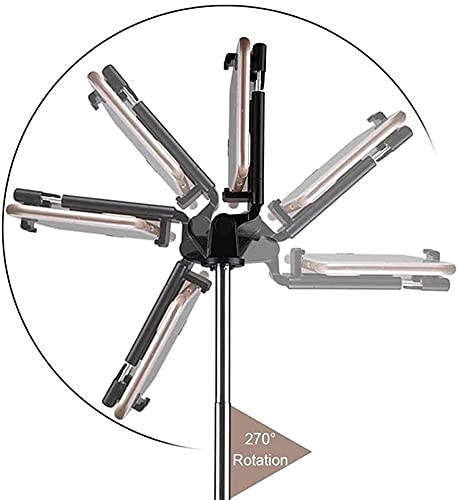
Image: An illustration demonstrating the 270-degree rotation capability of the phone mount on the TDG K07 selfie stick, allowing for flexible camera angles.
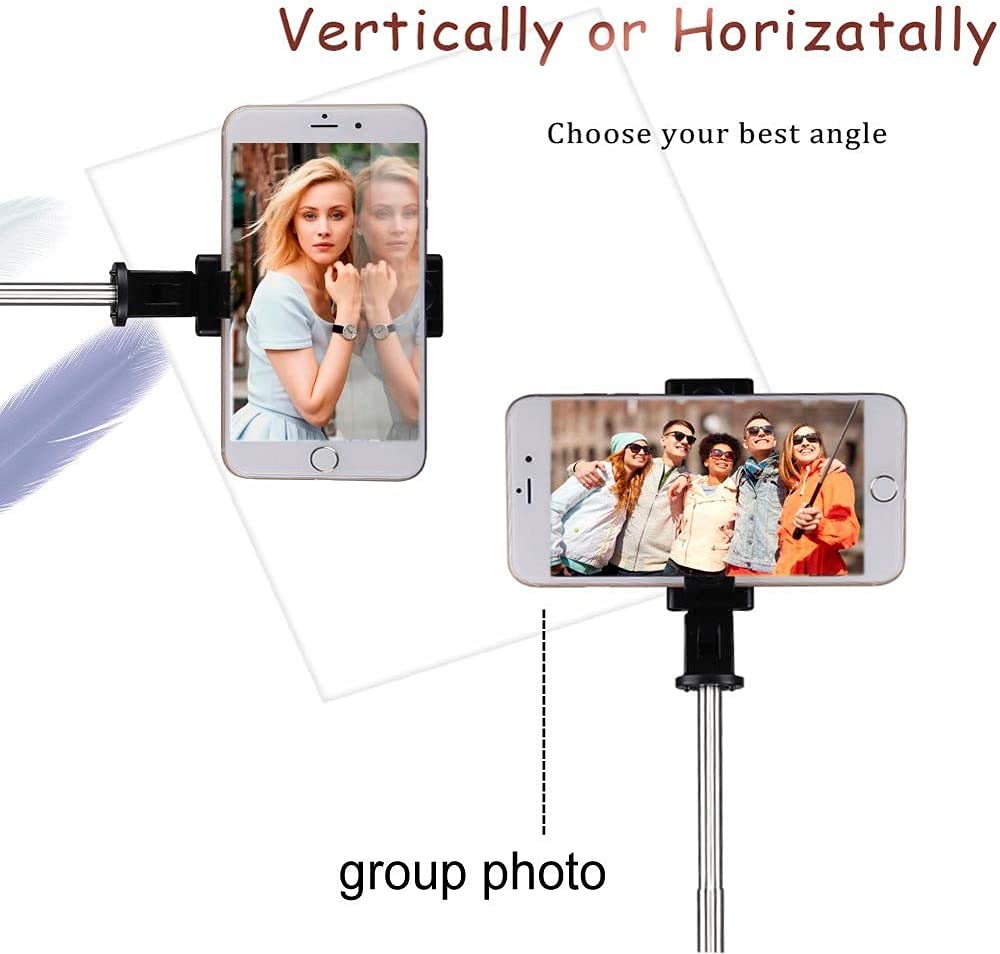
Image: A visual guide showing how to position a smartphone vertically or horizontally on the TDG K07 selfie stick for different photo and video compositions.
Using the Bluetooth Remote Control:
- Capture Photos/Videos: Once paired, press the remote button to remotely trigger your phone's camera shutter. The LED will flash once with each capture.
- Automatic Shutdown: The remote control will automatically shut down after 5 minutes if it is not paired with a device.
- Sleep Mode: If no operation is performed for 10 minutes after pairing, the remote will enter sleep mode. It will automatically shut down after another 10 minutes if not awakened.
- Power Off: To manually power off the remote, long press the remote button until the LED indicator flashes 3 times and then turns off.

Image: The TDG K07 selfie stick in tripod mode with a phone mounted, highlighting the "One Touch At A Time Instant Capture" feature of the Bluetooth remote.
Maintenance
- Cleaning: Wipe the selfie stick and remote control with a soft, dry cloth. Do not use abrasive cleaners or immerse the device in water.
- Storage: Store the device in a cool, dry place away from direct sunlight and extreme temperatures when not in use.
- Battery Replacement: The Bluetooth remote uses a replaceable CR1632 battery. To replace, open the battery compartment on the remote, remove the old battery, and insert a new CR1632 battery with the correct polarity.
Troubleshooting
| Problem | Solution |
|---|---|
| Remote control does not power on. | Ensure the remote button is long-pressed. Check if the CR1632 battery needs replacement. |
| Remote control does not pair with phone. |
|
| Phone does not fit in the mount. | The mount holder supports phones between 2.6 to 4.0 inches in width. Verify your phone's dimensions. Remove any bulky phone cases if necessary. |
| Selfie stick feels unstable. | Ensure all sections of the stick are fully extended and locked. If using as a tripod, ensure the legs are fully spread on a flat, stable surface. |
Specifications
| Model Name | K07 Bluetooth Tripod & Selfie |
| Model Number | K07 (Manufacturer Part Number: GA976Q) |
| Material | Acrylonitrile Butadiene Styrene (ABS), Stainless Steel |
| Equipment Weight | 131g (Product), 150 Grams (Item) |
| Bluetooth Version | Bluetooth 4.0 |
| Bluetooth Transmission Distance | 10m |
| Mount Holder Width | 2.6 - 4.0 inches |
| Retracted Length | 7.64 inches |
| Extended Length | 27.6 inches |
| Number of Leg Sections | 6 |
| Camera Angle Adjustment | Up to 245° |
| Remote Control Battery | CR1632 (replaceable) |
| Compatible OS | Android 4.2.2 and above, iPhone iOS 5.0 and above |
| Color | Black |
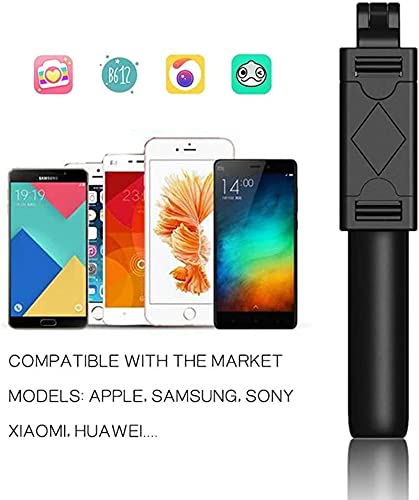
Image: An image displaying various smartphone models from brands like Apple, Samsung, Sony, Xiaomi, and Huawei, indicating the broad compatibility of the TDG K07 selfie stick.
Warranty Information
Specific warranty details for the TDG K07 are not provided in the product information. Please refer to your purchase receipt or contact the retailer for information regarding warranty coverage and terms.
Customer Support
For further assistance, technical support, or inquiries regarding the TDG K07, please contact the seller or retailer from whom the product was purchased. Keep your purchase details readily available when contacting support.


