
JLB7tech LB55955T*2/R
JLB7tech 5-inch Split Screen Baby Monitor User Manual
Model: LB55955T*2/R
1. Introduction
Welcome to the JLB7tech 5-inch Split Screen Baby Monitor. This device is designed to provide a secure and reliable way to monitor your baby, offering features such as a large display, two-way audio, night vision, and temperature sensing. Please read this manual thoroughly before use to ensure proper operation and safety.
2. Safety Information
- Strangulation Hazard: Keep the adapter cords out of reach of children (at least 3 feet / 1 meter away). Never place the camera or cords within the crib or playpen.
- Choking Hazard: This product contains small parts. Keep out of reach of children.
- Heat Exposure: Do not place the monitor or camera near heat sources such as radiators, heat registers, stoves, or other appliances that produce heat.
- Water and Moisture: Do not expose the product to water or moisture.
- Power Source: Use only the AC power adapters provided. Using other adapters may damage the device.
- Ventilation: Do not block any ventilation openings. Ensure proper airflow around the units.
- Battery Safety: The monitor contains a rechargeable battery. Do not attempt to replace it yourself. Dispose of batteries properly.
3. Package Contents
The package includes the following items:
- Parent Unit (LCD Monitor) X 1
- Baby Unit (Camera) X 1
- Power Adapter X 2 (Input 100-240V)
- Wall mount screw pack X 2
4. Product Overview
The JLB7tech baby monitor system consists of a parent unit (monitor) and one or two baby units (cameras).

Image 4.1: JLB7tech 5-inch Split Screen Baby Monitor with two camera units.
4.1 Parent Unit (Monitor)
The parent unit features a 5-inch LCD screen for clear video display. It includes controls for volume, two-way talk, VOX mode, and menu navigation. The monitor is equipped with a rechargeable battery for portable use.
4.2 Baby Unit (Camera)
The baby unit is equipped with a camera, microphone, speaker, and temperature sensor. It features automatic infrared night vision for clear viewing in low light conditions. The camera can be manually adjusted for pan (360 degrees) and tilt (100 degrees) to achieve the desired viewing angle.

Image 4.2: The baby unit camera allows for manual pan (360°) and tilt (100°) adjustments.
5. Setup
5.1 Powering On
- Connect the small plug of the power adapter to the baby unit and the other end to a power outlet.
- Connect the small plug of the power adapter to the parent unit and the other end to a power outlet.
- Press and hold the Power button on the parent unit to turn it on.
5.2 Camera Placement
Place the baby unit (camera) in a location that provides a clear view of your baby. Ensure the camera is at least 3 feet (1 meter) away from the baby's crib or play area to prevent cord entanglement. The monitor offers an extra-long transmission range of up to 1000 feet in an open area, allowing you to monitor your baby from various locations within your home.

Image 5.1: The baby monitor offers an extended range of up to 1000 feet.
6. Operating Instructions
6.1 Pairing Cameras
The baby unit(s) and parent unit are pre-paired at the factory. If you need to re-pair or add an additional camera (sold separately), refer to the pairing instructions in the monitor's menu settings.
6.2 VOX Mode (Voice Activation)
VOX mode conserves battery power by turning off the monitor screen when no sound is detected. The screen will automatically activate when the baby unit detects sound, such as your baby crying. This feature helps extend the monitor's operating time.

Image 6.1: VOX Mode activates the screen upon detecting sound, saving battery.
6.3 Two-Way Talk
To talk to your baby, press and hold the microphone button on the parent unit. Release the button to listen to your baby. This feature allows for clear two-way audio communication.
6.4 Lullabies
The monitor includes built-in lullabies to help soothe your baby. Access the lullaby function through the parent unit's menu to play calming sounds.
6.5 Room Temperature Monitoring
The baby unit is equipped with a temperature sensor that displays the room temperature on the parent unit's screen. This helps ensure your baby's environment remains comfortable.
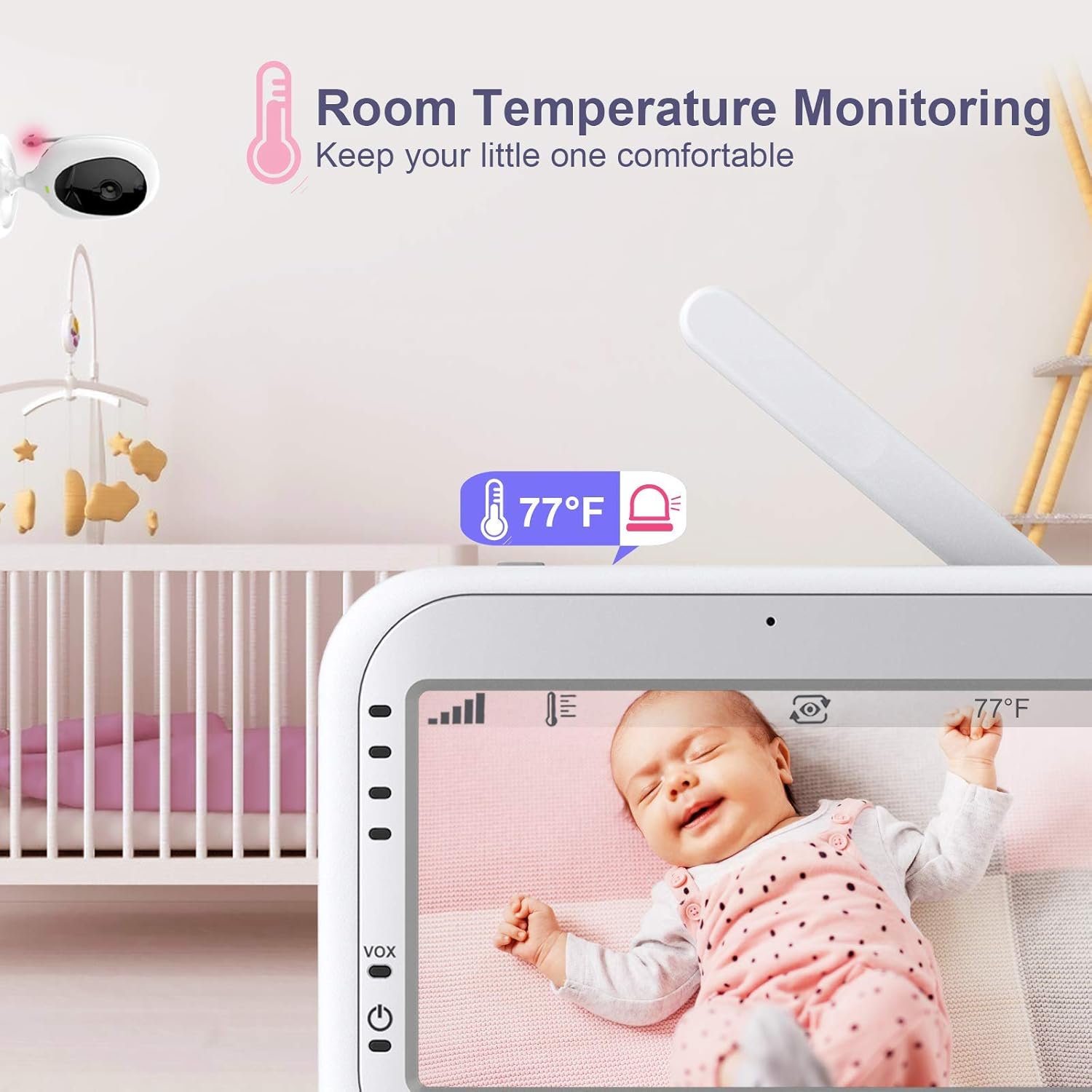
Image 6.2: The monitor displays the room temperature detected by the baby unit.
6.6 Feeding Alarm Reminding
You can set a feeding alarm on the parent unit to remind you when it's time to feed your baby. This feature helps maintain a consistent feeding schedule.

Image 6.3: Set a feeding alarm to receive reminders on the parent unit.
6.7 Split Screen View
If you are using two cameras, the 5-inch LCD screen supports a split-screen view, allowing you to monitor two rooms simultaneously. This feature is particularly useful for monitoring multiple children or different areas of a room.
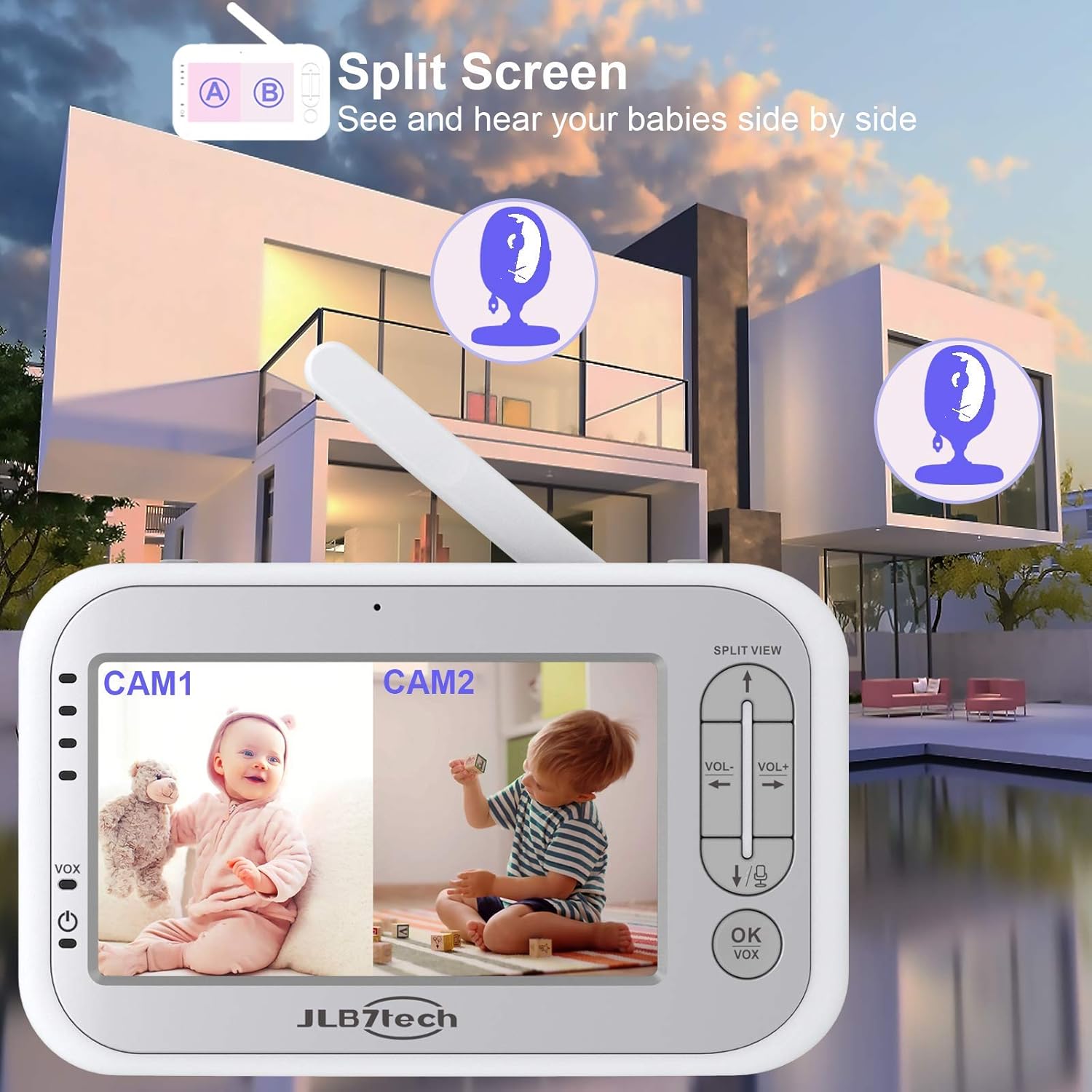
Image 6.4: The split screen feature allows simultaneous viewing from two cameras.
6.8 Auto Infrared Night Vision
The baby unit automatically activates infrared night vision in low light conditions, providing a clear black and white image of your baby even in a dark room. This ensures continuous monitoring day or night.

Image 6.5: Automatic infrared night vision provides clear images in the dark.
7. Maintenance
7.1 Cleaning
Wipe the monitor and camera units with a soft, dry cloth. Do not use abrasive cleaners or solvents. Ensure the devices are unplugged before cleaning.
7.2 Battery Care
The parent unit has a built-in rechargeable battery. For optimal battery life, avoid fully discharging the battery frequently. Charge the unit when the low battery indicator appears. The 3000mAh battery provides extended usage, with approximately 9 hours of screen-on time and 12 hours in audio-only mode.

Image 7.1: Battery life indicators for screen-on and audio-only modes.
8. Troubleshooting
8.1 No Image/Sound on Monitor
- Ensure both the parent unit and baby unit are powered on and connected to a power source.
- Check if the camera is within range of the monitor. Move them closer if necessary.
- Verify that the camera is properly paired with the monitor. Refer to the pairing section if needed.
- Adjust the volume level on the parent unit.
8.2 "Camera Lost Link" Message
This message indicates that the parent unit has lost connection with the baby unit. This can happen if the camera is too far from the monitor, there are too many obstructions (walls, furniture) between them, or if the camera is powered off.
- Move the parent unit closer to the baby unit.
- Ensure there are no large metal objects or other electronic devices causing interference.
- Check if the baby unit is powered on.
8.3 Poor Picture Quality
- Ensure the camera lens is clean.
- Check for adequate lighting in the room during daytime.
- For night vision, ensure the room is dark enough for the infrared to activate.
8.4 Short Battery Life
- Ensure the parent unit is fully charged before use.
- Frequent use of the screen will consume more battery. Consider using VOX mode to extend battery life.
- Battery performance may degrade over time with regular use.
9. Specifications
| Feature | Specification |
|---|---|
| Brand | JLB7tech |
| Model Name | 5" Split Screen Video Baby Monitor with 2 Cameras |
| Item Model Number | LB55955T*2/R |
| Screen Size | 5-inch LCD |
| Video Capture Resolution | 720p |
| Connectivity Technology | Wireless (No WiFi required for local operation) |
| Power Source | Battery Powered (Parent Unit), AC Powered (Baby Unit) |
| Battery (Parent Unit) | 1 Lithium Metal battery (included) |
| Special Features | Night Vision, Temperature Detection, 2-Way Talk, VOX Mode, Lullabies, Feeding Alarm, Split Screen |
| Camera Viewing Angle | 60 degrees (manual pan 360°, tilt 100°) |
| Wireless Range | Up to 1000ft (open area) |
| Material | Plastic |
| Item Dimensions L x W x H | 9.3 x 7.5 x 5 inches |
| Item Weight | 1.98 pounds |
10. Warranty and Support
JLB7tech stands behind its products. This baby monitor comes with a 24 MONTHS product warranty. For any inquiries or technical assistance, please contact our customer service team, available 24/7. We offer lifetime technical support to ensure your satisfaction.
Related documentsLB55955T*2/R

Ask a question about this manual
Ask about setup, troubleshooting, compatibility, parts, safety, or missing instructions. Manuals+ will review the question and use this page’s manual context to help answer it.