1. Introduction
This manual provides essential information for the safe and efficient operation, maintenance, and troubleshooting of your Electrolux Flow A3 Air Purifier, model FA31-202GY. Please read these instructions thoroughly before using the appliance and retain them for future reference.
2. Safety Information
Always observe basic safety precautions when using electrical appliances to reduce the risk of fire, electric shock, and injury.
- Ensure the power supply voltage matches the rating label on the appliance.
- Do not operate the appliance with a damaged cord or plug.
- Keep the appliance away from water or other liquids.
- Do not insert objects into any openings.
- Unplug the appliance before cleaning or performing any maintenance.
- This appliance is not intended for use by persons (including children) with reduced physical, sensory or mental capabilities, or lack of experience and knowledge, unless they have been given supervision or instruction concerning use of the appliance by a person responsible for their safety.
3. Product Overview
The Electrolux Flow A3 Air Purifier is designed to improve indoor air quality by filtering airborne particles and odors.

Figure 1: Front view of the Electrolux Flow A3 Air Purifier. The device features a sleek, light grey cylindrical design with the Electrolux logo prominently displayed on the upper front surface. Air intake is visible at the base, and the control panel is located on the top surface.
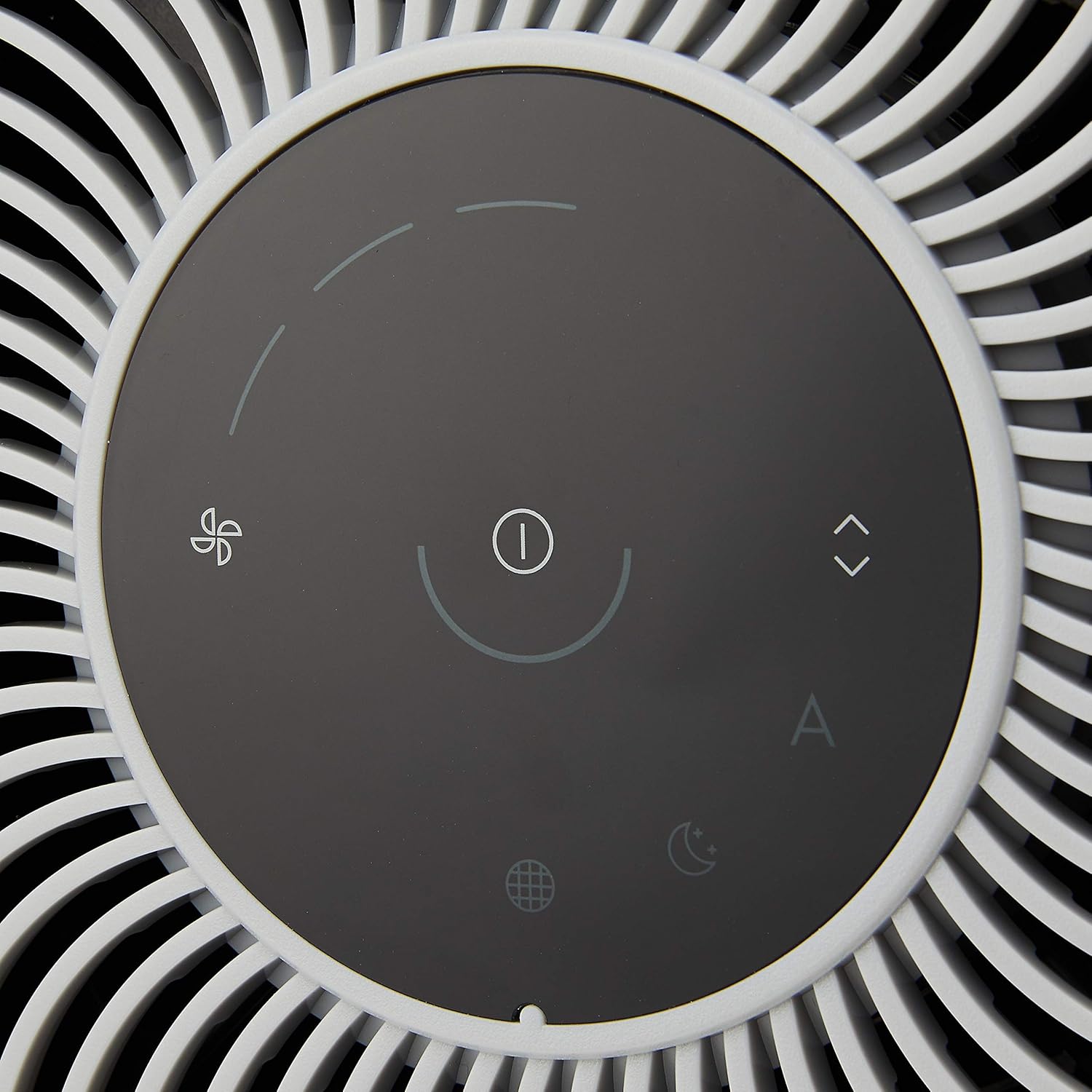
Figure 2: Close-up of the top control panel. The touch-sensitive interface includes icons for power, fan speed adjustment, auto mode, sleep mode, and a filter indicator. An air quality indicator light ring surrounds the central power button.
Components:
- Air Purifier Unit (FA31-202GY)
- Multi-stage Filter (pre-installed)
- Power Adapter
4. Setup
4.1 Unpacking
- Carefully remove the air purifier and all packaging materials from the box.
- Ensure all components listed in Section 3 are present.
- Remove any protective films or ties from the unit.
4.2 Filter Installation (Pre-installed)
The multi-stage filter is typically pre-installed in the unit. If it needs to be checked or re-installed:
- Turn the bottom of the unit counter-clockwise to unlock and remove the base cover.
- Remove the filter from its protective plastic bag.
- Insert the filter into the unit, ensuring it sits correctly.
- Replace the base cover and turn clockwise to lock it securely.

Figure 3: The Electrolux Flow A3 Air Purifier shown alongside its cylindrical multi-stage filter. This illustrates how the filter is accessed and replaced from the bottom of the unit.
4.3 Placement
For optimal performance, place the air purifier on a flat, stable surface in the room where air purification is desired. Ensure there is adequate space around the unit for proper air circulation.
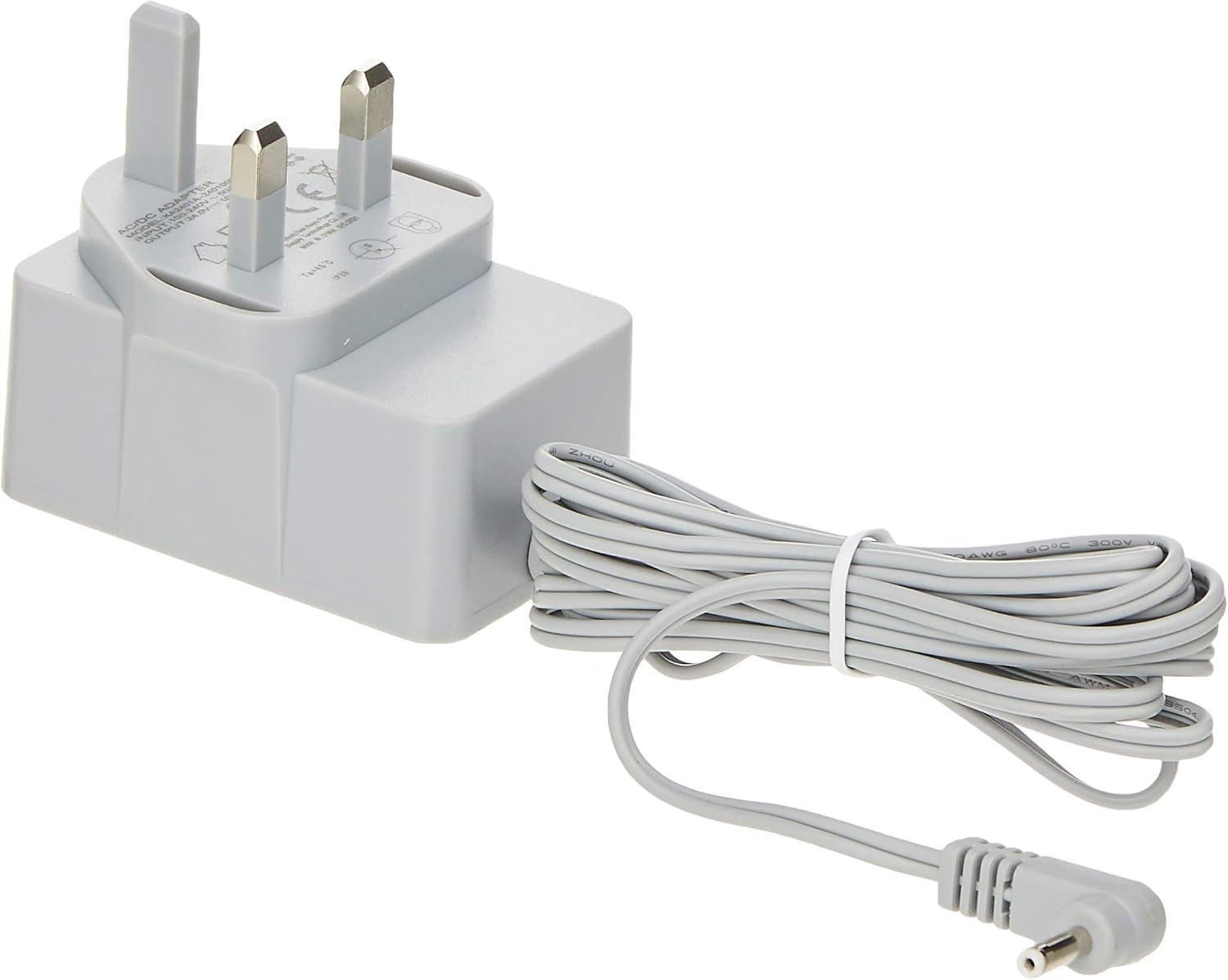
Figure 4: The air purifier positioned in a living room, demonstrating suitable placement for effective air circulation. The unit is placed on the floor, away from walls and furniture, allowing for unobstructed air intake and output.
4.4 Power Connection
- Connect the power adapter to the power inlet on the back of the air purifier.
- Plug the power adapter into a suitable electrical outlet.

Figure 5: The power adapter for the Electrolux Flow A3 Air Purifier, featuring a standard plug and a grey power cord. This adapter supplies the necessary power to the unit.
5. Operating Instructions
The Electrolux Flow A3 features an intuitive touch control panel on its top surface.
5.1 Power On/Off
- Press the Power button (central icon) to turn the unit on or off.
5.2 Fan Speed Adjustment
- Press the Fan Speed button (fan icon) repeatedly to cycle through the available fan speeds (1, 2, 3).
5.3 Auto Mode
- Press the Auto Mode button (A icon) to activate automatic operation. In this mode, the air purifier uses laser particle sensors to evaluate air quality and automatically adjusts fan speed.
5.4 Sleep Mode
- Press the Sleep Mode button (moon icon) to activate Sleep Mode. In this mode, the fan operates at its lowest speed, and indicator lights dim for quiet operation.
5.5 Air Quality Indicator (IAQ)
The light ring around the power button indicates the current air quality:
- Blue: Good air quality
- Green: Moderate air quality
- Orange: Poor air quality
- Red: Very poor air quality
6. Maintenance
Regular maintenance ensures optimal performance and extends the lifespan of your air purifier.
6.1 Cleaning the Unit
- Always unplug the unit before cleaning.
- Wipe the exterior surfaces with a soft, damp cloth. Do not use abrasive cleaners or solvents.
- Gently vacuum the air intake and outlet grilles to remove dust accumulation.
6.2 Filter Replacement
The filter indicator LED will illuminate when the filter needs replacement. The estimated filter lifetime depends on usage and air quality conditions.
- Unplug the air purifier from the power outlet.
- Turn the bottom of the unit counter-clockwise to unlock and remove the base cover.
- Carefully remove the old filter and dispose of it according to local regulations.
- Unpack the new Electrolux multi-stage filter (model specific for Flow A3).
- Insert the new filter into the unit, ensuring it is seated correctly.
- Replace the base cover and turn clockwise to lock it securely.
- Plug the unit back in.
- Press and hold the Filter Indicator button (if present, or the power button for 5 seconds) to reset the filter lifetime counter. Refer to the control panel diagram for the specific reset button.
7. Troubleshooting
If you encounter issues with your air purifier, refer to the following table for common problems and solutions.
| Problem | Possible Cause | Solution |
|---|---|---|
| Unit does not turn on | No power supply | Check if the power cord is securely plugged into the unit and the wall outlet. Ensure the outlet is functional. |
| Poor air purification performance | Clogged filter Incorrect placement | Replace the filter if the indicator light is on. Ensure the unit is placed in an open area, away from obstructions. |
| Unusual noise | Obstruction in fan Unit not on a flat surface | Unplug and check for any foreign objects. Ensure the unit is on a stable, level surface. |
| Air quality indicator always red/orange | High pollution levels Sensor dirty | Allow time for purification. Clean the air quality sensor (refer to maintenance section for sensor cleaning if applicable). |
If the problem persists after attempting these solutions, please contact Electrolux customer support.
8. Specifications
Technical details for the Electrolux Flow A3 Air Purifier FA31-202GY:
- Model: FA31-202GY
- Dimensions (Product): 15D x 15W x 15H centimetres
- Item Weight: 2.6 Kilograms
- Power Source: Corded Electric
- Control Method: Touch
- Filter Type: HEPA (Certified HEPA)
- Floor Area Served (JEM1467, JP): 26 Square Meters
- Noise Level (Minimum): 26 Decibels (in Sleep Mode)
- Fan Speeds: 3
- Particle Removal Efficiency (0.3µm): 99.98% (Filter Raw Material)
- Particle Removal Efficiency (2.5µm): 99.99% (Filter Raw Material)
- Included Components: 1 x Air Purifier
9. Warranty and Support
This Electrolux appliance comes with a Limited Warranty. Please refer to the warranty card included with your product or visit the official Electrolux website for detailed warranty terms and conditions specific to your region.
For technical assistance, spare parts, or service inquiries, please contact Electrolux customer support. Contact information can typically be found on the Electrolux website or in your product documentation.
Online Support: www.electrolux.com


